The DACI framework is a way to assign four roles to a single decision: a Driver who runs the process, one Approver who makes the call, Contributors who supply facts and opinions, and Informed people who hear the outcome. You use it when a decision keeps getting reopened, stalls between teams, or ends a meeting with everyone unsure who actually decided.
Decisions & Follow-through 13 min read
DACI Framework: How It Works, an Example, and DACI vs RACI and RAPID
What the DACI framework is, how to run a decision with a Driver, one Approver, Contributors and Informed, a worked example, and how DACI compares with RACI and RAPID.
By Sarma BKP, Founder & CEO, Acta · Updated
This guide explains how DACI works, walks through a filled-in example from a real-looking product decision, and compares it with RACI and Bain's RAPID so you can pick the right one. It's written for team leads, product managers and anyone who chairs meetings where decisions get made. DACI is overkill for small calls one person can make in a minute, and it won't fix a team that has no agreed goal in the first place.
Key takeaways
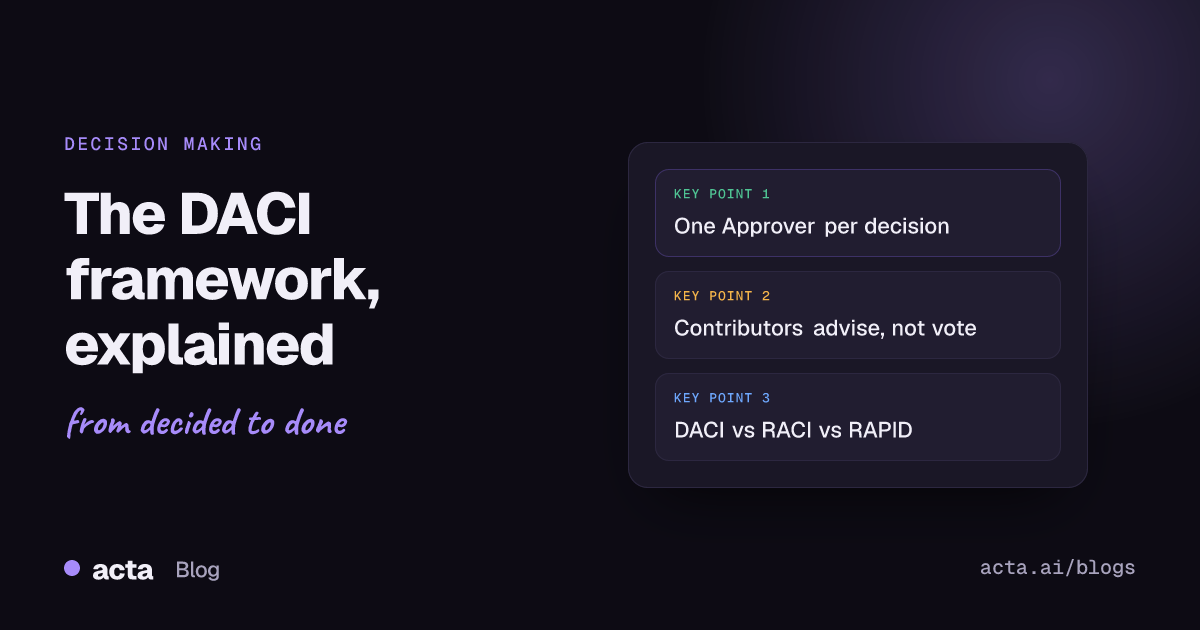
- Every DACI has exactly one Approver. If you can't name one person, you don't have a DACI yet; you have a discussion.
- Write the decision as a question with a deadline, such as "Which analytics vendor do we sign by 15 December?", before assigning any roles.
- Contributors give input but don't vote. Telling them this up front avoids the "I thought we agreed" problem later.
- Use DACI for one-off decisions, RACI for ongoing tasks and deliverables, and RAPID when a few people need a formal say before the decision is final.
- Finish by writing the decision, the reason and the date where the Informed group will see it, within a day.
Table of contents
- The DACI framework gives one decision four clear roles
- DACI works as a short process, not just a chart
- A worked DACI example: choosing an analytics vendor
- DACI turns a decision meeting into a confirmation
- DACI, RACI and RAPID solve different problems
- Use DACI for contested, one-off decisions
- Most DACI failures come from five mistakes
- Frequently asked questions
- Set up your first DACI this week
The DACI framework gives one decision four clear roles
DACI stands for Driver, Approver, Contributors and Informed. It's a decision-making framework, which means it's built around one specific choice, not a project or a job. It's often credited to Intuit as an adaptation of the RACI matrix, and Atlassian publishes it as one of the plays in its Team Playbook, where it's described as a way to improve the quality and speed of decisions by giving people specific roles.
Here is what each role means in practice:
- Driver. The person who owns the process. They frame the question, gather input, set the deadline, chase people and make sure the decision actually gets made and written down. The Driver does not have to be senior. Often it's a project manager, a product manager or whoever feels the pain of the open question.
- Approver. The one person who makes the final call. They can accept the recommendation, pick a different option or send it back for more work. There is one Approver per decision. If two people both need to say yes, either one of them is the Approver and the other is a Contributor, or you have two decisions.
- Contributors. People with knowledge, data or a stake in the outcome. They're consulted before the decision and their input shapes it, but they don't vote and they can't block it.
- Informed. People who need to know the result, usually because it changes their work. They're told after the decision, not asked during it.
The point of all this is not the letters. It's that the most common reason a decision stalls is that nobody is sure who gets the last word. Bain's Paul Rogers and Marcia Blenko made the same argument in their Harvard Business Review article "Who Has the D?", which identifies unclear accountability as the main reason decisions get stuck and re-debated. DACI is one practical answer to that problem.
DACI works as a short process, not just a chart
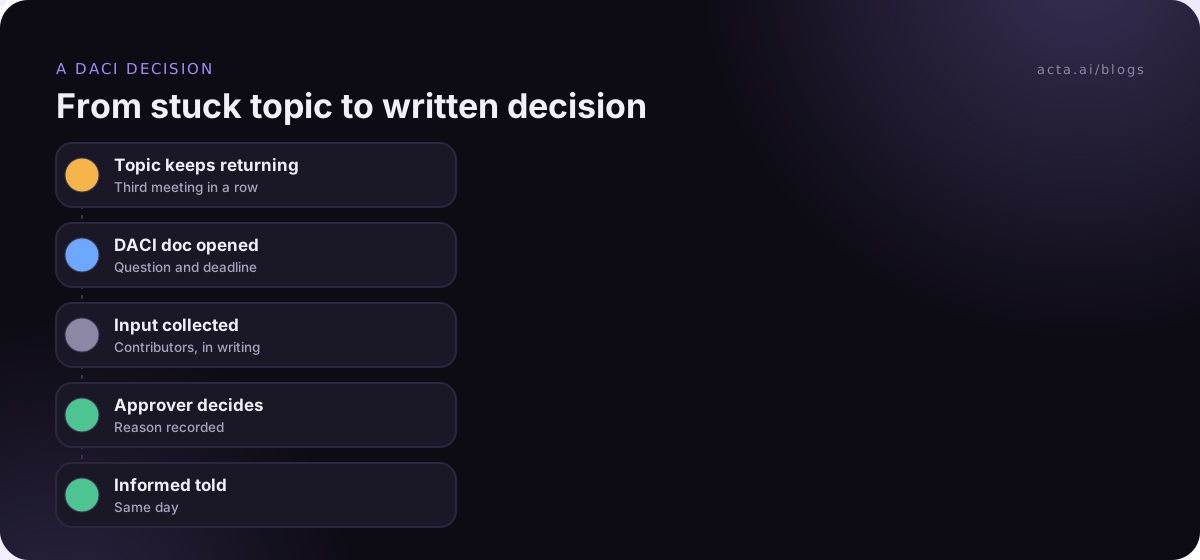
Many teams fill in the four names and stop there. The roles help, but the process around them is what gets the decision made. Atlassian's play boils it down to defining and assigning roles, filling in a DACI document, and then summarising and sharing the decision. In practice, I'd run it in these steps:
- Write the question. Phrase it as a real question with a deadline. Atlassian suggests titling the document "DACI: [Question we're trying to answer]?", which is a good habit because it forces you to say what's being decided.
- Name the roles. Driver and Approver first, then Contributors and Informed. Check with the Approver that they accept the role before you share it.
- Set the constraints. Budget, timeline, must-haves, anything already ruled out. This stops Contributors relitigating settled points.
- List the options. Usually two to four. Include "do nothing" if it's a real choice.
- Collect input. The Driver asks each Contributor for facts, risks and a view, ideally in writing so it's visible to everyone.
- Recommend. The Driver writes a short recommendation with the reasoning, and shares it with the Approver ahead of the meeting.
- Decide. The Approver decides, in a meeting or in the document. The decision, the reason and the date go into the document.
- Tell the Informed group. A short message with the outcome, the reason and what changes for them.
Here's a DACI template you can copy into a doc or wiki page:
DACI: [Question we're deciding]?
Decide by: [date]. Status: Open / Decided / Reopened
Driver: [name]. Approver: [one name]
Contributors: [names and what each brings]. Informed: [teams or names]
Background and constraints: [why now, budget, deadlines, what's already ruled out]
Options: A: [..] B: [..] C: [..], each with pros, cons, cost and risk
Input: [each Contributor's view, in their words]
Recommendation: [Driver's recommendation and why]
Decision: [what the Approver chose, the reason, the date]
Next steps: [action, owner, due date]
A worked DACI example: choosing an analytics vendor
Here's an illustrative example. A product team at a mid-sized software company has argued for six weeks about replacing its product analytics tool. The topic comes up in every planning meeting, people leave with different ideas of what was agreed, and the renewal date for the current contract is getting close.
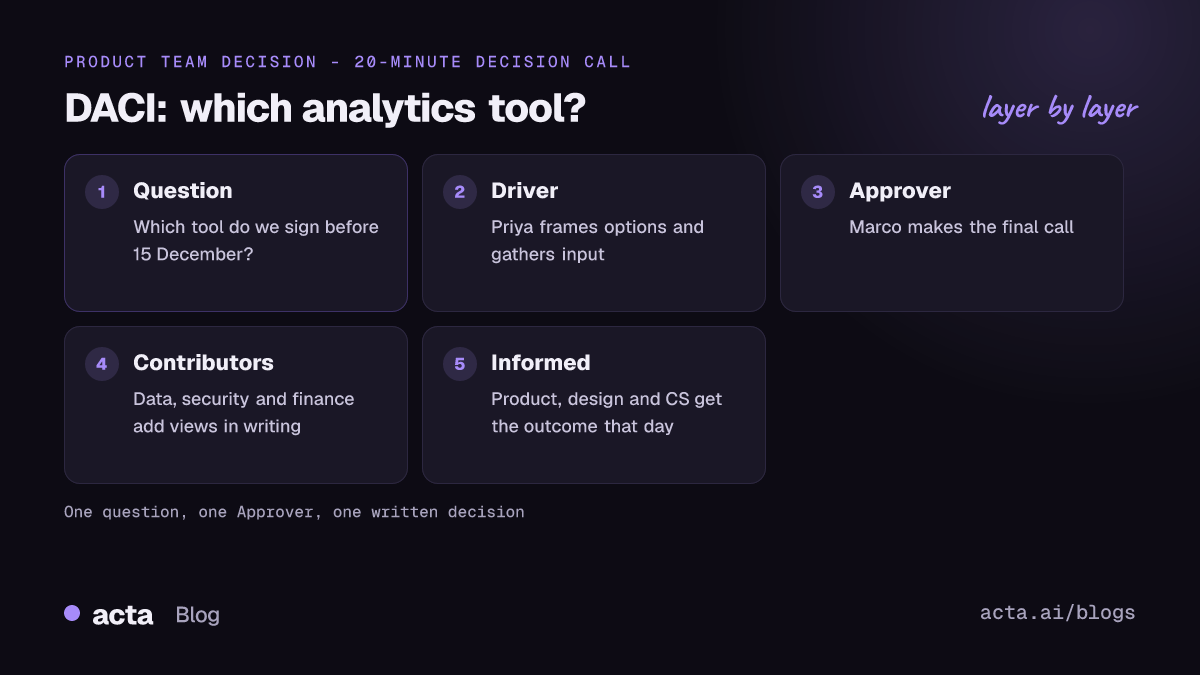
Priya, the product operations lead, opens a DACI document titled "DACI: Which product analytics tool do we sign before our current contract renews on 15 December?"
- Driver: Priya.
- Approver: Marco, head of product. He owns the budget line and the outcome.
- Contributors: Dana (data engineering: integration effort), Sam (security: data handling review), Lee (finance: cost and contract terms), two product managers (day-to-day use).
- Informed: the wider product and design teams, customer success, and the engineering managers whose teams will add tracking.
Priya lists three options: renew the current tool, switch to vendor A, or switch to vendor B. She writes down the constraints: the budget can't rise, migration must finish before the next quarter's launches, and security must sign off on data handling. Each Contributor adds their view in the document over a week. Sam flags that vendor B needs a longer security review that won't finish before 15 December. Dana estimates the migration effort for vendor A.
Priya recommends vendor A, with the reasoning and the trade-offs written out. Marco reads it the day before the meeting. In a 20-minute call he asks two questions, accepts the recommendation and adds one condition: keep read-only access to the old tool for three months. Priya writes the decision into the document with the date and sends a five-line note to the Informed group.
The decision wasn't easier. Everyone just knew who would make it and when it would be final. When a product manager raises vendor B again a month later, the answer is a link to the document, not another debate.
DACI turns a decision meeting into a confirmation
The biggest change DACI makes to meetings is that most of the work happens before them. By the time the group meets, the options, input and recommendation are already written down. The meeting is for questions, last objections and the Approver's call. It's one reason teams that use DACI often find their decision meetings get shorter; if yours keep overrunning, these fixes for meetings running over pair well with it.
Use a simple meeting structure:
- Driver restates the question and the deadline (one minute).
- Driver summarises the options and the recommendation (three to five minutes).
- Contributors raise anything new, not repeats of what's already in the document.
- Approver decides, or says exactly what they need to decide and by when.
- Driver reads back the decision and next steps, with owners and dates.
If the Approver can't decide in the meeting, that's fine, as long as the gap is specific: "I need Lee's revised contract number by Friday, then I'll decide." What you want to avoid is the vague ending where everyone agrees to "keep thinking about it". For a fuller walkthrough of the meeting itself, see how to run a decision meeting that ends with an actual decision.
The step people skip is writing the decision where others can find it. A decision that lives only in the memory of the people in the room gets reopened. Keep a running decision log, add the DACI link to it, and send the outcome to the Informed group. How to track decisions made in meetings covers the log in more detail.
DACI, RACI and RAPID solve different problems
DACI vs RACI is the comparison people ask about most, and Bain's RAPID framework is the usual third option. They overlap, but they're built for different jobs, and using the wrong one is a common reason teams give up on role frameworks altogether.
RACI (Responsible, Accountable, Consulted, Informed) is a responsibility matrix for tasks and deliverables. In PMI's description, Responsible people do the work and there can be several, Accountable is the one person who owns the outcome, Consulted people give input before the work is finished, and Informed people are kept up to date. It's great for a project plan with dozens of tasks. It's weaker for a single contested choice, because "Accountable" for a deliverable isn't quite the same as "the person who decides".
RAPID (Recommend, Agree, Input, Decide, Perform) was developed by Bain & Company and popularised in the "Who Has the D?" article. Bain describes it as a tool to clarify decision accountabilities when many stakeholders are involved. It adds two things DACI doesn't have: an Agree role for the few people, such as legal or risk, who must sign off on the recommendation, and a Perform role for whoever carries out the decision. That makes it a better fit for big, cross-functional decisions with formal sign-offs.
| Framework | Built for | Who decides | Best fit |
|---|---|---|---|
| DACI | One decision | The Approver | Contested product, process or vendor choices |
| RACI | Tasks and deliverables | Accountable owns the outcome | Project plans, recurring processes, handoffs |
| RAPID | One decision with formal sign-offs | The Decide role | Large, cross-functional or regulated decisions |
A practical rule of thumb: if you're asking "who does this work?", use RACI. If you're asking "who makes this call?", use DACI. If the call needs legal, risk or another function to formally agree before it's final, use RAPID. Many teams use RACI for the project and DACI for the handful of real decisions inside it; building a decision log and RACI from your meetings shows how the two fit together.
Use DACI for contested, one-off decisions
DACI earns its keep when a decision has real stakes, several people with opinions and a history of going in circles. Good candidates include choosing a vendor or tool, changing a pricing or packaging model, picking between two technical designs, deciding whether to sunset a feature, or setting a policy that affects several teams.
Skip it when:
- One person can obviously decide in minutes. Writing a DACI for the team lunch spot is a good way to make people roll their eyes at the next one.
- The decision is easy to reverse. If you can try it and undo it next week, just try it and tell people.
- The team can't agree on the goal. DACI sorts out who decides between options. It won't settle a disagreement about what you're trying to achieve. Fix that first.
- It's an emergency. In an incident, the person running the response decides. Write it up afterwards.
A sensible threshold is to use DACI for decisions that would take more than a week to undo, cost real money, or affect more than one team. Below that, a quick "Marco decides, Priya and Dana advise" in the chat often does the same job.
Most DACI failures come from five mistakes
When teams say "we tried DACI and it didn't work", it usually comes down to one of these.
- Two Approvers. Shared approval sounds fair and works badly. When two people both have to say yes, you're back to negotiating. Pick one, and make the other a Contributor whose input carries weight.
- Too many Contributors. If 15 people are Contributors, nobody's input stands out and the Driver spends a month collecting views. Keep it to the people with knowledge or real stakes, and move the rest to Informed.
- Contributors who think they're voting. Say clearly, at the start, that Contributors shape the decision but don't decide it. It feels blunt, but it avoids hurt feelings later.
- No deadline. Without a "decide by" date, the DACI becomes another place for the debate to live forever.
- The decision isn't shared. The Informed group finds out by accident, weeks later. That's how decisions get reopened. Send a short note on the same day.
One more: an Approver who overrules the recommendation without a written reason. Contributors notice, and stop putting effort in.
Keeping the record straight
The weakest part of most DACIs is the record of what was said in the decision meeting. Acta records Zoom, Google Meet and Teams calls and pulls out the decisions and action items with owners, and you can ask OneChat later what was decided and why, with links back to the meeting. If a meeting bot isn't welcome, the Acta desktop app records from your own computer; either way, tell people first, as this guide to recording consent explains.
Frequently asked questions
What does DACI stand for?
DACI stands for Driver, Approver, Contributors and Informed. The Driver runs the decision process, the Approver makes the final call, Contributors provide knowledge and opinions before the decision, and Informed people are told the outcome afterwards. Each decision has one Driver and one Approver, while Contributors and Informed can be several people or whole teams.
What is the difference between DACI and RACI?
DACI is built around a single decision and names the one person who makes it. RACI is a responsibility matrix for tasks and deliverables, naming who does the work, who is accountable for the outcome, who is consulted and who is informed. Use RACI to plan who does what on a project, and DACI for the specific contested choices inside it.
Can the Driver and the Approver be the same person?
They can, but it's usually a sign the decision doesn't need DACI. The value comes from separating the person who gathers input and builds the recommendation from the person who decides. If one person does both, Contributors may feel their input is a formality. For small decisions, that's fine; for contested ones, split the roles.
Is DACI better than RAPID?
Neither is better in general. DACI is simpler and quicker to set up, so it suits most team-level decisions. RAPID adds an Agree role for people who must formally sign off and a Perform role for whoever executes, which helps with large, cross-functional decisions involving legal, risk or finance approvals. Pick based on how many formal sign-offs the decision needs.
How do I introduce the DACI framework to my team?
Start with one decision that has been stuck for a while, not a new process for everything. Write the question, name the Driver and Approver, share a short template and run it through to a written decision. Once people see a stuck topic get closed, they'll ask for DACI on the next one. Rolling it out company-wide on day one usually backfires.
Set up your first DACI this week
Pick one decision that keeps coming back in your meetings and run it through DACI from start to finish. These are the checks that matter most.
- Write the question: One decision, phrased as a question, with a "decide by" date.
- Name one Approver: Confirm with them that they accept the role before you share the document.
- Keep Contributors focused: Only people with knowledge or real stakes, told up front that they advise rather than vote.
- Recommend in writing: The Driver shares options, input and a recommendation before the meeting.
- Close the loop: Record the decision, the reason and the date, and tell the Informed group the same day.
If you want the decisions from those meetings captured without anyone typing, the Acta Chrome extension records Google Meet, Microsoft Teams in the browser and the Zoom web client with no bot, and there's a 15-day free trial on the pricing page.
Found this useful? Share it with your team.