Six criteria matter more in the UAE than feature lists
Most "best AI note taker" lists are written for teams in London or San Francisco, where every meeting is in English and every attendee runs the same calendar. A typical Dubai week looks different. A Monday sales call with a Riyadh client runs in Arabic and English, a Tuesday supplier review with a Mumbai vendor slides between Hindi and English, and the follow-up for both goes out on WhatsApp because that's where the client actually reads it.
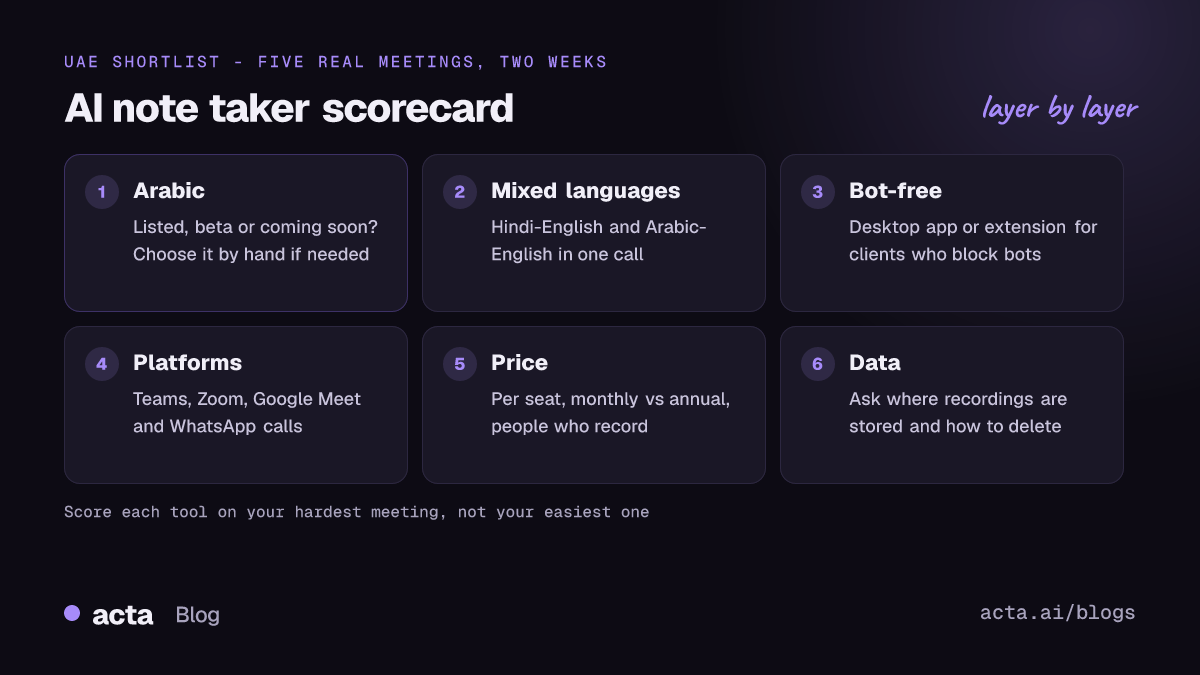
So before comparing summaries and integrations, put every tool on your AI note taker UAE shortlist through these six tests:
- Arabic support and its status. Is Arabic listed at all, is it marked beta or coming soon, and do you have to choose it by hand?
- Mixed languages. Can it follow Hindi-English, or Arabic-English, inside one meeting, or does it need one language per meeting?
- Bot-free recording. Is there a desktop app or browser extension for calls where a visible notetaker would be asked to leave?
- Teams and Zoom coverage. Many UAE corporates run on Microsoft Teams while plenty of SMEs use Zoom, so check both, plus Google Meet if your clients use it.
- Follow-ups you can paste into WhatsApp. Clean action items with owners, short enough to forward, matter more than a long AI essay.
- Pricing model and data location. Per seat or per workspace, monthly or annual, and whether the vendor says where recordings are stored.
Weight them for your team. A real estate brokerage with Arabic-speaking buyers will weight criteria 1 and 3 heavily; an engineering consultancy with mostly English meetings might care more about Teams coverage and price.
Eight AI note takers compared for UAE meetings
The table gives the short version. Prices change often and some vendors run promotions, so treat the figures as a starting point.
| Tool | Best for | Bot-free? | Free plan | Starting price |
|---|
| Acta | Mixed Hindi-English teams, bot-free calls | Yes (desktop app, Chrome extension) | 15-day trial | $8 per seat/month, or $72 per seat/year |
| Fireflies | Wide language list | Yes (desktop app) | Yes | Pro from $10 per seat/month, billed annually |
| Otter | English-first teams | Yes (desktop app) | Yes (Basic) | Per user; see pricing page |
| Granola | Bot-free personal notes | Yes | Yes (Basic) | Business $14 per user/month |
| tl;dv | Teams wanting Arabic dialect options | Partly (extension, desktop app) | Yes | Pro $18 per seat/month, billed annually |
| Teams intelligent recap | Microsoft 365 organisations | Built in, no bot | No | Needs Teams Premium or Copilot licence |
| Zoom AI Companion | Zoom-only teams | Built in, no bot | No | Included in paid Zoom Workplace plans |
| Gemini in Google Meet | Google Workspace companies | Built in, no bot | No | Business Standard and above |
Checked on 25 November 2026; confirm on each vendor's pricing page.
Each option has a clear best fit
No single tool wins on every criterion. Here is what each one does well, where it falls short for UAE use, and what it costs as of November 2026.
Acta
Best for: teams with Hindi-English meetings and clients who won't admit a bot. Pros: records Zoom, Google Meet and Teams with a meeting bot, a bot-free desktop app for Windows and Mac, or a Chrome extension; the desktop app also records WhatsApp calls when you press Record. Hindi, including Hinglish, is auto-detected; Arabic is available in beta and you choose it in Settings. Notes come in the meeting language or in English. Cons: Arabic is still in beta, and Urdu, Malayalam and Tagalog aren't supported yet. Its security page says data is hosted in the United States. Price: Pro is $8 per seat per month billed monthly or $72 per seat per year, with a 15-day free trial; every workspace member uses a seat and the owner pays.
Fireflies
Best for: teams that need the widest language list. Pros: Fireflies' supported languages guide lists Arabic among 100+ languages, and a Multi-Language Mode (beta) handles more than one language in a meeting. Its desktop app records without a bot and can detect WhatsApp calls. Cons: Fireflies' own help says bot-free recordings show speakers as Speaker 1, Speaker 2 rather than names, and don't save audio files. Price: free plan available; Pro from $10 per seat per month billed annually, as of November 2026.
Otter
Best for: English-first teams that want a mature product. Pros: bot or bot-free recording through its desktop app on macOS 13 or later and Windows 10 or later. Cons: for UAE use, the gap is language. Otter's November 2026 language announcement lists Arabic and Hindi as coming soon, not live. Price: a free Basic plan plus per-user paid plans; Otter's pricing page showed promotional prices when checked, so confirm there.
Granola
Best for: individuals who take their own notes and want AI to fill the gaps. Pros: records from your device with no bot, and its 32-language update lists Arabic, Hindi and Urdu. Urdu matters for many UAE teams, and few tools on this list cover it. Cons: it's built around one person's notepad rather than team-wide action tracking, and mobile language coverage is shorter than desktop. Price: free Basic plan with 30 days of history; Business at $14 per user per month, per Granola's own pages.
tl;dv
Best for: teams that want to pick a specific Arabic variant. Pros: its transcript-language help lists Arabic (UAE), Arabic (Saudi Arabia), Arabic (Egypt), Arabic (Jordan), Arabic (Lebanon) and Arabic (Qatar). Cons: mixed languages in one meeting depend on a premium transcription model on higher plans, and per-meeting language choice has limits in the desktop app. Price: free plan; Pro at $18 per seat per month billed annually, per tl;dv's own pages.
Microsoft Teams intelligent recap
Best for: organisations already deep in Microsoft 365. Pros: no bot and no extra vendor; Microsoft's recap documentation points to the Copilot language list, which includes Arabic. Cons: it only covers Teams meetings that are transcribed, so a Zoom call with a client or a WhatsApp call gets nothing. Price: needs a Teams Premium or Microsoft 365 Copilot licence; check with your Microsoft partner, plans change.
Zoom AI Companion
Best for: teams that live in Zoom. Pros: meeting summaries are included at no extra cost in paid Zoom Workplace plans, per Zoom. Cons: Zoom notes AI features may not be available in all regions, and I couldn't confirm Arabic for meeting summaries on an official Zoom page as of November 2026. Price: included with paid plans; a separate Custom AI Companion add-on costs extra.
Gemini in Google Meet
Best for: Google Workspace companies. Pros: "Take notes for me" writes a Google Doc after the meeting, with no bot. Cons: it depends on the organiser's Workspace edition, and Google's supported languages page did not confirm Arabic for meeting notes when I checked. Price: Business Standard, Business Plus, Enterprise Standard and Enterprise Plus editions.
Arabic and mixed-language support decides most shortlists
Arabic transcription is harder than English for two reasons that matter in the UAE. First, Gulf, Levantine and Egyptian Arabic sound quite different, and business meetings often mix Modern Standard Arabic terms with dialect. Second, people switch to English mid-sentence for numbers, product names and contract terms. A tool that does fine on a news clip can struggle on a property viewing call between an Emirati buyer and a Lebanese agent.
Three practical rules:
- Read the status, not just the list. "Supported", "beta" and "coming soon" mean different things. In Acta, Arabic is beta and must be chosen in Settings, because Auto only detects English, Hindi, French, Spanish and German (see meeting languages).
- Decide where the notes should be in English. Many UAE teams want the transcript in the spoken language but the summary in English for head office. Check whether the tool can do that without a separate translation step.
- Be honest about South Asian languages. Hindi is widely supported now. Urdu, Malayalam and Tagalog are patchier: Granola lists Urdu, while Acta supports none of the three yet. If your site supervisors speak Malayalam, record the English parts or keep a human note-taker for those meetings.
If language is your main concern, Acta's languages page lists the 15 it supports, and every vendor above publishes a similar list. Compare them against the languages your team actually speaks, not the languages on the org chart. For setup details, see our Arabic meeting transcription guide and the playbook for Hindi-speaking teams in the UAE.
Bot-free recording matters when clients refuse bots
In UAE client work, a notetaker bot joining the call is often the first thing removed. Some banks, government-linked entities and legal teams don't allow outside bots into their Teams meetings, and other clients simply ask, "Who is that?". Our piece on why companies block meeting bots covers the reasons.
Bot-free recording solves the visibility problem by recording from your own computer. If bots aren't welcome, a desktop recorder like Acta's desktop app captures Zoom and Teams desktop meetings, and for Google Meet or Teams in the browser the Chrome extension does the same with no extra participant. Our round-up of AI notetakers without a bot compares more options in depth.
Bot-free does not mean secret. The UAE's federal personal data protection law, Federal Decree-Law No. 45 of 2021, governs how personal data is processed, as the government's data protection laws page explains, and free zones such as DIFC and ADGM have their own regimes; our UAE PDPL meeting recording guide covers consent, free zones and notices in detail. Tell people at the start of the call that you're recording. This is general information, not legal advice; our guide on consent and what to tell participants has wording you can use.
A two-week trial beats any comparison page
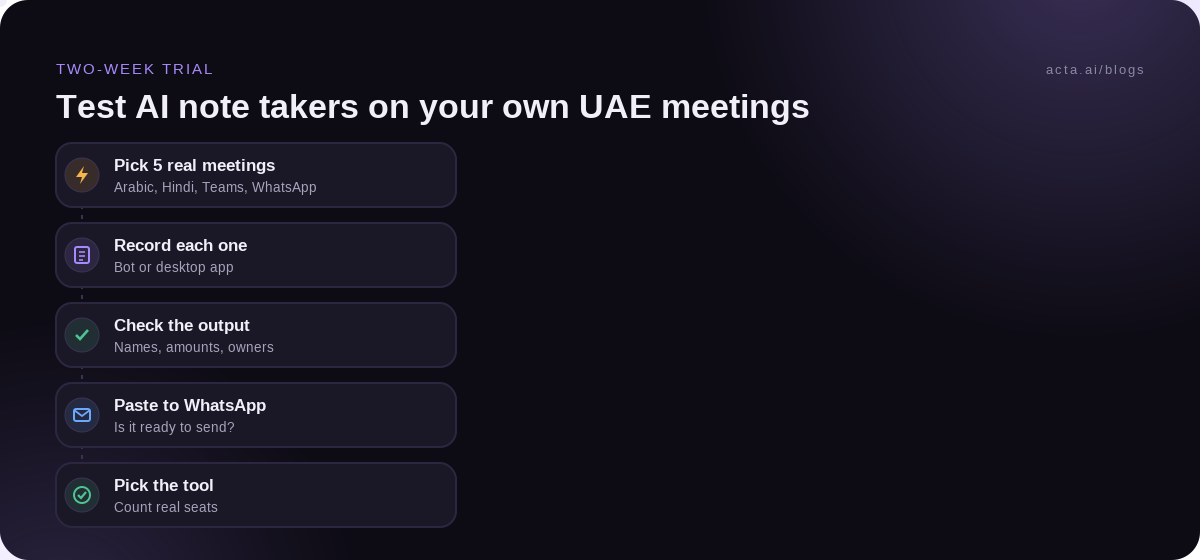
Most of these tools offer a free plan or a trial, so test with your own meetings before choosing. Here's a plan that fits into two working weeks:
- Pick five real meetings. One internal English meeting, one Arabic or Arabic-English client call, one Hindi-English supplier call, one Teams call with an outside company, and one WhatsApp or phone call.
- Set the language deliberately. Don't leave everything on Auto. Choose Arabic where the meeting is mostly Arabic, and note which tools make you do that.
- Check three things in each output. Are names, amounts and dates correct? Are action items assigned to the right person? Would you forward the summary to the client as it is?
- Paste the follow-up into WhatsApp. If the action list needs heavy editing to read well on a phone, that's a daily cost.
- Count seats. List who actually runs meetings. In a 15-person Dubai agency, that might be the two partners and four account leads, not everyone.
- Ask about data. Email each vendor: where are recordings stored, how long are they kept, and can we delete them?
Take an illustrative example. Fatima, an operations manager at a Dubai trading company, ran this test with three tools. Her team's weekly supplier call with Rahul in Mumbai came out cleanly in all three. The Arabic-English call with a client in Abu Dhabi split them: one tool needed Arabic chosen by hand, one returned a mostly English transcript, and one didn't offer Arabic yet. That single call decided her shortlist.
Where Acta fits
Acta fits UAE teams whose meetings mix English with Hindi or Arabic and who need to record Teams, Zoom, Meet or WhatsApp calls without a bot. It's honest to say Arabic is still beta in Acta and Urdu, Malayalam and Tagalog aren't supported yet, so test it on your own calls. The AI note taker for UAE teams page sums up how it works locally.
Frequently asked questions
What is the best AI note taker in the UAE?
There's no single best AI note taker in the UAE; it depends on your languages and platforms. As of November 2026, Fireflies, tl;dv and Granola list Arabic, Acta offers Arabic in beta with automatic Hindi-English, and Teams intelligent recap suits Microsoft 365 companies. Test each with one Arabic-English recording before buying.
Do AI note takers support Arabic meeting transcription?
Some do, with caveats. As of November 2026, Fireflies, Granola and tl;dv list Arabic, tl;dv offers dialect variants including Arabic (UAE), Acta has Arabic in beta that you choose in Settings, and Otter lists Arabic as coming soon. Arabic transcription quality varies by dialect, so UAE teams should test with real recordings.
Is it legal to use an AI meeting assistant in Dubai?
Using an AI meeting assistant in Dubai is common, but recordings contain personal data, which the UAE's Federal Decree-Law No. 45 of 2021 regulates, and DIFC and ADGM have their own data protection rules. Tell participants you're recording and agree how notes are stored. This is general information, not legal advice.
Can I record a WhatsApp call with an AI note taker in the UAE?
Yes, with a desktop app that records your computer's audio. In the UAE, Acta's desktop app records WhatsApp calls when you press Record, and Fireflies' desktop app can detect WhatsApp calls. Meeting bots can't join WhatsApp calls. Tell the other person first that you're recording.
How much does an AI note taker cost for a UAE team?
Most AI note takers used in the UAE charge per seat in US dollars. As of November 2026, Acta Pro is $8 per seat per month or $72 per year, Fireflies Pro starts at $10 billed annually, and Granola Business is $14 per user per month. Count only people who record meetings.
Choose the right AI note taker for your UAE team
The honest AI note taker UAE answer is to pick the tool that handles your hardest meeting, not your easiest one. Before you sign:
- Test your languages: run one Arabic-English and one Hindi-English recording through each shortlisted tool.
- Plan for no-bot calls: make sure there's a desktop app or browser extension for clients who block bots.
- Match your platforms: check Teams, Zoom, Google Meet and WhatsApp against how your team actually works.
- Count real seats: license the people who record, and price monthly against annual.
- Get data answers in writing: ask where recordings are stored and how to delete them.
If you want to test Acta on your own calls, start the 15-day free trial from the pricing page and record your next meeting with the desktop app or Chrome extension, no bot required.