Quick answer: AI agents for project managers work best on the recurring paperwork around meetings: drafting the weekly project status report, logging new risks and decisions, chasing action items and turning engineering calls into ticket drafts. Keep judgment calls, trade-offs and bad-news conversations for yourself, and have the agent hand you a draft to approve before anything reaches a stakeholder.
Most project managers I know don't lose their week to hard problems. They lose it to the Monday status update stitched together from four calls, the RAID log that's two weeks behind, and the same "did anyone send that?" message going out on Thursday. That's the work an agent can take. The interesting part is drawing the line, because an agent that writes your sponsor update unsupervised can do more damage than a late update ever did.
What can AI agents for project managers actually do?
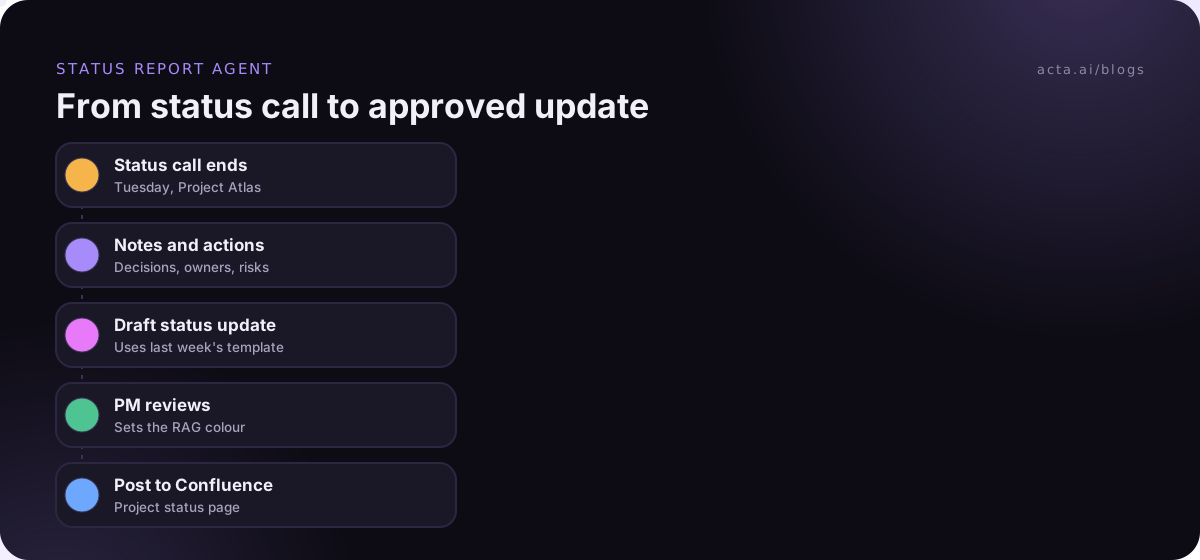
An agent is a piece of software that wakes up on a trigger, reads some inputs, and carries out several steps across your tools without you clicking through each one. For a project manager the trigger is usually a meeting ending, a date (Friday 3pm) or a change in a tracker. The inputs are transcripts, tickets and last week's report. The steps are things like "summarise what changed", "compare to the plan", "draft the update", "post it for review".
That's different from asking a chatbot a one-off question. A chatbot answers when you ask. An agent runs the same job every week whether you remember or not, which is exactly why it suits the repetitive side of ai project management and why it needs guardrails.
Most PMs are still early with this. PMI research published in 2023 found that only 18% of project professionals said they had extensive or good practical experience with AI tools (PMI press release). So if you feel behind, you're in a large crowd, and starting with one small agent is a perfectly reasonable plan. Our guide to picking your first AI agent use case helps you choose which.
Which project tasks should you hand to an agent first?
Pick tasks that repeat, have a clear input and produce a document someone can check in two minutes. Here's the order I'd go in.
1. The weekly project status report
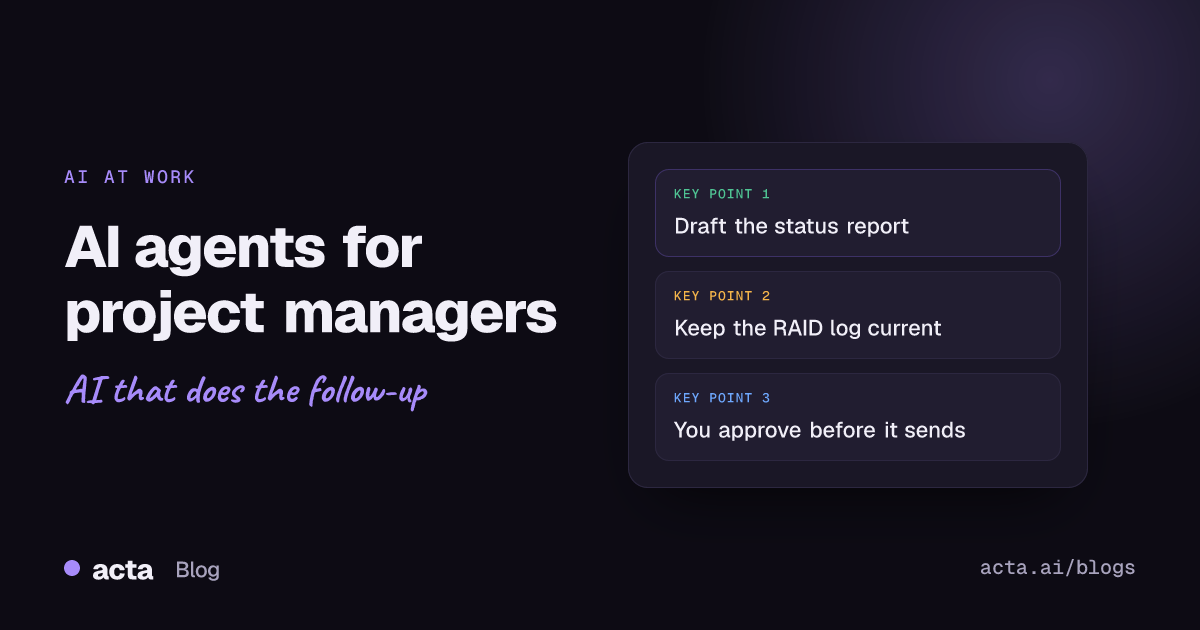
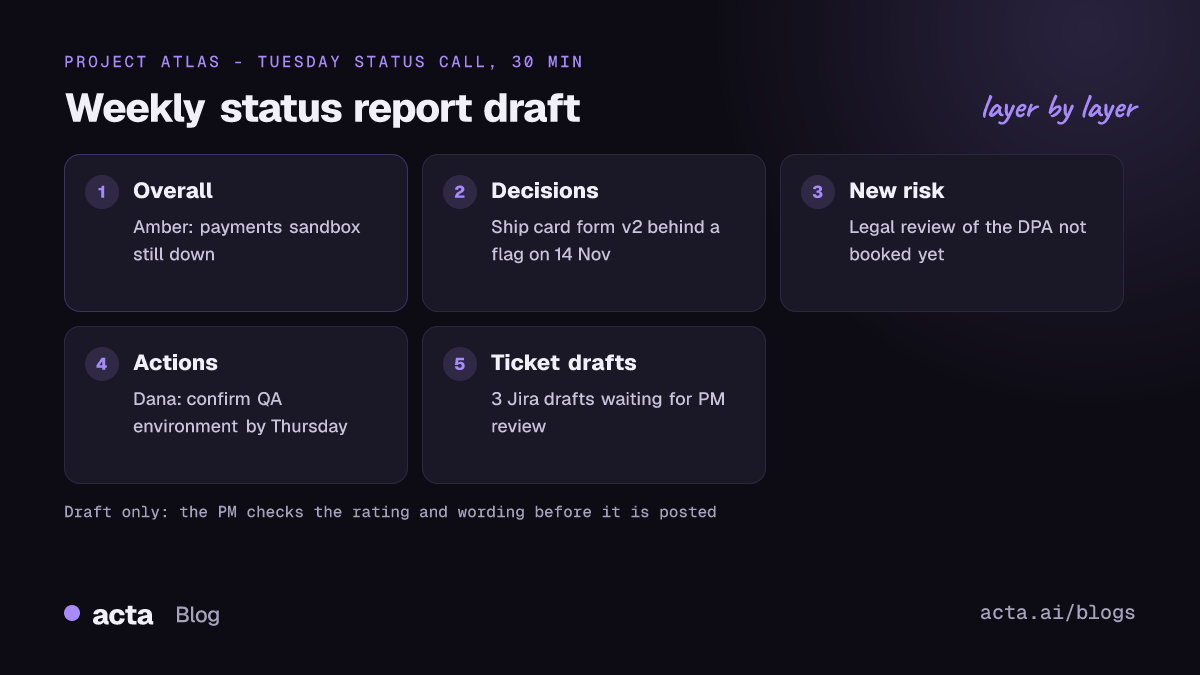
This is the obvious first win. The agent reads the status meeting transcript plus anything that changed in the tracker, then fills your usual template: overall RAG, what moved, what slipped, decisions, risks, asks. You still choose the colour. An agent will happily call a project green because nobody said the word "late", so treat its rating as a suggestion. There's a longer walkthrough of this in our post on status reports written from status meetings.
2. Action item follow-up
Action items die in the gap between the call and the next call. An agent can pull every "I'll do that" with its owner and date, post the list in the project channel the same afternoon, and nudge owners a day before the due date. It sounds small. In practice action item follow-up is where a lot of schedule slip quietly starts, and we wrote about the pattern in why action items don't get done.
3. RAID log updates from meetings
Risks and dependencies get mentioned in passing ("we're still waiting on legal for the DPA") and never make it into the RAID log. An agent that scans each meeting for new risks, assumptions, issues and dependencies, and proposes entries for you to accept, keeps the log honest without a weekly grooming session. Some of the risks people mention without calling them risks are listed in 7 project risks hiding in everyday conversations.
4. Ticket drafts from engineering calls
When a planning call produces six new tasks, the agent can draft them in Jira with a title, description and the person who volunteered. Keep it to drafts. Auto-creating tickets is how you end up with three versions of "fix login timeout".
5. Stakeholder recaps
A short recap email after a steering meeting, written in plain language for people who weren't there. This one should always go through you, because tone matters more than speed when a sponsor reads it.
What should project managers keep doing themselves?
Anything that needs judgment about people or trade-offs. Specifically:
- Re-planning. An agent can tell you the integration work slipped a week. It can't decide whether to cut scope, add a contractor or move the launch.
- Delivering bad news. The first time a sponsor hears "we're going to miss the date" should be from you, ideally out loud.
- Conflict between teams. Agents summarise disagreements flatly. That's useful as a record and useless as mediation.
- Prioritisation. When two stakeholders want different things, the call is yours and the reasoning should be yours too.
A simple test: if getting it wrong would damage trust, keep it. If getting it wrong just means fixing a typo in a draft, hand it off. We cover the bigger failure modes in risks of AI agents at work.
How do you set up an agent without losing control?
The setup matters more than the tool. This is the sequence that has worked for teams I've seen do it well:
- Choose one output. "Weekly status report for Project Atlas", not "help with project admin".
- Write down the inputs. Which meetings, which tracker, which template. If the agent can't see the RAID log, it can't update it.
- Give it your real template. Paste last month's best report as the example. Agents copy structure very well.
- Run in draft-only mode for two weeks. It writes, you send. Note every edit you make; that list becomes your instruction set.
- Add an approval step before anything leaves the team. Internal channel posts might go straight out once you trust them. Sponsor emails and client updates stay behind a human in the loop. Our guide to human approval in automation covers where to put the check.
- Name an owner and keep a log. Someone has to notice when it stops running or starts writing nonsense.
If you want to try building one, build your first AI agent walks through a meeting follow-up agent step by step.
Where does the agent get its meeting information?
Everything above depends on having a usable transcript of the meeting. That comes from one of three places: a meeting bot that joins the call, a recorder running on your own computer, or an uploaded recording. A lot of client and vendor calls don't welcome bots, so it helps that a desktop recorder such as Acta's desktop app can capture Zoom, Teams or any other call from your laptop without a bot joining. Either way, tell people you're recording; the rules differ by country and sometimes by state, and our guide to recording meetings legally with AI covers what to say.
Quality in, quality out. If your status meeting is fifteen minutes of people reading ticket numbers, the agent will produce a tidy summary of ticket numbers. Agents reward meetings where people say what changed and why.
What goes wrong with project management agents?
A few failure modes come up again and again:
- Stale inputs. The agent writes Friday's report from Tuesday's meeting because Thursday's call wasn't captured. Always show the source meetings at the bottom of the draft.
- Unnamed risks. Agents rarely invent problems, but they often miss the ones nobody spelled out. "We'll see" from a tech lead is a risk; the agent may file it as nothing.
- Duplicate work items. Two agents, or an agent plus a human, both log the same action. Pick one system of record.
- Agent sprawl. Five half-tuned agents are worse than one good one. Gartner predicted in June 2025 that over 40% of agentic AI projects will be canceled by the end of 2027 because of rising costs, unclear business value or weak risk controls (Gartner). Small, boring, clearly useful agents tend to survive that kind of cull.
Before turning anything on for real, it's worth a dry run. Testing an automation without sending shows how to check outputs on past meetings first.
How do you know the agent is worth keeping?
Don't measure it by how impressive the drafts look. Measure the things you'd notice if it disappeared:
- How long the Monday report takes you now versus before. If you're still spending 90 minutes editing, the template or inputs are wrong.
- How many edits you make per draft. That number should fall over the first month.
- Whether action items get closed by their dates more often.
- Whether the RAID log actually matches what people are worried about when you ask them.
If after a month you're editing as much as you were writing, switch it off. That's a perfectly good outcome; you learned which part of the job didn't suit automation.
How Acta fits in
Acta records Zoom, Google Meet and Teams calls (with a bot, the desktop app or the Chrome extension) and writes the summary, decisions and action items with owners. Its Agent Builder lets you set up automations like the status-report draft above, with integrations including Jira, Confluence and Notion, and the approval step keeps you between the draft and the send.
Frequently asked questions
Will AI agents replace project managers?
Not on the evidence so far. Agents take the reporting and chasing work, which frees time for the parts of the job that are about people and trade-offs. The PMs who get the most out of them are the ones who were already clear about what their reports should say.
What's the best first agent for a project manager?
The weekly project status report. It repeats, it has a fixed template, it draws on meetings you already hold, and you can check a draft in a few minutes.
Should an agent update the RAID log directly?
Let it propose entries and have you accept them, at least at first. Risk wording matters, and a log full of half-right entries is worse than a short accurate one.
Do AI agents for project managers need access to everything?
No. Give each agent only what its one job needs: the meetings for that project, read access to the tracker, and write access only where it drafts. Narrow access makes mistakes smaller and easier to trace.
How long does it take to set up a status report agent?
The setup itself can be an afternoon. Plan on two to four weeks of draft-only running before you trust it, because that's how long it takes to collect the edits that turn into good instructions.
If you'd like to try this on your own project meetings, start a 15-day free trial and point one agent at next week's status call.