Quick answer: The state of AI notetakers in 2026: transcripts and summaries are now built into Teams, Zoom and Google Meet, Microsoft Teams can flag and block outside recording bots, consent has moved from a footnote to a lawsuit risk, more tools record from the user's own device instead of a bot, and notes increasingly feed AI assistants and agents.
Three years ago the main question about AI notetakers was whether the transcript would be any good. That question has mostly gone away. The ones people ask me now are different: is the bot going to be allowed in the call, who agreed to be recorded, and what happens to the notes after the summary lands.
This is my read of where things stand as of November 2026, based on what the big platforms have shipped and what's happened around consent. AI notetaker pricing trends and common adoption mistakes are big enough topics for their own posts, so I've left them out here.
What is the state of AI notetakers in 2026?
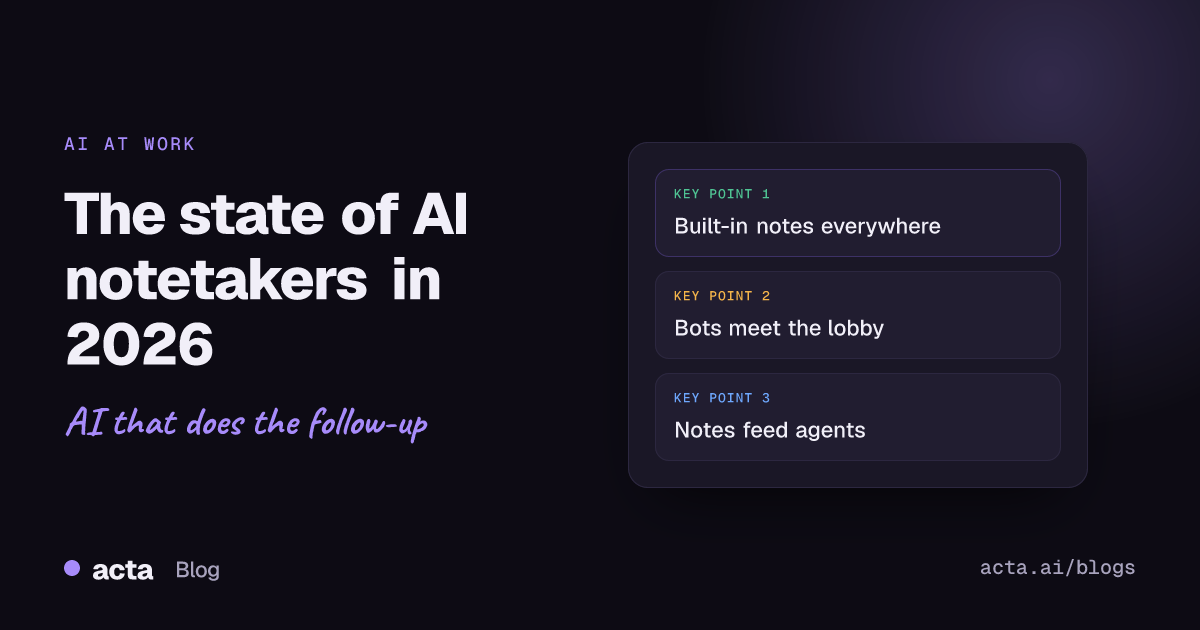
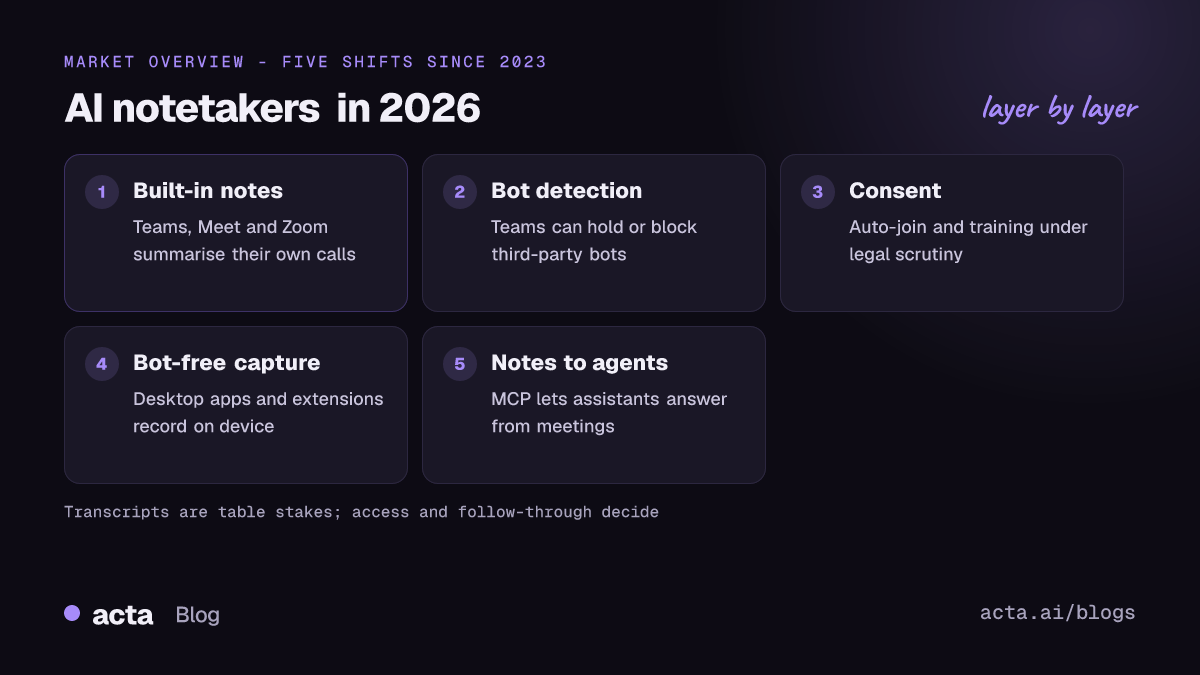
In short: the basic feature is a commodity, and the arguments have moved to access, consent and what comes after the meeting. Five shifts explain most of it.
- The meeting platforms now ship their own AI notes.
- Platforms, starting with Teams, are pushing back on third-party bots.
- Consent now carries legal and reputational risk.
- Capture is moving off the call and onto the user's device.
- Notes are turning into inputs for assistants and agents, not documents people read once.
Are built-in tools like Copilot, Gemini and Zoom AI Companion enough?
For a lot of internal meetings, they're good enough, and that's the biggest change in the market. Microsoft's intelligent recap in Teams produces AI summaries, follow-up tasks and timeline markers, and is available with Teams Premium or a Microsoft 365 Copilot licence. Google Meet's "Take notes for me" takes notes for you on eligible Workspace and Google AI plans. Zoom has AI Companion meeting summaries for hosts.
Where built-in tools fall short is the edges:
- Mixed platforms. If your sales team lives in Zoom, your customers send Teams links and your engineers use Meet, each built-in tool only sees its own slice. The notes end up in three places.
- External meetings. Built-in features usually depend on the organiser's licence and settings. When the customer hosts, you often get nothing.
- Licensing. The AI features are typically add-ons, so they're switched on for some people and not others.
- After the meeting. Summaries are fine. Routing action items into a CRM or Jira, or asking a question across last quarter's calls, is where standalone tools still earn their place.
My honest view: if every meeting you care about is internal and on one platform, try the built-in option first. The case for a separate notetaker in 2026 is cross-platform coverage, external calls and what happens after the call.
Are meeting bots being blocked in 2026?
Increasingly, yes, and Microsoft has made it official. In March 2026 Microsoft announced that Teams would detect external third-party bots and label them in the meeting lobby, so organisers admit them separately from people. An August 2026 update, covered in detail by Office 365 for IT Pros, added a meeting policy setting that lets admins keep detected bots waiting for approval (the default) or block them outright. Microsoft's own Copilot is out of scope, and Microsoft has said detection isn't perfect.
Plenty of companies blocked bots well before this, through security policy, client contracts or plain irritation at three different notetakers joining one call. We wrote about the reasons in why companies block meeting bots. The Teams change matters because it makes blocking a default-adjacent setting instead of a deliberate IT project. We explain what it means day to day in Teams bot detection and what it means for meetings.
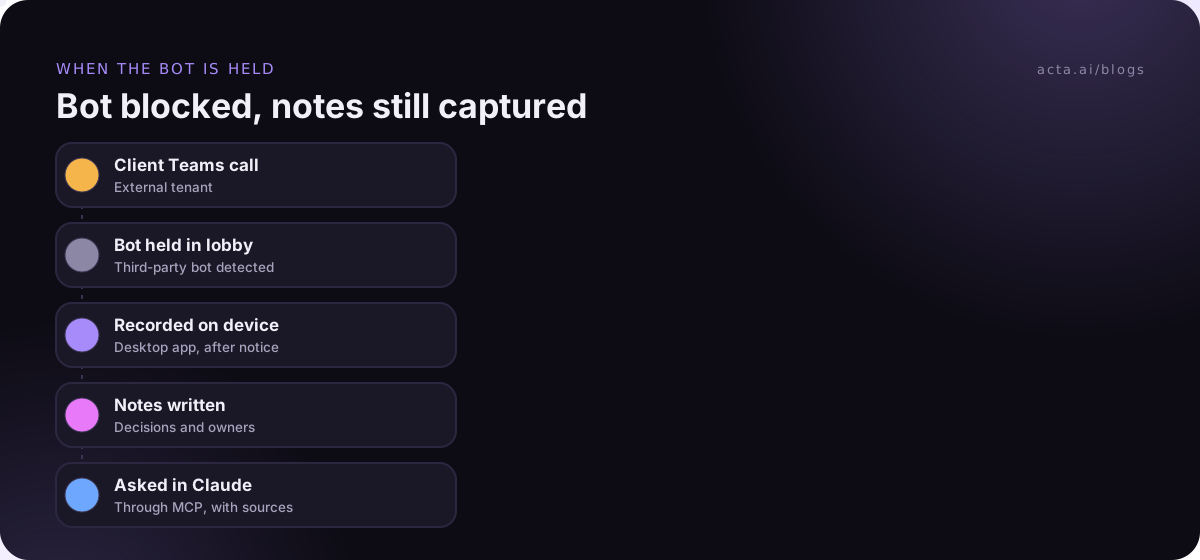
The practical consequence for anyone choosing a notetaker: check whether it has a way to work when the bot isn't let in. If it only works as a bot, it will fail in exactly the meetings where you most need notes, which are external ones.
How has consent changed for AI notetakers?
The turning point was a lawsuit. In August 2025 a proposed class action was filed against Otter.ai in federal court in California, alleging that its notetaker recorded meeting participants who never agreed to it and used recordings to train its AI, as NPR reported. Those are allegations, and Otter disputed them; I haven't seen a final outcome. But the case put a spotlight on calendar auto-join, which is how many bots end up in meetings the host barely thought about.
What I see teams doing in response:
- Turning off auto-join for external meetings and recording only when someone decides to.
- Announcing the recording at the start of the call and in the invite.
- Writing an internal policy on which meetings can be recorded at all.
- Asking vendors directly whether customer recordings are used for model training.
Recording consent rules differ by country and US state. This is general information, not legal advice, and our guide on whether it's legal to record meetings with AI goes through what to tell participants.
Why are notetakers moving off the call and onto the device?
Because it solves the bot problem from the other side. Instead of a participant joining the meeting, the recording happens on the user's own computer: a desktop app captures the meeting's sound and your microphone, or a browser extension records from the meeting tab. Nothing appears in the participant list, so there's nothing to block or admit.
The trade-off is that it only works for meetings you personally attend, on a device you control, and the consent question doesn't go away. You still need to tell people. But it fits the meetings where bots fail: client calls, Teams meetings in locked-down tenants and calls on platforms no bot supports. Bot vs desktop app vs Chrome extension compares the three approaches, and we've reviewed bot-free notetakers separately.
What happens to meeting notes after the summary?
This is the shift I find most interesting. A summary in your inbox is a document; most people read it once, if at all. In 2026 the notes increasingly become data that other tools use.
The big enabler is the Model Context Protocol, which Anthropic introduced in November 2024 as an open standard for connecting AI assistants to the systems where data lives. Since then it's been picked up widely, which means a notetaker can expose meetings to Claude, ChatGPT and other assistants without custom integrations for each one. You ask "what did we promise Northwind about the export API?" in the assistant you already use, and it answers from the meeting with a link back.
The other half is agents: automations that act on the notes. Draft the follow-up email, update the CRM deal stage, open a Jira ticket for the bug a customer described. Our explainer on AI meeting agents covers how these work. The open question is how much to let them do without a person checking, and I'd still keep a human approval step for anything that goes to a customer.
What hasn't changed?
A few things are as true now as they were in 2023:
- Summaries can be wrong. A model can turn "we might" into "we will", or attribute a promise to the wrong person. Someone who was in the meeting should check decisions and owners. More on that in reducing hallucinations in meeting summaries.
- Audio quality still decides transcript quality. A laptop mic in a busy room with crosstalk will produce a worse transcript, whatever the model.
- Notes nobody acts on don't help. The value is in decisions made and tasks done. A perfect transcript of a meeting where nothing was decided is still a meeting where nothing was decided.
What should you look for in an AI notetaker in 2026?
Given where the state of AI notetakers is heading, these are the questions I'd ask before picking one:
- Does it work when bots are blocked, through a desktop app or browser extension?
- Does it cover every platform your team and your customers actually use?
- Can recording be manual for external calls, with a simple way to tell participants?
- Does the vendor say clearly whether your data trains its models?
- Can notes reach the tools you work in: CRM, Jira, your docs, your AI assistant?
- Can you ask questions across many meetings and get answers with sources?
For costs across vendors, our AI notetaker pricing comparison lays out the plans.
Where Acta sits
Acta records Zoom, Google Meet and Teams with a meeting bot, or without one through the desktop app for Windows and Mac or the Chrome extension. It writes transcripts with speaker names, summaries, decisions and action items with owners, and its MCP connector lets you ask Claude or ChatGPT about your meetings. Acta does not use customer data to train AI models.
Frequently asked questions
Are AI notetakers still worth it if Teams and Zoom have built-in summaries?
For single-platform internal meetings, the built-in features may be enough. A separate notetaker makes more sense when you work across platforms, join many externally hosted calls or want notes to flow into a CRM, Jira or an AI assistant.
Can Microsoft Teams block AI notetaker bots?
Yes. As of 2026, Teams can detect external third-party bots, hold them in the lobby for approval and, if an admin chooses, block them. Microsoft says detection doesn't catch every bot.
Do I need consent to use an AI notetaker?
In many places, yes, and the rules vary by country and state. The safe habit is to tell everyone at the start of the call and in the invite, whatever tool you use.
What is a bot-free AI notetaker?
One that records on your own device, through a desktop app or browser extension, instead of sending a bot into the meeting. Nothing joins the participant list, but you still need to tell people you're recording.
How do AI notetakers connect to ChatGPT or Claude?
Increasingly through the Model Context Protocol (MCP), an open standard that lets AI assistants read data from other tools. A notetaker with an MCP connector lets you ask the assistant about your meetings directly.
To see how these pieces fit together in one tool, have a look at Acta's features.