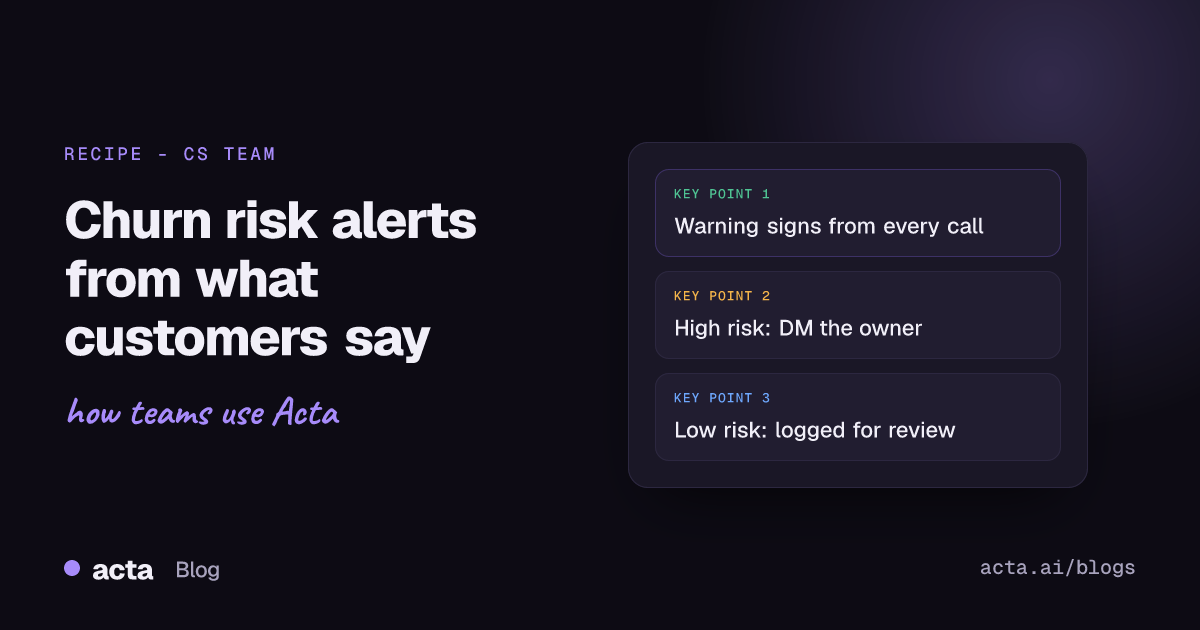
Quick answer: Churn risk alerts from calls work like this: after every customer meeting, an AI reads the summary and transcript, looks for warning signs (pricing pushback, competitor mentions, a champion leaving, promises you missed), rates the risk, and pings the account owner only when it's high. Low-risk signals go into a log you review weekly, so nobody drowns in alerts.
Your health score probably looks fine right up until the renewal call where the customer says they've "been evaluating options since spring." The usage data didn't see it coming. But somebody on your team heard it, months ago, on a call. It just never left the call.
This post is about catching that. What to listen for, how Acta surfaces it, and an agent that turns it into an alert the right person sees the same afternoon.
What are the churn warning signs you hear on calls?
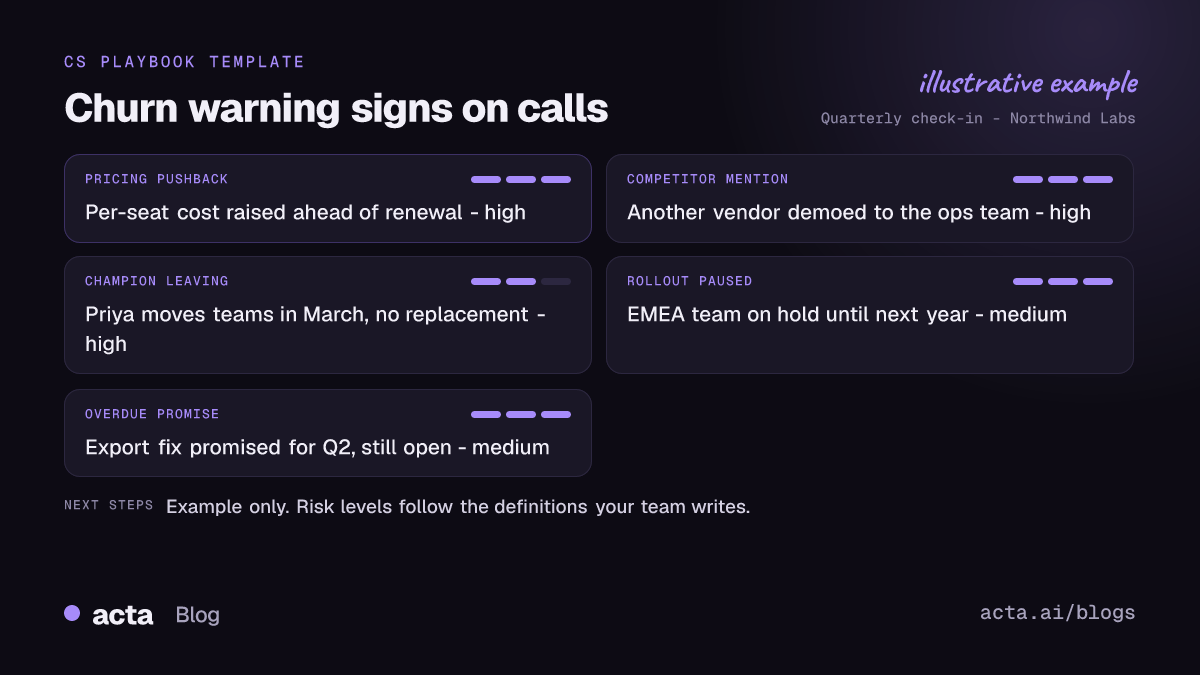
Most customer health score setups lean on product data: logins, feature adoption, ticket volume, survey answers. That's useful, and it's what tools like Gainsight are built around. But a lot of the early signal is said out loud, and it never shows up in a dashboard. Here's what I'd listen for:
- Pricing pushback. "We need to talk about the per-seat cost before renewal." Even said casually, that's the CFO's question being passed down.
- Competitor mentions. "Another vendor showed us something similar." Nobody mentions a competitor by accident.
- Champion changes. "Priya's moving to a different team next month." Your internal advocate is leaving, and nobody has replaced her yet.
- Scope shrinking. "We're pausing the rollout to the EMEA team." Fewer users later means a smaller renewal or none.
- Missed promises. "We were told the export fix would ship in Q2." This one's on you, and customers remember every one.
- Tone of the meeting itself. Last-minute reschedules, a junior person sent instead of the decision maker, short answers. Harder for any tool to catch, so keep your own notes on it.
None of these means the account is lost. But two or three in a quarter, with no response from your side, and you should be worried.
Why don't health scores catch these at-risk accounts?
Because the signals live in conversation, and conversation doesn't get logged. A CSM hears "we're looking at alternatives" on a Thursday call, means to flag it, and then has four more calls. By the time it reaches the account plan, the customer has a demo booked with someone else.
Gainsight's own community guide on identifying at-risk accounts with automated triggers starts with defining your key risk indicators, then automating the detection. I agree with the order. Decide what counts as a risk first. Then automate. The recipe below just adds a source most health scores don't read: what was said in the meeting.
How does Acta find churn risk in customer calls?
Acta records the call (meeting bot for Zoom, Google Meet and Teams, or bot-free with the desktop app), transcribes it with speakers and writes the summary, action items and decisions. Two views matter here:
- Risks. Risks raised in meetings, internal and customer side, plus warning signs such as overdue promises. Each comes with a level, the impact and a mitigation: either one agreed in a meeting with an owner and date, or one Acta suggests.
- Promises. Every action item made in a meeting, open or delivered, with owner, due date and how late it is. You can filter by customer, by person, or by your own. Our guide on tracking customer promises before renewal goes through this in detail.
You can also just ask OneChat: "Which customers mentioned a competitor in the last 60 days?" It answers across all your meetings with sources, so you can click through to the moment someone said it.
About recording: tell customers you record, and get consent where the law requires it. Some places need everyone on the call to agree. See is it legal to record meetings with AI for what to say.
How to set up churn risk alerts in Acta Agent Builder
Views are good if someone checks them. Alerts are for when nobody does. Here's the agent I'd build in Acta Agent Builder.
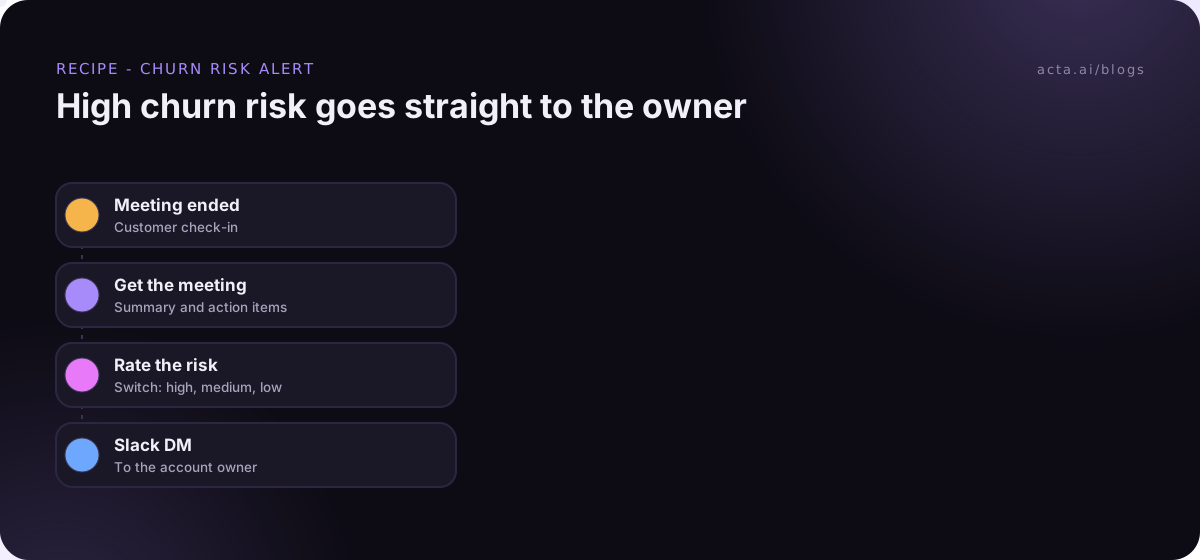
- Trigger: Meeting ended. Filter on title so it only runs on customer meetings. If your team names them "Check-in", "QBR" or "Renewal", pick the one you use most and make it a habit.
- Acta data: get the meeting. Summary, transcript highlights and action items for the call that just ended.
- AI step: extract and rate. Ask it to return fields: account, risk level (high, medium, low or none), the signal type, a short quote and a suggested next step. Give it your definitions. "High = competitor named, pricing pushback tied to renewal, or champion leaving. Medium = scope shrinking or one missed promise." Without definitions, everything ends up "medium."
- Google Sheets: find the owner. Look up the account in your account list sheet to get the owner's name.
- Switch on risk level. Three branches.
- High: Slack message straight to the account owner. Then a second AI step drafts a save email, which goes to a human approval step before it's saved as a Gmail draft (where available).
- Medium: a post in your #cs-risks channel, no DM.
- Low or none: add a row to the churn signals Google Sheet and stop.
The Switch is the part people skip, and it's why most churn alerts end up muted. If every "we might look at budgets next year" pings Marco directly, he'll stop reading them by week two.
What the high-risk alert looks like
Illustrative example (made-up account), sent to Marco about four minutes after his call ended:
High churn risk: Northwind Labs (check-in with Priya)
Signal: competitor mentioned. "Another vendor demoed a similar export to our ops team last week."
Also: Priya said she's moving teams in March. No replacement named.
Suggested next step: book a call with her manager before she moves. Save email draft waiting for your approval in Acta.
That's short on purpose. A Slack DM should tell Marco what happened, why it matters and what to do. The full context is one click away in Acta.
Should the save offer go out automatically?
No. Never let an agent send a save offer, a discount or a "we heard your concerns" email to a customer without a human reading it. The draft might be good. It might also quote back something the customer said in confidence, or offer a concession you can't give.
The approval step handles this. The run pauses in the Approvals inbox, Marco edits the draft, then approves or rejects. If nobody touches it before it expires (24 hours by default, up to 7 days), nothing is sent. I'd keep the 24-hour default for save emails. One that goes out three days after the call reads like a form letter anyway.
We wrote more on where approval steps belong in human approval in automation.
How do you catch missed promises before the customer brings them up?
Missed promises are the one churn signal that's fully in your control. So I'd run a second, separate agent on the "Action item overdue" trigger:
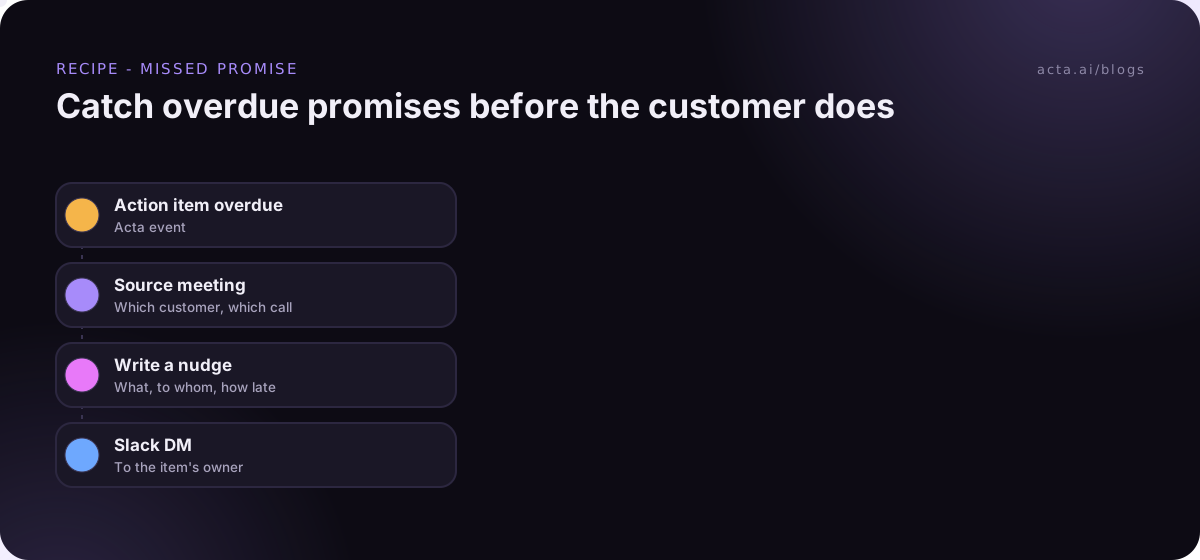
- Trigger: Action item overdue.
- Acta data: get the meeting the item came from, so you know which customer it was promised to.
- If/else: only continue if the meeting was a customer meeting (title contains your customer naming, or the attendee list has outside people).
- AI step: write a two-line nudge: what was promised, to whom, how late.
- Slack: DM the owner of the action item.
I like this one better than the first, honestly. It's cheap, it's never wrong about the facts, and it fixes problems before they become churn warning signs on a call.
How do you keep churn risk alerts from becoming noise?
This is where these setups usually die. A few things that help:
- Test on last month's calls first. Test runs show what would be sent without sending it. Run it on ten old calls and see how many it calls "high." If it's more than a couple, your definitions are too loose.
- Send tests to yourself. Point the Slack step at your own channel while you tune it.
- Review the low-risk sheet weekly. Sort it by account in a filter view (Google's sort and filter help has the steps). Three "low" signals on the same account in a month is a pattern even if no single one was alarming.
- Keep the DM for the account owner. Slack DMs are for one person (see Slack's help on direct messages). Channel posts are for the team. Don't mix them up.
- Check History when someone says "I never got it." It shows what every step did on every run.
Who should do this differently?
If you've got 15 accounts and one CSM, skip the agent. Open the Risks and Promises views on Monday morning, ask OneChat what changed last week, and you're done. Automation earns its keep when you have more calls than anyone can review.
And if your team lives in a dedicated CS platform with its own risk workflow, you may want the signal to land there instead. Agent Builder can send JSON out through a webhook, or hand off to a Zap or a Make scenario, which can then update whatever system you use. More setup, but it keeps one source of truth. The customer success page shows the rest of what Acta does for CS teams.
Frequently asked questions
Can AI predict churn from a single call?
Not reliably, and I wouldn't trust anything that claims to. It can flag warning signs that were said out loud. Whether the account is really at risk is still a judgement call for the account owner.
What should count as a high churn risk?
Write it down before you automate. A common starting point: competitor named, pricing pushback tied to renewal, or your champion leaving. Tune it after a few weeks of real alerts.
Will the agent email the customer by itself?
Only if you build it that way, and you shouldn't. Put a human approval step before any customer email, so the owner edits and approves it first.
Can churn risk alerts go to Microsoft Teams chat?
No. Agent Builder doesn't post to Teams chat. Use Slack or email, or send it to a webhook or a Zap that posts where you need it.
Does this replace our customer health score?
No, it adds to it. Keep your usage-based score and treat call signals as a second input your score doesn't currently see.
Want to see what your last month of customer calls would have flagged? Start a free 15-day trial.