Use Cases 6 min read
Customer QBR Reports With Value, Account Health and Next Quarter's Plan
How Acta turns a quarterly business review into a report on value delivered, adoption, account health, churn risks, expansion opportunities and the next quarter.
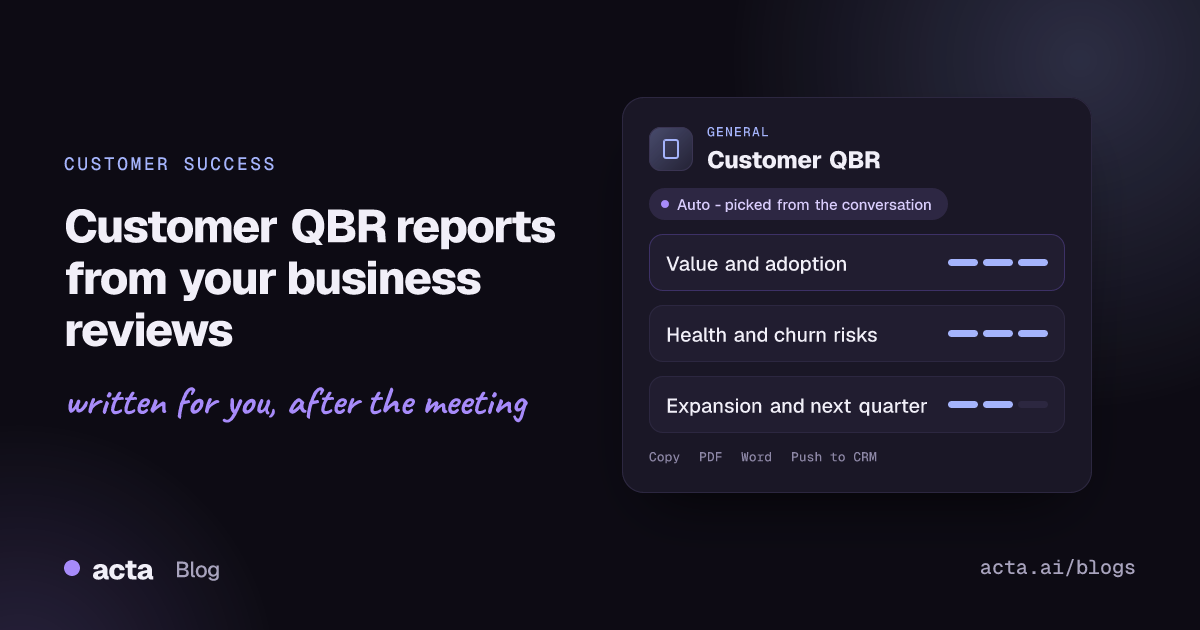
Quick answer: A customer QBR report is the written record of a quarterly business review with a client: the value delivered with evidence, adoption, an account health rating with churn risks, expansion opportunities, the customer's requests and the plan for next quarter. Acta writes it from the recorded QBR, so the account team leaves the meeting with a complete follow-up instead of a slide deck nobody revisits.
Customer success managers spend days preparing a QBR deck and an hour presenting it. What happens in that hour is often more valuable than the deck: the sponsor mentions a reorganisation, a team lead complains that a feature is hard to roll out, finance hints at a budget review. Those are the signals that decide renewal and expansion.
They are also the details that disappear. The CSM is presenting and managing the room, the account executive is half listening for upsell cues, and the follow-up email ends up recapping the slides rather than the conversation.
What is a customer QBR (quarterly business review)?
A quarterly business review is a structured meeting, held every three months, in which a vendor and a customer look back at results and agree on priorities for the next quarter. In customer success it is often called a business review or executive business review (EBR) when senior sponsors attend. Mural's guide to quarterly business reviews distinguishes these external, client-facing QBRs from internal ones that review company performance.
A good customer QBR is about the customer's outcomes, not a feature tour or a status update. A typical agenda covers:
- The goals agreed last quarter and the results against them.
- Adoption and usage across teams.
- Wins, problems and support themes.
- The customer's priorities and upcoming changes.
- Opportunities to expand, and the joint plan for next quarter.
The QBR is also one of the few times a CSM hears directly from the executive sponsor, which makes it a key moment for judging account health.
What does Acta's customer QBR report include?
The template is organised around the three questions an account team needs answered after every review:
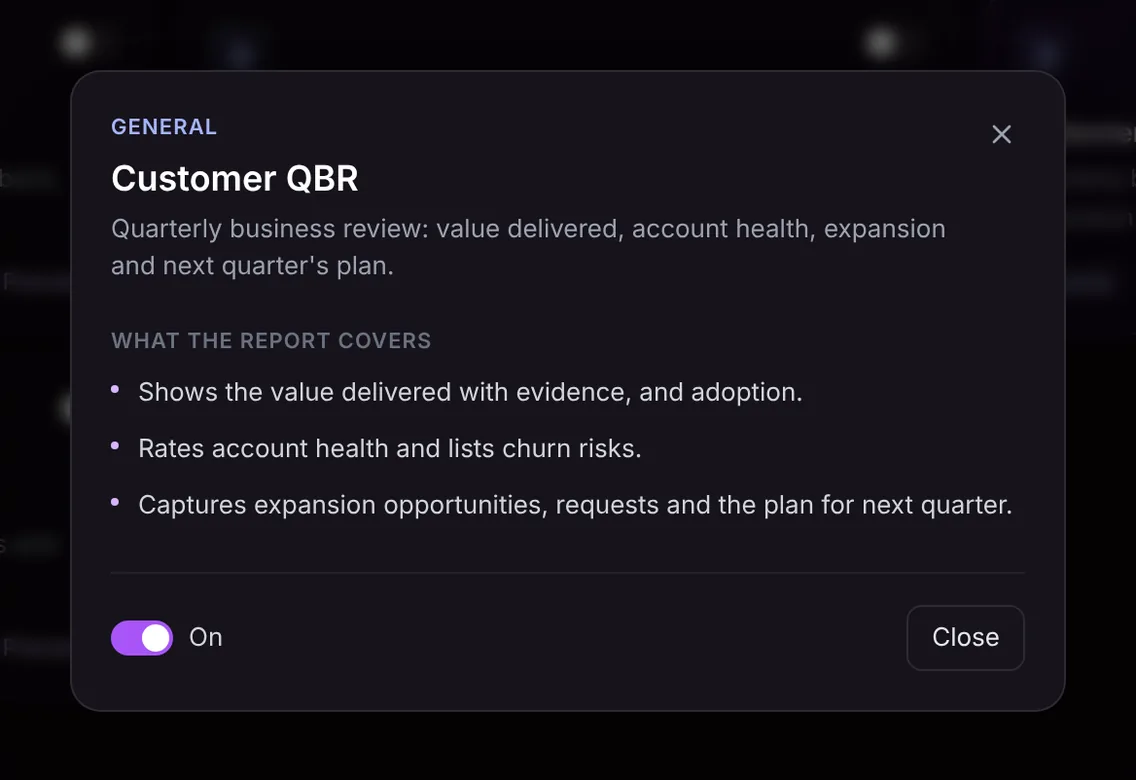
- Value delivered and adoption. The value the customer received, with the evidence that was cited in the meeting (metrics, outcomes, examples), and how adoption is going across their teams.
- Account health and churn risks. A health rating for the account and a list of risks raised or implied, such as a lost champion, a budget review or low usage in one region.
- Expansion and next quarter. Expansion opportunities, the customer's requests, and the plan for next quarter with owners where they were named.
The report only contains what was said in the meeting. If nobody presented evidence for a value claim, the report will not supply it, which is a useful prompt to bring that data next time.
Here is the template in Acta's Templates page, with the preview of what the report covers:
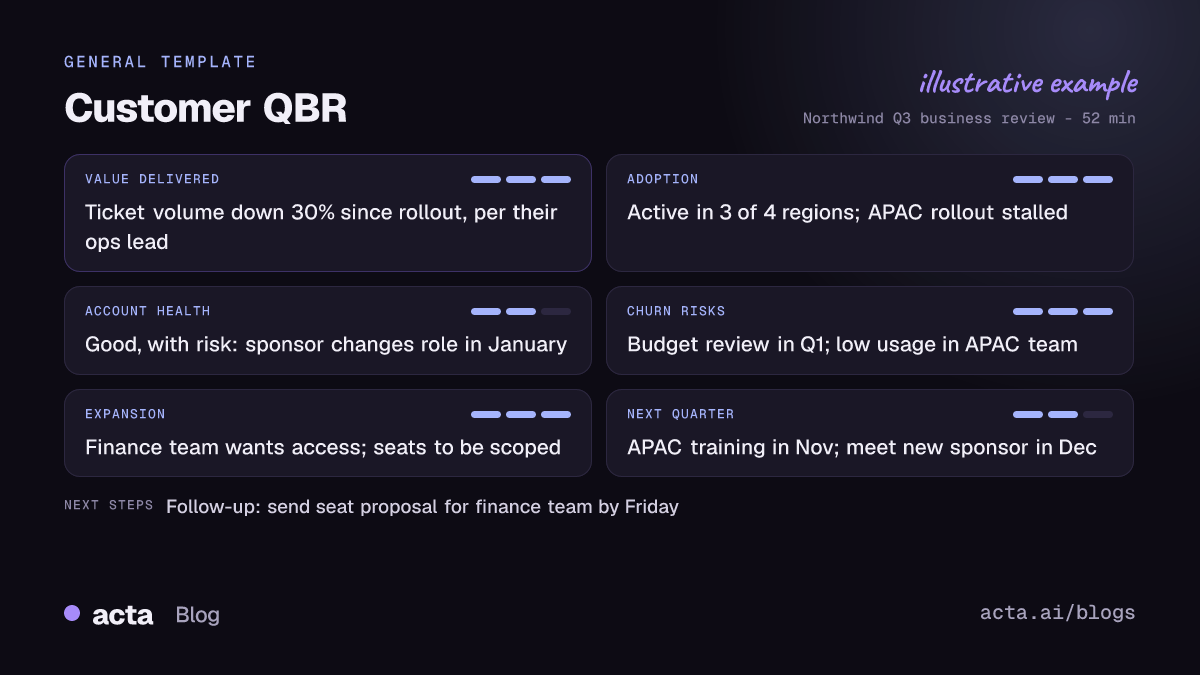
And an illustrative example of a finished report:
Why is a QBR report useful, and who is it for?
The template serves customer success managers, account managers, account executives and the CS leaders who review the book of business. It turns a presentation into an account record. Some realistic cases:
- Renewal preparation. Two quarters of QBR reports show the value story and the risks raised over time, which is exactly what you need when the renewal conversation starts.
- Handing an account over. A new CSM reads the last few reports and knows the sponsor's priorities, open requests and the agreed plan before the first call.
- Forecasting expansion. When the customer mentions rolling out to another department, the expansion section captures it so the account executive can follow up with a scoped proposal.
- Feeding product feedback. Requests collected across QBRs give product teams evidence of what larger customers are asking for.
Because every report sits with the meeting's transcript, summary, action items and decisions, OneChat can answer questions such as which accounts raised budget concerns this quarter, with sources. See asking questions across all your meetings.
How does Acta pick the QBR template automatically?
Acta reads the conversation and picks a fitting template even if you have not turned it on. A QBR has a distinctive pattern: a vendor team and customer stakeholders reviewing results over a period, usage or adoption numbers, the customer's goals, renewal or contract timing, and a plan for the coming quarter.
When Acta picks the QBR template this way, the report is labelled "Auto" and Acta explains why, for example that the call reviewed last quarter's results, adoption and next quarter's priorities with the customer. One click on "Turn on for future meetings" keeps it on.
The relevance check stops it from appearing where it does not belong. If you have the QBR template on and the meeting is a single support issue or an internal pipeline review, it first checks whether the conversation is a business review. If not, it is listed under "Not relevant" with the reason rather than producing a thin report. For individual support calls, the support case summary is the better fit.

How do you run a QBR with Acta?
- Record the review. Acta joins Zoom, Google Meet or Microsoft Teams with its meeting bot, or records without a bot through the desktop app or Chrome extension. For an onsite QBR, use the mobile app or upload the recording.
- Turn on the template, or let Acta pick it. On the Templates page at Acta's report templates, preview the customer QBR report and switch it on.
- Open the meeting's Templates tab. The QBR report appears next to the summary and transcript.
- Share and log it. Copy it into your follow-up email, download it as PDF, Word or Markdown, or use Push to CRM to add it as a note on the customer's contact in Salesforce, HubSpot or Zoho (paid plan, with that CRM connected).

Tips for a more useful QBR report
- Say the evidence out loud. "Ticket volume dropped 30% since rollout" lands in the value section; a chart shown without comment does not.
- Ask about risk directly. Questions such as "Is anything changing in your team or budget next quarter?" give the health section something concrete.
- Close with a plan. Recap next quarter's goals and owners before the call ends so they are recorded.
- Invite requests. Ask what the customer wants that the product does not do yet.
For internal follow-up with your own team, one-on-one meeting notes and board meeting minutes are in the same General group. More on Acta for customer success.
Frequently asked questions
What should a customer QBR include?
Results against last quarter's goals, adoption, wins and problems, the customer's priorities, risks, expansion opportunities and an agreed plan for next quarter.
What is the difference between a QBR and an EBR?
The format is similar. An executive business review usually involves senior sponsors on both sides and focuses more on strategy and outcomes than on operational detail.
How does Acta rate account health?
From what was said in the review, such as satisfaction, adoption and risks raised. It is a prompt for the account team, alongside your own health score.
Can I send the QBR report to the customer?
Yes. Copy or download it, review it, and share it as your follow-up. Internal notes such as churn risks may be worth removing first.
Get a complete QBR write-up after your next review: try Acta free for 15 days.


