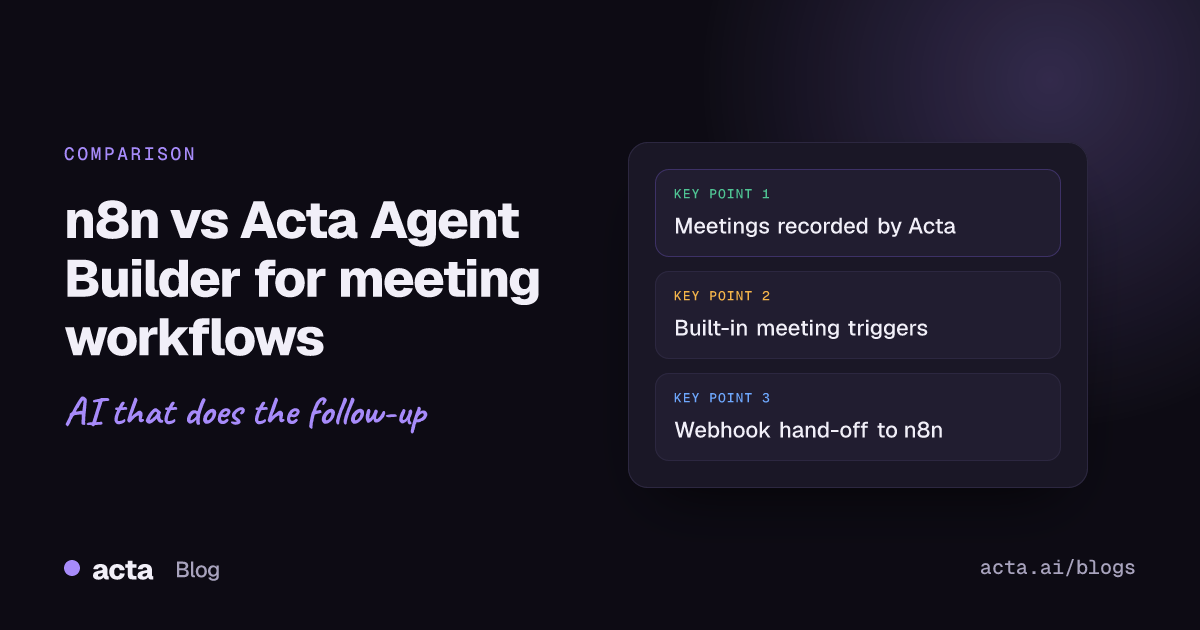
Quick answer: n8n meeting automation usually means a workflow that pulls a transcript from Fireflies, Zoom or Gmail, sends it to an AI model, and routes the result to Slack, Notion or a CRM. For these n8n meeting workflows you host n8n or pay for n8n Cloud, and you manage the credentials. Acta Agent Builder runs on meetings Acta already recorded, with meeting triggers built in.
n8n is one of the most flexible automation tools around, and its community has published many meeting templates. If you are an n8n user wondering whether a meeting-focused tool like Acta Agent Builder is worth adding, this guide walks through how each one handles the same job, what each does better, and when you should stay with n8n.
How does n8n meeting automation work?
Most n8n meeting workflows have the same shape:
- Get the transcript. n8n does not record meetings. The workflow pulls a transcript from a recorder (Fireflies is common), from Zoom's cloud recording API, or from recap emails in Gmail.
- Process it with AI. An OpenAI, Gemini or Claude node writes a summary, extracts action items or classifies the meeting.
- Send it somewhere. Gmail, Slack, Notion, Airtable, Google Sheets, ClickUp or a CRM.
The n8n template library shows the range. One template, an AI agent for project management and meetings with Airtable and Fireflies, uses Fireflies transcripts to manage tasks in Airtable. Another, meeting summaries from Fireflies transcripts with Gemini and Gmail, watches Gmail for the Fireflies "Your meeting recap" email, fetches the transcript through the Fireflies API and has Gemini draft a summary email. It needs Fireflies, Gmail OAuth2, OpenAI and Gemini credentials to run.
That is typical. Templates are shared as JSON workflows you import, and each one assumes a specific transcript source, a set of API keys and, sometimes, an exact email subject line. When the recorder changes its email format, the workflow can break quietly.
What does n8n cost, and do you have to self-host?
You have two choices. n8n's docs explain how to choose between n8n Cloud and self-hosting, and the self-hosted Community edition is free. Paid self-hosted Business and Enterprise plans add features such as SSO, environments and projects.
As of November 2026, the n8n pricing page lists Cloud Starter at 20 euros per month billed annually with 2,500 workflow executions, a Pro plan, a self-hosted Business plan and custom Enterprise pricing. Pricing is based on workflow executions, not steps, and plans include unlimited users and workflows.
For meeting automation, add two more costs: the recorder that produces your transcripts, and the AI model API you call from the workflow. Self-hosting also means someone on your team keeps the server running, updated and backed up.
How is Acta Agent Builder different?
Acta records the meeting itself. It joins Zoom, Google Meet and Microsoft Teams through a meeting bot from your calendar, or records without a bot through the desktop app for Windows and Mac and the Chrome extension. You can also upload recordings or use the mobile apps. Acta then produces transcripts with speakers, summaries, action items with owners and due dates, and a decisions log.
Recording people needs their consent where the law requires it. Before you automate anything that depends on recordings, read our guide on recording consent and what to tell participants.
Acta Agent Builder is new. An agent is one trigger plus steps. You can build from scratch, start from a template, or describe the agent in plain words and let the AI draft it, along with a list of settings you still need to fill in. Then you run "Check setup", test it and turn it on. Every turn-on saves a version you can restore, and History shows what each step did. More on the agents built on Acta's meeting record is on the Acta agents page.
Built-in meeting triggers
Instead of polling Gmail for a recap email, an agent can start on:
- Meeting ended, when the summary is ready, with an optional "title contains" filter.
- Before a meeting starts, 1 to 1,440 minutes ahead, with attendees.
- New action item, Action item overdue, Decision made, Decision changed or reversed.
- Meeting template result ready, for example a MEDDPICC deal report, PRD draft or Ticket suggestions.
General triggers are there too: manual, schedule (hourly, daily, weekdays or weekly with time and timezone), webhook received, form submitted, called by another agent, another agent finished, and connected-app events from Gmail, Slack, Google Calendar, Google Sheets, Jira, Asana, HubSpot, Zendesk, Freshdesk and RSS, checked about every 5 minutes.
AI agent step and MCP tools
n8n users will recognize the idea of an AI agent node. Agent Builder's AI agent step picks its own tools: meeting search, action items, decisions, files, web search, reading a web page, Jira search, app actions and MCP tools. Text returned by tools is treated as data, not instructions. The MCP tool step can call any MCP server, for example Notion, Linear or GitHub.
Alongside it: an Acta data step (search meetings, list by title, person or dates, action items open, overdue, done or by owner, decisions, template results), a plain AI step for writing, summarizing, sorting or extracting fields, and logic steps such as If/else, Switch, Merge, For each (up to 100 items), Wait (up to 30 days), Run another agent, Memory and Edit values.
Webhook and HTTP steps
If you already run n8n, you do not have to choose. Agent Builder can send JSON to any webhook (optionally signed) or make an HTTP request, so an Acta agent can hand off to an n8n workflow's Webhook trigger. It also has "Send to a Zap" for Zapier and "Send to a scenario" for Make.
n8n meeting automation vs Agent Builder: side by side
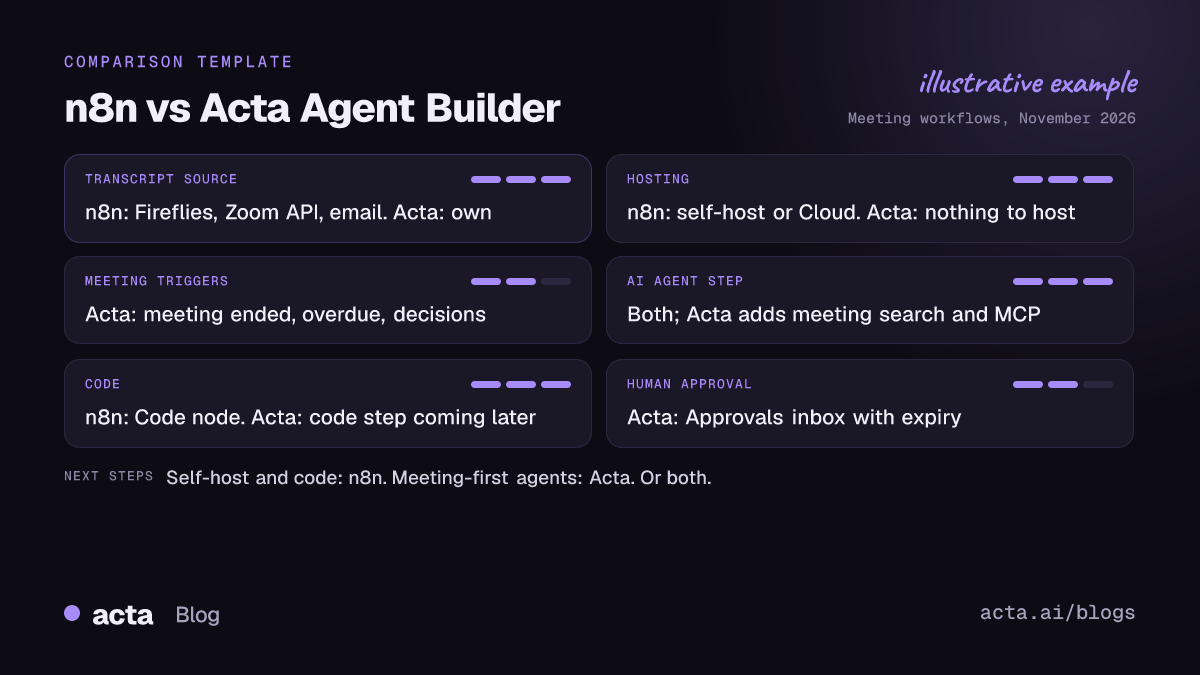
- Transcript source: n8n needs a recorder, the Zoom API or recap emails. Agent Builder uses Acta's own recordings, summaries, action items and decisions.
- Hosting: n8n is self-hosted or n8n Cloud. Agent Builder runs inside Acta; there is nothing to host.
- Credentials: n8n workflows need API keys for the recorder, the AI model and each destination. Agent Builder needs connections only for the destination apps; meeting data and AI steps are built in.
- Cross-meeting memory: n8n workflows usually process one transcript per run unless you build your own store. Agent Builder can query all past meetings, decisions and open action items.
- Breadth: n8n has far more integrations and is open about its source. Agent Builder covers a focused set: Slack, Gmail, Google Calendar, Google Sheets, Jira, Asana, HubSpot, Salesforce, Zoho, Zendesk, Freshdesk, plus webhooks, HTTP and MCP.
- Code: n8n has a Code node for JavaScript and Python. Agent Builder has no code step yet; it is planned for later.
- Human review: Agent Builder has a built-in approval step and Approvals inbox. In n8n you build your own pattern.
What do n8n meeting workflows look like next to Agent Builder?
To compare n8n meeting workflows with an Acta agent, take a common request: "after each customer call, email a recap with action items, and log it in the CRM".
In n8n
- Pick a transcript source and set up its trigger (Fireflies webhook, Zoom API or a Gmail filter).
- Add credentials for the recorder, the AI model, Gmail and your CRM.
- Add an AI node with a prompt, then parse its output into fields.
- Add a Gmail node and a CRM node, and map the fields.
- Host the workflow or run it on n8n Cloud, and watch executions.
In Acta Agent Builder
- Trigger: Meeting ended, title contains "Customer".
- Acta data step: open action items from that meeting.
- AI step: write the recap email.
- Approval step: the account owner edits and approves, optionally from an email with Approve and Reject buttons. If nobody answers before it expires (24 hours by default, up to 7 days), nothing is sent.
- Gmail sends the email, or saves it as a draft (where available). HubSpot, Salesforce or Zoho adds a note to the contact matched by email.
Testing is built in: test runs show what would be sent without sending it, you can test a single step, send a test to your own Slack channel or email, and "Check setup" flags missing settings and app connections. For more on keeping CRM and ticket data in step with meetings, see syncing meeting action items to Jira, HubSpot and Salesforce, and for ready-made patterns, our meeting automation workflows guide.
What Agent Builder cannot do today
- No code step yet. If your workflow depends on custom JavaScript or Python, n8n is the better tool for that part.
- No Microsoft Teams chat, Google Chat or Outlook email actions, and no Pipedrive.
- No built-in Notion action; use an MCP tool step instead.
- No posting to social media. The "Drafts to copy" step makes drafts for LinkedIn, X, blogs, newsletters, Instagram or Facebook but never posts.
- No self-hosting. Agent Builder runs inside Acta.
Who should pick n8n instead?
n8n is the right choice if:
- You need to self-host. If your policy says automation runs on your own servers, n8n's Community edition lets you do that for free.
- You want open source and full control. You can read, extend and version your workflows, and write custom nodes.
- Your workflows need code. The Code node handles transformations and edge cases that no point-and-click step covers.
- Meetings are one small input among many. If most of your automation is data pipelines, internal tools or ops, keep it in one n8n instance.
- You already have a recorder you like and a working n8n template around it.
Acta Agent Builder is the better fit when meetings are where the work starts and you do not want to maintain the plumbing: a recorder, transcript parsing, API keys and a server. You get recording, summaries, action items, decisions and agents in one place, with approvals before anything reaches a customer. Many teams will use both, with Acta handling the meeting side and a webhook passing results to n8n. For the same comparison with other tools, read Agent Builder vs Zapier for meeting automation. You can also ask Claude or ChatGPT about your meetings through Acta's MCP server.
Agent Builder is available in Acta; see Acta plans for what each plan includes.
Frequently asked questions
Can n8n record meetings?
No. n8n meeting automation depends on a separate source for the transcript, such as Fireflies, Zoom cloud recordings or recap emails, which the workflow then fetches.
Is there an n8n alternative for meeting workflows that needs no hosting?
Acta Agent Builder runs inside Acta, so there is nothing to host. It works on the meetings Acta records, with meeting triggers, AI steps and approvals built in.
Can Acta send meeting data to an n8n workflow?
Yes. An Acta agent can send JSON to an n8n Webhook trigger with the Webhook step, optionally signed, or call an n8n endpoint with the HTTP request step.
Does Acta Agent Builder have a code node like n8n?
Not yet. A code step is planned for later. Today you can use AI steps to extract fields, Edit values to reshape data, and webhooks or HTTP requests to reach your own code.
Are n8n meeting templates free to use?
Community templates in the n8n library are free to import, but you still need n8n itself plus accounts and API keys for the recorder, AI model and destination apps each template uses.
Want to try a meeting agent on your own calls? Start a free 15-day Acta trial.