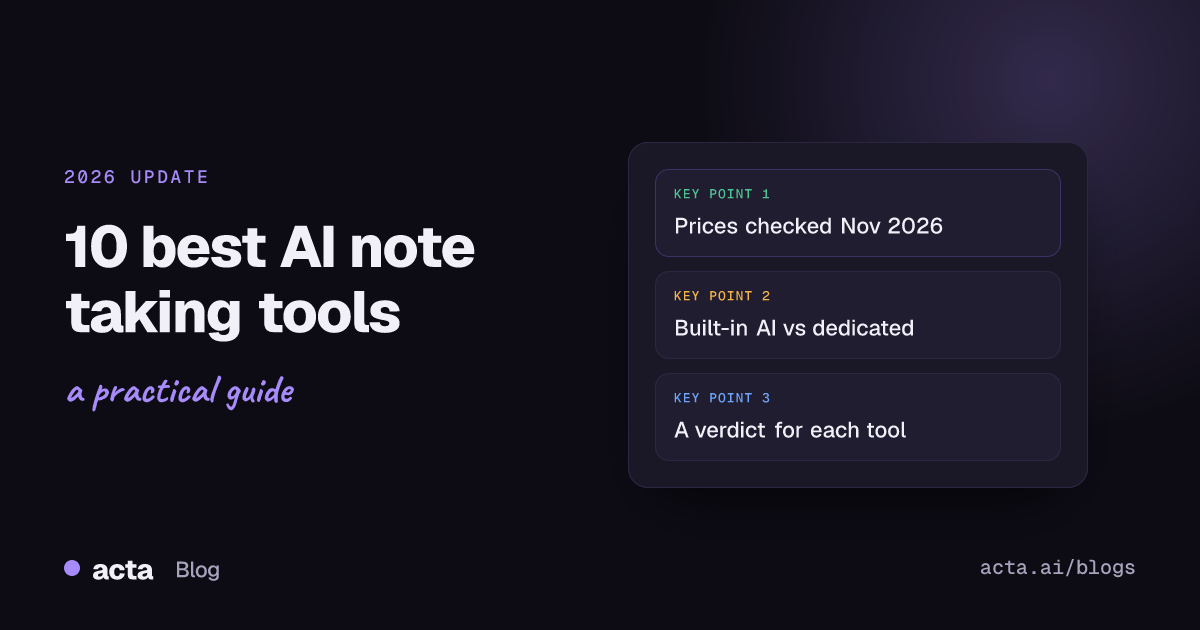
The best AI note taking tools in 2026 are Otter, Fireflies, Acta, Granola, Krisp, Notion AI, Gemini in Google Meet, Microsoft Teams with Copilot, Notta and Plaud. For online meetings, start with Otter, Fireflies or Acta. If you type your own notes, try Granola. If your company already pays for Google Workspace, Microsoft 365 or Notion, test the built-in AI first. Notta handles other languages, and Plaud covers in-person talks without a laptop.
This list is wider than our top 5 AI meeting note takers, which only compares dedicated meeting tools. Here we also cover the AI already inside your office suite, a wearable recorder and a multilingual option, because for a lot of people the right answer is a feature they already pay for. If you need notes for lectures or 1:1s specifically, our picks by use case go deeper.
Key takeaways
- Check what you already pay for. Gemini's "Take notes for me" comes with Google Workspace Business Standard ($14 per user a month on an annual plan), and Teams intelligent recap needs Teams Premium ($10) or a Microsoft 365 Copilot license.
- Five tools here have a free plan: Otter, Fireflies, Granola, Notta and Plaud's Starter plan (which needs the $159 device). Acta has a 15-day free trial.
- Built-in AI only covers its own platform. If you join Zoom, Teams and Meet calls in the same week, a separate AI note taker will cover more of them.
- Use one tool for calls and, if you need it, one for in-person meetings. Running three overlapping tools just splits your notes.
Table of contents
- Ten AI note taking tools compared on price and platform
- Four tools left the list and four joined since 2025
- Dedicated meeting recorders do the most after the call
- Bot-free notepads suit people who still type
- Built-in AI is enough if you live in one suite
- Notta and Plaud fill the language and in-person gaps
- Acta fits when notes have to turn into work
- Frequently asked questions
- Choose the right AI note taking tool
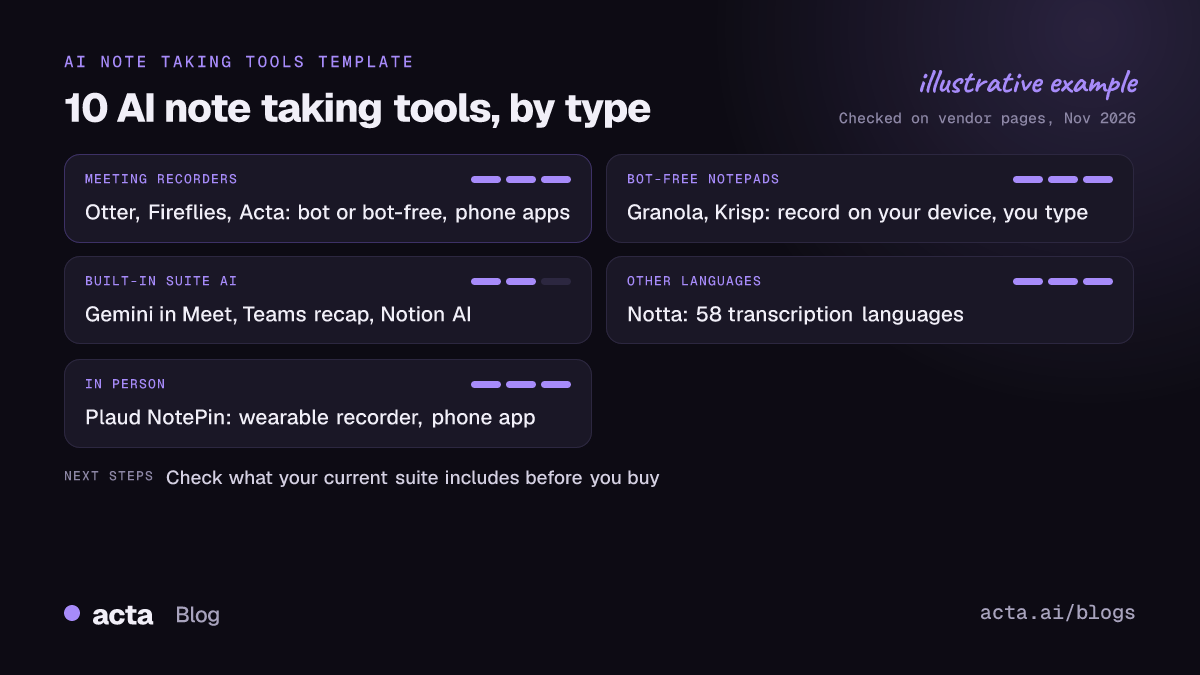
Ten AI note taking tools compared on price and platform
| Tool | Best for | Records without a bot? | Platforms | Starting price |
|---|---|---|---|---|
| Otter | All-round meeting notes | Yes: desktop app, Chrome extension | Zoom, Meet, Teams; Mac, Windows, iOS, Android | Free; Pro $8.33/user/mo yearly |
| Fireflies | Notes that flow into many apps | Yes, desktop app on paid plans | Zoom, Meet, Teams; Mac, Windows, iOS, Android | Free; Pro $10/seat/mo yearly |
| Acta | Decisions, owners and follow-up | Yes: Windows and Mac app, Chrome extension | Zoom, Meet, Teams; Windows, Mac, Chrome, iOS, Android | 15-day trial; Pro $6/seat/mo yearly |
| Granola | Improving notes you type | Yes, never uses a bot | Mac, Windows, iPhone | Free; Business $14/user/mo |
| Krisp | Noisy rooms plus notes | Yes, records on your device | Mac, Windows | Core $8/user/mo yearly |
| Notion AI | Notes that live in your wiki | Yes, no bot needed | Zoom, Meet, Teams via Notion | Business plan, $20/seat/mo |
| Gemini in Meet | Google Workspace teams | Built into Meet | Google Meet only | Business Standard, $14/user/mo yearly |
| Teams recap | Microsoft 365 teams | Built into Teams | Microsoft Teams only | Teams Premium $10/user/mo yearly |
| Notta | Meetings in other languages | Yes: Mac and Windows app | Zoom, Meet, Teams and more; Mac, Windows | Free; Pro $8.17/mo yearly |
| Plaud NotePin | In-person talks without a laptop | Not a bot: a wearable recorder | iOS and Android app, web | $159 device; free Starter plan |
Updated November 2026. Prices and plans change often; confirm on each vendor's pricing page.
Four tools left the list and four joined since 2025
The 2025 version had Sembly, Sonix, Evernote and Grain. Sonix is a good transcription service for audio and video files, but it's a transcription tool rather than a note taker, and journalists or podcasters looking for it want a different list. Evernote is still a capable notes app, but if you want AI notes inside a workspace, Notion's meeting notes now do more of that job. Grain and Sembly are narrower than the tools that replaced them, and we'd rather cover ten tools well than pad the list.
The four additions reflect how people actually take notes in 2026. Granola stands for the bot-free notepad. Gemini in Meet and Teams intelligent recap are here because millions of people already have them and should try them before buying anything. Plaud covers the conversations that never happen on a screen. Otter, Fireflies, Acta, Krisp, Notta and Notion stay, with updated prices.
Dedicated meeting recorders do the most after the call
These three record Zoom, Google Meet and Teams with a bot or from your own computer, and all have phone apps for in-person meetings. The difference is what happens to the notes next.
1. Otter
Otter is still the easiest AI note taker to recommend to someone who hasn't used one. The free plan gives 300 minutes a month, capped at 30 minutes per conversation; Pro is $8.33 per user a month billed annually. Its desktop app records without a bot on Mac and Windows, and the Chrome extension covers browser calls.
Verdict: the safe default for transcripts and summaries on every device. The 30-minute cap makes the free plan a trial in practice.
2. Fireflies
Fireflies is the pick when notes need to land in other tools: CRMs, project trackers and chat. Pro is $10 per seat a month billed annually. Bot-free recording through its desktop app needs a paid plan, and in that mode Fireflies doesn't keep the audio and labels speakers "Speaker 1", "Speaker 2".
Verdict: strong for teams with lots of integrations. Use the bot for calls where you need real speaker names.
3. Acta
Acta records with a bot, a Windows or Mac desktop app, a Chrome extension, mobile apps or uploads. After the call you get speaker-named transcripts, decisions, action items with owners and follow-up email drafts, and OneChat answers questions across meetings with sources. Agent Builder runs automations when a meeting ends, such as filing action items into Jira, and an MCP connector lets Claude or ChatGPT read your meetings. Pro is $8 per seat a month, or $72 a year billed annually, after a 15-day free trial.
Verdict: best for teams whose problem is follow-through rather than note-taking. There's no free plan, so occasional users should start with Otter.
Bot-free notepads suit people who still type
Some people think better when they write. These two tools never put a participant in the call: they record your computer's audio and microphone and work around your own notes. If you take this route, you still need to tell people you're recording; our guide on whether it's legal to record meetings with AI covers consent (general information, not legal advice).
4. Granola
You type a few rough lines during the meeting, and Granola expands them from the transcript afterwards. It runs on Mac, Windows 10 and 11 and iPhone. The free Basic plan has unlimited meetings but keeps only 30 days of history; Business is $14 per user a month and adds unlimited history, integrations and MCP access.
Verdict: the best tool here for people who like their own notes. It can't attend a meeting for you, since it never uses a bot.
5. Krisp
Krisp started as noise cancellation and added an AI note taker that records on your device. Krisp's pricing page lists Core at $8 per user a month billed annually ($16 monthly) and Advanced at $15. Its own guides describe a 7-day free trial; check the pricing page for whether a free tier is on offer when you sign up.
Verdict: worth it if you take calls from a busy home or open office and want cleaner audio and notes from one app.
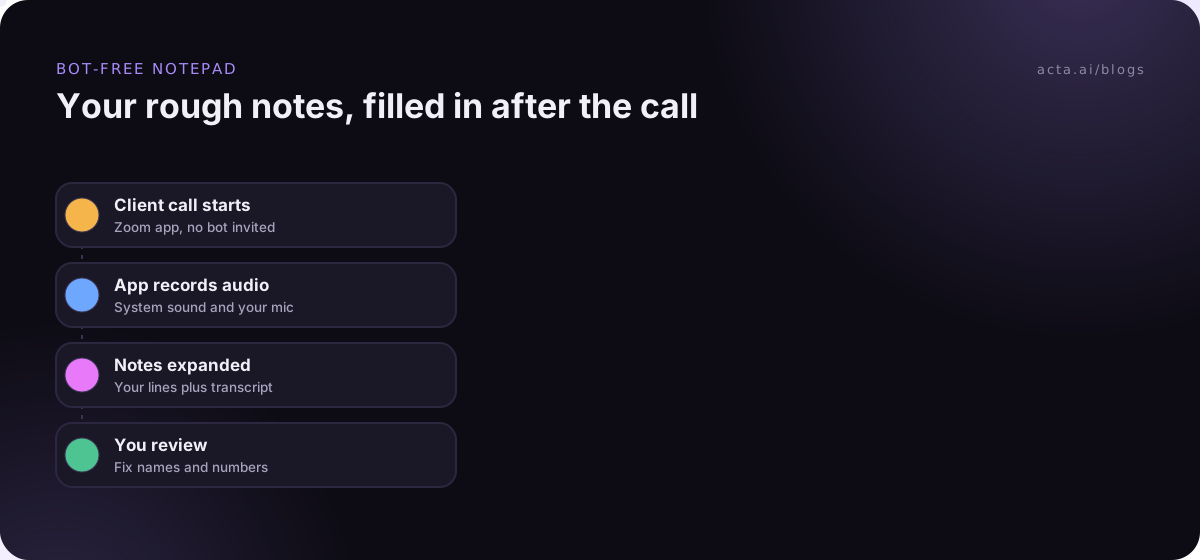
For a deeper comparison of recording without a bot, see our best AI notetakers without a bot.
Built-in AI is enough if you live in one suite
Before you buy anything, open your existing tools. If every meeting you attend happens on one platform, the built-in option may be all you need.
6. Gemini in Google Meet
Gemini's "Take notes for me" writes up meeting notes for you during a Meet call. Google's help says the meeting organizer needs an eligible Workspace edition, and the admin pages list Business Standard and above; Business Standard is $14 per user a month on an annual plan. Only certain spoken languages are supported.
Verdict: the obvious first try for a Google Workspace company. It does nothing for the Zoom or Teams calls your clients invite you to.
7. Microsoft Teams intelligent recap
Teams can produce AI meeting notes and suggested tasks after a meeting. Microsoft's documentation says intelligent recap needs a Teams Premium license or a Microsoft 365 Copilot license. Teams Premium is $10 per user a month paid yearly, and the Copilot Business add-on starts at $18.
Verdict: good value if you already have Copilot. Buying Copilot only for meeting notes is expensive compared with the tools above.
8. Notion AI
Notion's AI Meeting Notes capture Zoom, Meet and Teams calls with no bot and drop the notes straight into your workspace. It needs the Business or Enterprise plan; Business is listed at $20 per seat a month.
Verdict: ideal if your team already plans its work in Notion. Not worth moving to Notion for.
Notta and Plaud fill the language and in-person gaps
9. Notta
Notta transcribes 58 languages and offers translation add-ons, and its Mac and Windows desktop app records without a bot. Notta's pricing page lists a free plan with 120 minutes a month and very short per-conversation limits, and Pro at $8.17 a month billed annually. For tips on mixed-language calls, see how to transcribe meetings in other languages.
Verdict: the pick for multilingual teams. The free plan is only good for testing.
10. Plaud NotePin
Plaud makes small wearable and pocket recorders, with summaries in its iOS and Android apps. The NotePin is $159, and Plaud's plan page says every device includes a free Starter plan with 300 transcription minutes a month; Pro adds 1,200 minutes for $99.99 a year.
Verdict: great for doctors' rounds, site visits and interviews in person. Pointless if all your meetings are online.
Acta fits when notes have to turn into work
Acta is one option among ten here, and it suits a specific need: teams that want decisions and action items tracked across many meetings and pushed into Jira, Notion or a CRM. It covers calls and in-person meetings in one account, so you don't need a second tool. If that sounds like your team, the 15-day trial is enough to judge it on real meetings.
Frequently asked questions
What is the best free AI note taker?
For meetings, Otter, Fireflies and Granola all have free plans, each with a different limit: Otter caps conversations at 30 minutes, Fireflies limits storage and Granola keeps 30 days of history. If your company uses Google Workspace Business Standard or higher, Gemini's "Take notes for me" in Meet costs nothing extra.
Are AI note taking tools safe for confidential meetings?
It depends on the vendor's data terms, not the AI. Check where recordings are stored, how long they're kept, whether customer data trains the vendor's models, and who in your company can see them. Acta, for example, says it doesn't use customer data to train AI models. Always tell participants before recording.
Do I need a separate AI note taker if I have Copilot or Gemini?
Only if you meet outside that platform. Gemini works in Google Meet and Teams recap works in Teams. If clients invite you to Zoom calls, or you hold in-person meetings, a separate tool covers what the built-in AI can't. Many people use both.
Which AI note taking tools work for in-person meetings?
Phone apps from Otter, Fireflies, Acta and Granola (iPhone) record in-person meetings through the phone's microphone. Plaud's wearable recorders suit long days away from your desk, and Google Meet now supports "Take notes for me" for in-person meetings on eligible plans. Put the phone in the middle of the table for clearer audio.
Choose the right AI note taking tool
Most people need one tool, not three. Use this checklist to find it.
- Audit what you already pay for: check whether your Workspace, Microsoft 365 or Notion plan already includes AI meeting notes.
- List where your meetings happen: one platform favours built-in AI; a mix of Zoom, Teams, Meet and in-person favours a dedicated tool.
- Decide on bots: if clients or IT block them, pick a tool with a desktop app or browser extension and test speaker names.
- Define what the notes are for: a record to search later, or tasks and decisions someone has to act on.
- Test on a week of real calls: compare notes from the same meeting before paying for a year.
To try the bot-free route, install the Acta desktop app or Chrome extension during the 15-day trial, or see Acta's plans.