To learn how to write a product requirements document, start with the problem, not the feature list. A good PRD states who has the problem, what success looks like in numbers, what you will and won't build, the requirements with acceptance criteria, and the open questions. Most teams can get a first draft onto one or two pages in an afternoon, then refine it with engineering and design over a week.
This guide is for product managers, founders and engineering leads who need a PRD that people actually read. It gives you eight steps, a template you can copy, and a filled-in example. If you're fixing a small bug or running a two-day experiment, skip the PRD; a ticket with a clear description is enough.
Key takeaways
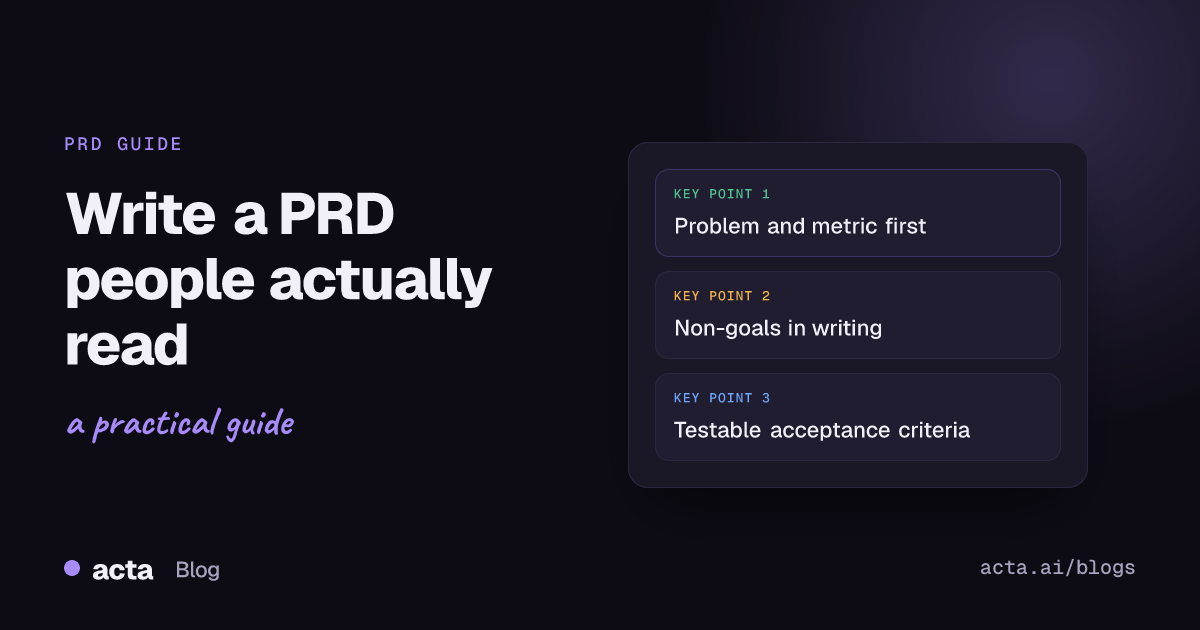
- Write the problem and the success metric before any feature. If you can't name one number that should move, the PRD isn't ready.
- List non-goals explicitly. Three to five lines of "we are not building X" save more arguments than any other section.
- Give every requirement an ID (R1, R2...) and a testable acceptance criterion, so QA and engineering can point at it.
- Keep the first version to one or two pages and leave the how to engineering. Detail belongs in tickets and design specs.
- Review it live with engineering and design within a week, then version it. A PRD nobody has argued with is a PRD nobody has read.
Table of contents
- A PRD explains the problem before it lists features
- How to write a product requirements document in eight steps
- Copy this PRD template and fill the gaps
- A filled-in example makes the template concrete
- Six mistakes turn a PRD into shelfware
- A PRD only works if it changes with the project
- Frequently asked questions
- Decide how much PRD your project needs
A PRD explains the problem before it lists features
A product requirements document is the shared description of what a release should do and why. Atlassian's guide to PRDs describes it as the document that defines a product's purpose, features and behavior, and its advice is to focus on the "why" so the team can work out the best "what". That's the part most first drafts get backwards.
The PRD is not a technical design doc and it isn't a business case. Budget, revenue forecasts and staffing usually live elsewhere. The PRD answers four questions for everyone who touches the work: what problem are we solving, for whom, how will we know it worked, and what exactly is in and out of scope.
In agile teams the PRD got lighter, not deleted. You still need one place where the goal, the boundaries and the acceptance criteria sit together. User stories in Jira are great for execution, but nobody can read 40 tickets and come away knowing why the release exists.
How to write a product requirements document in eight steps
Here's the order I'd follow. It front-loads the thinking that's hardest to fix later.
- Write the problem statement. Two or three sentences: who is affected, what they're trying to do, and what gets in the way today. Quote real customers where you can. "Finance admins at accounts with 500+ invoices a month export them one at a time, which takes most of a morning at month end" beats "users want better exports".
- Set one or two success metrics. Pick something you can measure after launch, with a target and a time frame. Support tickets about exports, time to complete month-end close, adoption of the new feature in the first 60 days. Avoid vanity metrics like page views.
- Name the users and the main scenario. One primary persona is usually enough. Describe the job they're doing in plain words, then the two or three scenarios the release must handle.
- Write non-goals. List what you are deliberately not doing in this release. Start this list early and keep adding to it, because scope requests show up all the way through.
- List the requirements with IDs. Write each requirement as a short statement or user story, number it, and mark priority (must, should, could). Separate functional requirements (what it does) from non-functional ones (speed, limits, accessibility, permissions).
- Add acceptance criteria to every must-have. Use a format QA can test: given a situation, when the user does something, then this happens. If you can't write the criterion, the requirement is still vague.
- Record dependencies, risks and open questions. Name the owner of each open question and a date. An open question with no owner is a decision nobody will make.
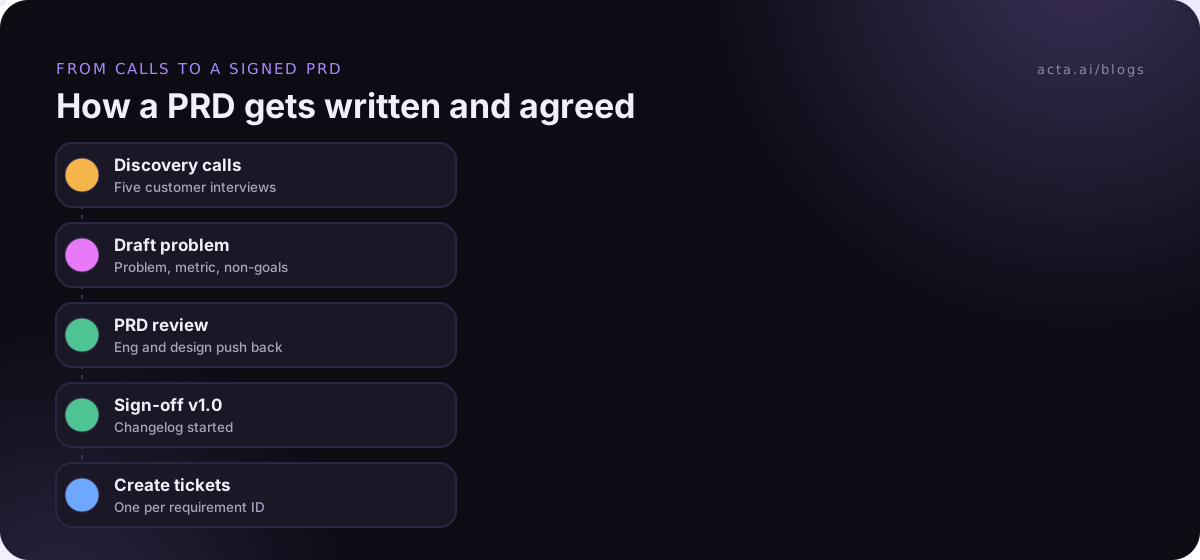
- Review it with engineering and design, then version it. Walk through it in a 30 to 45-minute meeting, capture the objections, update the doc and mark it v1.0 with the date. Changes after that get a short changelog line.
Steps 1 to 4 are where the value is. Requirements are easy to write once the problem and the boundaries are clear; they're nearly impossible to agree on when they aren't.
Copy this PRD template and fill the gaps
This PRD template fits on two pages once filled in. It borrows the common sections that Aha!'s PRD template and Atlassian's Confluence PRD template both cover (problem, goals, user stories, scope), and adds the parts I've found teams skip and then regret: non-goals, requirement IDs and owners for open questions.
Title, owner, status, version, last updated
1. Problem: Who has the problem, what they're trying to do, what blocks them today. Include one or two customer quotes.
2. Why now: What changed (customer churn reason, contract commitment, competitor move, internal cost).
3. Success metrics: Metric, current baseline, target, measured by when.
4. Users and scenarios: Primary persona; two or three scenarios the release must handle.
5. Non-goals: What this release will not do.
6. Requirements: ID, requirement or user story, priority (must/should/could), acceptance criteria.
7. Non-functional requirements: Performance, limits, permissions, accessibility, data retention.
8. Design and links: Mockups, prototype, related tickets, research notes.
9. Dependencies and risks: Other teams, vendors, migrations, legal review.
10. Open questions: Question, owner, due date, answer when known.
11. Release plan: Milestones, beta group, rollout and rollback.
12. Changelog: Date, what changed, who agreed.
If you want more than one starting point, our round-up of PRD template examples has one-pager, lean and AI-feature versions, and product requirements examples shows how individual requirements and acceptance criteria read when they're done well.
A filled-in example makes the template concrete
Here's a shortened product requirements document example for a fictional invoicing app. The names and numbers are made up to show the shape, not real data.
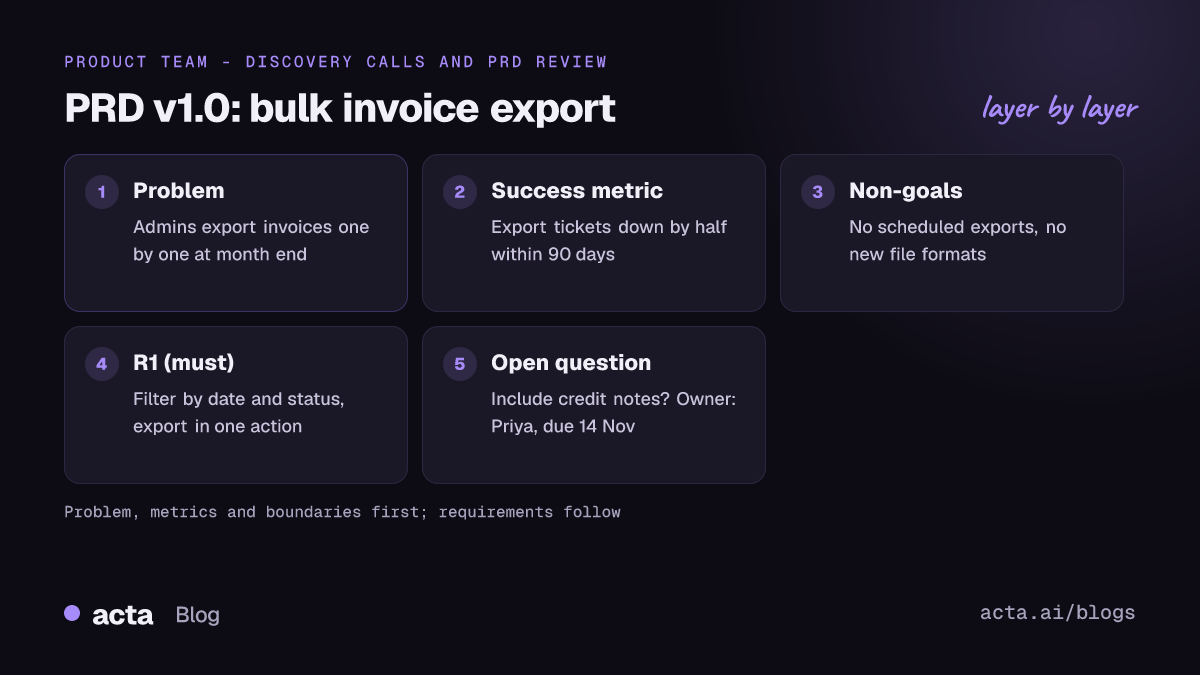
Bulk invoice export | Owner: Priya (PM) | Status: v1.0, signed off by Marco (Eng) and Dana (Design)
Problem: Finance admins at accounts with more than 500 invoices a month export invoices one by one to send to their accountants. In five recent customer calls, admins said month-end export takes "half a day". Two churned accounts named it as a reason for leaving.
Success metrics: Export-related support tickets down by half within 90 days of launch; 40% of eligible accounts use bulk export at least once in the first two month-ends.
Non-goals: No scheduled or automatic exports in this release. No new file formats beyond PDF and CSV. No changes to invoice templates.
R1 (must): As a finance admin, I can select invoices by date range and status and export them in one action. Acceptance: given 1,000 invoices in March, when I filter to March and paid and click Export, then I receive one ZIP with one PDF per invoice plus a CSV summary.
R2 (must): Exports over 200 invoices run in the background and email a download link. Acceptance: the link works for seven days and only for users with the finance admin role.
R3 (should): The CSV includes invoice number, customer, amount, tax, currency and status.
Non-functional: Exports of up to 5,000 invoices complete within 10 minutes; the export button is keyboard accessible.
Open questions: Do we include credit notes? (Owner: Priya, due 14 Nov.) Which storage bucket holds the ZIP files? (Owner: Marco, due 12 Nov.)
Notice what's missing: no database schema, no button color, no estimate. Those decisions belong to the people building it, and the PRD gives them enough to make them well.
Six mistakes turn a PRD into shelfware
- Starting with the solution. "Add a bulk export button" closes the conversation before engineering can suggest something better, like an accountant-facing share link.
- Vague words. Atlassian's own guidance warns against words like "simple", "significant" or "user-friendly" because they can't be measured. Replace them with numbers or examples.
- No non-goals. Without them, every stakeholder assumes their favorite idea is in scope, and you find out in the sprint review.
- Writing it alone. A PM who writes the PRD in isolation and "hands it over" gets a document engineers skim. Draft alone if you like, but finish it together.
- Acceptance criteria that can't fail. "Export works correctly" isn't testable. "Given 1,000 invoices, the ZIP contains 1,000 PDFs" is.
- Letting it go stale. A PRD that still says v0.3 after launch teaches the team to ignore PRDs.
A PRD only works if it changes with the project
Most PRD content comes from conversations: discovery calls, the review meeting where engineering pushes back, the design critique where a requirement quietly changes. The trouble is that those decisions rarely make it back into the doc. A short changelog line after each meeting that changes scope is the cheapest fix.
Link requirements to tickets once the PRD is signed off. In Confluence you can turn user stories on a page into Jira issues, and teams using the Jira integration in their meeting tool can push agreed action items there too. Keep the PRD as the source of "why" and the tickets as the source of "how far along".
If you'd rather not retype what was said, a meeting notes tool can do the first pass. Acta writes transcripts, decisions and action items from your product meetings, and one of its report templates drafts a PRD from them, which you then edit (see PRD drafts from product meetings). If a bot in the call would be awkward, the Acta desktop app captures the meeting's sound and your microphone from your own computer. Whatever you use, tell people the call is being recorded; this guide on recording consent and what to tell participants covers the basics.
For a wider look at tools product teams use around specs, see AI meeting tools for product and engineering teams.
Frequently asked questions
How long should a product requirements document be?
For most features, one to three pages. A new product or a regulated feature can run longer, but length usually signals that implementation detail crept in. If a section runs past half a page, ask whether it belongs in a design doc, a ticket or an appendix. Short PRDs get read; long ones get skimmed in the review meeting.
Who should write the PRD?
The product manager or product owner usually owns it and writes the first draft. Engineering and design should shape it before sign-off, especially non-functional requirements and open questions. Atlassian lists a product owner writing requirements without the team as a warning sign. The owner keeps it current; the team keeps the owner honest.
What's the difference between a PRD and an MRD or BRD?
A market requirements document (MRD) describes the market opportunity and customer needs. A business requirements document (BRD) covers the business case, budget and expected return. The PRD sits downstream of both: it turns the opportunity into what the product must do, with acceptance criteria. Small teams often fold the "why now" from an MRD into the PRD.
Do agile teams still need a PRD?
Usually yes, in a lighter form. User stories and backlogs cover the work, but not the reason for it, the boundaries or how you'll judge success. A one-page PRD with problem, metrics, non-goals and must-have user stories gives the sprint team context without locking in a design. Update it as you learn rather than writing it once.
What should acceptance criteria look like in a PRD?
Write them so a tester could fail them. The given-when-then pattern works well: given a starting state, when the user takes an action, then a specific, observable result happens. Include numbers where they matter (file size, time limit, count). Attach acceptance criteria to every must-have requirement; nice-to-haves can wait.
Decide how much PRD your project needs
Not every piece of work needs the full template. Use this checklist to size it before you start writing.
- Check the scope: More than one team, more than two sprints or a customer commitment? Write the full PRD. Otherwise a one-pager is plenty.
- Name the metric: If you can't state one measurable outcome, spend another day on discovery before drafting.
- Write non-goals first: Agree the boundaries with your engineering lead before listing requirements.
- Book the review: Put a 45-minute PRD review in the calendar now, within a week of the first draft.
- Plan the upkeep: Decide where the changelog lives and who updates it after scope-changing meetings.
If your PRD inputs mostly come from calls, try capturing your next product review with the Acta desktop app or start a 15-day free trial from the pricing page.