The best AI meeting recorder is the one that can actually capture the meetings you have. If every call is on Zoom, Teams or Meet and bots are welcome, Fathom, Fireflies or Otter cover you on a free plan. If bots get blocked or feel awkward, pick a device-based recorder such as Granola or Acta's desktop app. For in-person meetings, a phone app or a wearable like Plaud does the job.
This guide compares eight tools on how they record, not on how nice their summaries look, because summaries are now similar everywhere and capture is where tools really differ. It's for people choosing a recorder for themselves or a small team. If you need a full sales call platform with forecasting and scorecards, this list isn't where to start.
Key takeaways
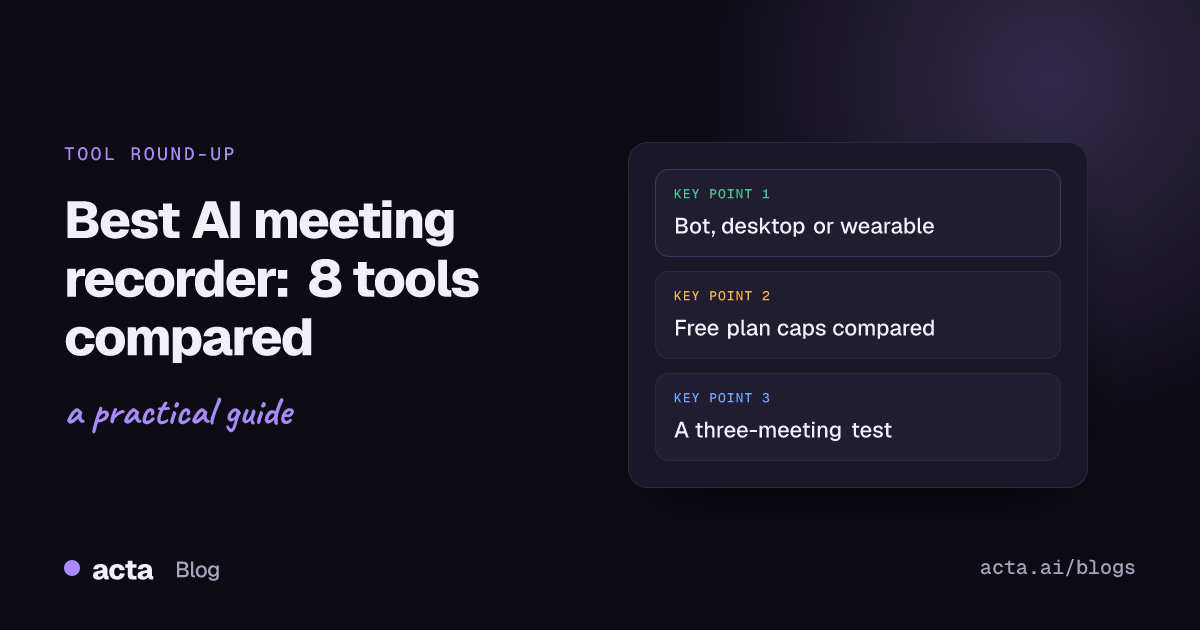
- Decide the capture method first: a bot that joins the call, an app on your computer, a phone or wearable for the room, or file upload.
- Bot-based recorders (Otter, Fireflies, Fathom, tl;dv) can attend meetings you skip; device-based ones (Granola, Acta desktop) need you in the call but add nobody to the participant list.
- Free plans differ mainly in caps: Otter Basic lists 300 minutes a month, tl;dv caps AI notes at 10 meetings a month, Fathom keeps recording unlimited.
- Granola says it deletes audio after transcribing, so there's no recording to replay. Check this if you need playback.
- Run any shortlist on three real meetings (a large call, a 1:1 and a noisy one) before paying.
Table of contents
- How a recorder captures the call matters most
- The best AI meeting recorder depends on where you meet
- Eight AI meeting recorders, reviewed
- Bot-free recording solves a different problem
- In-person meetings need a phone or a device
- Test a recorder on three real meetings
- Consent stays your job, whichever tool you pick
- Where Acta fits
- Frequently asked questions
- Choose your AI meeting recorder
How a recorder captures the call matters most
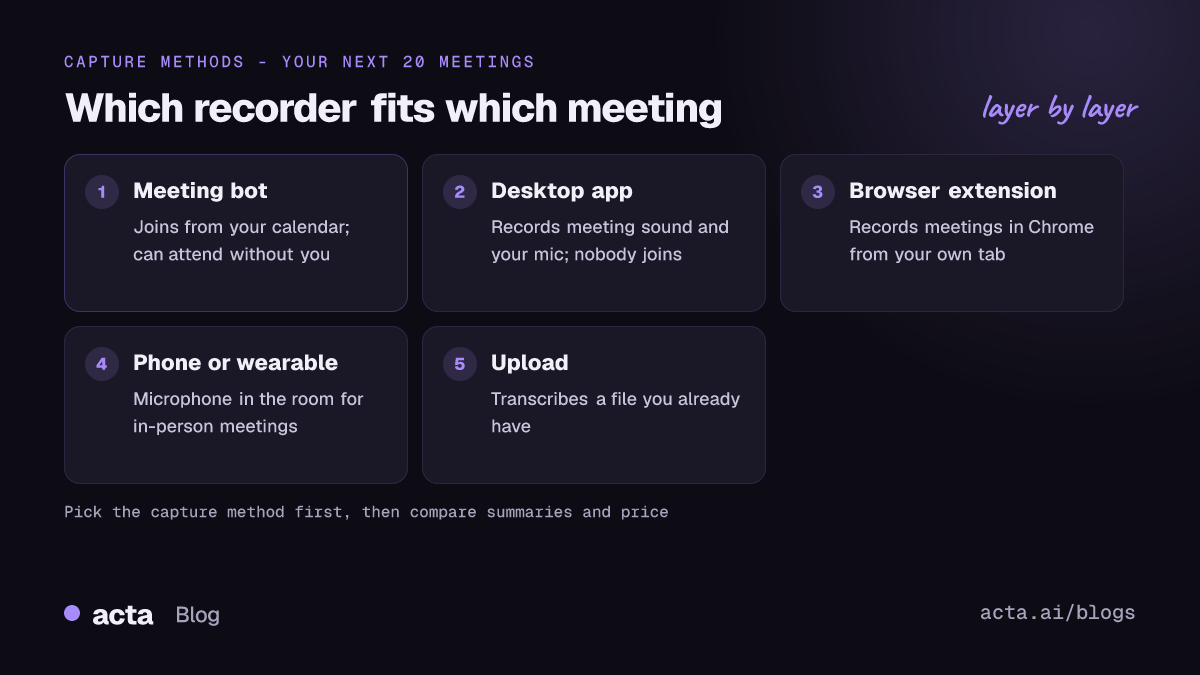
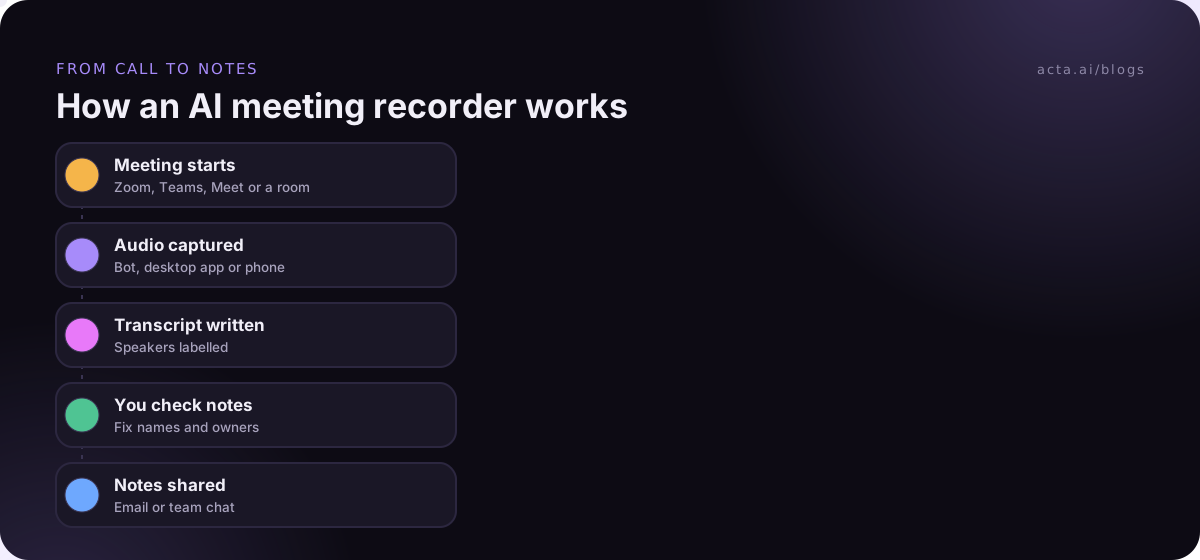
Every AI meeting recorder does the same three things after the meeting: transcribe, label speakers and write a summary (our meeting recorder explainer walks through each step). The part that varies is how the audio gets in. There are four ways, and most tools only do one or two of them well.
- Meeting bot. A participant called something like "Notetaker" joins from your calendar. It can attend meetings you miss and usually gets speaker names from the participant list. Some companies block bots, and some guests ask who that is.
- Device capture. An app on your Mac or PC records the meeting sound and your microphone. Nobody joins the call, but you have to be in it, on that computer.
- Phone or wearable. For a meeting room, a client site or a clinic, you need a microphone in the room. Recording a laptop's speakers won't help here.
- Upload. You already have an MP4 or a voice memo and want a transcript from it.
I'd write down where your last 20 meetings happened before reading any review. If 18 were Teams calls with outside clients who dislike bots, half the tools on any "best of" list are out already. Our guide to meeting bots vs desktop apps vs Chrome extensions goes deeper on this trade-off.
The best AI meeting recorder depends on where you meet
Here is the short version. Prices are the lowest paid tier each vendor lists, per user per month, and they move often.
| Tool | How it records | Best for | Free plan | Paid from |
|---|---|---|---|---|
| Fathom | Bot | Individuals on Zoom, Meet, Teams | Yes, unlimited recording | $15 (team, annual) |
| Fireflies | Bot | Teams wanting search across calls | Yes, 400 min storage | $10 (annual) |
| Otter | Bot, mobile app | Short calls, students | Yes, 300 min/month | $8.33 (annual) |
| tl;dv | Bot, video | Video clips of calls | Yes, AI notes for 10 meetings | $18 (annual) |
| Granola | Device, no bot | Notes without a bot | Yes, 30 days history | $14 |
| Zoom AI Companion | Built into Zoom | Zoom-only teams | No | Included in paid Zoom |
| Plaud NotePin | Wearable device | In-person, on the move | 300 min/month with device | $159 device |
| Acta | Bot, desktop, Chrome, mobile, upload | Mixed meetings, bot or no bot | 15-day trial | $6 (annual) |
Checked on 12 November 2026; confirm on each vendor's pricing page.
Eight AI meeting recorders, reviewed
The order below isn't a ranking. Each tool wins for a different kind of meeting, so read the "Best for" line first.
1. Fathom
Best for: individuals who want a free bot recorder for Zoom, Google Meet and Teams. Pros: the free plan includes unlimited recordings, transcripts and summaries, which is generous. Cons: Fathom's help center says advanced summaries on the free plan are limited to your first five calls a month, and it only records through a bot that joins the call. Price: Premium is listed at $20 a month, or $16 billed annually; team plans start at $15 per user with a two-user minimum, according to Fathom's pricing page (as of November 2026).
2. Fireflies
Best for: teams that want to search and analyse many calls. Pros: the free plan includes unlimited transcription and AI summaries, plus AskFred for questions about your calls. Cons: video recording starts on Pro, and AI features run on a separate credit system. Price: Pro $10 per seat billed annually or $18 monthly, Business $19 annually, per the Fireflies plans guide (as of November 2026).
3. Otter
Best for: students and people with short calls who also want a mobile app. Pros: well known, quick to start, and the phone app handles lectures and in-person chats. Cons: the free Basic plan caps you at 300 minutes a month and 30 minutes per conversation, so a weekly hour-long meeting already breaks it. Price: Otter's own comparison pages list Pro at $8.33 per user per month billed annually and Business at about $20 (as of November 2026).
4. tl;dv
Best for: people who want the video, not only the notes, for clips and handovers. Pros: unlimited recordings and transcripts on the free plan. Cons: AI notes stop after 10 meetings a month on free, and free data is kept for six months, according to tl;dv's own comparisons. Price: Pro is $18 per user per month billed annually or $29 monthly (as of November 2026).
5. Granola
Best for: people who take their own notes and want AI to fill the gaps, with no bot. Pros: captures your computer's microphone and system audio, so it works with almost any call app. Cons: recording starts manually, and Granola's security FAQ explains that audio isn't kept, only the transcript and notes. Great for privacy, bad if you wanted to replay a quote. Price: Basic is free with 30 days of history; Business is $14 per user per month (as of November 2026).
6. Zoom AI Companion
Best for: teams whose meetings are almost all in Zoom. Pros: nothing to install; Zoom says meeting summaries are included in paid Workplace plans. Cons: free (basic) Zoom users don't get it, and it's built for Zoom first. Price: included with paid Zoom Workplace plans, which Zoom's comparison page lists from $14.16 per user per month (as of November 2026).
7. Plaud NotePin
Best for: in-person conversations where a laptop on the table feels wrong. Pros: a small wearable AI voice recorder; Plaud says every device includes 300 transcription minutes a month. Cons: it's another gadget to charge, and it can't join a video call. Price: the NotePin is listed at $159; paid plans add minutes (as of November 2026).
8. Acta
Best for: people with a mix of meetings who want the choice of bot or no bot. Pros: a bot for Zoom, Meet and Teams, a bot-free Windows and Mac app, a Chrome extension, mobile apps for in-person meetings and file upload, all landing in one place. Cons: no permanent free tier, only a trial; bot-free capture needs you in the call. Price: Pro is $8 per seat per month, or $72 a year billed annually, after a 15-day free trial (as of November 2026).
Bot-free recording solves a different problem
A bot-free meeting recorder exists for one reason: some calls shouldn't have an extra participant. Client IT teams block unknown bots, recruiters don't want a candidate to see "Notetaker" in the list, and some lobby settings simply keep bots waiting. We've written about why companies block meeting bots if you want the background.
The trade-off is real. A bot can attend a meeting while you're on holiday; a device recorder can't. A bot reads speaker names from the participant list; device recorders work them out from voices and the calendar invite, which is a little less exact. And your laptop has to stay awake and connected to the call for the whole hour.
Use a bot for internal standups and large webinars. Use device capture for client calls, interviews and anything sensitive. If bots aren't welcome in the call, a desktop recorder or a browser extension captures it from your own computer without anyone joining. Our round-up of bot-free AI notetakers compares seven of them in more detail.
In-person meetings need a phone or a device
To record in-person meetings you need a microphone close to the people talking. A phone app placed in the middle of a small table works well for four to six people. A wearable like the NotePin suits walking meetings, site visits and one-on-one conversations. For a boardroom with twelve people, a conference speakerphone will beat both.
Two practical tips. Put the phone on a soft surface, not a hard desk that echoes every coffee cup. And ask people to say their name the first time they speak, because the recorder can't read a participant list in a room. Our microphone guide covers what actually improves recordings.
Test a recorder on three real meetings
Feature lists won't tell you how a tool handles your accents, your jargon or your noisy open-plan office. Before you pay, run each shortlisted recorder through the same small test.
- Record one large call (eight or more people), one 1:1 and one noisy or in-person meeting.
- Check speaker labels on the large call. Wrong names make action items useless.
- Search the transcript for three product names or client names. Count the misspellings.
- Compare each summary with what you remember. Did it catch the one decision that mattered?
- Time how long it takes from the end of the call to notes you can share.
Also check the meeting recorder free plan limits against your calendar. An Otter-style 30-minute cap per conversation sounds fine until your Monday planning meeting runs 50 minutes.
Consent stays your job, whichever tool you pick
A bot announces itself by joining; a device recorder doesn't. That makes telling people even more important with bot-free tools. Recording laws vary by country and US state: some need one party's consent, others everyone's. This is general information, not legal advice, and our post on whether it's legal to record meetings with AI covers what to tell participants.
The easiest habit is a one-line note in the chat at the start: "I'm recording this for notes, say if you'd rather I didn't." It takes five seconds and avoids awkward conversations later.
Where Acta fits
Acta is an AI meeting assistant that records with a bot, from its Windows and Mac desktop app, through the Chrome extension, on the mobile apps or from an uploaded file, and turns each meeting into a transcript with speaker names, a summary, decisions and action items with owners. It suits people whose meetings don't all look the same. If you only ever use Zoom and you're happy with a bot, the Zoom AI Companion or a free bot recorder may be enough.
Frequently asked questions
What is the best free AI meeting recorder?
For bot-based recording, Fathom's free plan is the most generous of the tools here, with unlimited recordings, transcripts and summaries (advanced summaries are capped monthly). Fireflies also has a free plan with unlimited transcription but limited storage. If you need no bot, Granola's free Basic plan works but keeps only 30 days of history.
Can an AI meeting recorder work without joining the call?
Yes. Device-based recorders run on your computer and capture the meeting sound plus your microphone, so no participant joins. Granola and Acta's desktop app work this way, and browser extensions do the same for meetings in Chrome. You need to be in the meeting yourself, on that computer, for the whole call.
Is Zoom AI Companion enough on its own?
If every meeting is a Zoom meeting and you're on a paid Zoom Workplace plan, it may be. Zoom includes meeting summaries in paid plans. It's less useful once you also have Teams calls with clients, in-person meetings or phone calls, because you'll end up with notes in several places.
What's the best AI voice recorder for in-person meetings?
A phone app is the cheapest option and fine for small rooms. A wearable AI voice recorder such as the Plaud NotePin suits walking meetings and site visits. For a large room, add a conference microphone. Whatever you use, place it close to the speakers and away from hard, echoing surfaces.
Do AI meeting recorders keep the audio?
It depends on the tool and plan. Most bot recorders keep audio or video so you can replay it, though some limit storage on free plans. Granola says it deletes audio after transcribing and keeps only the transcript and notes. Check this before buying if you need to replay exact quotes.
Choose your AI meeting recorder
Use this checklist to narrow the list to two tools, then run the three-meeting test.
- Map your meetings: count how many of your last 20 meetings were Zoom, Teams, Meet, in-person or phone.
- Pick a capture method: bot if you miss meetings, device if bots get blocked, phone or wearable for rooms.
- Check the free plan caps: minutes per month, minutes per conversation and how long history is kept.
- Confirm playback: decide whether you need the audio or video, or only the notes.
- Plan the consent line: agree on one sentence your team posts in the chat when recording.
If you want to try bot-free capture on your next call, install the Acta desktop app and compare it during the 15-day free trial on the pricing page.