Real estate project review meeting notes are a decision record first
A project review meeting note, for a developer, is the written outcome of the weekly review where the project team, consultants and contractors agree what happens next on a site. The progress part (slab cycle, finishing status, pending drawings) matters, but it changes every week and lives in the schedule anyway. The decisions are what people fight about later: who approved the tile change, when the handover date for Tower A moved, which contractor got the external plumbing package and at what rate.
Construction contracts treat changes seriously. As the American Bar Association's Construction 101 overview explains, most contracts let the owner change the work, sometimes without the contractor's agreement, through a construction change directive. A Moss Adams article on managing construction change orders recommends strict timelines for review and approval. Contracts and local rules vary, so treat this as general information. The common thread is simple: a construction change order needs a clear decision behind it, and that decision usually happens in a meeting.
A developer's week runs on five overlapping reviews
Most developers run some version of these:
- The weekly site review meeting: project head, site in-charges, QS, procurement, the main contractor's PM, sometimes the architect and MEP consultant. Progress against schedule, drawings, material approvals, RA bills, quality issues.
- The design coordination meeting: architect, structural and MEP consultants, project head. Clashes, revisions, GFC drawing dates.
- The monthly MD review: cost to complete, cash flow, sales velocity, big approvals.
- The sales and CRM review: bookings, customer complaints, specification promises in the brochure, handover dates told to buyers.
- Contractor meetings: work orders, rates, variations, labour strength.
The trouble is the overlap. A specification decided in the site review gets reopened in the sales review because buyers complained, or in the MD review because of cost. Each meeting has different people in it. Without one record of decisions across all of them, the site, procurement and the contractor each act on whichever version they heard last.
A flooring choice reversed in a sales meeting cost 14 lakh
An illustrative case. Saanvi Habitats is a 140-person developer in Hyderabad building two 18-floor residential towers, about 260 flats. Arvind Rao is the MD. Kavitha Menon is project head, Farhan Ali runs procurement, Deepa Shetty is the QS, and Nikhil Varma heads sales and CRM. Venkat is the civil contractor's project manager.
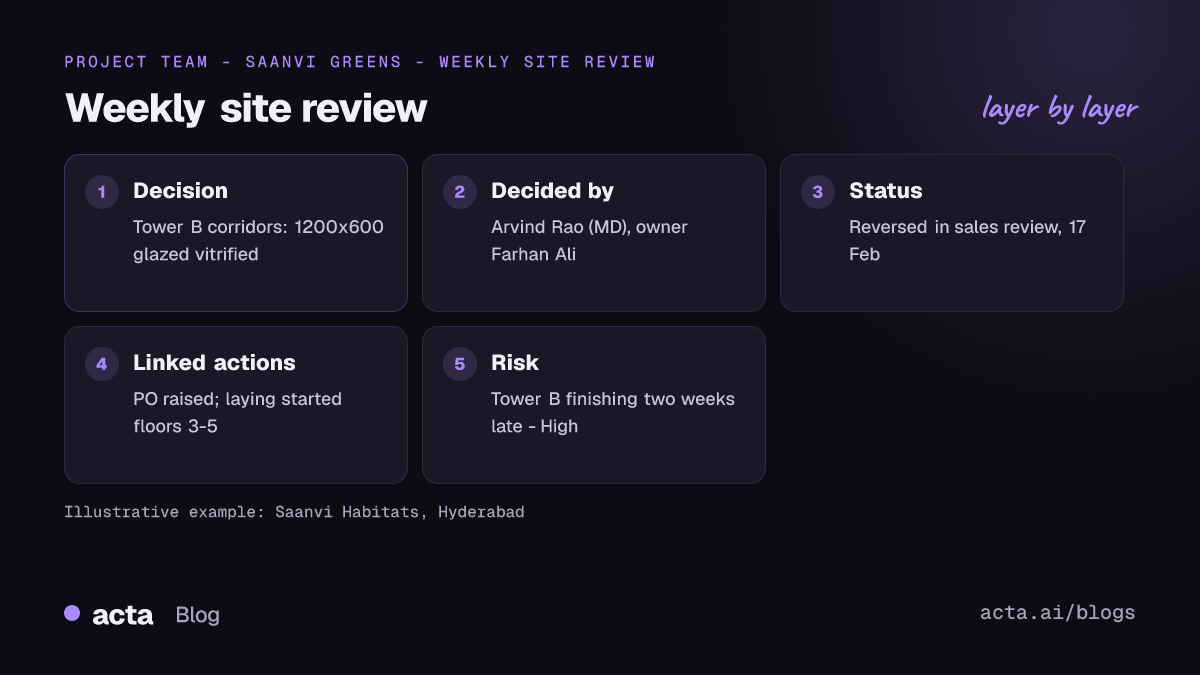
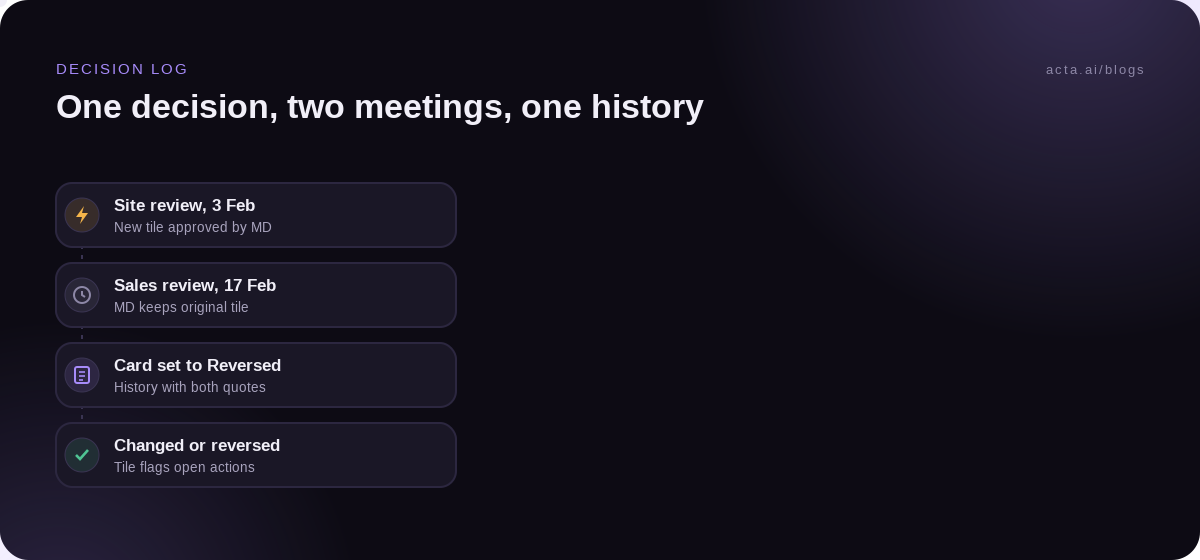
3 February, weekly site review. After a mock-up, the team agrees to switch Tower B lobby and corridor flooring from 800x800 vitrified tiles to a 1200x600 glazed vitrified series. Arvind approves. Farhan is to raise the PO for 4,200 square metres; Venkat's team will start laying from the 3rd floor.
17 February, sales review. Nikhil reports that three buyers have complained the Tower B corridors no longer match the brochure. Arvind says: "Keep the original 800 by 800 for Tower B. We promised it." Farhan and Kavitha are not in this meeting. Nobody tells them.
3 March, weekly site review. 1,100 square metres of the new tile have arrived and corridors on floors 3 to 5 are laid. Nikhil mentions the brochure in passing. Kavitha stops the meeting. The supplier will take back unopened boxes with a restocking charge of about 6.5 lakh rupees; Venkat raises a contractor variation claim of about 7.5 lakh for taking up and re-laying 300 square metres. Total: about 14 lakh, plus two weeks on the Tower B finishing schedule.
Everyone acted in good faith. The decision changed in a meeting that the people executing it did not attend, and the notes from the earlier meeting still said "approved".
The Decision log shows every change and the meeting it came from
Acta's Decision log lives under My meetings, Outcomes, Decision log. It collects decisions from your recorded meetings, merges the same decision raised in several meetings into one card, and keeps a history of every meeting it came up in. Think of it as a decision log template that fills itself in, which you still review.
One card per decision, with a status
Each card shows a status: Active, Changed, Reversed or Done. It lists "Decided by", "Owner", first and last discussed dates, "Discussed in N meetings", and linked actions with "X of Y done". In the Saanvi case, Kavitha's log on 18 February would show:
Tower B lobby and corridor flooring: 1200x600 glazed vitrified series. Status: Reversed. Decided by: Arvind Rao. Owner: Farhan Ali. Discussed in 2 meetings. Actions: 1 of 2 done (PO raised; laying started).
History: 3 Feb, weekly site review, first raised: "Go ahead with the twelve by six, Farhan, raise the PO." 17 Feb, sales review, reversed: "Keep the original 800 by 800 for Tower B. We promised it."
Each history entry has a play button that opens the exact moment. That turns "I never said that" into a 20-second listen.
Tiles that point at trouble
Four tiles sit on top: Decisions, Need follow-through, Changed or reversed and Done. For a project head, "Changed or reversed" is the Monday morning tile. Any card there with open action items is money at risk. An attention banner on a card flags "No owner yet", "No action items yet" or "N overdue action items", with "Assign owner".
The per-person catch
The Decision log is per person. Kavitha's log is built from the meetings she recorded and those colleagues shared with her in the workspace. If Nikhil records the sales review but keeps it Private, the reversal never reaches Kavitha's log. So the rule for a developer is blunt: every review where specs, rates or dates can change is recorded and shared with "Everyone in" the workspace.
Grouping, cleanup and export
Group by Topic to see all flooring, facade or plumbing decisions together, or by Person to see what Farhan owns. Use "Not a decision" to hide noise, "Not the same decision?" to split two decisions merged by mistake, and "Mark as done" when the work is complete. Export CSV gives a file with Decision, Status, Topic, Decided by, Owner, First discussed, Last discussed, Meetings, Actions and Previously, which is what Deepa needs when answering Venkat's variation claim. More background in how to track decisions made in meetings.
Decisions and RACI plus a custom template give the review a spine
Acta has 40 built-in report templates. For developers, Decisions & RACI and Project status fit the weekly review, Vendor review fits supplier meetings, and Contract negotiation fits contractor rate discussions. The templates by role list shows all 40. Our post on decision logs and RACI from meetings walks through the built-in one.
On a paid plan you can add a custom template under Templates. Saanvi's would be:
Template name: Weekly site review
What should this report do? For weekly project review meetings on a residential site: list approvals and changes with who decided, progress against schedule by tower, drawings pending, contractor issues and actions with owners.
- Decisions and changes (Table: Decision | Replaces | Decided by | Owner).
- Progress by tower (Table: Tower | Activity | Planned | Actual).
- Drawings and approvals pending (Bullets).
- Contractor and variation points (Bullets).
- Actions (Checklist: task, owner, due date).
The "Replaces" column is the useful one: it forces the report to say which earlier decision a change overrides. Set it to "Only matching meetings" so it runs on site reviews and not on sales calls.
Action items, the Risk Registry and OneChat catch the knock-on effects
Action items
The Action items tab under Outcomes lists every task with owner and due date, with tiles for Open, Overdue, Due this week and Done. After the reversal, Kavitha's view should show: "Cancel balance of GVT order and agree return terms with supplier. Owner: Farhan Ali. Due in 2 days." Group by Person to see a contractor PM's open items before the Monday review.
Risk Registry
The Risk Registry tab collects risks from meetings with Impact, Owner and Status:
Risk: Tower B finishing delayed two weeks by flooring rework; handover dates told to buyers at risk. Mitigation (Agreed): add a second tiling gang from 10 March. Owner: Kavitha Menon. Impact: High. Status: Mitigating.
OneChat
OneChat answers across all your meetings with sources. Deepa, preparing a reply to the variation claim, asks:
Deepa: When was the Tower B flooring change approved, when was it reversed, and was the contractor told?
OneChat: Approved on 3 February in the weekly site review by Arvind Rao. Reversed on 17 February in the sales review, also by Arvind. Venkat was not in the sales review, and no meeting before 3 March mentions telling him. Found in: Saanvi Greens - weekly site review, 3 Feb, at 41:20; sales review, 17 Feb, at 12:05.
That answer cuts against Saanvi as much as for it, which is useful: Deepa settles the variation at a fair figure instead of fighting a claim she would lose.
An Agent Builder recipe tells procurement the moment a decision changes
The fix for the Saanvi problem is speed: procurement and the site should hear about a changed decision the same day. Agent Builder (beta) can watch the Decision log and send that alert, with a person approving anything that leaves the company. The getting started guide covers the editor.
- In Agent Builder, click "New agent" and name it "Decision change alert".
- Trigger: "Event in a connected app", app Acta, event "decision made or changed". Add an "Only when" condition so it fires on decisions mentioning a tower, a material or a contractor.
- AI step: "Summarise the decision change in three lines: what was decided before, what it is now, who decided. List open actions that may now be wrong (POs, work orders, drawings)."
- Slack step: post the summary to the project's channel and message the procurement head directly. Internal, so no approval needed.
- Google Sheets step: add a row to the project's change register.
- Human approval step: the project head approves a short note to the contractor.
- Gmail step: send the approved note to the contractor's PM. No approval in 24 hours means nothing is sent.
- Test and Run test on a past decision (nothing is sent), then Turn on.
Project teams can switch over in two weeks
For a developer with 50 to 300 people, seats go to the people who chair or attend decision meetings: MD, project heads, procurement, QS, sales head and planning. Site engineers who want to read shared meetings need a seat too, since every workspace member uses one; otherwise their action items can reach them by the daily follow-up email. The workspace guide explains invites and roles.
- Days 1-3: Invite the core group from Settings, Workspace. Agree titles: "Project - weekly site review", "Project - sales review", "Project - MD review".
- Days 4-7: Record every review. Site office meetings with no video call work with the Acta mobile app; online coordination calls on the Zoom or Teams desktop apps work with the desktop app, and browser calls with the Chrome extension. Share each with "Everyone in" the workspace.
- Week 2: Each project head reviews the "Changed or reversed" tile every Monday, assigns owners to unowned decisions, and turns on the change alert agent.
Mistakes to avoid: recording consultants and contractors without telling them (see what to tell participants about recording); keeping sales or MD reviews private; and letting "approved" stand without a linked action. Acta's page for real estate developers has more for this sector.
Frequently asked questions
What should the minutes of a weekly project review include?
Decisions and changes with who decided and who owns them, progress by tower or block against schedule, drawings and approvals pending, contractor and variation points, and actions with owners and dates. Keep progress short. Spend the words on decisions, especially anything that replaces an earlier decision, because that is where disputes start.
How do we stop decisions being quietly reversed in another meeting?
You cannot stop people changing their minds, and you should not. You can make sure every change is visible. Record and share every meeting where specs, rates or dates can change, review the "Changed or reversed" tile weekly, and alert procurement and the site the same day a decision changes.
Can we export the decision history for a contractor dispute?
Yes. Export CSV on the Decision log gives one row per decision with status, topic, decided by, owner, first and last discussed dates, meetings, actions and the previous wording. Each card's history also links to the exact meeting moments, which you can play back when a claim is discussed.
Does it work for meetings in the site office with no video call?
Yes. Record in-person meetings with the Acta mobile app on iPhone or Android, or with Record audio in the browser, and you get the same notes, decisions and action items as an online meeting. Place the phone near the middle of the table; site offices are noisy.
Who in the company can see the Decision log?
Each person has their own Decision log, built from the meetings they recorded and those shared with them in the workspace. There is no single company-wide log. Share decision meetings with the workspace so the project head, procurement and QS each see the same decisions in their own logs.
Choose the decisions you never want to argue about again
Start with one project and the decisions that cost the most when they go wrong: specifications, contractor awards and handover dates.
- Record every review: site, sales, MD and contractor meetings, shared with the workspace.
- Check the tile: "Changed or reversed" every Monday before the site review.
- Link the action: every approval has a PO, work order or drawing revision attached.
- Alert the same day: procurement and site hear about changes within hours.
- Keep the export: a monthly CSV of the Decision log for each project file.
Record your next weekly site review with the Acta desktop app or the mobile app, and see the Decision log in action with a 15-day trial.