Use Cases 5 min read
Property Walkthrough Notes for Agents: Client Needs, Reactions and Shortlist
Acta turns buyer and tenant viewings into walkthrough notes: must-haves and budget, likes and dislikes per property, objections, the shortlist and next viewing.
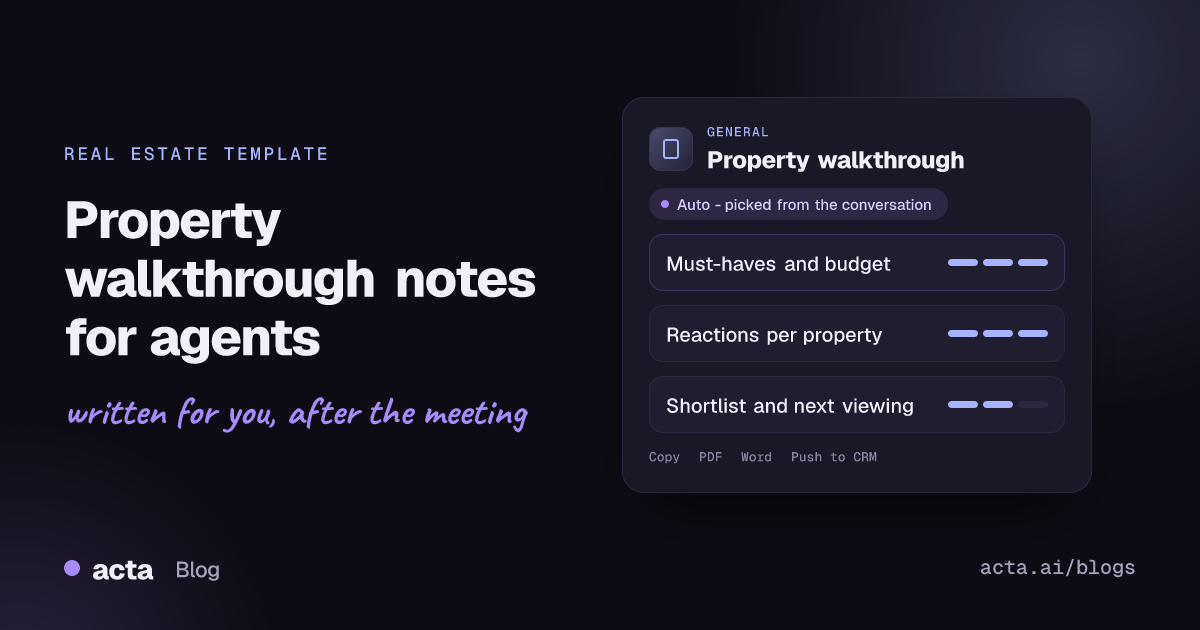
Quick answer: Property walkthrough notes record what a buyer or tenant needs, what they can spend and how they reacted to each home you showed them. Acta writes them from a recorded viewing or debrief: must-haves, nice-to-haves and budget, likes, dislikes and interest for each property, objections, the shortlist and the next viewing, so you can follow up without reconstructing the day from memory.
A day of viewings produces a lot of signal. In the car between homes the client says the kitchen at Elm Road is exactly what they wanted, that the garden at Mill Lane is a dealbreaker, and that they would stretch the budget for the right school catchment. Those comments are what a good agent uses to pick the next set of homes.
They are also easy to lose. By the evening you have shown six properties to three clients, and the notes in your phone say "liked kitchen, noise?" Was that this client or the last one? Which house had the noise?
What are property walkthrough notes?
Walkthrough notes (or viewing notes, or showing feedback) are an agent's record of a client's visit to one or more properties. They capture the client's brief, their reaction to each property and what happens next. Buyer's agents use them to refine a search; letting agents use them to match tenants; listing agents gather similar feedback for sellers.
Good notes cover the same ground that buyers are told to think about. The US Consumer Financial Protection Bureau's housing resources for homebuyers stress setting a realistic budget before shopping, and viewing guides such as Redfin's house viewing tips encourage buyers to take notes on each home and come back for a second look at a different time of day. Clients who are told to do that will say a lot during a viewing. Your notes should catch it.
A useful walkthrough note answers:
- What must the property have, and what would be nice?
- What is the budget, and how firm is it?
- For each property: what did the client like, what did they dislike, and how interested are they?
- What objections came up, and which homes stay on the list?
- When and where is the next viewing?
What does Acta's Property walkthrough report include?
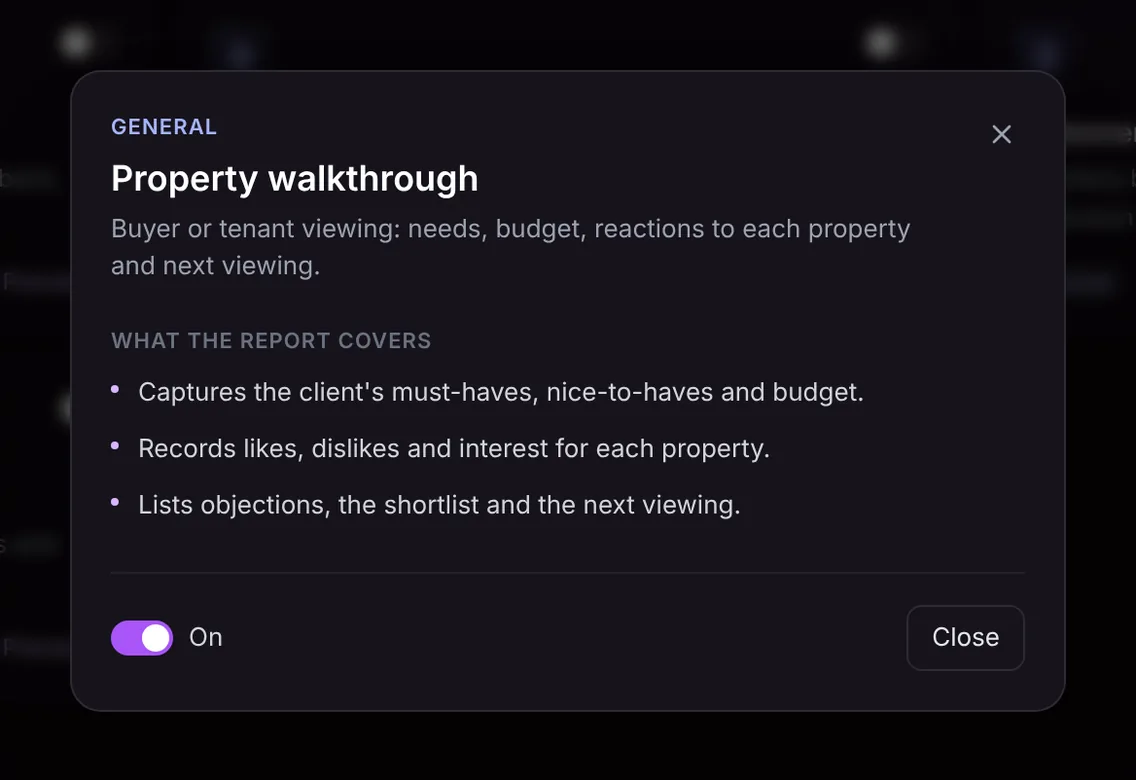
The report has three parts, all taken from what was said:
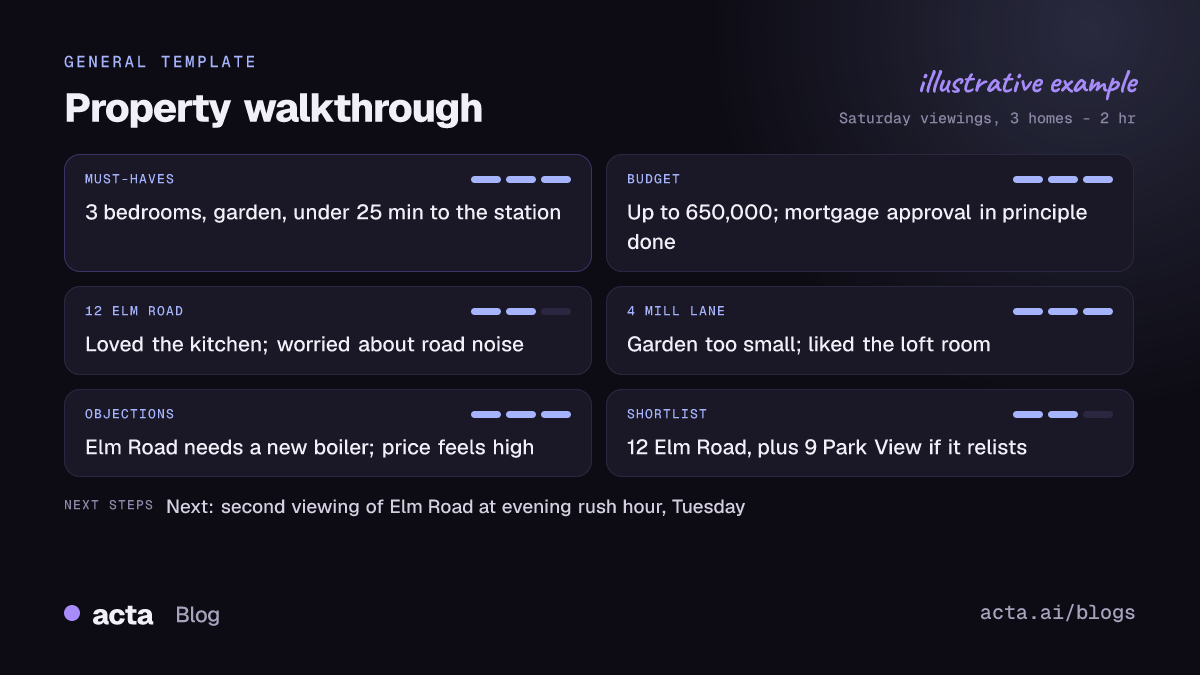
- Must-haves, nice-to-haves and budget. The client's brief in their own terms: bedrooms, outdoor space, commute, school area, parking, and the budget or rent they mentioned.
- Likes, dislikes and interest for each property. A short entry per home, so the reactions to Elm Road do not get mixed up with Mill Lane.
- Objections, the shortlist and the next viewing. The concerns raised, such as price, condition or noise, the homes still in contention and the next step agreed.
Here is the template in Acta's Templates page, with the preview of what the report covers:
And an illustrative example of a finished report:
Who is it for, and why does it help?
The template is for buyer's agents, letting and rental agents, relocation consultants, property managers running tenant viewings and new-build sales teams. The Acta for real estate page covers the wider use cases.
Situations where it pays off:
- Back-to-back viewing days. Each client gets their own clean record of every property, so your follow-up email is specific.
- Couples and families who disagree. When one partner loves the loft and the other hates the stairs, the notes keep both views, which makes the next shortlist better.
- Seller feedback. Objections like "the boiler looks old" are exactly what a listing agent or seller wants to hear, in the buyer's words.
- Team handoffs. If a colleague runs the second viewing, they read the notes and know what the client cares about before they arrive.
How does Acta pick this template automatically?
Acta reads each conversation and picks a template that fits, even when you have not turned it on. For a viewing, the signals are a client describing what they need in a home, a budget or rent figure, reactions to specific properties, comparisons between them and talk of a second viewing or an offer. The report is labelled "Auto", and Acta explains why, for example that the conversation covered the client's requirements, budget and reactions to several properties.
Click "Turn on for future meetings" to keep the template on. When it is on, Acta first checks whether a meeting is actually a viewing. A team sales meeting or a call with a mortgage broker will not produce forced walkthrough notes; it is listed under "Not relevant" with the reason. Once a client moves to terms, the contract negotiation template is the better match.

How do you use the Property walkthrough template?
- Record the viewing or the debrief. In person, use the Acta mobile apps and tell the client you are taking notes. For video tours on Zoom, Google Meet or Microsoft Teams, use the meeting bot or record without a bot through the desktop app or Chrome extension. You can also upload a recording.
- Turn on Property walkthrough. In Templates, find it in the General group, preview it and switch it on, or let Acta pick it.
- Open the Templates tab of the meeting. The notes sit next to the summary and transcript.
- Follow up. Copy the notes into your client email or download them as PDF, Word or Markdown. On a paid plan with Salesforce, HubSpot or Zoho connected, Push to CRM adds them as a note on the client's contact.

Tips for better walkthrough notes
- Say the address as you walk in. "Okay, this is 12 Elm Road" keeps reactions attached to the right home.
- Ask for a verdict before leaving each property: "Keep it on the list or not?"
- Confirm the budget out loud early in the day, including any stretch.
- End with the shortlist and next step, so the last section is complete.
To look back across months of viewings, you can ask questions across all your meetings, for example which clients wanted a garden and a short commute.
Frequently asked questions
Does it work for rentals as well as sales?
Yes. It captures a tenant's must-haves, rent budget and reactions the same way it does for buyers.
Can one recording cover several properties?
Yes. If a recording spans several homes, the report gives each property its own likes, dislikes and interest level.
Will the notes include things the client did not say?
No. The report only contains what was said, so if the budget never came up, it will not appear.
Can I share the notes with the seller?
You can copy or download the notes and edit them before passing feedback on. Share only what your client is comfortable with.
Bring Acta to your next viewing day with a free 15-day trial.


