Use Cases 5 min read
Parent-Teacher Meeting Notes and Support Plans, Written for You
What to include in parent-teacher meeting notes, how to write a support plan families can follow, and how Acta drafts both from the conversation.
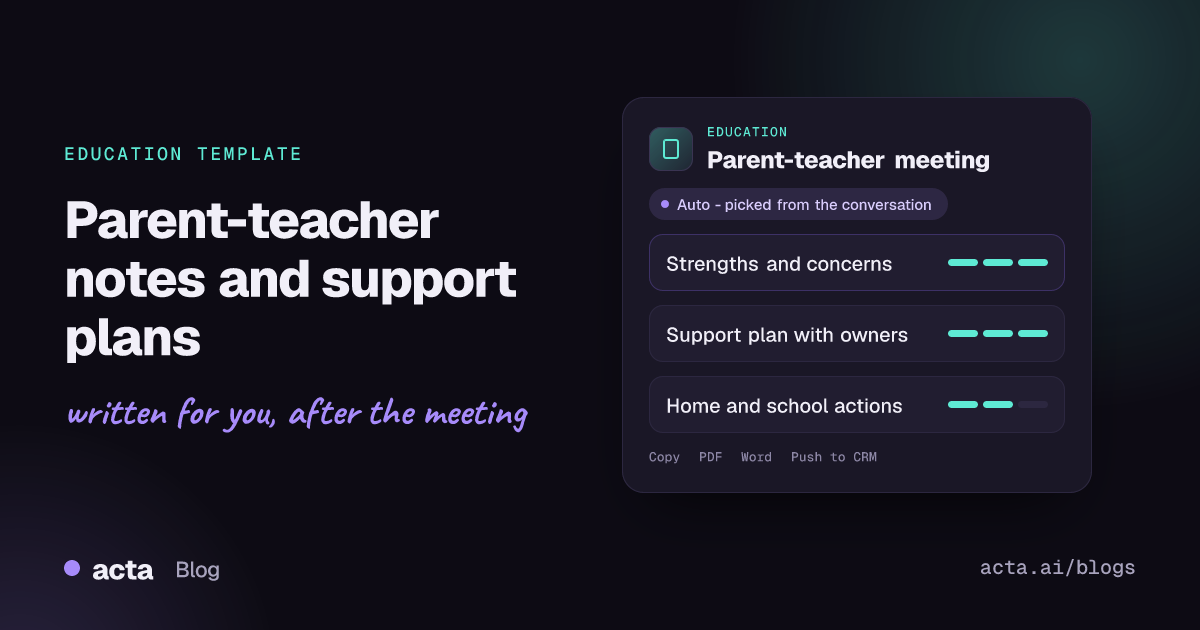
Quick answer: Parent-teacher meeting notes record what was discussed about a student and what everyone agreed to do next: strengths, each concern raised, the support plan with owners and dates, and the actions for home and school. Acta writes these notes automatically from the recorded conversation, in a factual and kind tone, and includes the date of the next check-in.
A parent-teacher meeting is short, often 10 to 30 minutes, and it usually ends with good intentions on both sides: extra reading at home, a seat change in class, a check-in in a few weeks. The trouble starts afterwards.
Teachers run several of these meetings back to back on conference evenings. By the end of the night, who promised what to which family is hard to recall, and the follow-up note to parents either goes out late or not at all. The plan quietly lapses.
What are parent-teacher meeting notes, and what makes a good conference?
Parent-teacher meeting notes are the written record of a conference between a student's teacher and their parents or carers. They usually cover how the student is doing academically and socially, any concerns, and an agreed plan. Many schools also keep them as part of the student's file so that support staff, a head of year or next year's teacher can see what was already tried.
The advice for running a good conference is consistent. The KidsHealth guide on parent-teacher conferences for teachers recommends preparing an outline of strengths, areas for growth and work examples, raising difficult topics early so there is time to plan, and offering concrete strategies families can use at home. Good notes follow the same shape: start with strengths, describe concerns with evidence, and end with specific actions.
That last part matters most. A conference is only useful if the agreed support actually happens and someone checks whether it is working.
What does Acta's parent-teacher meeting report include?
Acta reads the conversation and writes the report in three parts:
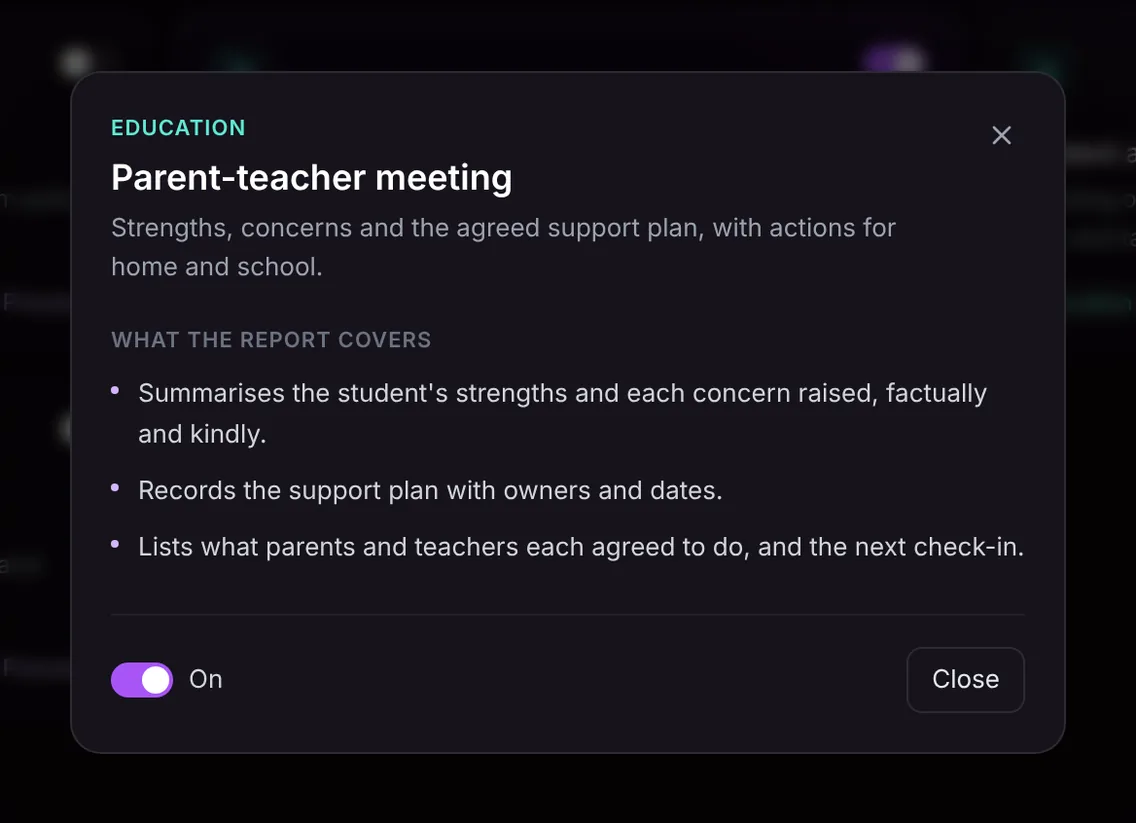
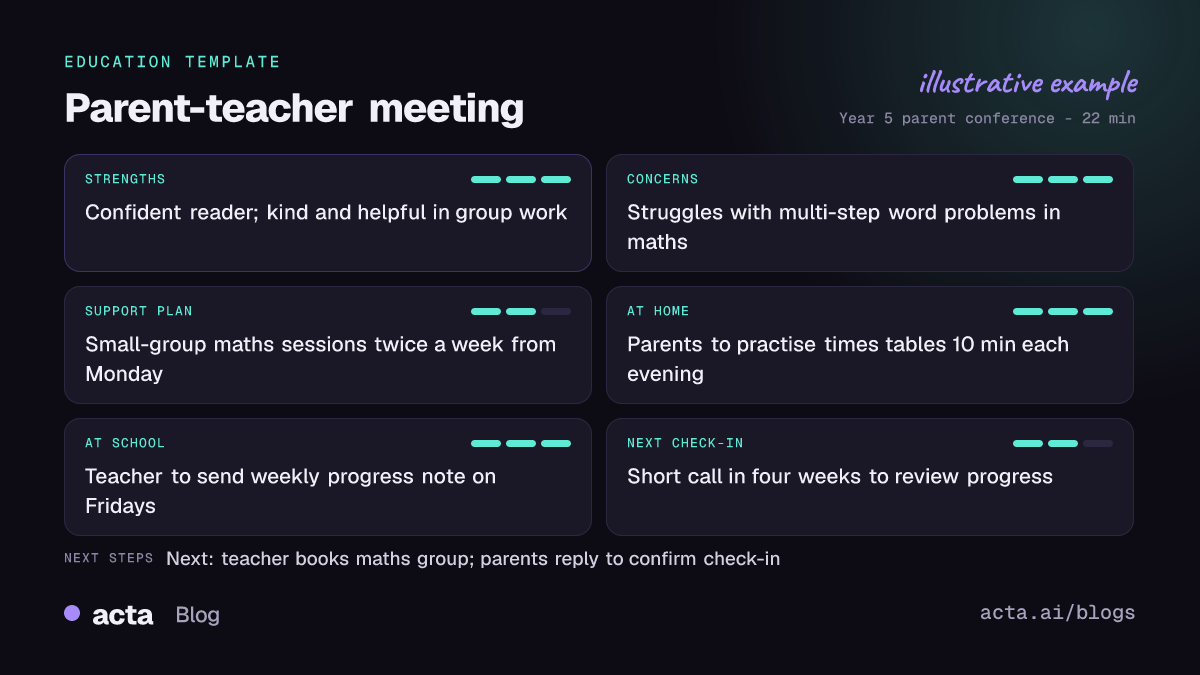
- Strengths and concerns: a summary of what the student is doing well and each concern that was raised, written factually and kindly. It sticks to what was said, such as "finds multi-step word problems hard" rather than judgements about the child.
- Support plan: the strategies agreed in the meeting, each with an owner and a date where one was given, for example a weekly reading log or a referral to the learning support team.
- Actions for home and school, and the next check-in: what the parents agreed to do, what the teacher and school agreed to do, and when everyone will review progress.
Here is the template in Acta's Templates page, with the preview of what the report covers:
And an illustrative example of a finished report:
Why is it useful, and who is it for?
The report is built for classroom teachers, form tutors, special educational needs coordinators and school leaders who sit in on harder conversations. It also helps families, because a clear written plan is easier to act on than memories of a busy evening.
- Conference evenings: a teacher with twelve meetings in a row gets a clean set of notes for each family without writing during the conversation, so they can keep eye contact and listen.
- Following up a concern: when a student's attendance or behaviour comes up again six weeks later, the earlier plan, its owners and its dates are on record.
- Sharing with colleagues: the learning support lead or a head of year can see what was agreed without another meeting.
- Language and clarity: parents who found the conversation fast or stressful can read a plain summary afterwards.
The notes only contain what was said in the meeting. They are a draft for the teacher to read, adjust and share in line with the school's own policies.
How does Acta pick the parent-teacher template automatically?
Acta reads each conversation and picks a template that fits, even one you have not turned on. The signals for this template are a teacher and parents or carers talking about one student: how they are doing in particular subjects, friendships or behaviour, concerns from home or school, and agreed steps such as practice at home or extra help in class.
A report picked this way is labelled "Auto", and Acta says why it chose it, for example that the meeting covered a student's progress, a concern and a plan for home and school. One click on "Turn on for future meetings" keeps the template on.
If you have the template turned on and record a department meeting or a lecture, the relevance check stops it from producing a forced parent report. It shows under "Not relevant" with the reason instead.

How do you use it?
- Record the meeting. For video conferences, Acta joins Zoom, Google Meet or Microsoft Teams with a meeting bot, or records through the desktop app or Chrome extension. For in-person conferences, use the Acta mobile apps on the desk. You can also upload a recording. Let parents know the meeting is being recorded and why.
- Turn on the template. Find Parent-teacher meeting in the Education group on the Templates page, preview it and switch it on, or let Acta pick it.
- Open the meeting's Templates tab. The report appears next to the summary and transcript.
- Share the plan. Copy it into an email to the family, or download it as PDF, Word or Markdown for the student's file.

Tips for better parent-teacher notes
- Say the actions out loud before the meeting ends: "So you'll do 15 minutes of reading each evening, and I'll send the log home on Fridays."
- Name a date for the next check-in, even a rough one. A plan without a review date tends to drift.
- Give examples of the concern, such as a piece of work or a specific lesson, so the notes record evidence rather than impressions.
- Invite the parents' view of strengths too; it gives a fuller picture and sets a cooperative tone.
To keep agreed actions from slipping across many meetings, see how to track action items across meetings. Other templates in the Education group include student advising session notes and faculty meeting minutes, and the Acta for education page shows the full picture.
Frequently asked questions
What should parent-teacher conference notes include?
The student's strengths, each concern raised with an example, the support plan with owners and dates, what home and school each agreed to do, and when you will check in next.
Can Acta record in-person parent-teacher meetings?
Yes. Use the mobile apps to record the conversation in the room, or upload a recording afterwards, and Acta writes the notes from it.
Will the notes include things nobody said?
No. The report only contains what was said in the meeting. If no owner or date was agreed for an action, the notes will not invent one.
Can I send the notes to parents?
Yes. Read them through, then copy the report into an email or download it as PDF or Word to share in line with your school's policy.
Spend conference evening listening, not typing: try Acta free for 15 days.


