Use Cases 5 min read
A CTO Brief From Every Engineering Meeting, Without Sitting In
A CTO cannot attend every architecture review. Acta's CTO brief condenses engineering meetings into decisions, blockers, tech debt and owners.
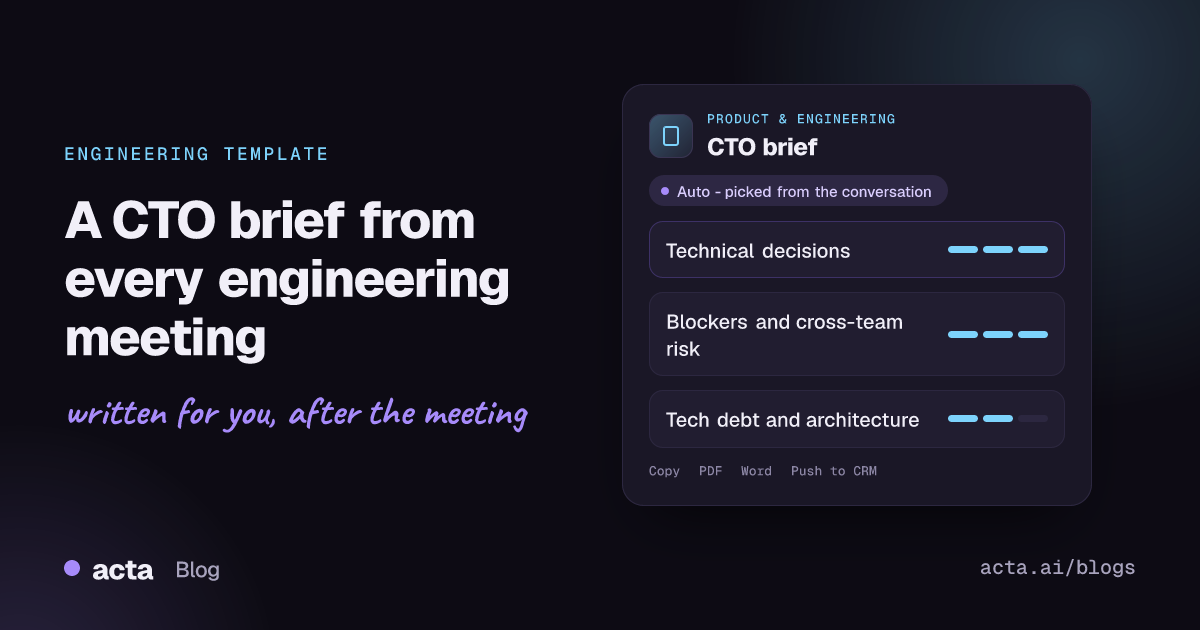
Quick answer: A CTO brief is a short report for engineering leadership that pulls the signal out of a technical meeting: project status, technical decisions, blockers, cross-team concerns, technical debt and architecture risks, plus action items with owners. Acta writes it automatically from the recorded meeting, so a CTO or VP of Engineering can follow architecture reviews and team syncs without attending them all.
Engineering organisations run on meetings that leadership cannot attend: design reviews, sprint planning, incident follow-ups, platform syncs. The decisions made there shape the architecture for years, yet the record is usually a few lines in a chat thread or nothing at all.
The people in the room rarely have time to write a leadership summary, and when they do, it reads like a status update. What a CTO actually needs is buried: the trade-off that was accepted, the dependency that is about to slip, the shortcut that will cost a quarter later.
What is a CTO brief?
A CTO brief is not a set of meeting minutes. It is a filtered view written for the person accountable for the technical direction of the company. Instead of who said what, it answers four questions: what was decided, what is stuck, what crosses team boundaries, and what debt is being taken on.
Technical debt deserves its own section because it is easy to accept in a meeting and hard to see afterwards. The metaphor, coined by Ward Cunningham and later sorted by Martin Fowler into deliberate or inadvertent and prudent or reckless debt, treats shortcuts like borrowed money that keeps charging interest. PMI's Disciplined Agile guide to technical debt is a practical starting point, and ACM Queue's article on managing technical debt is a deeper read for engineering leaders. A brief that captures debt when it is spoken about gives leadership a chance to decide whether it was prudent.
What does Acta's CTO brief include?
Acta reads the transcript of a technical meeting and writes the brief in these parts:
- Insights for the CTO. The meeting is examined from leadership's point of view, so routine chatter is left out and the points that affect direction, risk or delivery stay in.
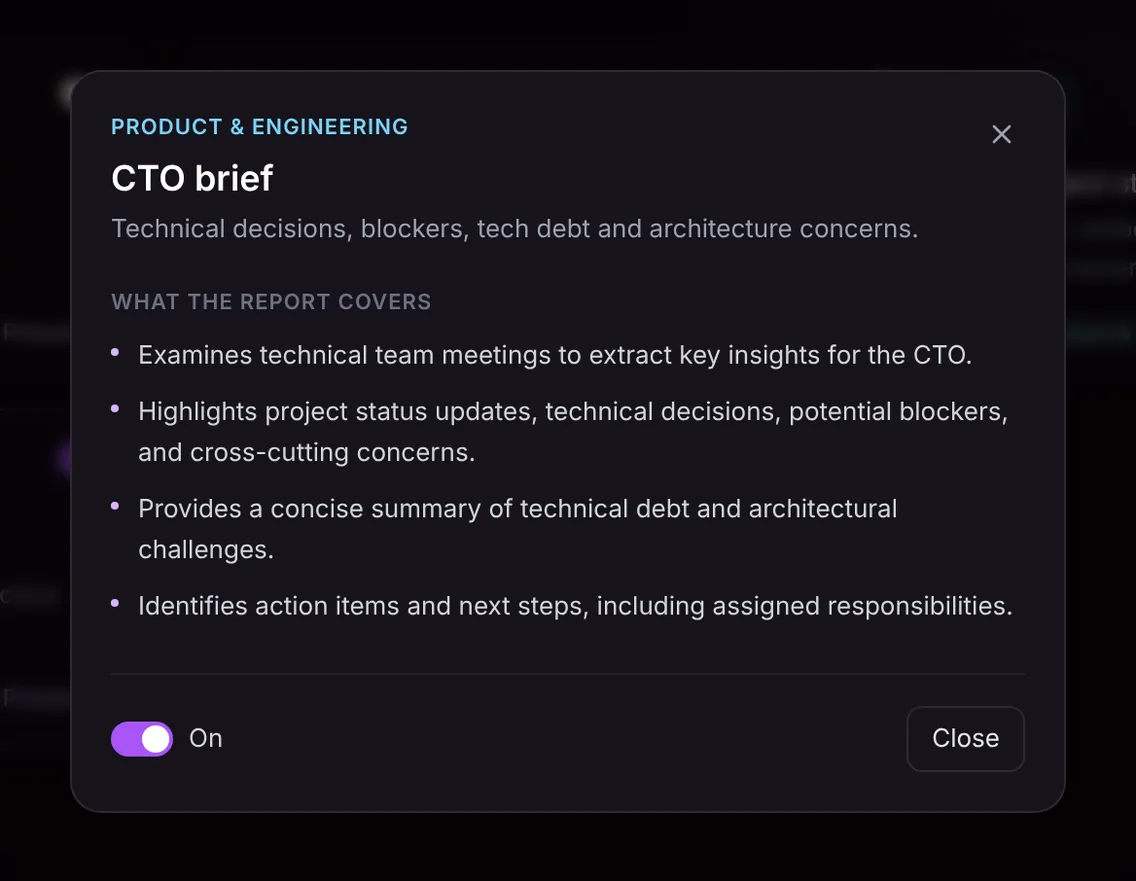
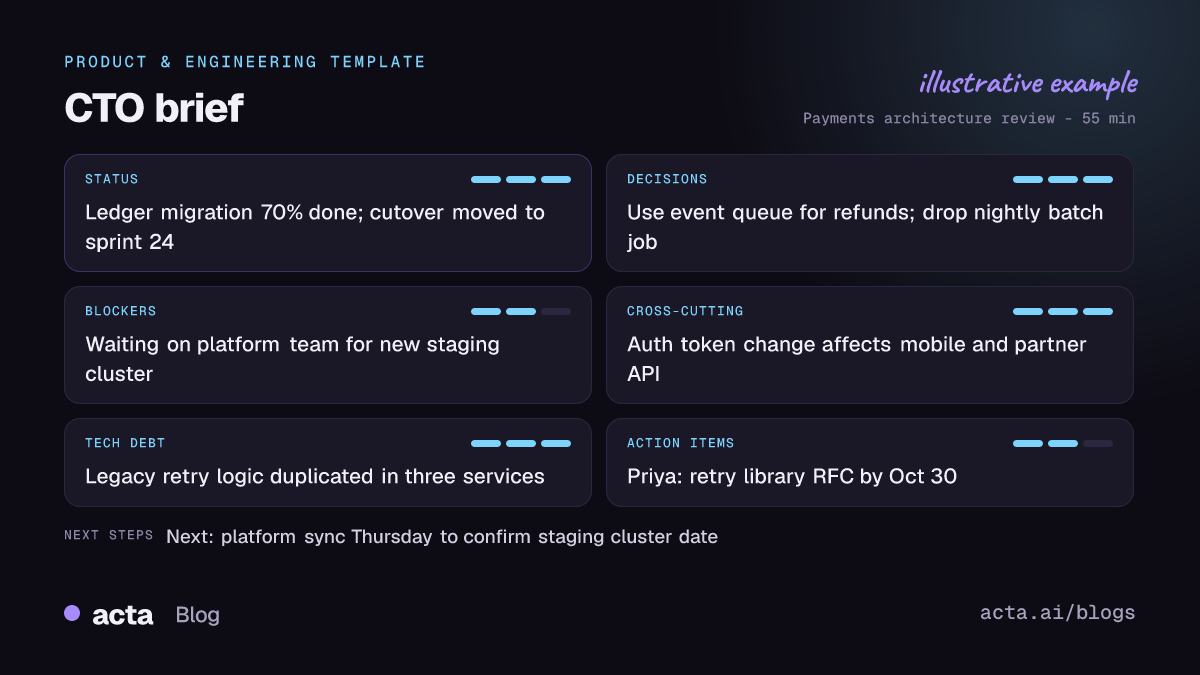
- Status, decisions, blockers and cross-cutting concerns. Project status updates, the technical decisions made, anything blocking progress, and concerns that span teams, such as a shared API change or a security dependency.
- Technical debt and architecture. A concise summary of debt discussed or knowingly taken on, and the architectural challenges the team raised.
- Action items and next steps. What happens next and who owns it, with due dates where they were mentioned.
Here is the template in Acta's Templates page, with the preview of what the report covers:
And an illustrative example of a finished report:
Why is a CTO brief useful, and who is it for?
The obvious reader is the CTO, but the brief is equally useful for a VP of Engineering, an engineering director with several teams, or a staff engineer who owns cross-team architecture. Anyone who is accountable for outcomes but cannot be in every room benefits.
- Catching decisions before they harden. A team agrees to add a second message queue to hit a launch date. The brief surfaces the decision the same day, so leadership can ask whether a shared platform should own it instead.
- Seeing blockers across teams. Three separate syncs each mention waiting on the platform team for a staging environment. Reading the briefs side by side shows a pattern no single team would escalate.
- Keeping a tech debt record. Debt accepted under deadline pressure is usually forgotten by the next planning cycle. The brief keeps a dated note of what was deferred and why, which makes it easier to argue for paying it back.
- Board and exec updates. When the CEO asks why a migration slipped, the briefs show the chain of decisions and blockers without anyone reconstructing it from Slack.
Acta's earlier piece on how Acta supports CTOs covers the wider use case, and the product and engineering page and Acta for leadership show the other reports teams use alongside it.
How does Acta pick the CTO brief automatically?
Acta reads each conversation and picks a fitting template even when you have not turned it on. Signals for the CTO brief are the vocabulary of technical leadership: architecture options and trade-offs, services and dependencies, migrations, incidents, deadlines tied to technical work, and explicit talk of shortcuts or refactoring.
When Acta picks the brief this way, the report is labelled "Auto" and comes with the reason, for example that the meeting covered an architecture decision, a cross-team blocker and deferred refactoring. Click "Turn on for future meetings" to keep it.
If you have switched the brief on, it first checks that the meeting is a technical one. A marketing campaign review will not produce an empty CTO brief; the template shows under "Not relevant" with the reason instead.

How do you use the CTO brief?
- Record the meeting. Use the meeting bot for Zoom, Google Meet or Microsoft Teams, the bot-free desktop app, the Chrome extension or the mobile apps, or upload a recording of an in-person whiteboard session.
- Turn on the template. Go to Templates in Acta, preview the CTO brief and toggle it on, or let Acta pick it when a meeting fits.
- Read it in the meeting. Open the meeting and go to its Templates tab, where the brief sits next to the summary and transcript.
- Share it. Copy it into your leadership channel or download it as PDF, Word or Markdown for a weekly engineering digest.

To follow decisions over time, pair the brief with a meeting decision log, and use OneChat to ask questions across all meetings, such as which teams mentioned the staging cluster this month, with sources.
Related engineering templates
The CTO brief is one of four Product and Engineering templates. Teams often switch on Jira ticket suggestions for planning sessions and the project status report for weekly delivery check-ins, so the brief stays focused on direction and risk.
Frequently asked questions
How is a CTO brief different from a meeting summary?
A summary covers the whole meeting for the people who were there. The CTO brief filters for what technical leadership needs: decisions, blockers, cross-team concerns, technical debt and owners.
Does the brief judge whether a technical decision was right?
No. It records what the team said and decided, including the reasons they gave. Judging the decision stays with you; the brief just makes sure you hear about it.
Can Acta turn the action items into tickets?
Acta integrates with Jira, and the separate ticket suggestions template proposes tickets from the meeting that can become Jira tickets. The CTO brief itself lists action items with owners.
Which meetings work best?
Architecture and design reviews, sprint planning, platform syncs, incident follow-ups and engineering leadership meetings, where decisions and trade-offs are discussed out loud.
To get your first brief, try Acta free for 15 days and record your next architecture review.


