Guides & How-tos 14 min read
Best AI Meeting Tools for Product and Engineering Teams in 2026
Six AI meeting tools ranked for PMs, engineering managers and CTOs on ticket creation, PRD drafts, architecture decisions and asking across sprints.
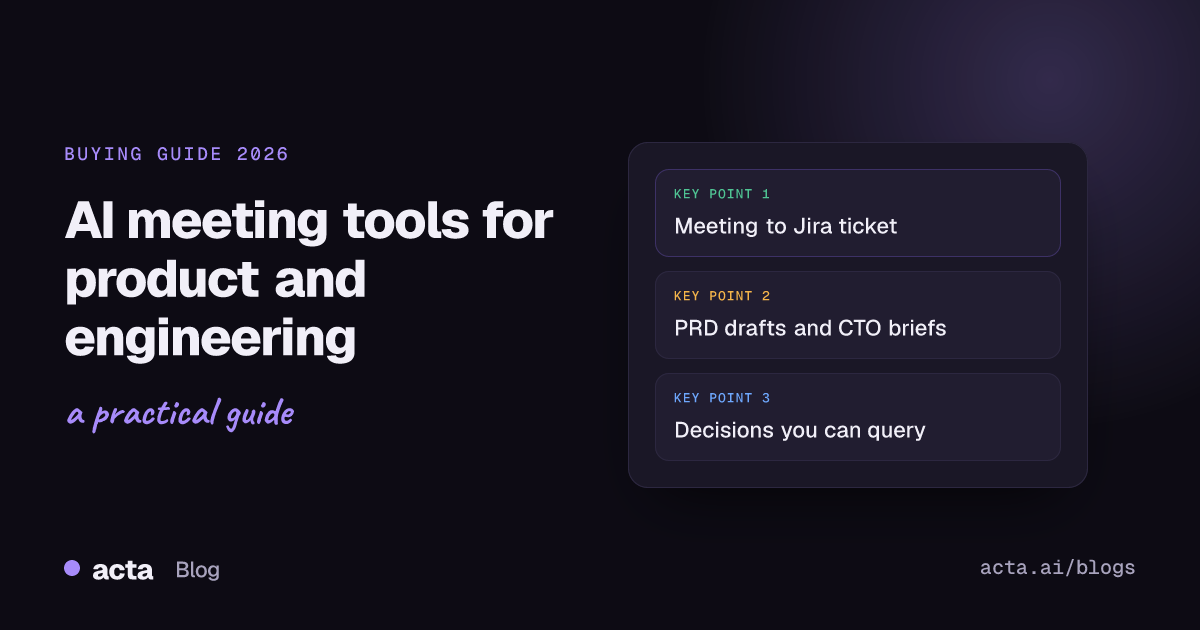
Quick answer: Acta is the best overall AI meeting tool for product and engineering teams in 2026, because one recording becomes ticket suggestions for Jira, Asana, ClickUp or Monday.com, a PRD draft, a CTO brief and a decision log your engineers can query from Cursor or GitHub Copilot. Fireflies fits Linear-first teams, Fellow fits teams that run meetings from shared agendas, and Microsoft Teams Copilot fits Microsoft 365 shops.
Every product and engineering team has the same quiet leak. A bug gets triaged in standup, an API contract is settled in a design review, a scope cut is agreed in sprint planning, and a week later none of it is in Jira, the spec, or the architecture notes. Someone has to remember, then type it all up. Usually nobody does.
We call this backlog leakage: the share of work and decisions agreed in meetings that never reaches the system where engineering actually works, meaning the backlog, the spec and the decision record. Backlog leakage is why a team can hold great meetings and still ship the wrong thing, or ship the right thing twice.
This guide ranks six AI meeting tools by how well they close that leak for product managers, engineering managers and CTOs. It is a sibling of our original guide to the best meeting notes software in 2026, narrowed to one buyer and one job: getting from "we agreed" to "it's in the backlog" without a human retyping it.
What is an AI meeting tool for product and engineering teams?
It is a meeting assistant that records standups, sprint planning, backlog grooming, design reviews and retros, then turns the conversation into the artifacts engineering runs on: tickets, specs, status updates and decisions. A generic notetaker stops at a transcript and a summary. A tool built for this job goes one step further and produces something you can file, assign or link from a pull request.
In practice the category splits into three groups. Notetakers with task integrations push action items into a tracker. Workspace tools write notes into the place your docs already live. Platform assistants, such as Copilot inside Microsoft Teams, work inside one meeting platform and its task tools.
Why does backlog leakage matter more in 2026?
Two things changed. First, engineers now do a growing share of their work inside AI assistants and coding tools that can reach outside data through the Model Context Protocol (MCP), an open standard for connecting AI applications to external systems. If your meeting record is reachable over MCP, an engineer can ask "why did we pick this queue?" from the editor instead of hunting for a recording.
Second, most teams already have a notetaker. The gap is no longer "did we capture it?" but "did it land in the right place, in the right format, with an owner?" A transcript nobody reads is still leakage. The tools below differ most on that last step.
How did we evaluate these tools?
We used five criteria specific to product and engineering meetings, and applied each one to every tool. Competitor details were checked against each vendor's own site, help center or developer docs in October 2026.
1. Meeting-to-backlog: ticket creation
Does the tool turn tasks discussed in the meeting into tickets in the tracker you use (Jira, Linear, Asana, ClickUp, Monday.com)? We looked at whether tickets are suggested for review or created automatically, and whether they link back to the moment in the meeting. Review matters: an auto-created ticket for every passing remark adds noise to a backlog.
2. Spec and status drafting
Can the tool write a PRD draft from a product discussion, a project status report from a status meeting, or a brief for a CTO? A summary paragraph is not a spec. We looked for structured, role-specific output that a PM or engineering manager can edit rather than write from scratch.
3. Architecture decision capture
Design reviews produce decisions, and decisions get revisited. We checked whether the tool keeps decisions as their own record with who decided, who owns the follow-up, and what happened when a later meeting changed the call. This is the closest thing to an automatic architecture decision record.
4. Memory across sprints, including from AI assistants
Can you ask questions across many meetings ("what did we decide about rate limits across the last three sprints?") and get an answer that cites the meeting? We also checked for an MCP server so engineers can ask from Cursor, Claude, ChatGPT or GitHub Copilot.
5. Low-friction capture and technical vocabulary
Engineers dislike bots in a pairing session or an incident call. We checked for bot-free recording, which platforms each tool covers, and whether it lets you teach it product names, service names and acronyms.
Which AI meeting tools are best for product and engineering teams? Quick comparison
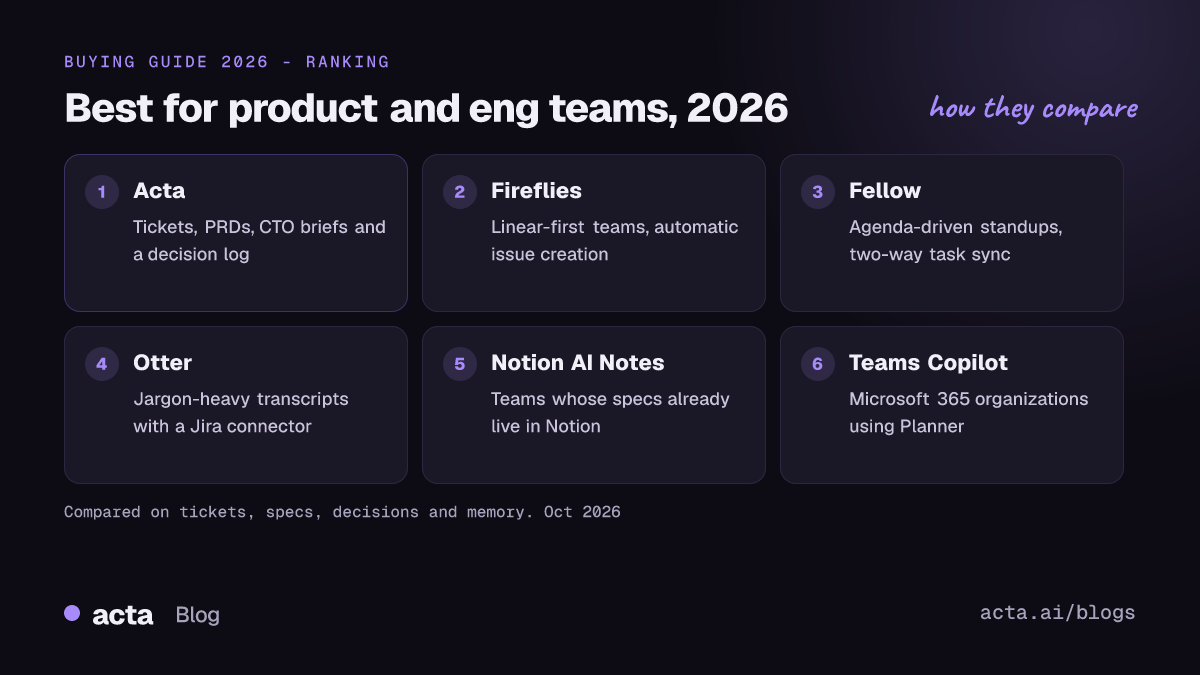
- Acta: best overall for turning engineering meetings into ticket suggestions, PRD drafts, CTO briefs and a decision log you can query from Cursor or GitHub Copilot.
- Fireflies: best for Linear-first teams that want action items created as issues automatically, plus an MCP server.
- Fellow: best for teams that run standups and 1:1s from shared agendas, with two-way task sync to Jira, Linear and Asana.
- Otter: best for teams that want strong transcription with custom vocabulary and a Jira connector.
- Notion AI Meeting Notes: best for teams whose specs and roadmaps already live in Notion.
- Microsoft Teams Copilot: best for Microsoft 365 organizations that track work in Planner.
1. Acta: best overall for product and engineering teams
Acta is an AI meeting assistant for Zoom, Google Meet and Microsoft Teams. It records with or without a bot, then produces a transcript with speaker names, a summary, decisions and action items with owners. What sets it apart for this job is its report templates (AI meeting agents): templates that read a meeting and write a report in a role's format, and skip meetings they are not meant for. Acta picks the template automatically from the conversation.
Why it stands out
For product and engineering, four templates close most of the backlog leak: Ticket suggestions for Jira, Asana, ClickUp and Monday.com; PRD drafts; project status reports; and CTO briefs. Documentation can go to Confluence. We cover the ticket flow in more depth in how to turn meeting action items into Jira tickets.
The second strength is the decision log. Decisions across meetings are kept with who decided, the owner, linked action items, and the history when a later meeting changes or reverses a decision, with the quote and the moment it was said. It is searchable, grouped by topic or person, and exportable as CSV. See keeping a meeting decision log for the method. Here is an illustrative entry for an architecture call:
Decision: Use Postgres row-level locking for checkout v2 (not Redis locks)
Decided by: Priya (Staff Eng), in "Checkout v2 design review"
Owner: Marco
Linked action items: Marco - spike lock contention test (due Fri)
History: Changed in "Sprint 42 planning" - Redis option reopened
  "If the spike shows contention over 50ms we go back to Redis." (00:18:42)
Third, memory across sprints. Ask Acta answers questions across the meetings and files you choose, and answers cite the meeting. Through Acta's remote MCP server, assistants such as Cursor, GitHub Copilot, Claude, ChatGPT and Microsoft Copilot can search meetings, read a transcript, and list action items and decisions. Setup is OAuth (copy the connector URL from Settings, sign in, choose Allow), with no API keys. Write actions such as marking an action item done or setting a decision's status are off unless the user allows each one, and every change shows in Acta with who made it and can be undone. An engineer in Cursor might ask:
Example question: "What did we decide about locking for checkout v2, and is the spike done?" Example answer: the decision above, its change in Sprint 42 planning, and the open action item for Marco, each linked back to the meeting in Acta.
Capture is low-friction: a desktop app for Windows and Mac records the Zoom and Teams desktop apps without a bot, a Chrome extension records Google Meet, Zoom and Teams in the browser without a bot, and a calendar notetaker covers the rest. Action items from every meeting roll into one tracker with owners, due dates, reminders and a scheduled daily follow-up email.
Watch out for
Transcription happens after the meeting, not live, so Acta will not give you captions or in-call prompts. Ticket suggestions cover Jira, Asana, ClickUp and Monday.com; Acta does not list a Linear integration. Acta also does not advertise a custom vocabulary list, so check how it handles your internal service names on a trial. The MCP connector is part of Pro (free for the first 15 days).
2. Fireflies: best for Linear-first teams and automatic issue creation
Fireflies is a widely used notetaker with a long integration list and an assistant, AskFred, that answers questions across meetings.
What it does well
Fireflies has native task integrations for engineering trackers. Its Jira integration pulls action items from the transcript and creates issues in a chosen project, with an option to create only the items assigned to you. The Linear integration creates issues in a selected team, project and status. Global AskFred answers questions from past meetings, connected apps and the web, and can be narrowed to a meeting, teammate or group. Fireflies documents an MCP server that lets tools such as Claude and Cursor reach transcripts, summaries and action items. Its settings include custom vocabulary for names, acronyms and technical terms, and a desktop app records without a bot on Mac and Windows.
Watch out for
Automatic issue creation is fast but can fill a backlog with low-value tickets unless you tune the filters. Fireflies focuses on action items rather than structured PRDs, CTO briefs or a dedicated decision history. Fireflies notes that bot-free desktop recordings do not save audio or video files, and the desktop app is listed for paid plans. Compare in detail: Acta vs Fireflies.
3. Fellow: best for agenda-driven standups and two-way task sync
Fellow started as a meeting agenda and 1:1 tool and has grown into a full AI meeting assistant.
What it does well
Fellow's strength is the meeting before and after the recording. Its Jira integration pushes action items to Jira as issues and imports existing issues into an agenda, with status flowing both ways, which suits sprint reviews that walk through tickets. The Linear integration keeps status, due dates and assignees in sync in both directions, and Fellow lists an Asana integration too. Fellow offers desktop botless recording and an MCP server that a workspace admin can enable for Claude, Cursor and ChatGPT.
Watch out for
Fellow works best when the team adopts its agenda habits; teams that just want output from unplanned calls get less of its value. The MCP server is off until an admin enables it. Fellow's own pages disagree on whether botless recording is Mac-only or Mac and Windows, so confirm for your fleet. It does not advertise role-specific PRD or CTO-brief templates.
4. Otter: best for transcription accuracy on jargon, with a Jira connector
Otter is one of the best-known transcription tools and now positions itself as a meeting agent with AI Chat.
What it does well
Otter lets you manage a custom vocabulary of names and terms, and team vocabularies apply across a Business workspace, which helps with service names and acronyms. Its Jira connector syncs action items to Jira with assignees, due dates and links to the notes, and AI Chat can check existing tickets. The Otter MCP server works with Claude, ChatGPT, Cursor and other MCP clients. Otter offers a calendar notetaker for Zoom, Meet and Teams and a desktop app for bot-free recording.
Watch out for
Otter's AI Chat documentation places connections to outside AI applications through MCP on the Enterprise plan, so smaller teams may not get it. Otter does not advertise Linear, Asana, ClickUp or Monday.com ticket flows, and it focuses on summaries and chat rather than PRD or CTO-brief formats. More: Acta vs Otter.
5. Notion AI Meeting Notes: best when specs already live in Notion
Notion AI Meeting Notes records a meeting into a Notion page, next to the docs it relates to.
What it does well
If your PRDs, roadmaps and team wiki are in Notion, keeping meeting notes in the same workspace is a real advantage: the notes sit next to the spec they change. Per the Notion help center, the desktop app captures system audio and microphone without a bot. Notion's hosted MCP server lets Claude, Cursor and other clients search the workspace, and includes a tool for querying meeting notes.
Watch out for
AI Meeting Notes requires the Business or Enterprise plan. In the browser it captures only your microphone, and Notion says speaker labels work best in one-on-one desktop calls, which matters for a ten-person sprint planning. You start it yourself on each meeting, and it does not advertise ticket creation in Jira or Linear or a decision history across meetings.
6. Microsoft Teams Copilot: best for Microsoft 365 organizations on Planner
Microsoft 365 Copilot in Teams, including the Facilitator agent, works inside Teams meetings.
What it does well
For teams already on Teams and Planner, there is nothing extra to deploy. Copilot in Teams answers questions during and after a meeting, and recaps can include a summary and action items. Facilitator takes notes, detects tasks during the conversation and creates them in Planner, synced to a plan for that meeting.
Watch out for
It only covers Teams. Facilitator needs a Microsoft 365 Copilot license and can be added only to scheduled meetings, not channel meetings, instant meetings or Teams calls. Copilot does not work in meetings hosted outside your organization, and intelligent recap requires Teams Premium or a Copilot license. Tasks go to Planner, not Jira or Linear. See Acta vs built-in Zoom, Teams and Meet notes.
What does a sprint week look like with each kind of tool?
Example scenario (invented company and people). Northwind Pay has a 14-person platform team. Lena is the PM, Marco the engineering manager, Priya a staff engineer, and Sam the CTO. Their meetings run on Zoom and Google Meet, and their backlog is in Jira.
- Monday, sprint planning. The team cuts two stories and splits a third. With a task-sync notetaker, the action items land in Jira, but the reason for the cut lives only in a summary. With Acta, ticket suggestions arrive for review, and the scope cut appears in the decision log with Lena as the decider.
- Tuesday, design review. Priya argues for Postgres locking over Redis. A workspace tool keeps tidy notes on a page. Acta logs the decision with an owner and a linked spike.
- Wednesday, incident call. Nobody wants a bot in the room. Bot-free recorders (Acta, Fireflies, Fellow, Otter, Notion desktop) all help here; a bot-only setup does not.
- Thursday, sprint 42 planning. The locking decision is reopened. Most tools record that it was discussed. Acta records that the earlier decision changed, with the quote.
- Friday, status and CTO update. Marco needs a project status report and Sam wants a brief on blockers and tech debt. Generic summaries need rewriting; Acta's project status and CTO brief templates give drafts to edit. Meanwhile Priya asks from Cursor what was decided about locking and gets the answer with links.
The pattern: every tool captured the week. The difference is how much Lena and Marco had to retype on Friday.
When is Acta not the right choice?
If your team runs on Linear, Acta's ticket suggestions do not target it today; Fireflies or Fellow, which both document Linear integrations, are a better fit. If you need live captions or prompts during the call, Acta transcribes after the meeting. If your entire company lives in Microsoft Teams and Planner and already pays for Copilot, the built-in option may be enough. And if every spec your team writes is in Notion and you rarely need tickets from meetings, Notion AI Meeting Notes keeps everything in one place.
How to choose the right AI meeting tool for product and engineering
- Choose Acta if you want meetings to produce Jira, Asana, ClickUp or Monday.com ticket suggestions, PRD drafts, status reports, CTO briefs and an architecture decision log, and want engineers to query it all from Cursor or GitHub Copilot.
- Choose Fireflies if your backlog is in Linear and you want action items created as issues automatically.
- Choose Fellow if your team runs standups and sprint reviews from shared agendas and wants two-way task status sync.
- Choose Otter if transcription accuracy on product jargon is your top concern and Jira is your tracker.
- Choose Notion AI Meeting Notes if your specs and roadmap already live in Notion and you are on a Business plan.
- Choose Microsoft Teams Copilot if you are all-in on Teams and Planner with Copilot licenses.
If decisions and follow-through are your main pain, read our guide to best AI tools for meeting decisions and action items. If you mostly want answers inside assistants, see our roundup of AI meeting assistants for ChatGPT, Claude and Copilot.
Frequently asked questions
Can an AI meeting tool create Jira tickets from standups?
Yes. Acta suggests tickets for Jira, Asana, ClickUp and Monday.com from tasks discussed. Fireflies, Fellow and Otter push action items to Jira, and Microsoft Facilitator creates tasks in Planner. Reviewing suggestions before filing keeps the backlog clean.
Which AI meeting tool works with Linear?
Fireflies and Fellow both document Linear integrations that create issues from meeting action items. Acta's ticket suggestions cover Jira, Asana, ClickUp and Monday.com, not Linear.
Can engineers ask about meetings from Cursor or GitHub Copilot?
Yes, through MCP. Acta's remote MCP server works with Cursor, GitHub Copilot, Claude, ChatGPT and other assistants that support remote MCP connectors. Fireflies, Fellow, Otter and Notion also document MCP servers, with different plan and admin requirements.
How do I keep a record of architecture decisions made in meetings?
Use a tool that stores decisions separately from summaries. Acta's decision log keeps who decided, the owner, linked action items and the history when a later meeting changes a decision, and exports to CSV.
Do these tools record without a bot joining?
Acta, Fireflies, Fellow, Otter and Notion all offer a desktop option that records without a bot. Platform coverage differs, so check that the option matches your meeting apps and operating systems.
Try Acta on your next sprint: it is free for 15 days.
Found this useful? Share it with your team.