Furniture project meeting notes should start with risks
Most furniture makers already note what was agreed and who does what. Few write down risks properly, because in the meeting they don't sound like risks. They sound like asides: "the fourth floor's still a bit damp," "the mill says the fabric might be a week late," "we're sharing the goods lift with the flooring lot that week." Each is a delivery or finish problem waiting for a date.
For a contract job, organise the notes in this order. Risks raised, each with impact, owner, what will be done about it and by when. Sample and finish approvals: which veneer, lacquer sheen, fabric colourway, handle, approved by whom, with any conditions. Delivery programme: floors, rooms, dates, access slots. Actions with owners and dates. Documents requested by the client or their consultants, such as fire test certificates, care guides and warranties.
Fire documents deserve a line of their own on hospitality jobs. The UK government's guidance on the Furniture and Furnishings (Fire) (Safety) Regulations explains those rules cover domestic upholstered furniture, while VisitBritain's advice for accommodation businesses says commercial or contract furniture should meet Crib 5 (Ignition Source 5). Which test your job needs is for the client's fire adviser to confirm; this is general information, not legal advice. What your notes need is the request itself, the owner and the date it is due, because missing paperwork can hold up handover just as surely as a missing wardrobe.
A hotel fit-out runs on four kinds of meeting
On a typical refurbishment, a contract furniture maker is in four recurring conversations:
- Weekly progress meeting with the main contractor's fit-out manager, the interior designer and sometimes the hotel's project lead (usually Teams). Programme, access, other trades, changes.
- Sample and mock-up room review: the designer and client sign off finishes, often with conditions.
- Internal production meeting: cut lists, veneer lay-ups, upholstery, finishing capacity, what ships next week.
- Delivery planning call: haulier, site logistics, loading bay slots, lift bookings, install crew.
The project manager sits in all four and carries the risks between them in their head. When they're on leave, or simply busy, the risk raised in the progress meeting never reaches the production meeting. Our post on project risks hiding in everyday conversations lists the usual suspects.
One remark about wet plaster cost fourteen wardrobe doors
An illustrative example. Pennine Joinery Works (invented) is an 85-person contract furniture maker in Lancashire, supplying wardrobes, desks, bedheads and lounge seating for a 160-room hotel refurbishment in Manchester. Handover is fixed for a date the hotel has already sold rooms against.
Week 2, progress meeting. The main contractor's site manager says the fourth floor "won't be dried out for a while, the plasterers are behind." Sian, Pennine's project manager, says, "We should check humidity before we install the walnut units." Nobody is named. The minutes, typed later by the contractor, say only "Floor 4 plastering: behind programme."
Week 4, progress meeting. The designer asks for Crib 5 test certificates for the lounge fabric, for the hotel's fire consultant. Gareth, the owner, says "we'll get those from the mill." Again, no owner and no date.
Week 6. Forty walnut-veneered wardrobes go into floor 4 on schedule. Two weeks later, fourteen doors have bowed and the lacquer has bloomed in rooms where the plaster was still drying. Replacement doors, refinishing and two extra install days come to roughly £9,000, and a fortnight of goodwill with the contractor.
Week 9. The fire consultant chases the fabric certificates. The mill takes ten days to send them. Lounge handover slips. Both risks had been said out loud, in meetings with eight people present, weeks before.
The Risk Registry turns site remarks into owned risks
Record the progress meetings in Acta and the same remarks land somewhere they can't be ignored. The Risk Registry is a tab of its own under My meetings, and Acta updates it after every meeting; a badge shows "Updated after every meeting" with the name of the last one. The first time you open it, Acta reads your past meetings for risks; it happens once and is ready when you come back.
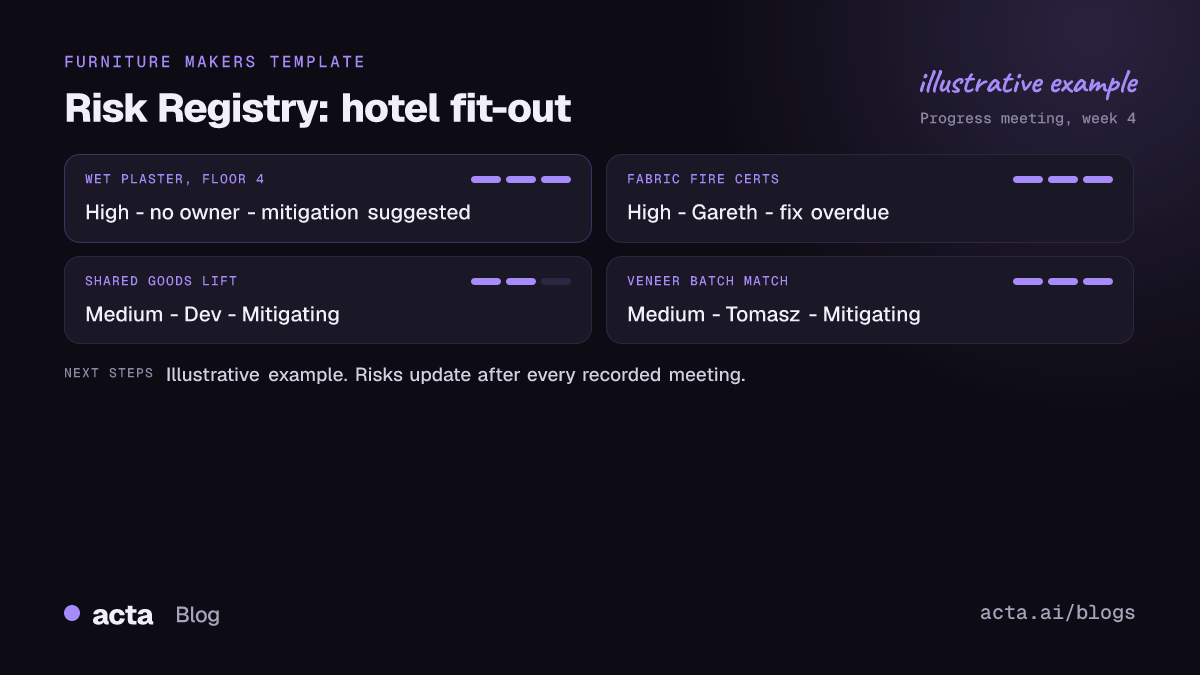
Like the other Outcomes screens, the registry is personal: Sian's is built from the meetings Sian recorded plus any a colleague shared with the workspace. If the installer lead records the delivery calls and shares them, those risks show up in Sian's registry too. If you want a risk register example for a furniture contract, here is what it would have shown after week 4:
| Risk | Mitigation | Owner | Date | Impact | Status |
|---|
| Floor 4 plaster still wet; veneered units may move or bloom | Suggested: test humidity before delivery; hold floor 4 if over target | No owner | None | High | Open |
| Crib 5 certificates for lounge fabric not yet received | Agreed: request from mill | Gareth | Week 5 · overdue | High | Open |
| Goods lift shared with flooring in week 6 | Agreed: book 7-9 am slots with site logistics | Dev | Week 5 | Medium | Mitigating |
| Walnut veneer from second batch may not match approved sample | Agreed: lay up all floor 5 doors from one flitch | Tomasz | Week 7 | Medium | Mitigating |
The three cards worth checking every Monday
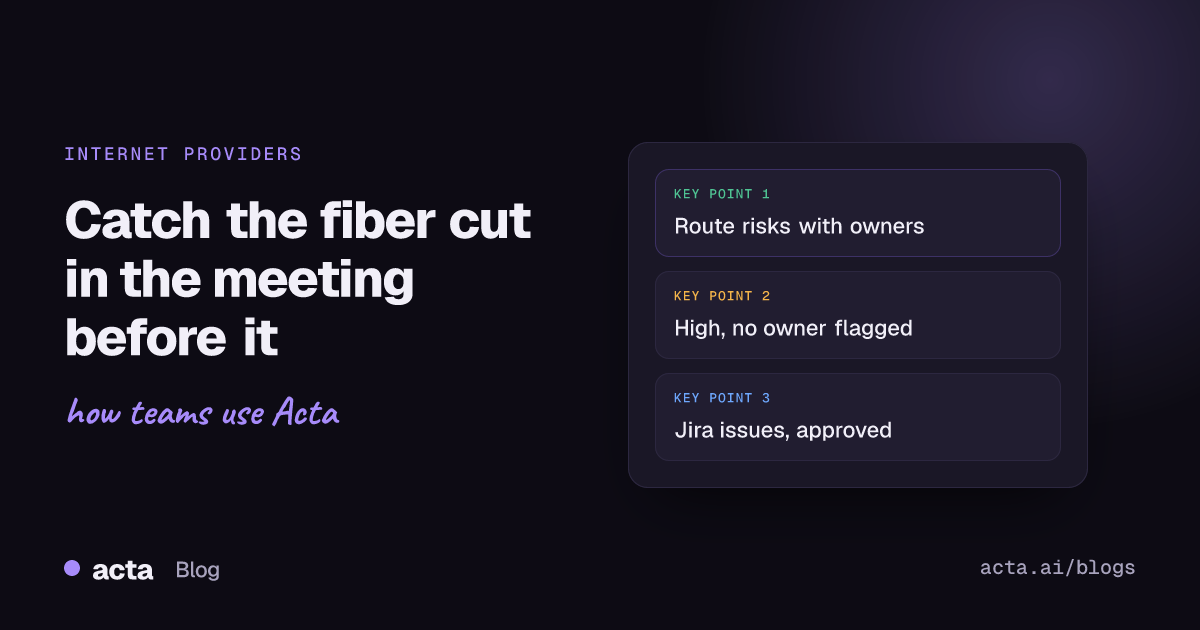
Above the table, Acta shows up to three attention cards. "High · no owner" would have flagged the wet plaster in week 2. "Fix is overdue" would have flagged the fabric certificates in week 5. "Getting worse" appears when a risk comes up again with worse news, for example if the site manager says in week 5 that floor 4 is now "properly behind". Each card has buttons to Assign owner, Change date, Mark closed, Show in table or See history.
The mitigation column carries a tag that matters. Agreed means it was decided in a meeting, and clicking it plays the moment. Suggested means it is Acta's idea, not yet agreed by anyone. Sian's humidity check was said, but nobody took it on, so it reads as Suggested with no owner. That gap is the whole story of the wardrobe doors.
Filtering a busy registry
Chips filter by "N high", "N medium" and "N no owner". Group by offers Project / customer, Impact or Owner: group by Project / customer if you run three contracts at once, by Owner before the production meeting. The search box takes a floor, a fabric or a client name. Status is a drop-down of Open, Mitigating and Closed; when Acta hears a risk solved in a meeting it marks the status as suggested for you to confirm. A risk raised again later stays one row, with the newest details, and History shows how it changed. Closed risks sit in their own collapsed list.
Actions, decisions and OneChat back up the risk view
The registry tells you what could go wrong. The other screens show who is acting and what was agreed.
Action items (Outcomes then Action items) would hold "Send Crib 5 certificates for lounge fabric to fire consultant", owner Gareth, "Overdue 4 days", and "Book humidity readings on floor 4 before delivery", owner Dev, "Due tomorrow". Filter by Overdue before the progress meeting, and turn on Auto follow-up so each owner gets their own items by email on weekdays.
Decision log (Outcomes then Decision log) would hold "Bedheads in colourway Sage, not Moss, for floors 2 to 6", status Changed, "Was: Moss", decided by the designer, owner Tomasz, discussed in 3 meetings. Changes to finishes are where fit-outs quietly drift, and the "Changed or reversed" tile keeps them visible. Read more on this pattern in catching scope creep in client meetings.
OneChat, first in the sidebar, answers across meetings with sources. Before the week 6 delivery, Sian could ask: "Has anyone said floor 4 is ready for veneered furniture?" The answer: the site manager said in week 2 it would not be dried out "for a while"; no later meeting says it is ready. Found in: "Progress meeting, week 2" at 18:42. That answer alone would have held the delivery.
For templates, turn on Project status for progress meetings and Property walkthrough for site walks and snagging. A custom template (paid plans; see custom report templates) can mirror your site report:
- Name: Fit-out progress meeting. Run on: Only matching meetings ("site progress meetings for furniture fit-outs").
- Risks raised (Table: Risk | Impact | Owner | Mitigation | Date)
- Site conditions (Bullets: access, humidity, lifts, other trades)
- Finish approvals (Table: Item | Sample ref | Approved by | Conditions)
- Delivery programme (Table: Floor | Items | Date | Slot)
- Documents requested (Checklist: document, owner, due date)
An Agent Builder (beta) recipe sends a weekly risk update
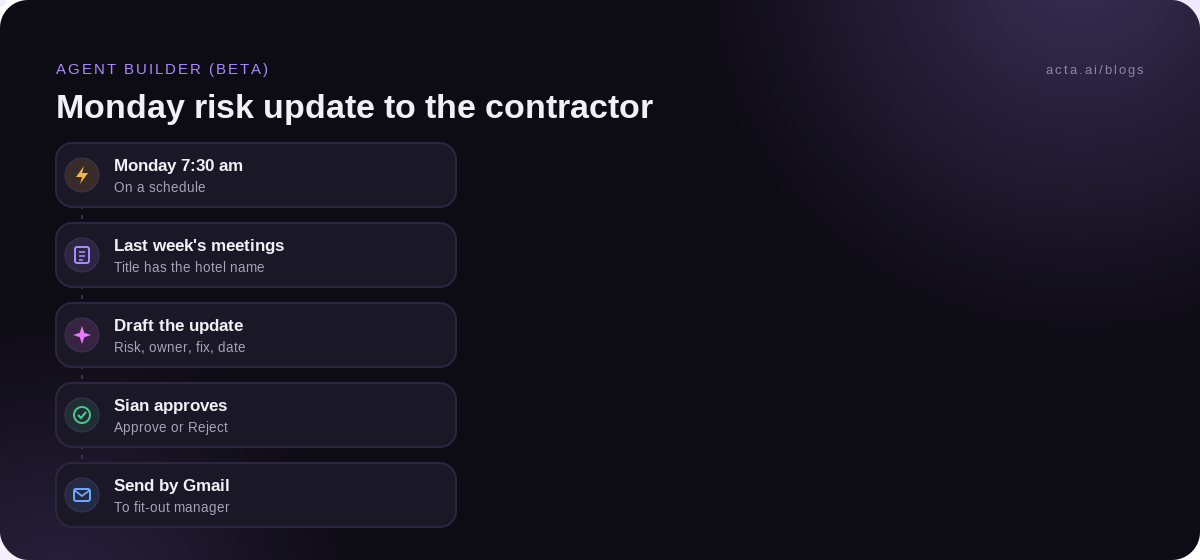
A short Monday risk note to the main contractor does two jobs: it gets problems solved, and it puts on record what you flagged. Agent Builder (beta) can draft it from your meetings and hold it for approval. A project manager can set this up in an afternoon:
- Open Agent Builder and click New agent, or pick "Start from blank instead".
- Trigger: On a schedule, Mondays at 7:30 am.
- Acta data step: last week's meetings whose title contains the hotel's name.
- AI step: "List the open risks raised, with impact, owner, mitigation and date. Mark mitigations nobody agreed as proposals. Keep it under 200 words."
- Human approval: Sian approves or rejects; tick "Also email me Approve and Reject buttons". If nobody answers in 24 hours, nothing goes.
- Gmail action: send to the contractor's fit-out manager, copying the designer.
- Test then Run test (nothing is sent in a test), then Turn on.
The Agent Builder editor guide walks through each step type.
Roll it out on one live contract first
Pick the contract with the tightest handover. Everyone you invite to the workspace takes a seat, recorder or not: Pro is USD 8 per seat a month, or USD 72 per seat a year, and the Risk Registry, Outcomes views and OneChat are included in the 15-day trial and Pro.
Week 1. The owner sets up a workspace (see setting up your team) and invites the project manager, installer lead and production manager. The project manager records the Teams progress meetings with the Acta desktop app, which picks up Teams and Zoom desktop meetings with no bot joining. The installer lead uses the mobile app for site walks. Tell the contractor and designer you record; our post on recording consent has wording.
Week 2. Share every meeting on the contract with everyone in the workspace, so each person's registry fills. Clear the three attention cards every Monday before the progress meeting. Add the weekly risk agent once the registry looks right.
Mistakes to avoid: relying on the contractor's minutes (they record their risks, not yours); leaving Suggested mitigations unassigned; and recording the progress meeting but not the delivery planning call, where access problems surface first.
Frequently asked questions
Can I use the Risk Registry as the contract risk register for the client?
It is your own view, built from meetings you recorded or that were shared with you, so treat it as your working list. Copy what the client needs into your weekly update or their own register format. It is not a shared register the contractor edits, and it does not replace any risk documents your contract requires.
Does Acta pick up risks nobody calls a risk?
Yes, that is the point. Remarks like "the fourth floor won't be dried out for a while" are read as risks, given an impact level and, where nobody agreed a fix, a Suggested mitigation. Check new rows weekly: assign an owner, change the date, or mark ones that don't matter as closed.
Can I record a site walk with no laptop?
Yes. The Acta mobile apps for iPhone and Android record in-person meetings, and the notes are the same as for a video call. On a noisy site, keep the phone close to whoever is speaking and step away from the saws.
How do I keep three contracts apart?
Put the project or client name in every meeting title. In the Risk Registry, group by Project / customer; in OneChat, use the scope button to ask only about selected meetings. Consistent names do most of the work.
Is our design and pricing information used to train AI?
No. Acta does not use customer data to train AI models. Each person's meetings are private by default and only shared when they choose.
Decide what you will change on the next contract
You don't need a new system, just a few habits backed by the registry.
- Name the risk owner in the room: no remark about site conditions leaves the meeting without one.
- Split finish and delivery risks: production owns one, the project manager the other.
- Track documents as risks: fire certificates and care guides get dates like deliveries.
- Clear the Monday cards: High no owner, Fix is overdue, Getting worse.
- Send the weekly note: approved by the project manager, every Monday.
Acta keeps track of what was said and who owns it; it cannot dry a floor or chase a mill for you. See more for furniture manufacturers, install the desktop app before the next progress meeting, and start the 15-day trial on the pricing page.