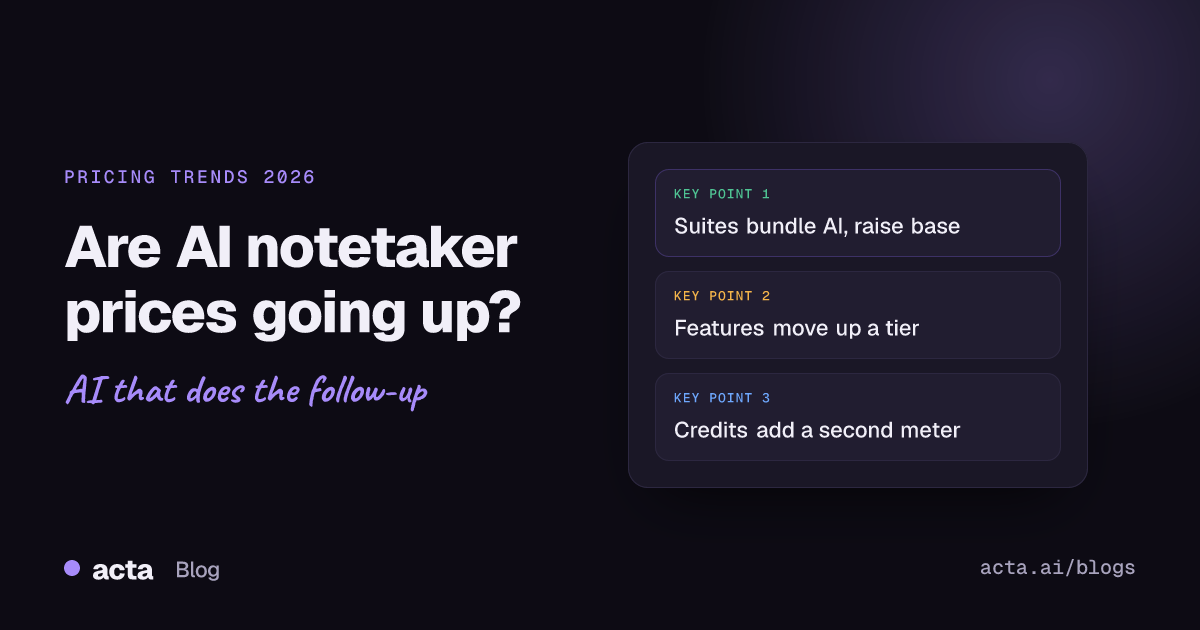
Quick answer: AI notetaker pricing trends point two ways. Suites like Microsoft 365 and Google Workspace have folded AI into base plans and raised list prices to match, while standalone notetakers mostly kept headline seat prices flat but moved the useful features into higher tiers, usage credits or add-ons. So the bill often grows even when the sticker price doesn't.
I get asked this a lot by people sitting on a renewal notice. Their notetaker cost the same per seat as last year, yet the invoice is bigger, or the feature they actually use now sits one plan higher. Meanwhile their Microsoft or Google bill went up and came with an AI assistant they never asked for. Both things are true at once, and that's what makes budgeting for meeting notes confusing right now.
This post looks at what has actually changed, with dates, and what I'd do before signing the next contract. Prices below are as of November 2026 and change often, so check the vendor's page before you quote anyone.
Are AI notetaker prices going up in 2026?
It depends which kind of price you're looking at. There are really three different things people call "the price":
- The list price per seat. For most standalone notetakers this has been fairly stable. You'll see the same rough shape everywhere: a free tier, a cheap individual plan, a team plan and custom enterprise pricing.
- What a seat includes. This is where things move. Meeting length caps, file upload limits, how many AI questions you can ask, CRM sync and admin controls get shuffled between tiers.
- The suite price you already pay. If your company runs on Microsoft 365 or Google Workspace, part of your AI notes budget is now hidden inside that bill, whether you use it or not.
So "are prices going up?" gets a yes for suites, a "sort of" for standalone tools, and a firm yes for heavy users of usage-metered AI features. If you want the per-tool numbers side by side, our AI notetaker pricing comparison keeps them in one place.
Why are Microsoft and Google charging more for AI?
The big platforms have picked the same move: put AI in every plan, then raise the base price for everyone.
Google Workspace
Google announced on January 15, 2025 that Gemini features would be included in Workspace Business and Enterprise plans, and the separate Gemini add-on went away. Prices rose at the same time, by about $2 per user per month for Business Standard, according to 9to5Google's report on the change. Existing customers moved over later in 2025 or at renewal.
Microsoft 365
Microsoft followed with a commercial price increase that took effect on July 1, 2026, alongside added Copilot Chat features in many suites. Microsoft's own pricing and packaging update lists Business Basic going from $6 to $7 per user per month and Office 365 E3 from $23 to $26. Partners have reported Business Standard going from $12.50 to $14, with Business Premium unchanged. Existing customers see the new price at their next renewal after that date. The full Microsoft 365 Copilot add-on is a separate purchase on top.
Zoom
Zoom went the other way at launch. When it introduced AI Companion in September 2023, it said the assistant came at no additional cost with paid Zoom accounts, and it sells extra customization as a paid add-on. Free Zoom users don't get it.
The pattern matters for notetaker buyers because "we already pay for AI in Teams" is now a common argument in budget meetings. Sometimes it's right. Often the built-in assistant only works inside that one platform, which is a problem the moment half your calls are with clients on a different one.
What pricing models do AI notetakers use now?
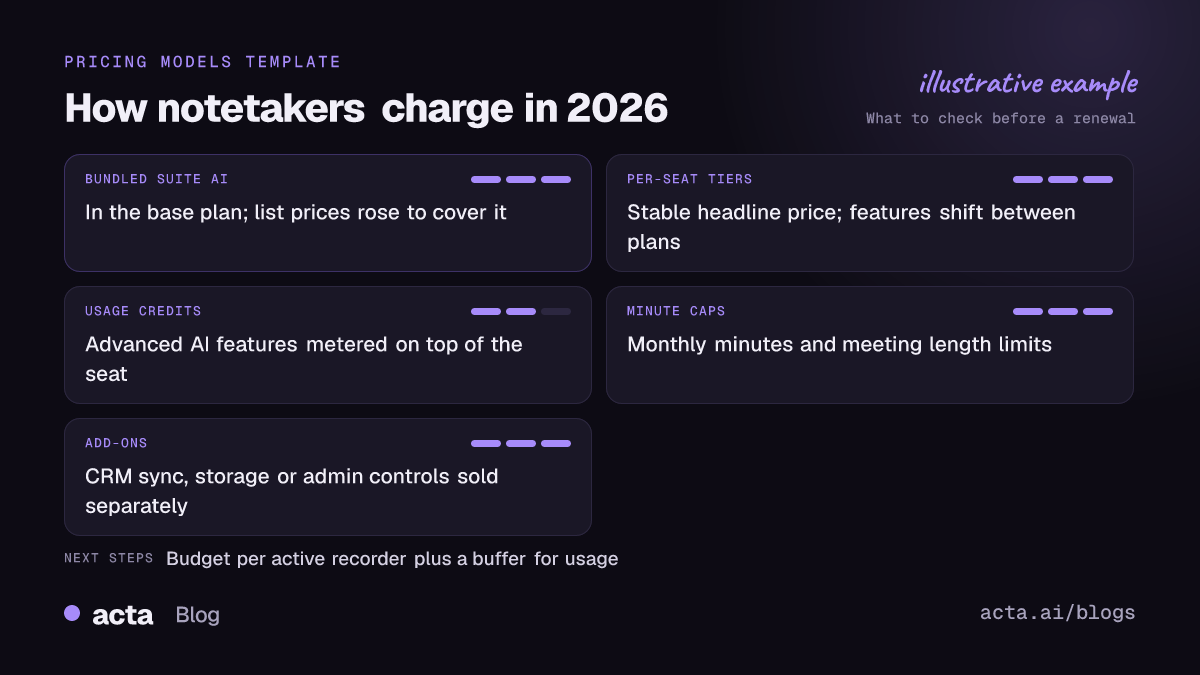
Most AI notetaker pricing trends come down to which of these four models a vendor leans on. Many mix two or three.
- Per-seat tiers. You pay per user per month, with annual billing much cheaper than monthly. Simple to budget, but you pay for people who barely record anything.
- Usage credits. The plan covers transcription and summaries, while "advanced" AI features burn credits. Fireflies is a clear example: its AI credits guide explains that features such as AskFred use credits, that plan credits are limited, and that if you run out without a credit subscription it signs you up for its smallest credit pack automatically.
- Minute caps. Free and entry plans limit monthly transcription minutes or the length of a single meeting. A 90-minute workshop on a plan with a shorter cap is a common surprise.
- Add-ons. CRM sync, extra storage, admin and security controls or an "agent" feature sold separately from the core seat.
I don't think any of these models is unfair on its own. The trouble starts when you compare tools on the headline seat price and only find the metering three months in.
Why does my notetaker bill grow when the seat price didn't?
A few reasons show up again and again in renewals I've looked at.
Seat creep
Someone invites the whole sales team, the tool auto-adds anyone with a company email, and a year later you're paying for 60 seats when 25 people record meetings. This is the most common one and the easiest to fix.
Features moving up a tier
The feature you bought for, say, pushing notes into HubSpot, sits in the next plan up after a packaging change. You don't lose it overnight, but the renewal quote assumes the higher tier.
Credits as a second meter
Asking questions across past meetings is genuinely useful, which is exactly why it gets metered. A team that leans on it hard can spend more on credits than on seats.
Monthly billing
Plenty of teams start on monthly billing "while we test it" and never switch. Annual plans are commonly priced well below monthly, so a pilot that drifted into production can cost a lot more than it needs to.
How do you budget for an AI notetaker renewal?
Here's the routine I'd run about 60 days before a renewal. It takes an afternoon, and it usually pays for itself.
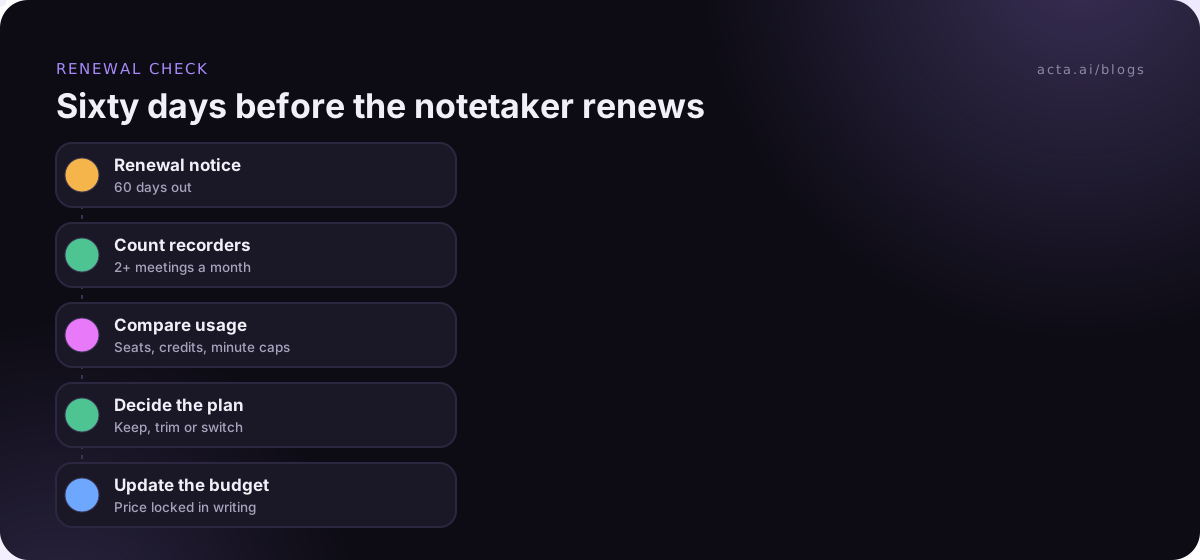
- Pull the usage report. Who recorded at least two meetings a month over the last quarter? That's your real seat count. Everyone else may only need to read shared notes, which some tools allow without a paid seat.
- List what people actually use. Transcripts and summaries, action items, CRM sync, search across meetings. Map each to the plan that includes it.
- Check the meters. Credits, minute caps, meeting length limits and storage. Look at the busiest month, not the average.
- Price the overlap. If you already pay for Copilot, Gemini or Zoom's assistant, test it on your real calls, including ones with outside guests. Write down what it can't do for you.
- Ask for the next 12 months in writing. Ask whether packaging or credit allowances are expected to change, and get the renewal price locked in the order form.
If you want a way to put a number on the value side, our guide on measuring the ROI of AI meeting tools walks through it.
Is the AI already in Teams, Meet or Zoom enough?
For some teams, yes. If every meeting happens inside one platform, with colleagues, and you mostly want a recap, the built-in assistant you're already paying for is hard to beat on price.
It gets weaker when:
- your calls are spread across Zoom, Teams and Meet because clients pick the platform;
- you need the notes to land in a CRM, Jira or Notion with owners and dates, not just as a summary;
- a client's IT blocks outside bots, or the host's settings don't allow the built-in assistant, so you get nothing;
- you want to ask questions across months of meetings from several platforms in one place.
When bots aren't welcome, a desktop recorder or a browser extension can capture the call from your own computer instead. Either way, tell people the call is being recorded; our post on recording consent and what to tell participants covers the basics. For a fuller look at options that skip the bot, see bot-free notetakers compared.
What do AI notetaker pricing trends mean for 2027 budgets?
I can't tell you what any vendor will charge next year, and I'd be wary of anyone who claims to. What I'd plan around is the direction the market has already shown:
- Suite AI will keep showing up in base prices. Treat it as a sunk cost and judge standalone tools on what they add beyond it.
- Agent-style features will tend to be metered. Anything that runs follow-up work for you, like drafting emails or updating records, costs the vendor more to run, so expect credits, caps or a higher tier.
- Basic transcription is turning into the cheap part. My read is that free tiers will stay fairly generous on minutes, and vendors will make their money on what happens after the transcript.
Read together, these AI notetaker pricing trends suggest budgeting per active recorder plus a buffer for usage, instead of a flat per-head figure for the whole department. The same thinking shows up in broader AI budgets; our piece on how software companies budget for AI covers that side.
Which pricing mistakes cost teams the most?
- Buying for the org chart. Licensing everyone on day one instead of the people who run external meetings.
- Ignoring meeting length caps. Board meetings, workshops and training sessions run long.
- Comparing free tiers. Free plans tell you about the transcript, not about follow-up, integrations or admin controls you'll need at 30 users.
- Assuming the bundled assistant covers client calls. Test it on a real external meeting before cancelling anything.
- Forgetting data terms. A cheaper tool that trains on your customer conversations isn't cheaper. Read the data use section of the terms, not just the price page.
Where Acta fits
Acta records Zoom, Google Meet and Teams with a meeting bot, a bot-free desktop app or a Chrome extension, and turns calls into summaries, decisions and action items with owners. Plans are Pro and Enterprise, and there's a 15-day free trial with unlimited recordings and transcriptions, so you can test it against your own busiest month before you commit. Acta doesn't use customer data to train AI models.
Frequently asked questions
Are AI notetakers getting more expensive?
Suites have raised list prices as they bundled AI in. Standalone notetakers have mostly held seat prices, but features move between tiers and some AI features are metered with credits, so many teams pay more in practice.
Is per-seat or usage-based pricing better for AI note taking?
Per-seat suits teams where most people record several meetings a week. Usage-based or credit pricing suits teams with a few heavy users and many occasional ones. Look at last quarter's usage before you choose.
Do I still need an AI notetaker if I pay for Copilot or Gemini?
Maybe not, if all your meetings are internal and on one platform. Most teams that keep a separate notetaker do it for cross-platform client calls, CRM and project tool updates, or searching across all their meetings.
How can I cut my AI notetaker bill without losing features?
Remove seats for people who only read notes, move from monthly to annual billing once the pilot is over, and check whether credit packs are auto-renewing. Those three changes cover most overspend.
When did Microsoft raise Microsoft 365 prices?
The commercial increase took effect on July 1, 2026, with existing customers moving at their next renewal after that date. Check your own agreement and Microsoft's price list for your region.
If you'd like to compare against your current setup, start a 15-day free trial of Acta and run it alongside your busiest week of meetings.