Shadow AI is the use of AI tools at work without IT's approval or oversight: a personal ChatGPT account for a client email, a free summariser for a contract, a notetaker bot someone added to a sales call. It happens because the approved route is slower than the free one. The fix that works is not a ban but a short approved list, three data rules people can remember, and a fast way to ask for new tools.
This guide is for IT leads, security teams and managers who know it's happening and want a response that doesn't turn into a policy nobody reads. Every statistic below comes from a named survey or official source, as of November 2026. If you work somewhere that legally can't allow any external AI (some defence and classified settings), the response is different: you need technical blocking first and this guide only covers the culture side.
Key takeaways
- Microsoft's UK research (Censuswide, October 2025, 2,003 employees) found 71% had used AI tools not approved by their employer, and 51% still did so every week.
- IBM's 2025 Cost of a Data Breach Report found one in five organisations reported a breach due to shadow AI, and only 37% had policies to manage AI or detect shadow AI.
- Publish an approved list with three columns people need: what the tool is approved for, what data may go in, and which account to use.
- Use a green, amber, red data rule instead of a long policy: public, internal, and never (customer personal data, secrets, unreleased financials).
- Give requests for new tools a five-working-day answer; if approval takes a quarter, the free tool wins.
Table of contents
- Shadow AI is shadow IT with a paste box
- People use unapproved AI because the approved route is slower
- Shadow AI risks are about data, decisions and accountability
- Banning AI tools pushes the use out of sight
- A 30-day shadow AI response plan for IT
- Three data rules beat a twenty-page policy
- Managers close the gap that IT can't see
- AI notetakers are the shadow AI everyone can see
- Frequently asked questions
- Choose your first three shadow AI controls
Shadow AI is shadow IT with a paste box
IBM defines shadow AI as the use of AI tools without IT's approval or oversight, with the classic example being staff using a public chatbot to edit text or analyse data. The UK's National Cyber Security Centre treats it as a form of shadow IT, which is the right framing: it's the same problem as the unapproved file-sharing app of ten years ago, with one difference that makes it worse.
A file-sharing app holds the files you put in it. An AI tool holds the files, the questions you asked about them, and the answers, and you pasted all of it in on purpose because that's how the tool works. The risky act isn't a click on a dodgy link; it's someone doing their job well, quickly.
Shadow AI shows up in four common shapes:
- Personal chatbot accounts used for work: drafting emails, summarising reports, debugging code.
- Free single-purpose tools: PDF summarisers, translation sites, slide generators, browser extensions with an "AI" button.
- AI features switched on inside approved tools that nobody reviewed, such as an assistant add-on in a CRM or design tool.
- Meeting bots and agents that join calls or connect to mailboxes with a user's own sign-in.
The last two are the ones IT most often misses, because the parent tool is approved and the AI part arrived in an update or a marketplace.
People use unapproved AI because the approved route is slower
Nobody pastes a contract into a free summariser to cause a breach. They do it because the deadline is at four and the tool works. The survey data backs this up. In the 2024 Work Trend Index from Microsoft and LinkedIn, 78% of AI users said they bring their own AI tools to work, and only 39% of users had received AI training from their company.
Read those two numbers together. Most people using AI at work chose their own tool and taught themselves. That isn't a discipline problem. It's a supply problem: the organisation didn't offer a tool, or offered one nobody knew about, or offered one with a request form that took six weeks.
The usual causes, in the order I see them:
- No approved option at all, or one that is clearly worse than the free version.
- The approved tool exists but nobody told the team, or it's buried in an intranet page from last year.
- The rules are unclear, so people assume "not forbidden" means "fine".
- Approval is slow, so people use the tool now and plan to ask later. They don't ask later.
If your response doesn't fix at least the first two, everything else is decoration.
Shadow AI risks are about data, decisions and accountability
The numbers on shadow AI risks are now solid enough to quote. IBM's 2025 Cost of a Data Breach Report, researched by the Ponemon Institute across 600 organisations, found:
- One in five organisations reported a breach due to shadow AI.
- Only 37% had policies to manage AI or detect shadow AI.
- Organisations with high levels of shadow AI saw an average of $670,000 more in breach costs than those with low levels or none.
- 97% of organisations that had an AI-related security incident said they lacked proper AI access controls.
In the UK, Microsoft's research with Censuswide found 71% of employees had used AI tools their employer hadn't approved, and 51% still did so weekly. The NCSC cited that figure in its September 2026 post on the hidden risks of shadow AI, warning that giving unapproved tools access to company or customer data increases the risk of data breaches, intellectual property loss and regulatory non-compliance.
In plain terms, the risks fall into three buckets:
Data leaves your control
Customer personal data, source code, pricing, board papers and HR cases end up in a service with terms you never agreed to. Consumer AI accounts often have different training and retention settings from business plans, and the employee rarely checks. For how leakage actually happens inside assistants, see AI data leakage: protecting personal information, secrets and context.
Decisions rest on output nobody checked
A summary of a contract that drops a clause, a translated policy that softens an obligation, a spreadsheet formula written by a chatbot. Approved tools fail too, but with approved tools you know which outputs to review.
Nobody owns the account
When the employee leaves, their personal AI account leaves with them, along with months of chats about your clients. Agents connected with a personal sign-in keep running until someone notices. That's the accountability problem, and it's the one that shows up in incident reviews.
Banning AI tools pushes the use out of sight
A blanket ban feels decisive. In practice it moves the use from work laptops to personal phones, where you have no logging, no data rules and no conversation. The NCSC's advice runs the other way: it isn't telling people to stop using AI, but to think carefully about which services they use before sharing data, and it says that understanding why people turn to shadow AI makes it easier to spot the risks and provide secure alternatives.
Some blocking is still sensible. Block the specific tools you've reviewed and rejected, block uploads of classified file types to unknown AI domains if your proxy can do it, and say so publicly so people know why. What doesn't work is blocking everything while offering nothing.
The test is simple: after your change, is the easiest path for a busy employee also the approved path? If not, expect the shadow use to continue.
A 30-day shadow AI response plan for IT
You don't need a programme. You need four weeks and an owner. This is the sequence I'd run.

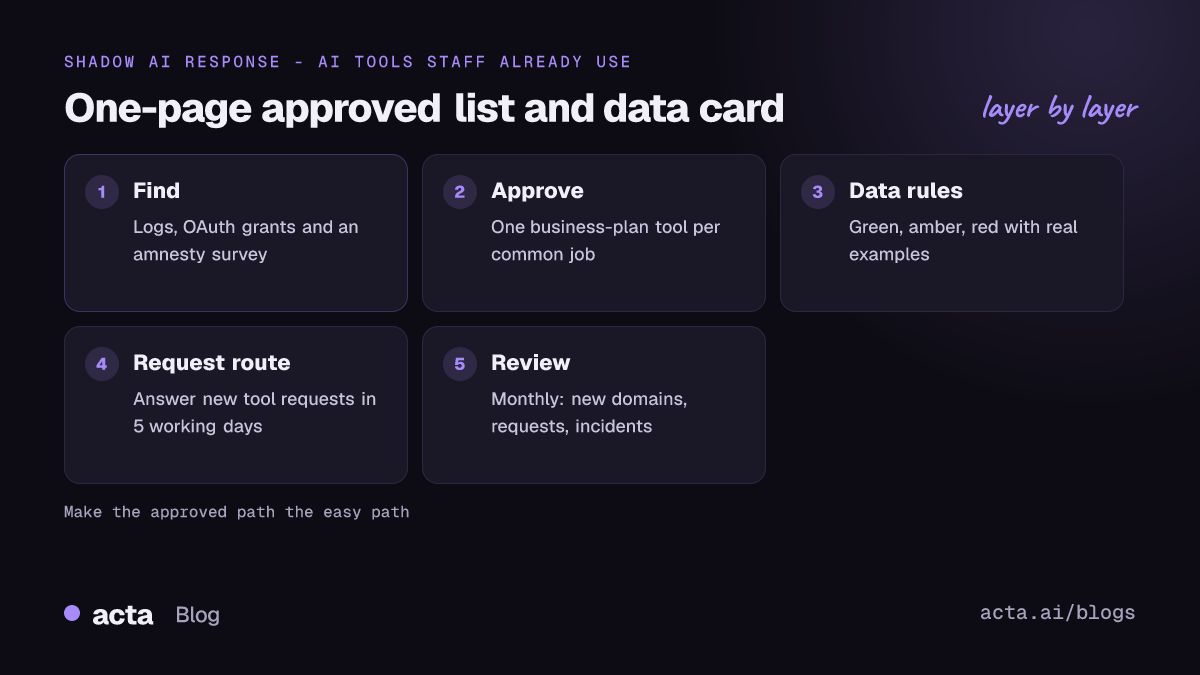
- Week 1, find out what's used. Pull a list of AI domains from proxy or DNS logs, browser extensions from device management, and OAuth app grants in your identity provider (look for mail, calendar and drive scopes). Then send a short, amnesty-style survey: "Which AI tools do you use for work, and for what?" Say clearly that nobody gets in trouble for answering.
- Week 2, decide the short list. For the top five uses, pick one approved tool each, on a business plan with terms you've read. Usually that's one general assistant, one meeting notetaker, one coding assistant, and the AI features already inside your office suite.
- Week 3, publish the approved list and data rules. One page. Tool, approved for, data allowed, which account. Add the request route for anything not on the list.
- Week 4, train and switch. A 30-minute session per team, showing the approved tool doing the job people were using the shadow tool for. Then revoke the riskiest OAuth grants and block the tools you rejected.
Then review monthly: new domains in logs, new requests, and anything in incident tickets that mentions AI.
An approved AI tools list people will actually read
| Tool | Approved for | Data allowed | Account | Owner |
|---|---|---|---|---|
| General assistant (business plan) | Drafting, summaries, analysis | Green and amber | Company sign-in only | IT |
| Meeting notetaker | Internal and client calls | Green and amber, with notice | Company workspace | IT and Legal |
| Coding assistant | Company repositories | Code, no secrets | Company org | Engineering |
| Free web tools | Public content only | Green only | Any | User |
Fill in real product names; the point is the columns. The "Account" column matters most, because the same product can have very different data terms on a personal login and a company plan. If you're comparing assistants for team documents, our NotebookLM vs ChatGPT Projects vs Claude Projects comparison covers the data controls on each business plan.
Three data rules beat a twenty-page policy
People can't apply a policy they can't remember. A shadow AI policy works best as three colours on one card:
Green (any approved tool): public information, your own drafts with no client names, general questions. Amber (approved business tools only, company account): internal documents, client names, meeting notes, code without credentials. Red (never into an AI tool unless Security has approved that specific use): customer personal data in bulk, passwords and keys, health data, unreleased financial results, anything under a confidentiality clause that forbids third-party processing.
Copy that card, swap in your own examples, and pin it where people work. Then add one line for the grey area: "If you're not sure, it's amber, and ask in the #ai-help channel." A named channel with a fast answer prevents more incidents than a longer document.
If you already have a policy for recordings or notetakers, align the colours. Our guide on how to write an AI notetaker policy has clauses that slot into the amber tier.
Managers close the gap that IT can't see
Logs show domains. They don't show that the finance team pastes the month-end pack into a chatbot every fourth Thursday. Managers see that, and they set the tone for whether people admit it.
Three things managers can do this week:
- Ask, don't audit. In a team meeting, ask which AI tools save people the most time. You'll learn more in ten minutes than from a month of logs, and you'll learn why.
- Bring the use cases to IT. If three people use the same unapproved tool for the same job, that's a request for an approved option, not a disciplinary issue.
- Model the rule. When you share an AI-written draft, say which tool and account you used. It makes the approved route normal.
The worst manager response is quiet tolerance: knowing the team uses personal accounts for client work and saying nothing. That leaves the employee holding the risk alone.
AI notetakers are the shadow AI everyone can see
Meeting bots are the most visible form of shadow AI: an unfamiliar "notetaker" joins a client call because one attendee signed up for a free trial with their work calendar. Everyone on the call now has their words recorded and processed by a service nobody vetted. Recording also brings consent duties that vary by country; our guide on whether it's legal to record meetings with AI covers what to tell participants.
The answer is the same as for chatbots: approve one notetaker on a company workspace and make it the easy option. Acta is one such option: it writes up meetings from a bot, a desktop app or a Chrome extension, and Acta does not use customer data to train AI models, as explained in why we don't use customer data to train our AI models. Whatever you pick, put it on the approved list with its data tier.
Frequently asked questions
What is shadow AI?
Shadow AI is the use of AI tools at work without IT's approval or oversight, such as personal chatbot accounts used for client work, free document summarisers, AI browser extensions, or meeting bots added with a personal sign-in. The UK NCSC treats it as a form of shadow IT. The main risk is company or customer data going into services the organisation never reviewed.
How common is shadow AI?
Very. Microsoft's UK research with Censuswide in October 2025 found 71% of 2,003 employees had used AI tools their employer hadn't approved, and 51% did so weekly. The 2024 Work Trend Index from Microsoft and LinkedIn found 78% of AI users bring their own AI tools to work. Figures differ by survey, so quote the source.
How do you prevent shadow AI?
You reduce it rather than prevent it entirely. Find out which tools people use, approve a short list on business plans, publish simple data rules, and answer new tool requests within days. Block only the tools you reviewed and rejected. The NCSC advises understanding why people use unapproved tools so you can offer secure alternatives.
Should companies ban ChatGPT at work?
A blanket ban usually moves use to personal phones, where you have no visibility. A better approach is to provide an approved business version of a general assistant with company sign-in, set clear rules on which data can go in, and block personal accounts on managed devices if your tools allow it. Ban specific uses, like customer personal data, not the whole category.
What should a shadow AI policy include?
Keep it to one page: an approved tools list with what each is approved for, which data tier is allowed, and which account to use; a green, amber, red data rule with examples; a fast request route for new tools; who to ask when unsure; and what happens to accounts and agents when someone leaves. Review it monthly for the first quarter.
Choose your first three shadow AI controls
If you only do three things this month, make them the ones that change what the easy path is. The rest can follow once you know what people actually use.
- Run the amnesty survey: ask every team which AI tools they use and for what, with a promise of no penalty.
- Publish the approved list: one page, with the approved-for, data-allowed and account columns filled in.
- Print the data card: green, amber, red, with your own examples, plus the channel for questions.
- Set a request deadline: five working days from request to a yes, a no with a reason, or a named alternative.
- Check OAuth grants: review apps with mail, calendar or drive access granted by individual users.
For meetings, an approved notetaker that works without a bot, such as the Acta Chrome extension, removes one of the most common reasons people sign up for something unvetted.