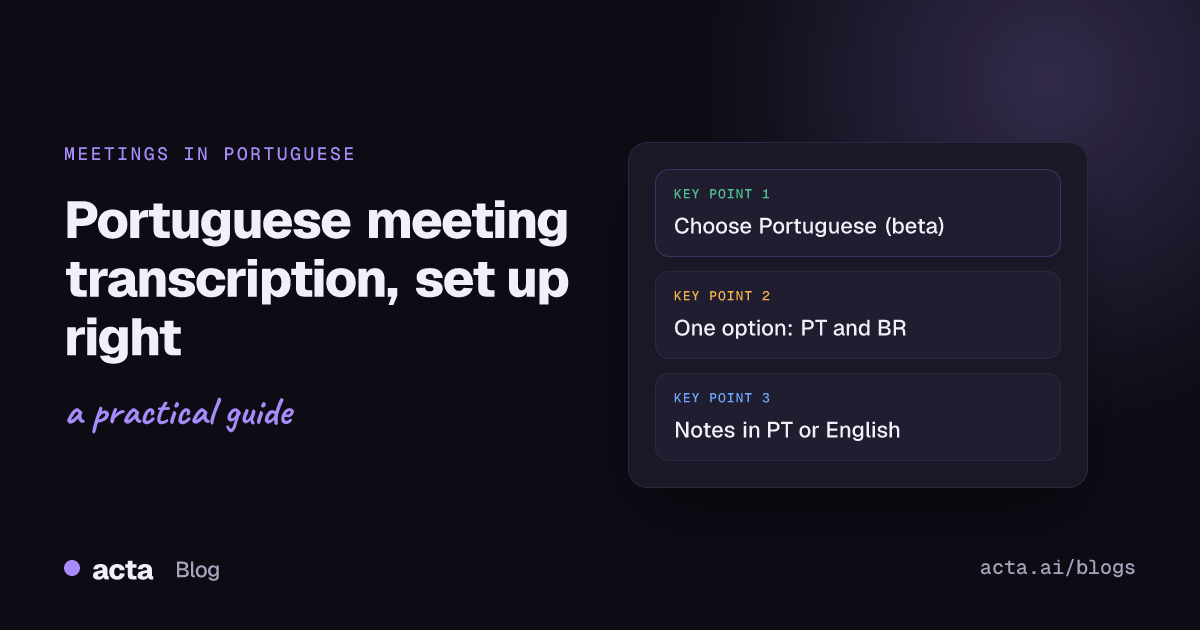
Portuguese meeting transcription starts with choosing the language
Acta detects English, Hindi, French, Spanish and German automatically; ten more languages can be chosen in Settings. Portuguese, one of the 24 official languages of the EU, is one of those ten, next to Italian, Dutch, Arabic, Japanese, Telugu, Tamil, Kannada, Marathi and Bengali. All ten are in beta, which in practice means they work and the accuracy is still improving. I'd treat a beta language the way you'd treat a new colleague taking minutes: useful from day one, but read the output before you forward it.
The part that catches people out is Auto. Auto picks between the five automatic languages only, so it never lands on Portuguese. If your account is on Auto and a partner call runs in Portuguese, Acta processes it as if it were one of those five, and the transcript comes back wrong. Not a bit rough around the edges: wrong. Editing that transcript by hand isn't worth your time. Set Portuguese before the next call instead.
The language lives in your own Acta settings, so it follows whatever you record: the Acta bot in Zoom, Google Meet or Microsoft Teams, the desktop app, the Chrome extension, the phone app for a meeting in a room, or a recording you upload later. If a colleague records the same call from their account, their setting applies to their copy.
Set up Portuguese in Acta in five steps
The whole setup takes about a minute, and you only repeat it when your next meeting is in a different language.
- Open the Acta dashboard and go to Settings > Meetings. The Language card sits just below "Add Acta Notetaker to my meeting invites".
- Under "Language spoken in meetings", choose Portuguese (beta). English is the default, so if you've never opened this card, you're on English right now.
- Under "Language for my notes", keep Same as the meeting for notes in Portuguese, or choose English.
- Record the meeting the way you normally do. Nothing changes in how you start or stop a recording.
- Open the meeting page when the notes are ready and look at the small language chip next to the tabs. It should say Portuguese. If it doesn't, the "Change language" link takes you straight back to the card, ready for the next meeting.
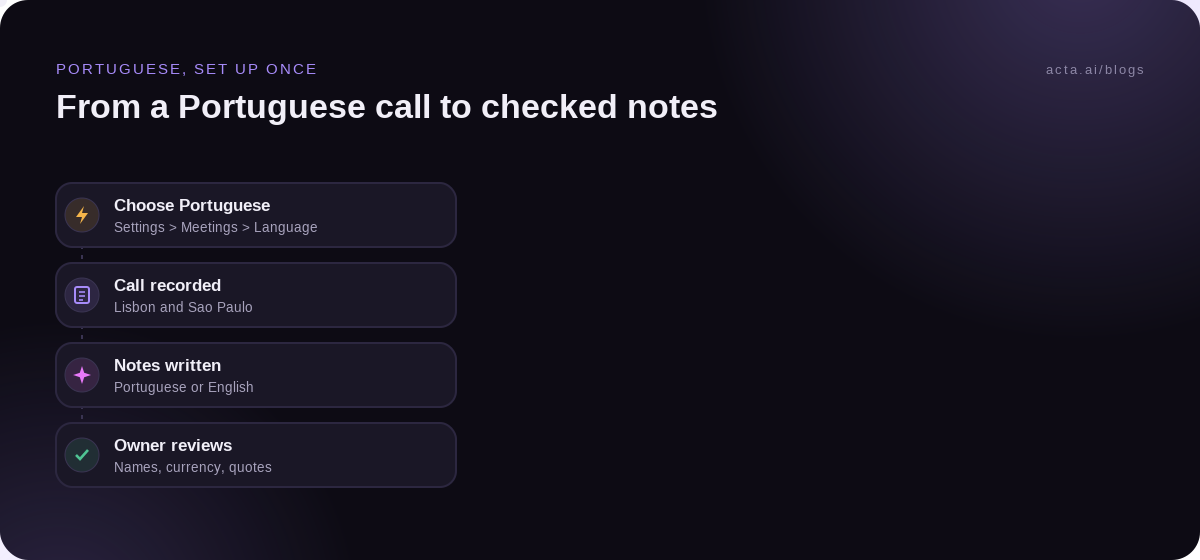
The meeting-notes email also shows the language, with a short tip linking to the setting, which is a handy check if you read notes on your phone. The help article on meeting languages in Acta walks through the same card if you want a second reference.
If your partner's company keeps bots out of its Teams meetings, a recorder on your own machine, such as the Acta desktop app, captures the call from your computer instead. Either way, say at the start that you're recording; our guide on what to tell participants before you record with AI covers the wording and the legal basics.
European and Brazilian Portuguese share one setting
The Language card has no "Portuguese (Portugal)" versus "Portuguese (Brazil)" choice. One Portuguese option covers both, which matches how mixed calls really go: a product manager in Lisbon and an engineer in Campinas understand each other perfectly well, and neither changes how they speak for the sake of a notetaker. The same applies to Brazilian Portuguese transcription for teams with no European side at all.
The differences you'll see in the transcript are the ones you'd hear in the room, mostly vocabulary and a few grammar habits:
- "equipa" in Portugal and "equipe" in Brazil, both meaning team.
- "telemóvel" in Portugal and "celular" in Brazil: mobile phone.
- "ecrã" in Portugal and "tela" in Brazil: screen, as in "partilha o ecrã" or "compartilha a tela" (share your screen).
- "Temos de enviar a proposta" (Portugal) and "A gente precisa enviar a proposta" (Brazil), both meaning "we have to send the proposal".
Acta writes down what each person said, so both spellings can sit in the same transcript. Don't "correct" them when you review; they aren't mistakes. What does affect quality is the usual list: fast overlapping speech, a laptop microphone at the far end of a meeting room, and a bad connection from someone on a train. Our guide to transcription accuracy with accents, noise and crosstalk has the fixes, and they matter more for a beta language.
Teams in Angola and Mozambique bring their own vocabulary and accents, so run one ordinary internal meeting through Acta before you rely on it for something like a board pack. Local languages such as Umbundu or Changana aren't among Acta's 15 languages; if a meeting moves into one of them, that part won't be transcribed well.
Pick the notes language by who will read them
The transcript always stays in Portuguese. The only real choice is the language of the notes: the summary, decisions, action items, report templates and the follow-up email draft. You get two options, the meeting's language or English, and Acta doesn't translate notes into a third language. So a Portuguese meeting can give you Portuguese or English notes, never French or German ones.
| Who reads the notes | Language for my notes | Why |
|---|
| Only the Portuguese-speaking team | Same as the meeting | Action items read the way they were agreed |
| Lisbon team plus a head office in London or Bengaluru | English | One record everyone can read |
| A CRM or ticketing system kept in English | English | Fields and reports stay consistent |
| A Brazilian client who gets your follow-up email | Same as the meeting | The email draft comes in Portuguese |
| Legal or finance checking exact wording | Either | They should read the transcript anyway |
Portuguese to English meeting notes keep one thing intact that people often worry about: quotes. When the notes are in English, quotes stay as spoken, in Portuguese, so nobody's words get quietly rewritten. Names, dates, amounts and product names are kept as said too. Report headings such as "In short" and "Key quotes" and the whole Acta dashboard stay in English whichever notes language you choose.
Questions work in either language. Ask Acta about one meeting, or ask OneChat across several, in Portuguese ("Quem ficou responsável pela proposta?", meaning "Who took responsibility for the proposal?") and you get a Portuguese answer; ask in English and the answer comes in English.
A worked example: a Lisbon and São Paulo partner call
Here's an illustrative example, not a customer story. A Lisbon company that sells payment-reconciliation software is signing up a reseller in São Paulo. The 50-minute Teams call has four people: Mariana (partnerships, Lisbon), Inês (finance, Lisbon), Rafael (the reseller's director, São Paulo) and Thiago (his technical lead). Mariana records it with her settings on Portuguese and her notes on "Same as the meeting", because the reseller will get the follow-up email in Portuguese.
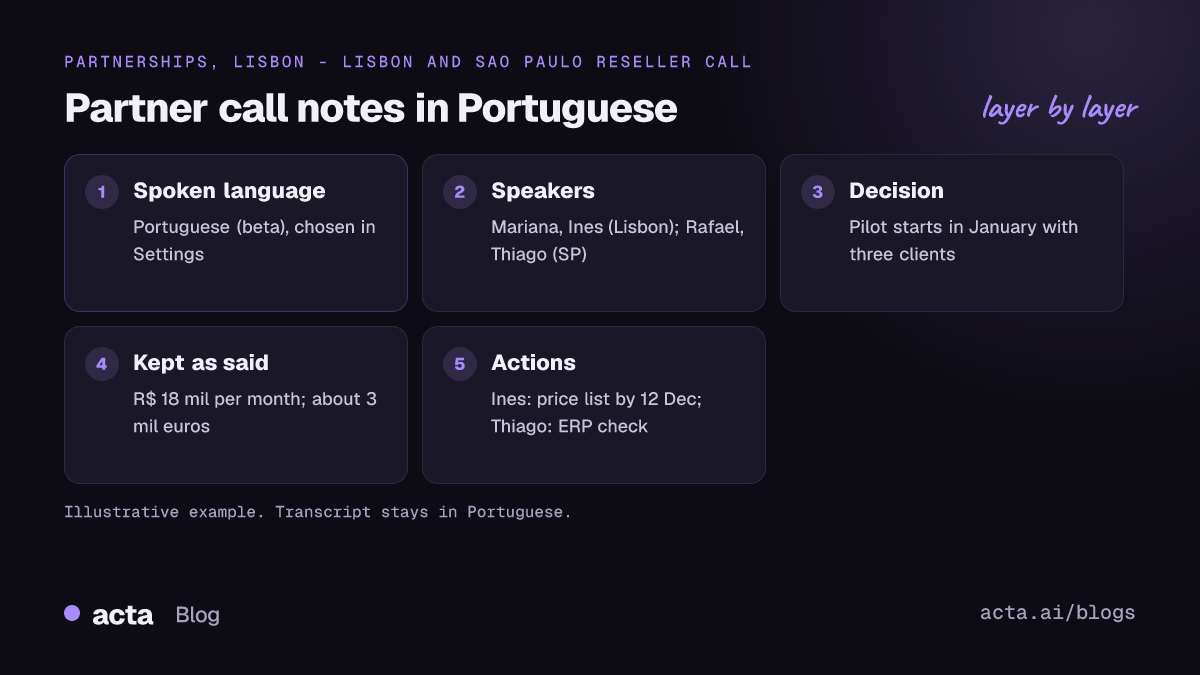
A few lines from the notes, with English glosses in brackets:
Decisão: o piloto começa em janeiro com três clientes em Campinas. (Decision: the pilot starts in January with three clients in Campinas.)
Ação: Inês envia a tabela de preços revista até 12 de dezembro. (Action: Inês sends the revised price list by 12 December.)
Ação: Thiago confirma a integração com o ERP do cliente. (Action: Thiago confirms the integration with the client's ERP.)
Citação: "Se o preço vier em reais, a gente fecha mais rápido." (Quote: "If the price comes in reais, we'll close faster.")
Two details are worth noticing. Rafael talked about "R$ 18 mil por mês" and Inês answered with "cerca de 3 mil euros" per client; both amounts stay exactly as spoken, in their own currency. Converting them is Inês's job, not the notetaker's. Portugal is one of the countries that use the euro; Brazil isn't, so every cross-border deal has two currencies in play. And Rafael's line about pricing in reais stays a direct quote, because that sentence is the real negotiating position, and a paraphrase would soften it.
Later Mariana's CEO in London asks for an update. Mariana doesn't rewrite anything: she switches her notes language to English for her next partner call and, for this one, asks OneChat in English for a summary of the decisions. Since the setting only changes new meetings, the Portuguese notes for this call stay as they are.
If you want every partner call laid out the same way, build it as a custom report template. Custom templates are written in your notes language, so the same template gives Portuguese meeting notes for Portuguese calls. A layout that works for partner calls:
Partner call notes
Meeting language and notes language:
Decisions (one line each):
Actions (owner, what, by when):
Amounts as said, with currency (R$ or EUR):
Open questions for the next call:
Quotes to keep word for word:
Check five things before the notes go out
Read the notes before they leave your hands, especially in a beta language. These five checks take three or four minutes on a typical call:
- Names. Portuguese names carry accents and tildes (João, Gonçalo, Conceição). Make sure each owner is the right person, especially when two people share a first name.
- Currency. Confirm every amount has its currency next to it. "18 mil" on its own is useless to a finance team that works in both reais and euros.
- Dates. Spoken dates such as "doze de dezembro" are unambiguous. Watch for anyone who reads out a date as numbers, since both Portugal and Brazil write the day first.
- Owners and deadlines. Every action item should have one owner and one date. If the call ended with "a gente vê isso depois" (we'll look at it later), there's no action yet, and the notes shouldn't pretend otherwise.
- Quotes. Read the quoted lines against the transcript. If a quote matters for a contract, the transcript is the source, not the summary.
Fix a Portuguese transcript that comes back wrong
Most problems trace back to one of six causes. Find yours, apply the fix, and test on the next meeting.
- The whole transcript is in the wrong language. The spoken language was on English or Auto. Choose Portuguese (beta) before the next call. The meeting already processed stays as it was.
- Half the meeting was in English. Acta handles one language per meeting. Pick the language most of the meeting was in. If a long English section with head office is planned, record it as a separate meeting.
- A Spanish-speaking colleague joined. With the meeting set to Portuguese, their contributions may come out poorly. If Spanish dominates, switch that meeting to Spanish or Auto instead.
- Speaker names are missing. When speaker labels aren't available for a language, the transcript still comes back in Portuguese, just without names on some lines. Add the owners by hand when you review.
- A meeting room recording sounds thin. Put the phone running the Acta app in the middle of the table, not next to the projector fan.
- Notes came in the wrong language. Check "Language for my notes". It only offers Same as the meeting or English.
If you're unsure whether a problem is the language or the audio, play a minute of the recording. If you can't follow it either, it's the audio.
Where Acta fits for Portuguese-speaking teams
Acta records Zoom, Google Meet and Teams with a bot or without one, transcribes Portuguese as a beta language, and writes the summary, decisions, action items with owners and a follow-up email draft in Portuguese or English. Reports can go on to Salesforce, HubSpot, Zoho or Notion, and Acta doesn't use customer data to train AI models. For a broader view of how transcript and notes languages interact, see our guide to multilingual meeting notes.
Frequently asked questions
Can AI transcribe Portuguese meetings?
Yes. Acta transcribes Portuguese meetings as a beta language: it works, and accuracy is still improving. You choose Portuguese under Settings > Meetings > Language before the call, because Auto doesn't detect it. The transcript comes back in Portuguese, and the summary, decisions and action items come in Portuguese or English, depending on your notes setting.
Does Acta detect Portuguese automatically?
No. Auto detects five languages: English, Hindi, French, Spanish and German. Portuguese is one of ten beta languages you pick yourself in Settings. If a Portuguese meeting is processed on Auto, the transcript comes back wrong, so set Portuguese before the meeting starts. The setting applies to new meetings, not to ones already processed.
Does it work for Brazilian Portuguese transcription?
Yes. There's a single Portuguese option, and it covers both Brazilian and European Portuguese. Acta transcribes what each speaker says, so Brazilian words such as "equipe" and "celular" and European ones such as "equipa" and "telemóvel" can appear in the same transcript. Test one real meeting first, since Portuguese is still in beta.
Can I get English notes from a Portuguese meeting?
Yes. Set "Language for my notes" to English. The transcript stays in Portuguese, the summary, decisions and action items are written in English, and quotes stay in Portuguese as spoken. Names, amounts and dates are kept as said. Acta doesn't translate notes into any third language, so Portuguese or English are the two options.
Can I transcribe Portuguese audio recorded outside a meeting?
Yes. You can transcribe Portuguese audio by uploading the recording to Acta, or by recording an in-person meeting with the Acta mobile app. The language setting applies the same way: choose Portuguese (beta) before you upload or record, and pick Portuguese or English for the notes.
What if the meeting mixes Portuguese and English?
Acta handles one language per meeting, so choose the language most of the meeting is in. English loanwords inside Portuguese sentences, like "pipeline" or "go-live", are part of normal speech, but long English stretches won't be processed well on a Portuguese setting. If a meeting has a planned English section, record it separately.
Run your first Portuguese meeting transcription this week
Start small: one internal meeting, then one partner call, then roll it out to the rest of the team.
- Set the language: choose Portuguese (beta) under Settings > Meetings > Language before the call.
- Decide the readers: English notes if anyone outside the Portuguese-speaking team reads them, Portuguese if not.
- Test once: run an internal meeting and read the transcript against your memory of the call.
- Check the money: confirm every amount carries its currency before it reaches finance.
- Tell people: say you're recording at the start of each call.
To try it on your own calls, install the Acta Chrome extension for Meet, Teams or Zoom in the browser, or start the 15-day free trial.