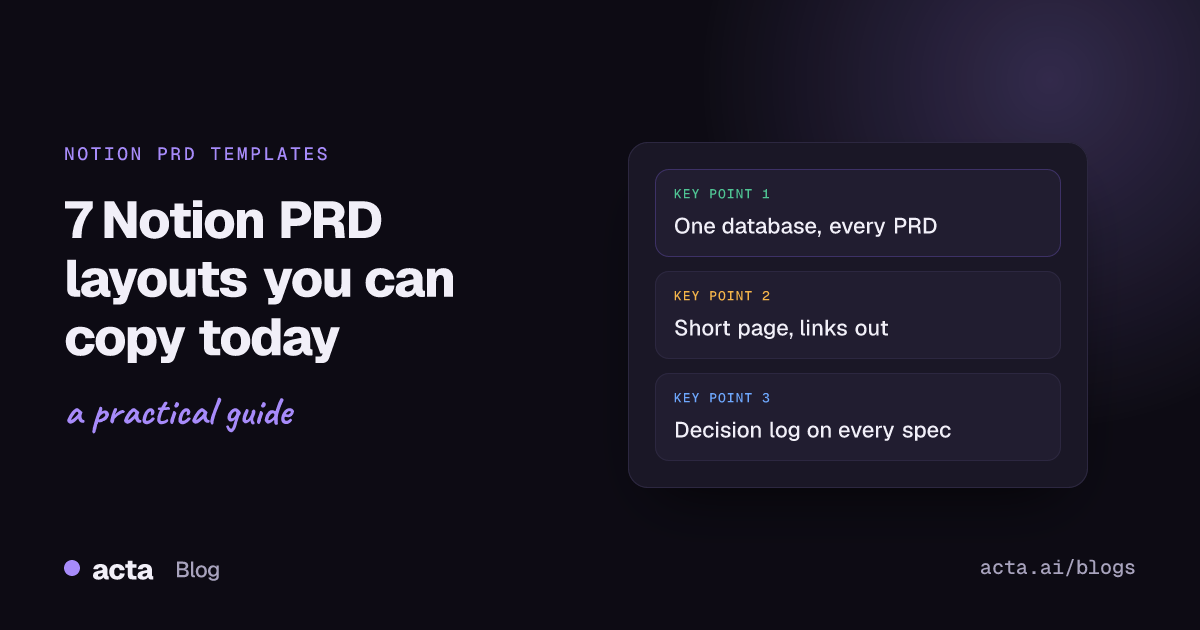
A good Notion PRD template is a database of PRDs, not one long page. Give every PRD the same properties (status, owner, target release, linked epic), keep the body to five blocks (context, goals, requirements, constraints, open questions) and link out to designs and tickets instead of pasting them in. Below are seven layouts you can copy, each with when to use it.
This is for product managers and tech leads who already live in Notion and want PRDs that people actually open after kickoff. If your team writes specs in Confluence or Google Docs and only glances at Notion, skip the database setup and take the page layouts alone. They work anywhere.
Key takeaways
- Set up PRDs as rows in one Notion database with 5-7 properties, so you can filter by status, owner and release.
- Keep the page body short: Notion's own guide says a PRD is typically a one-page document that links out.
- Put open questions and decisions in their own toggles with a date and an owner on each line.
- Use a linked view of your tasks database inside the PRD, so the spec and the work never drift apart.
- Pick one layout per product stage: a one-pager for bets, the full template for committed work.
Table of contents
- A Notion PRD template works best as a database
- Four examples cover the PRD page itself
- Three examples keep the PRD connected to the work
- Match the example to the stage of the work
- Four Notion features do most of the heavy lifting
- Most Notion PRDs fail in the same five ways
- Product meetings fill the gaps a template can't
- Frequently asked questions
- Choose your Notion PRD template
A Notion PRD template works best as a database
The first decision about a product requirements document in Notion isn't what goes on the page. It's where the page lives. If each PRD is a loose page under a "Specs" heading, you'll have forty of them within a year and no way to answer "what's in review right now?" without opening each one.
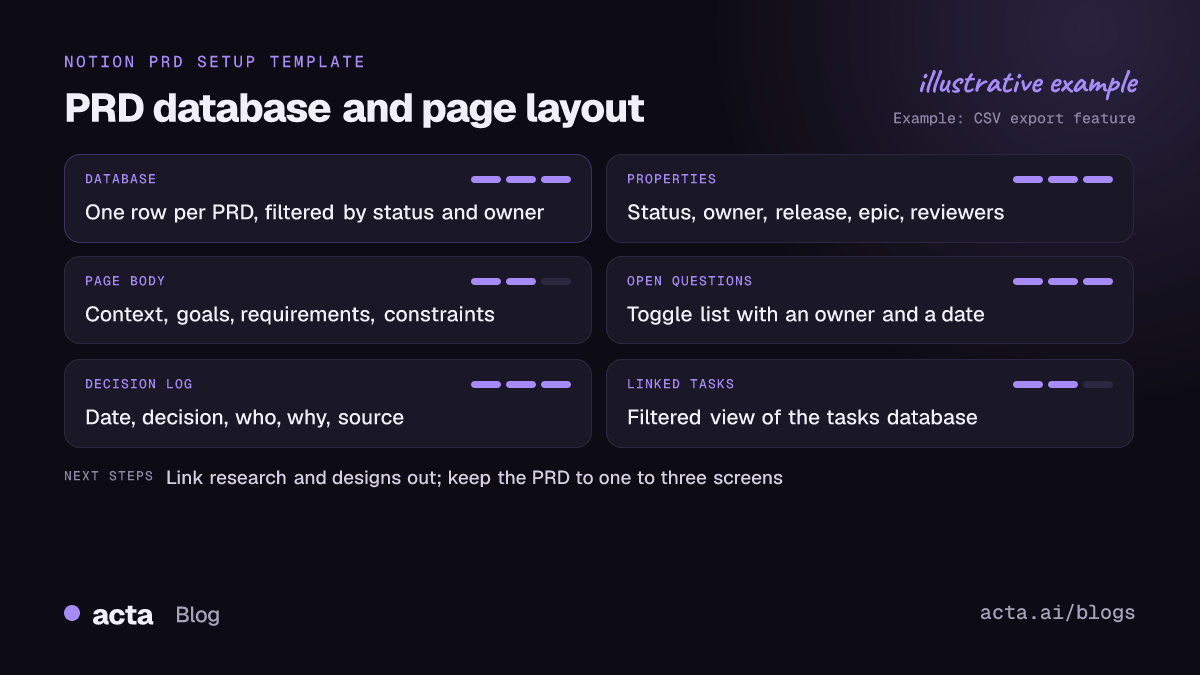
Create one database called Product requirements and make every PRD a row. Then add a database template (Notion lets a database hold page templates, so "New" gives you the layout pre-filled). These are the properties I'd start with:
- Status: Draft, In review, Approved, Shipped, Parked.
- Owner: a person property, one name only.
- Target release: a select or a date.
- Epic: a relation to your epics or projects database.
- Reviewers: a person property with engineering, design and anyone in legal or support who needs to sign off.
- Last decision: a date you update when something changes, so stale specs stand out.
Notion's guide on building a product requirement document in Notion lists five things every PRD shares: context, goals or requirements, constraints, assumptions and dependencies. It also says a PRD is typically one page that links out to other sources. That's the right instinct. The examples below follow it.
Four examples cover the PRD page itself
Copy any of these into a Notion database template. Headings become Notion headings, bracketed lines are prompts you replace.
Example 1: the one-page bet
Problem: [One paragraph. Who has the problem, how often, how we know.]
Bet: [What we think will fix it, in two sentences.]
Success looks like: [One metric and the number that would make us keep going.]
Not doing: [Two or three things people will assume are included.]
Open questions: [Toggle list. Each line: question, owner, date needed.]
When to use it: early ideas you want feedback on before anyone estimates. If it can't fit on one screen, the idea isn't clear yet.
Example 2: the full PRD page
Context: [Why now. Link the research, call notes or support tickets that started this.]
Goals and non-goals: [Bullets. Non-goals matter as much as goals.]
Users and user stories: [As a [role], I want [action] so that [outcome]. One per line.]
Requirements: [Numbered. Mark each Must, Should or Later.]
Constraints and assumptions: [Tech limits, deadlines, budget, what we're taking on faith.]
Dependencies: [Teams, vendors, other PRDs. Use @-mentions so they get notified.]
Release plan: [Phases, flags, who gets it first.]
When to use it: committed work that crosses two or more teams. The user story line follows the who, what and why pattern Mike Cohn describes on Mountain Goat Software's user stories page, which keeps each requirement tied to a person and a reason.
Example 3: the requirements table inside the page
Inline database called Requirements, with these properties:
ID (R-01, R-02...) | Requirement | Priority (Must, Should, Later) | Status (Open, Agreed, Built, Cut) | Acceptance criteria | Linked ticket
When to use it: specs with more than ten requirements, where engineering needs to filter for "Must and still Open". A bulleted list stops working past about a dozen lines, and an inline database lets you sort and cut without rewriting the page.
Example 4: the AI feature PRD
What the model does: [Input, output, and the one job it's trusted with.]
What a good answer looks like: [Three real examples, pasted as toggles.]
What a bad answer looks like: [Three failures you must catch, and what the user sees instead.]
Human review: [Where a person checks the output before it reaches a customer.]
Data: [What the feature reads, what it stores, who can see it.]
Evaluation: [How you'll test it before launch and after.]
When to use it: anything with a language model inside. The good and bad answer toggles do more for alignment than a page of prose about "quality".
Three examples keep the PRD connected to the work
The page is half the job. These three blocks keep it alive after kickoff, which is where most PRDs die.
Example 5: the decision log toggle
Decisions (toggle, newest first)
2026-11-10 | Ship CSV export before PDF export | Decided by Priya | Reason: most export tickets ask for CSV | Source: product review notes
2026-11-03 | No per-user export limits in v1 | Decided by Marco | Reason: abuse risk is low, revisit after launch
When to use it: every PRD that goes past Draft. The point is the shape: date, decision, who, why, and where it was decided.
Example 6: the linked task view
/linked view of Tasks database, filtered to Epic = this PRD's epic, grouped by Status, showing Owner and Due date.
When to use it: teams that track tasks in Notion rather than Jira. Readers see progress without leaving the spec. If your tickets live in Jira, link the epic at the top instead and don't try to mirror it.
Example 7: the review checklist
[ ] Engineering lead has read the requirements and flagged anything unbuildable
[ ] Design has linked the current file, not last month's
[ ] Support knows what changes for customers
[ ] Every open question has an owner and a date
[ ] Non-goals are written down
When to use it: as the last block of the database template, so moving a PRD to "In review" means ticking these first. A template button can stamp it into older PRDs that predate it.
Match the example to the stage of the work
You don't need all seven on every PRD. This is how I'd combine them.
| Stage | Use these examples | Typical length |
|---|---|---|
| Idea or bet | 1 and 7 | One screen |
| Committed, one team | 2 (trimmed), 5, 6 | Two to three screens |
| Committed, several teams | 2, 3, 5, 7 | Three to five screens |
| AI feature | 4, 3, 5 | Three screens plus examples |
For layouts that aren't tied to Notion, such as an Amazon-style PR-FAQ or an API spec, see our roundup of PRD template examples. If you run sprints and update the spec as stories change, the agile PRD template examples show how to keep a living version.
Four Notion features do most of the heavy lifting
Most Notion PRD templates you'll find in the Notion template gallery look good on day one. The ones that last use a few features well.
- Database templates. Set your layout as the default template on the PRD database. Every new row starts the same, which matters more than which layout you pick.
- Relations. Relate PRDs to epics, research notes and customer feedback databases. Then the "why" is one click away instead of a dead link in a paragraph.
- Linked views. Show a filtered view of another database inside the PRD (Example 6). The menu label has changed over the years, so type /linked and pick the option that appears.
- Synced blocks. Put a shared block, like your company's definition of done, in one place and sync it into every PRD. Edit it once and every copy updates.
Skip the fancy dashboards with progress bars and emoji status icons. They take an afternoon to build and nobody updates the rollups.
Most Notion PRDs fail in the same five ways
- The page becomes a wiki. Research summaries, competitor screenshots and meeting notes get pasted in until the requirements are on screen nine. Link them; don't paste them.
- Nobody owns open questions. "Do we support SSO?" sits in a comment thread for three weeks. Give every question a name and a date.
- Decisions live in Slack. The PRD says one thing, the team agreed another thing on a call, and the new engineer builds from the PRD.
- No non-goals. Without them, scope grows quietly through "small" asks in review.
- Too many templates. Three teams, five PRD templates. Pick one database template and one short variant, and delete the rest.
Product meetings fill the gaps a Notion PRD template can't
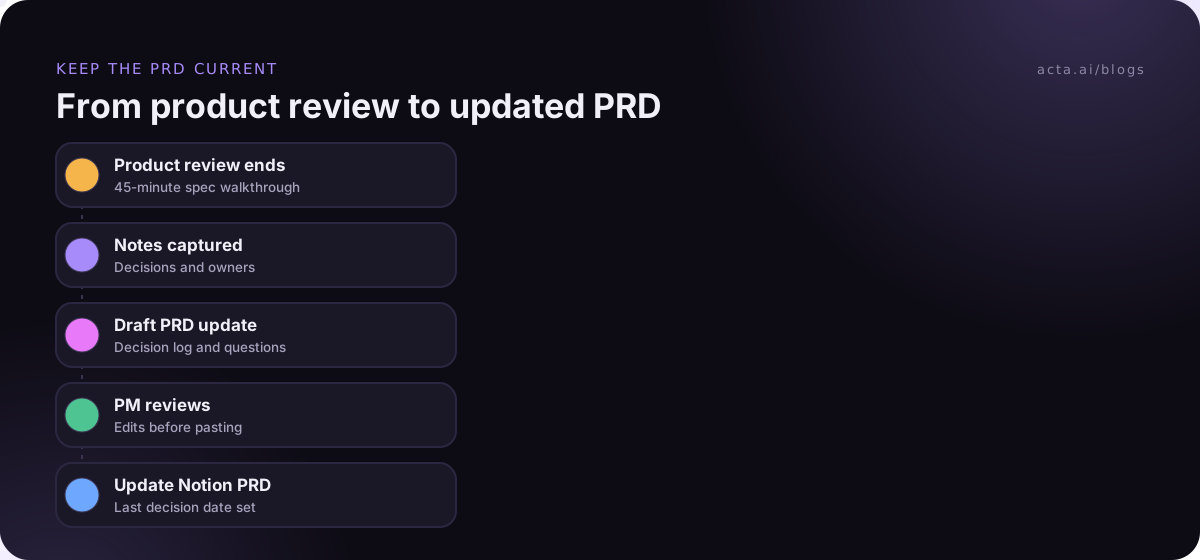
A Notion PRD template gives you the structure. The content mostly comes from conversations: customer interviews, design reviews, the engineering call where someone says "that'll take three sprints, not one". If those decisions don't make it back into the PRD within a day, the doc starts lying.
A workable habit: after any meeting that touches the spec, spend five minutes updating the decision log and open questions. If you record those calls to get an accurate transcript, tell people first and know the rules where you work; our guide to recording meetings legally and with consent covers what to say. If you'd rather not add a bot to a design review, a desktop recorder can capture the call from your own computer.
Where Acta fits
Acta records product meetings and writes summaries, decisions and action items with owners. One of its report templates drafts a PRD from your product meetings, which we describe in PRD drafts written from product meetings, and Notion is among its integrations. You still review and edit the draft; it saves the first pass, not the thinking.
Frequently asked questions
Does Notion have a free PRD template?
Yes. Notion's template gallery has a product requirements category with free and paid templates from Notion and from creators. Free ones are fine as a starting point. Whatever you pick, move it into a database template on your own PRD database, so every new spec starts the same way and you can filter them later.
What should a PRD in Notion include?
At minimum: context, goals and non-goals, requirements with priorities, constraints and assumptions, dependencies, open questions with owners, and a decision log. Notion's own guide names context, goals or requirements, constraints, assumptions and dependencies as the shared parts. Add user stories and acceptance criteria if engineering works from them directly.
Should I write PRDs in Notion or Confluence?
Write them where your engineers already read. If tickets live in Jira and docs in Confluence, a Notion PRD becomes one more place to check. If your team plans, tracks tasks and writes docs in Notion, the database approach in this post works well because specs, tasks and research can be related directly.
How long should a Notion PRD template be?
Aim for one to three screens of body text, with everything else linked. A one-page bet for early ideas, a longer version for committed cross-team work. If people scroll past the requirements to find the release plan, the page is too long. Move research and meeting notes to related databases instead.
How do I keep a Notion PRD up to date after kickoff?
Give it an owner, a decision log and a "Last decision" date property. Update the log after every meeting that changes scope, ideally the same day. Filter your PRD database for specs that are In review or Approved but haven't changed in a month, and check whether they still match what's being built.
Choose your Notion PRD template
Before you build anything, settle these five points with your team. It takes one meeting and saves months of inconsistent specs.
- Pick the home: one PRD database, with a default database template.
- Set the properties: status, owner, target release, epic relation, reviewers, last decision date.
- Choose two layouts: the one-page bet (Example 1) and one full version (Example 2 or 4).
- Add the living parts: decision log, linked task view and review checklist on every committed PRD.
- Agree the update rule: whoever runs a meeting that changes scope updates the PRD the same day.
If your product calls run on Zoom or Teams and you'd like the decisions written down for you, try the Acta desktop app with a 15-day free trial.