Multilingual teams in Europe meet in the language of the work
A multilingual team, in the sense this guide uses, is a company where different groups do their daily work in different languages and use English, or sometimes French, as the bridge between them. That's ordinary in Europe. The EU itself works with 24 official languages, and member states add their own: the Court of Justice points out that Luxembourgish is an official language in Luxembourg but not of the EU.
Inside multilingual teams Europe meetings tend to follow function rather than nationality. The plant in Stuttgart holds its design reviews in German because the engineers think in German and the drawings are labelled in German. The French head office runs operations in French. The Madrid sales team talks Spanish to customers and to each other. Then the weekly leadership call runs in English because it's the one language everyone shares, even if nobody's first language is English.
Forcing every meeting into English to get usable notes is a bad trade. People say less in their second language, they hedge less precisely, and the junior engineer who would have raised the tolerance problem in German keeps quiet in English. The better approach is to let each meeting run in its natural language and solve the record-keeping afterwards.
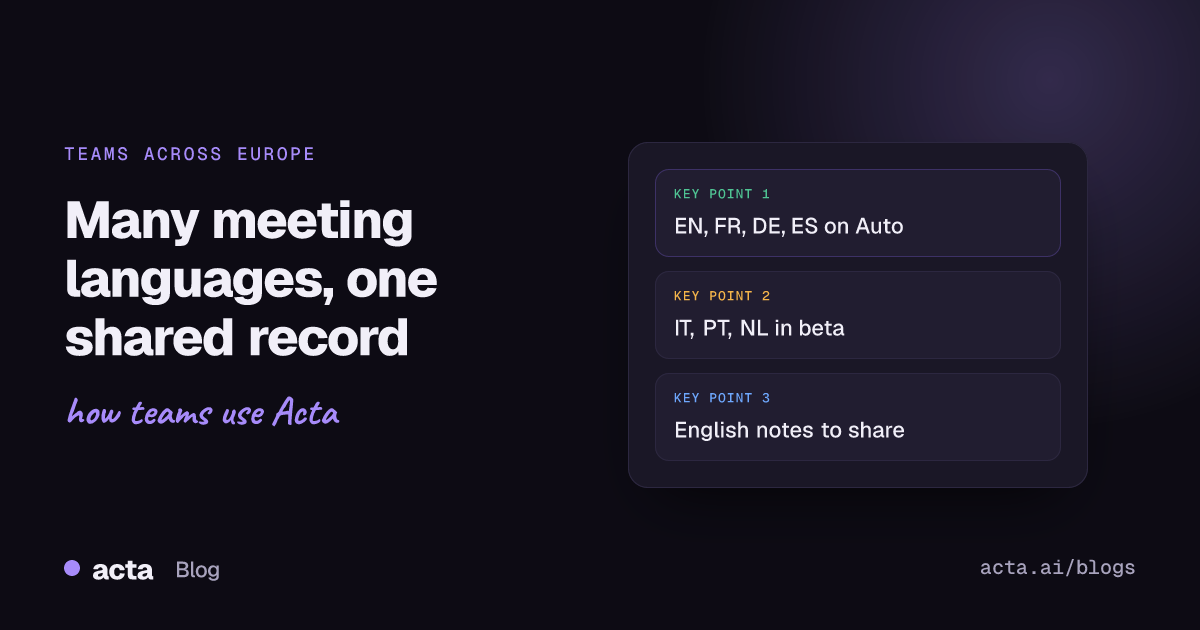
Four EU languages are automatic, three more are beta
Acta detects English, Hindi, French, Spanish and German automatically; ten more languages can be chosen in Settings. For European teams, that splits into three groups:
| Language | How to set it | Status |
|---|
| English, French, German, Spanish | Auto, or pick it by name | Detected automatically |
| Italian, Portuguese, Dutch | Pick it by name in Settings | Beta: works, accuracy improving |
| Arabic, Japanese | Pick it by name in Settings | Beta, useful for partner calls |
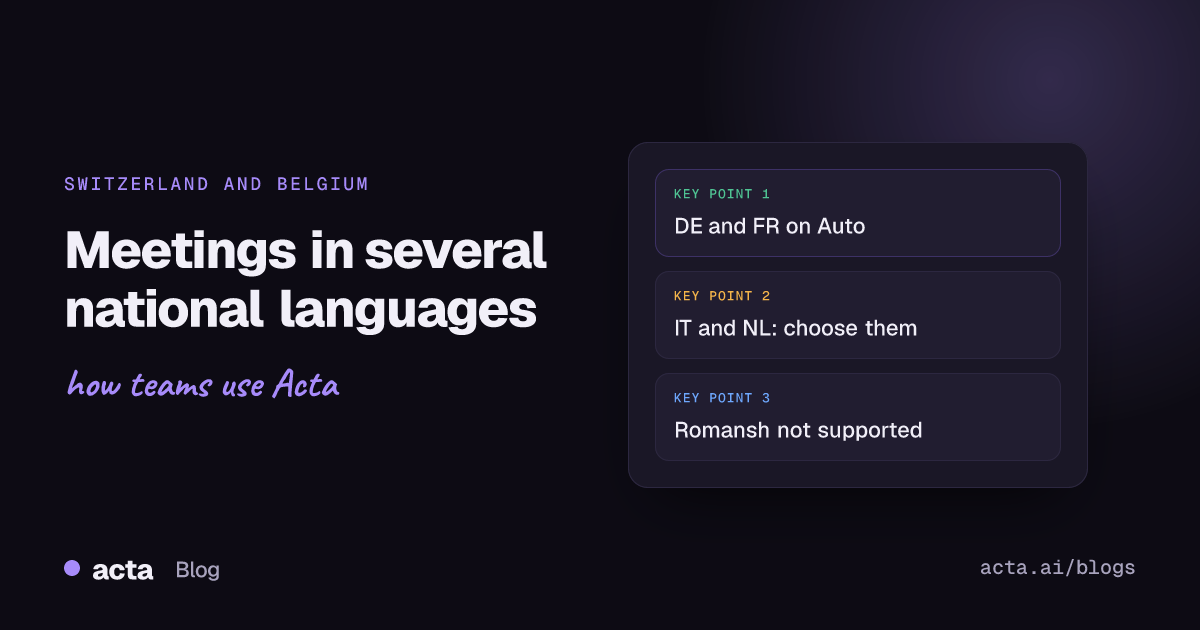
| Polish, Swedish, Greek, Czech, Luxembourgish and others | Not available | Not supported |
Two things follow. First, Auto only chooses among its five languages, so it will never pick Italian, Portuguese or Dutch. A buyer in Bologna whose account is on Auto will get a wrong transcript for every Italian supplier call until she chooses Italian. Second, there's no partial support for the unsupported languages. If your Warsaw or Gothenburg team holds meetings in Polish or Swedish, Acta can't transcribe them today; those teams can still use it for their English meetings.
The full list of 15 languages, including Hindi and the Indian beta languages, is in the help article on meeting languages. If you want the setup steps on their own, our guide to which languages an AI notetaker supports and how to set them covers each option on the Language card.
The person who records decides how a meeting is processed
The Language card lives in each person's own settings (Settings > Meetings > Language), not in a company-wide admin panel. It has two choices: "Language spoken in meetings" (English by default, Auto, or one of the 15 languages) and "Language for my notes" (Same as the meeting, or English). The setting applies to new meetings; past meetings stay as they were.
In practice, the person whose Acta records the meeting decides how it's processed. If Klaus in Stuttgart sends the Acta bot to the design review, his settings apply. If Lucía in Madrid also records the same call from the desktop app, her copy follows her settings. That's flexible, but it means a rollout has to reach the people who record, which is usually team leads, project managers and salespeople rather than everyone.
Each meeting page shows a small language chip next to the tabs, with a "Change language" link to the card, and the meeting-notes email shows the language too. Ask the people who record to glance at that chip for their first few meetings. It's the fastest way to catch someone still on the English default.
One English record, local notes where the team works
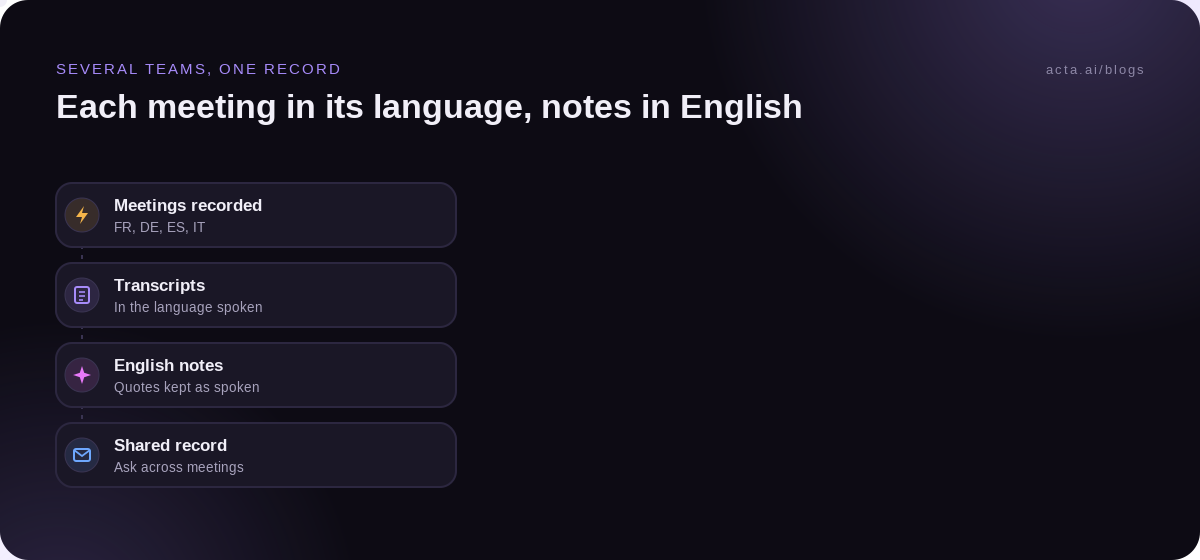
The transcript always stays in the language people spoke: German for the design review, Spanish for the pipeline call. Only the notes (summary, decisions, action items, report templates and the follow-up email draft) change with the notes setting, and the choice is the meeting's language or English. Acta doesn't translate notes into a third language.
That constraint makes the policy simple. For anything read across departments or countries, set notes to English. For a meeting whose readers all share its language, keep "Same as the meeting". A French operations meeting read only by the Lyon team can stay in French; the same meeting summarised for the German plant manager has to be in English, because French-to-German notes aren't an option.
English notes don't flatten what people said. Quotes stay in the original language, and names, amounts, dates, formulas and part numbers are kept exactly as spoken. A German engineer's warning stays in German in the quote, with the English summary around it. Report headings and the Acta dashboard stay in English whatever you choose, which helps a mixed team find the same sections in every report.
Questions work in any of the languages. Ask OneChat in Spanish and it answers in Spanish; ask in English and it answers in English, even when the meetings it searched were held in German and French. For a leadership team that reads everything in English, that's often how the shared record gets used: not by opening each meeting, but by asking across them.
A worked example: one week at a Lyon equipment maker
An illustrative company, not a customer: a maker of packaging machines headquartered in Lyon, with engineering in Stuttgart, sales in Madrid, a supplier network around Bologna and a spare-parts warehouse in Rotterdam. Here's one week of meetings and how each was set up.
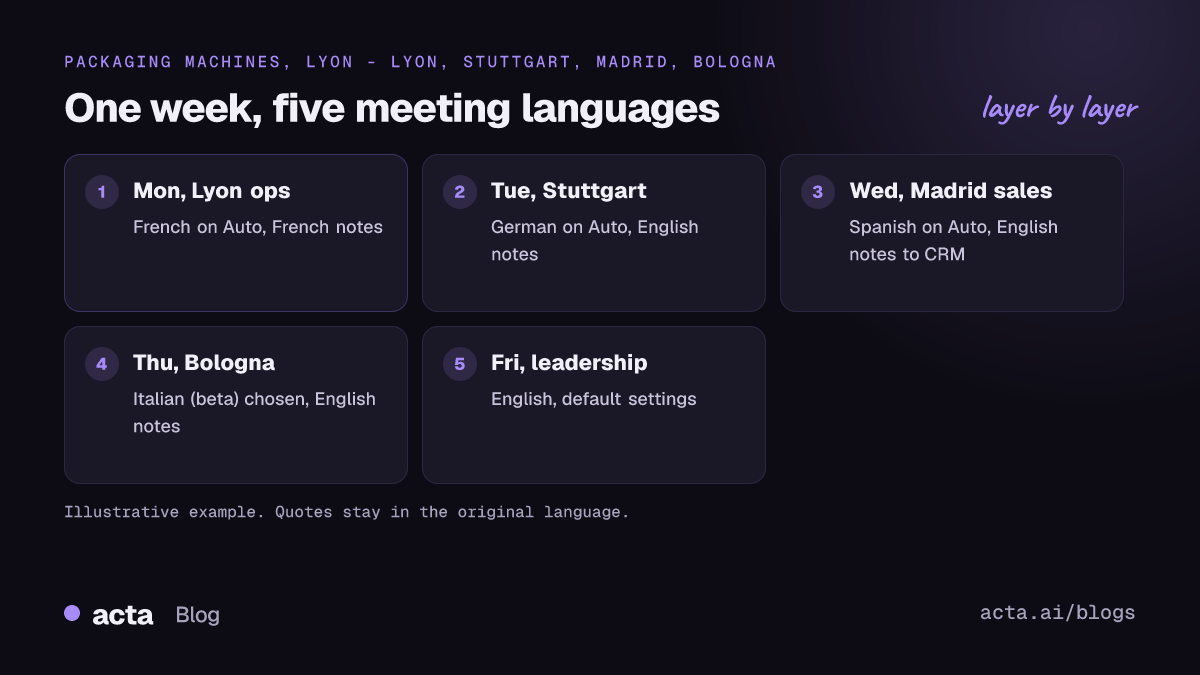
- Monday, Lyon operations review (French). Recorded by the operations director on Auto, notes in French, since only the Lyon team reads them.
- Tuesday, Stuttgart design review (German). Recorded by the engineering lead on Auto, notes in English, because the Madrid sales team needs the delivery dates.
- Wednesday, Madrid pipeline call (Spanish). Auto, English notes, sent on to the CRM.
- Thursday, Bologna supplier call (Italian). The procurement buyer chose Italian (beta) before the call and English notes for the plant.
- Friday, leadership call (English). Default settings; nothing to change.
The Tuesday notes, set to English, might carry lines like these (illustrative):
Decision: the new sealing unit ships with the March batch, not February.
Action: Klaus sends the revised tolerance drawing to Bologna by Friday.
Key quote: "Das müssen wir mit dem Lieferanten noch abstimmen." (We still have to agree that with the supplier.)
The French notes from Monday read differently, because they stay in French: "Décision : on décale la mise en service à fin janvier." (Decision: we push commissioning to the end of January.) Both records sit in Acta, and the leadership team asks OneChat in English which deliveries moved this week. The Rotterdam warehouse isn't in this week's example on purpose: its meetings are in Dutch, which is beta, and the site lead hasn't switched yet. That's fine. Not every team has to move at once.
Roll it out one department at a time over four weeks
A company-wide switch on a Monday morning tends to produce a week of wrong transcripts and a lot of doubt. A staged rollout works better.
- Week 1: map the meetings. List recurring meetings by language, who records them and who reads the notes. A spreadsheet with four columns is enough.
- Week 2: pilot two teams. Pick one team on an automatic language (German engineering, say) and one on a beta language (Italian procurement). Each person who records sets their Language card and checks the chip on every meeting.
- Week 3: fix the notes language. Review which notes were read outside the team. Move those recorders to English notes and leave the rest on the meeting's language.
- Week 4: write it down and widen. Publish a one-page policy (see the checklist at the end), then add the remaining teams, beta languages last.
Two side points for the pilot. If a site blocks meeting bots, people can record from their own computer with the Acta desktop app, and the language settings work the same way. And before the first recording, agree how you tell participants. Our guide to recording consent and what to tell participants is a starting point, and for the data-protection side, the GDPR checklist for AI note takers is useful general reading. Neither is legal advice; your data protection officer should sign off on the policy.
Five mistakes that break a multilingual record
These are the predictable ones, and each has a simple fix.
- Leaving beta languages on Auto. Italian, Portuguese and Dutch meetings come back wrong on Auto. The recorder has to choose the language by name.
- Changing the setting after the meeting. The setting applies to new meetings only. Set it before the call.
- Expecting notes in a third language. A Spanish meeting gives Spanish or English notes. If the German plant needs to read it, English is the answer.
- Mixing languages inside one meeting. Acta handles one language per meeting. If the first half is French and the second half German, choose the one most people spoke, or split it into two recordings. Hindi-English mixing is the one supported mix, which matters for Indian colleagues but not for European pairs.
- Assuming every country is covered. Check the list before promising the Warsaw office anything. Polish isn't supported, and saying so up front avoids a bad first impression.
How this compares with interpreters, translation and English-only meetings
Multilingual teams have handled meetings for decades without AI notes. It's worth being clear about what this approach replaces and what it doesn't.
Interpreters. For a works council, a board with legal weight or a negotiation, a human interpreter is still the right call. The European Commission's own translation service sets out why multilingualism matters for the EU: language carries legal and political weight. Meeting notes don't replace an interpreter in rooms like that.
Machine translation after the fact. Pasting a French summary into a translation tool works for a one-off, but nobody keeps it up for every meeting, and translated text loses the link to the original transcript.
English-only meetings. Simple for record-keeping, costly for the discussion. You trade worse meetings for easier notes.
Per-meeting language processing with English notes. Meetings stay natural, the transcript keeps the original words, and the shared record is in one language. The cost is a little discipline about settings and the limits above.
Where Acta fits
Acta records Zoom, Google Meet and Microsoft Teams with a bot, from the desktop app or the Chrome extension, and turns each meeting into a transcript in the spoken language plus notes in that language or English. OneChat answers questions across meetings with sources, and Acta doesn't use customer data to train AI models. For Portuguese-speaking offices, the Portuguese meeting transcription guide goes deeper on one beta language.
Frequently asked questions
Which European languages can an AI notetaker transcribe?
Acta transcribes seven European languages. English, French, German and Spanish are detected automatically. Italian, Portuguese and Dutch are beta languages you choose by name in Settings. Polish, Swedish, Greek, Czech, Luxembourgish and other European languages aren't supported, so teams that meet in those languages can only use Acta for their meetings held in a covered language.
Can each person on a team use a different meeting language?
Yes. The Language card is in each person's own settings, so a German engineer can stay on Auto while an Italian buyer chooses Italian. The person whose Acta records a meeting decides how it's processed. Because the setting applies to new meetings only, people should check it before a meeting that runs in a different language from usual.
Can I get notes in German from a French meeting?
No. Notes come in the meeting's language or in English, and Acta doesn't translate into a third language. A French meeting gives French or English notes. For multilingual teams Europe meetings that need one shared record across languages, English notes are the practical choice, with quotes kept in the original language.
What happens if a meeting switches between two European languages?
Acta processes one language per meeting, so choose the language most of the meeting is held in. Short phrases in another language may not come out well. If a meeting is planned in two halves, for example French and then German, record them as two meetings with the right language set for each.
Is an AI notetaker GDPR-friendly for EU teams?
That depends on your setup, your contracts and how you inform participants, so it's a question for your data protection officer rather than a yes or no. As general reading, our GDPR checklist for AI note takers lists what EU teams usually review. This guide isn't legal advice, and Acta makes no certification claims here.
Write a meeting language policy for multilingual teams
A one-page policy prevents most of the problems above. Cover these points and share it with everyone who records meetings:
- Map languages to meetings: list which recurring meetings run in which language, and who records each one.
- Set the shared record: English notes for anything read across departments or countries; local-language notes for meetings that stay inside one team.
- Name the beta languages: tell Italian, Portuguese and Dutch speakers to choose their language by name, and to check the language chip.
- State what isn't covered: list the languages Acta doesn't support yet, so nobody is surprised.
- Agree on consent: one sentence people say at the start of a recorded meeting, in the meeting's language.
When the policy is ready, have one recorder per team install the Acta Chrome extension or the desktop app and start with the 15-day free trial.