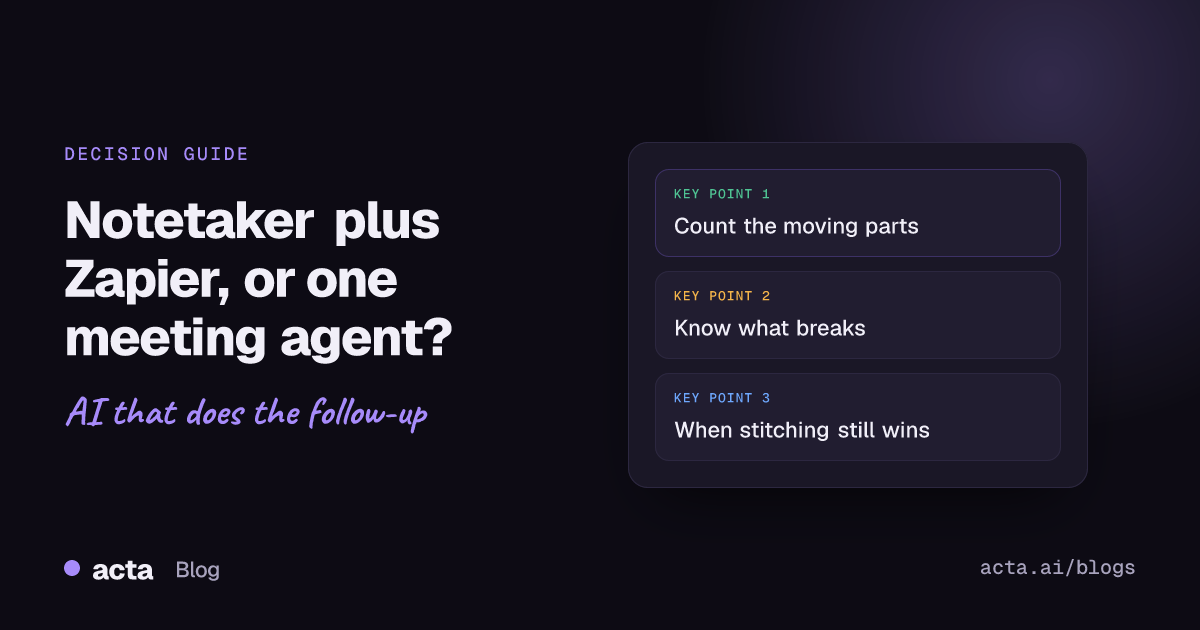
Quick answer: A Zapier meeting recorder setup (Otter, Fireflies or Fathom plus Zapier or Make) is right if you already run lots of Zaps and need apps a meeting tool doesn't reach. A single meeting agent is better when most of your follow-up work starts with a call: fewer moving parts, fewer vendors holding transcripts, and less to fix when a field or login changes.
Most teams don't plan this. Someone signs up for a notetaker, someone else finds the Zapier integration, and six months later the Tuesday pipeline review depends on a chain of four tools nobody fully owns.
That chain might be fine. Or it might be why your CRM notes stopped arriving three weeks ago and nobody noticed. Here's how to tell which situation you're in.
What does a Zapier meeting recorder setup look like?
The usual shape is:
- A notetaker joins or captures the call (Otter, Fireflies, Fathom, and so on).
- When the transcript or summary is ready, the notetaker fires a trigger in Zapier or Make.
- An AI or Formatter step reshapes the text into what you need.
- Zapier sends it on: a Slack post, a HubSpot note, a Jira ticket, a Google Sheets row.
The notetakers all support this in slightly different ways. Fireflies' own Zapier integration guide walks through a webhook that fires when a meeting is transcribed, then a second step that fetches the transcript through their API. It also notes that Webhooks by Zapier isn't available on Zapier's free tier. Fathom's Zapier app has separate triggers for a new AI summary, a new action item and a new transcript. Otter's listing shows a "New Recording" trigger.
So you have choices. But each choice is something you have to understand and keep working.
Take the Fireflies Zapier route as an example. The webhook version gives you a clean "it's transcribed" signal, but it's two steps, needs a paid Zapier plan, and the second step is an API call you have to set up yourself. The native trigger is simpler but gives you whatever fields the app chooses to send. Neither is wrong. They're just different amounts of plumbing, and someone on your team has to pick one and remember why.
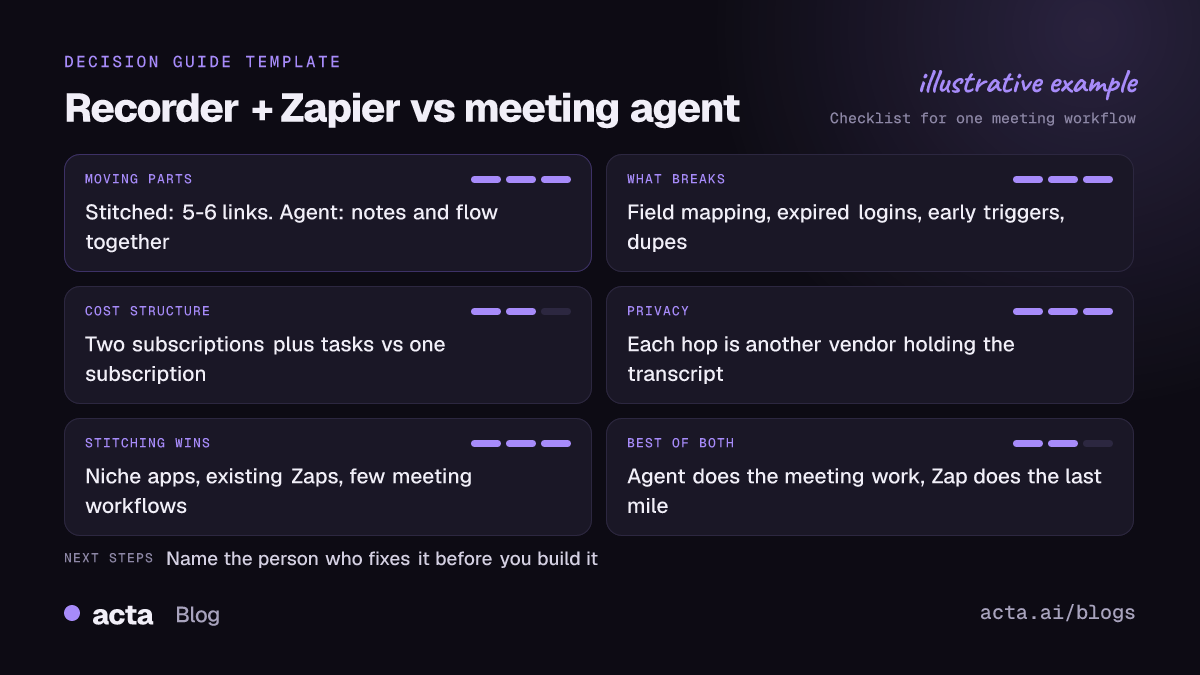
How many moving parts are you signing up for?
Count them honestly. For one "post the recap to Slack and log a CRM note" workflow:
- The notetaker account and its calendar connection.
- The notetaker's connection inside Zapier.
- The Zap itself, with its trigger, filters and field mapping.
- An AI step (or a prompt inside one) that turns a transcript into a recap.
- The Slack connection and the HubSpot connection inside Zapier.
That's six things that can break, owned by at least two vendors and usually one person on your side. When that person goes on holiday, the workflow is unowned.
With a meeting agent, the meeting data and the workflow live in the same place. In Acta, the transcript, summary, action items with owners and due dates, and decisions already exist when the "meeting ended" trigger fires, because the trigger waits for the summary to be ready. You still connect Slack and HubSpot. But the transcript-to-data plumbing is gone.
What breaks in a stitched setup?
These are the four I see over and over. None are exotic.
Field mapping drifts
Your Zap maps "summary" from the notetaker into a HubSpot note. Then the notetaker renames a field or splits the summary into sections. The Zap still runs. It just posts an empty note, or the wrong chunk of text. Nobody gets an error.
Connections expire
Zapier's help article on managing app connections explains how to reconnect an expired one. Zapier's own troubleshooting pages list password changes and apps revoking access for inactivity as common causes. In practice that means your rep, Marco, resets his Google password and the CRM notes quietly stop.
The transcript isn't ready yet
Some triggers fire when the call ends, not when the summary is done. If your Zap grabs the text too early, it gets nothing or a partial version. This is why Fireflies recommends the "transcribed" webhook and why Fathom offers a separate summary trigger. Pick the wrong one and you'll debug it for an afternoon.
Duplicate runs
Zapier's article on how Zapier handles duplicate data explains that deduplication happens per Zap. So two Zaps on the same trigger both fire, which is often what you want, until someone copies a Zap to "test something" and leaves it on. Now every customer gets two follow-up emails. And action-item triggers fire once per item, so a meeting with eight to-dos runs that Zap eight times.
For a longer list of failure modes, see why automations break.
What does each approach cost?
I won't quote prices, because the plans change too often and I'd rather you look at today's numbers. But the structure is easy to reason about.
Stitched setup:
- A notetaker subscription, often per seat. Some notetakers only offer their Zapier integration on paid plans.
- A Zapier (or Make) subscription. Zapier counts a task for each successful action, per its task usage help article, so a three-action Zap uses three tasks per meeting. Per-item triggers multiply that.
- Possibly an AI model cost, if you call one from the Zap.
- Your time to build and fix it. This is the one people forget.
Meeting agent:
- One subscription that covers notes and the workflow. For Acta, see the pricing page for which plans include what.
- Less build time, because you aren't rebuilding meeting data from a transcript.
The stitched setup can still be cheaper if you already pay for Zapier for twenty other things and the meeting Zaps are a rounding error. That's a real scenario. Do the maths on your own numbers.
What about privacy?
Every hop is another company holding a copy of what was said. In a stitched setup, the transcript goes from the notetaker to Zapier, maybe to an AI provider, then to the destination app. Each one has its own retention rules and its own sub-processors. Your security reviewer will ask about all of them.
A meeting agent cuts that down: the meeting stays where it was captured, and only the result (a Slack message, a CRM note) goes out. Acta doesn't use customer data to train AI models, and people only see meetings they have access to.
And either way, recording people needs their consent where the law requires it. Our guide on whether it's legal to record meetings with AI covers what to tell participants.
When is a notetaker plus Zapier still the right call?
More often than meeting-tool vendors like to admit. Stick with stitching if:
- You need apps a meeting tool doesn't reach. Zapier connects to a very long list of apps. If your follow-up has to land in a niche industry tool, Zapier probably has it.
- You already have working Zaps. Don't rip out something that works because a blog post said so. Including this one.
- Meetings are a small slice of your automation. If 90% of your Zaps are about billing, forms and leads, adding a few meeting ones is easy.
- You love your notetaker. Fair enough. We've written honest comparisons of Acta with Fireflies, Otter and Fathom if you want to check.
Can you mix a meeting agent with your existing Zaps?
Yes, and for a lot of teams that's the sweet spot. Let the meeting agent do the meeting work (summaries, action items, the deal report, the approval) and hand the result to Zapier for the last mile.
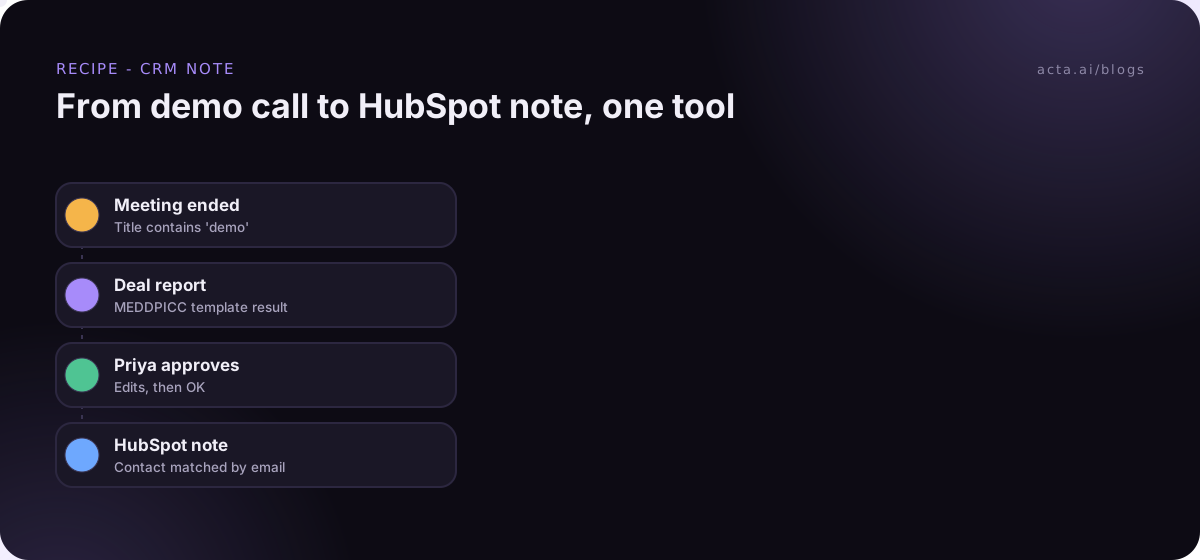
Example: your AE, Priya, runs demos all day. With Acta Agent Builder, an agent fires when a meeting with "demo" in the title ends. It pulls the MEDDPICC deal report Acta already filled from the call, pauses so Priya can edit and approve it, then adds it as a note on the HubSpot contact matched by email. If your ops team also wants a row in their forecast sheet that a Zap already handles, add a "Send to a Zap" step and their Zap does the rest.
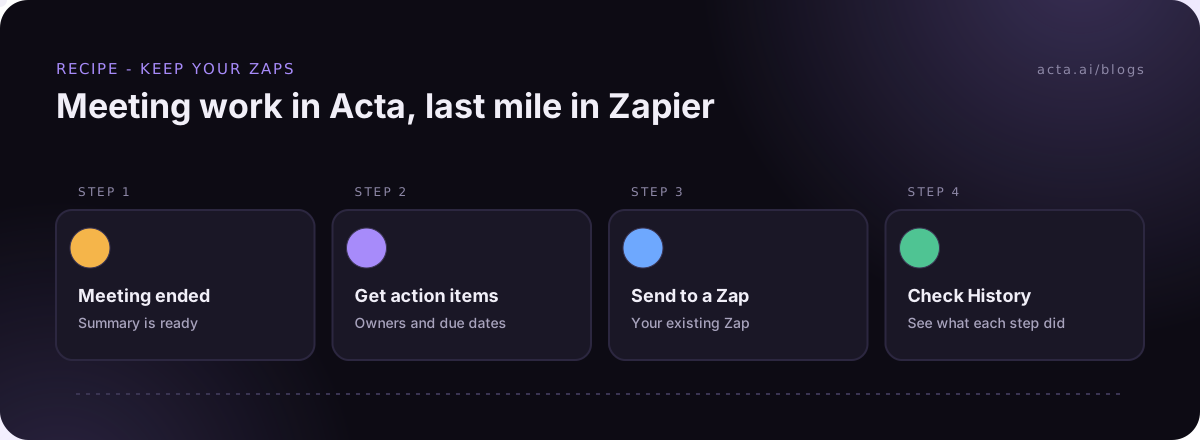
You can see what the agents can do on the Acta agents page. And if the human check in the middle sounds useful, we wrote a whole post on human approval in automation.
A quick checklist before you decide
Run through this with whoever will own the workflow. Twenty minutes, one coffee, and you'll save yourself a rebuild later:
- How many of your planned automations start with a meeting? If most do, lean towards a meeting agent.
- Do you need any app that the meeting tool can't reach directly? If yes, plan to hand off to Zapier or Make for that step.
- Who fixes it when it breaks? Name the person. If you can't, keep it simple.
- Does anything go to customers? Add an approval step, whichever route you take.
- How many vendors will hold your transcripts? Ask your security reviewer if that number is OK.
- Have you tested with a real meeting, not a sample payload? Sample data hides the "transcript not ready" problem.
If you answered "most of them start with meetings" and "nobody really owns the Zaps", a Zapier meeting recorder chain is probably costing you more than it looks. If you answered the other way, keep it and tidy it up.
Frequently asked questions
Can Zapier record meetings by itself?
No. Zapier moves data between apps. You need a notetaker or meeting tool to capture the call, and Zapier picks up what it produces.
Which notetakers work with Zapier?
Fireflies, Fathom and Otter all have Zapier integrations, with different triggers. Check which trigger fires when the summary is ready, not just when the call ends.
Why did my Zapier meeting recorder workflow stop?
Usually an expired app connection, a renamed field, or the trigger firing before the transcript existed. Check the Zap history first, then the app connections page.
Does a meeting agent replace Zapier?
For meeting workflows it can. For everything else, keep Zapier. Acta can send data into an existing Zap with "Send to a Zap".
Is a meeting agent more private?
It usually means fewer vendors hold your transcript, since only the final output leaves the meeting tool. You should still review each tool's data terms.
Want to try the agent route on your own calls? Start a free 15-day Acta trial.