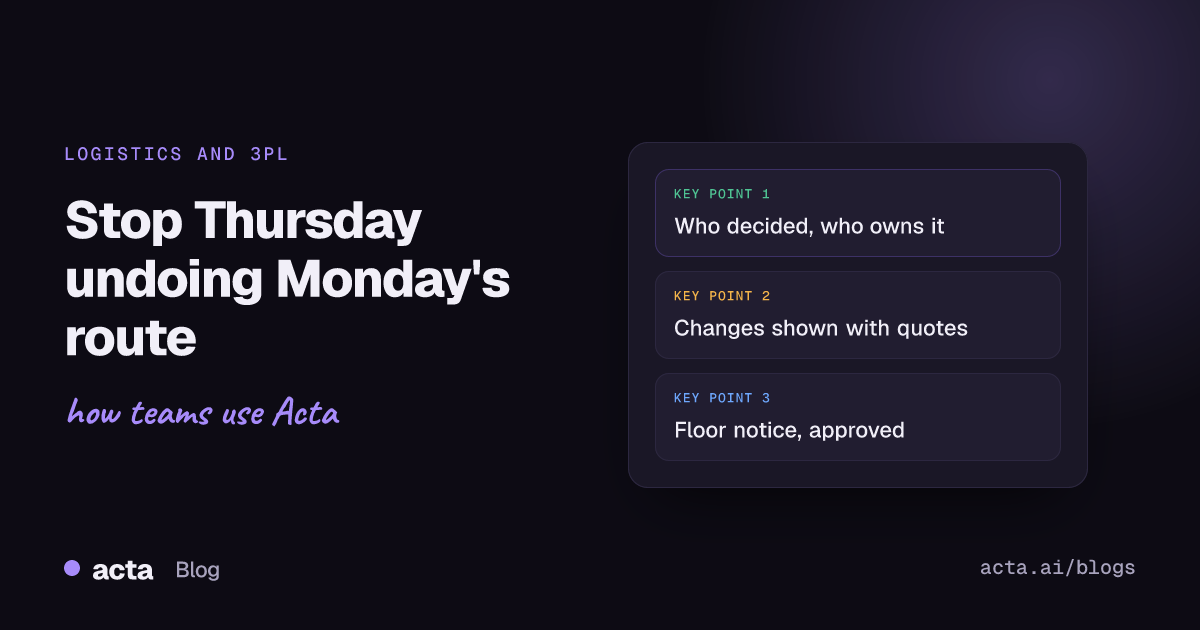
Agency feedback lives in calls, not in the proofing tool
Agencies have good tools for written feedback: proofing comments, annotated PDFs, tickets. The trouble is how much of it never gets written. Clients give the important feedback on review calls, where they think out loud, change their minds halfway through a sentence and mention the CEO's opinion in passing. The account executive takes notes while also managing the mood of the call. The designer who will make the change usually isn't there.
The meetings that matter in a typical agency week: client feedback rounds (R1, R2, R3) on each deliverable, weekly status calls per account, the internal WIP or traffic meeting where the studio manager assigns work, and internal creative reviews before anything goes back to the client. A 30-person agency with 12 retained accounts can easily run 20 client calls a week, each producing five to fifteen feedback points.
Without a tracker built from those calls, three things go wrong. Feedback gets compressed ("colour tweak") on its way to the studio. Conditional approvals get treated as final. And nobody counts rounds until the client does. Stanford's d.school has a short exercise on how to give feedback that helps clients and teams separate the person from the work; useful, but even well-given feedback is lost if it only exists in one person's notebook.
The lavender round cost 14 hours and a print slot
Illustrative, but you'll recognise it. Fernhill is a 30-person brand and digital agency with 12 retained accounts. One of them, a skincare brand, has hired Fernhill to redesign its pack range; the scope includes two revision rounds. Maya Lindqvist is account director, Sam Odhiambo the account executive, Jonah Price the senior designer, and Bea Holloway the studio manager who runs traffic. The client's brand manager is Claire Dubois.
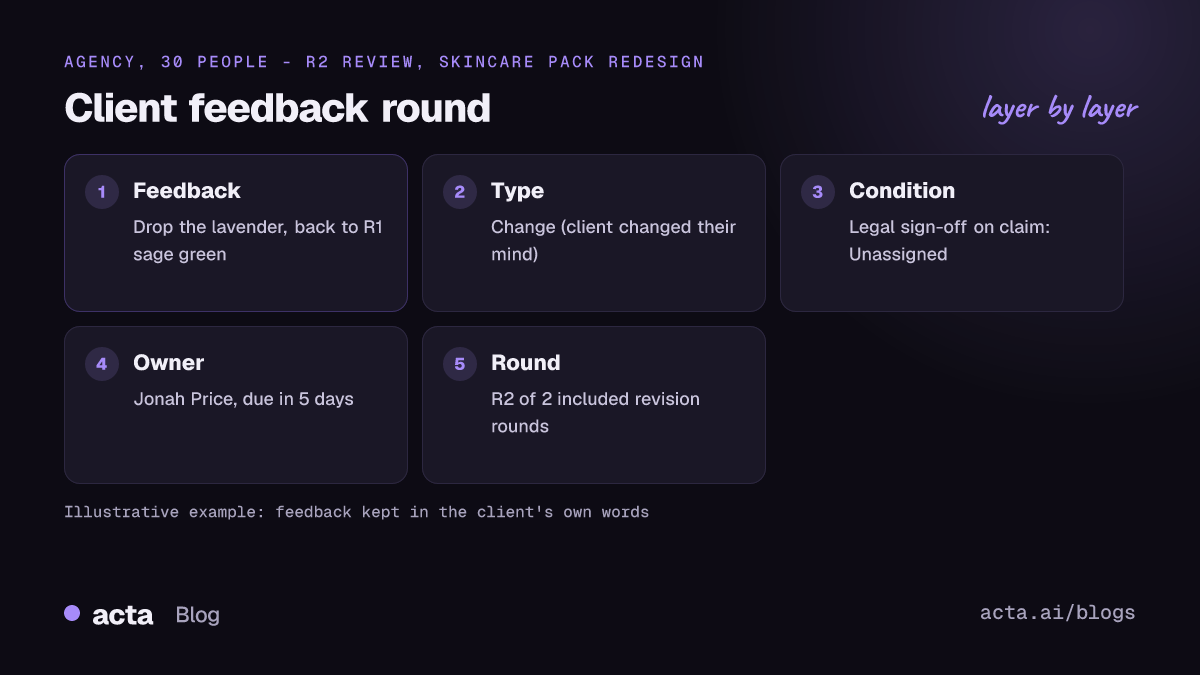
Thursday, R2 review call. Claire says: "Drop the lavender. Go back to the sage green from round one. And the 'clinically proven' line can't go on pack until our legal team signs it off." Sam is on the call; Jonah isn't.
Thursday evening. Sam posts in the account's Slack channel: "R2 notes: colour tweak, legal check on claims." Jonah reads "colour tweak" as "lighten the lavender." Nobody owns the legal check; Sam assumes Claire's team is doing it, Claire assumes Fernhill will chase.
Next Wednesday, R3 goes out. Lighter lavender. Claim still on pack. Claire replies: "This is our third round and two things I said last week were ignored."
The cost. Fernhill does R4 at its own expense, 14 studio hours, and the printer slot slips by a week. Maya spends a call apologising rather than presenting. The relationship survives, but the account's margin for the quarter doesn't.
PMI's paper on the top five causes of scope creep argues that a change that was approved isn't creep. Agencies turn that around: R4 wasn't new scope; it was rework caused by a paraphrase. That's harder to bill and more embarrassing to explain.
A client feedback tracker for agencies needs seven columns
Whether it lives in a sheet, your project tool or Acta, a usable tracker has these columns:
- Account and deliverable: "Skincare brand / 50ml jar front panel".
- Round: R1, R2, R3, and what the contract allows.
- Feedback in the client's words: "Go back to the sage green from round one." Never the summary.
- Type: fix (we got it wrong), change (they changed their mind) or new (not in the brief). New items are change requests.
- Owner: one person at the agency, or a named person at the client for their actions.
- Due: the date the change goes back.
- Status: open, done, or waiting on client.
Keep approvals on a separate list: what was approved, by whom, and any condition. That list is your agency approval workflow in miniature. "Approved, pending legal on claims" should produce an owner and a date for the legal check, or it will sit there unowned, like it did at Fernhill.
Acta's Action items view works as the team's tracker
Sam records the feedback call with Acta, as a bot in the call or from his own computer with the Acta desktop app. Clients should know a review is recorded; our post on recording consent and what to tell participants has a simple script. Acta writes the notes and pulls out action items with owners, each linked to the moment it was said.
A custom template for feedback rounds
The built-in Campaign review template suits campaign wrap-ups. For feedback rounds, Maya writes a custom template (Pro) set to "Only matching meetings", following the custom templates guide:
Client feedback round
1. Feedback by deliverable (Table: Deliverable | Client's exact words | Fix, change or new | Owner)
2. Approvals given (Table: What | Approved by | Conditions)
3. Conditions to clear (Checklist: task, owner, due date)
4. Round count (Paragraph: which round this is and anything said about rounds or budget)
5. Questions we still need answered (Bullets)
Extra instruction: "Quote the client for every piece of feedback. Never shorten a colour, copy or legal comment."
On the R2 call, the first table would have held "Drop the lavender. Go back to the sage green from round one." and the conditions checklist would have shown "Legal sign-off on 'clinically proven' claim: Unassigned".
Outcomes > Action items, grouped by Person
This is the tracker. My meetings > Outcomes > Action items shows tiles for Open, Overdue, Due this week and Done, each a filter. Search "skincare" or "jar" to narrow it to one account, then switch Group by to Person. Sam's view the morning after R2:
| Action item | Owner | Status |
|---|
| Return pack palette to R1 sage green (all SKUs) | Jonah Price | Due in 5 days |
| Get client legal sign-off on "clinically proven" before R3 | Unassigned | Due in 4 days |
| Send R2 recap to Claire | Sam Odhiambo | Due today |
| Confirm print slot with the printer | Bea Holloway | Overdue 1 day |
Fix the "Unassigned" row first. Each item takes comments, so Jonah can ask "all four SKUs or the hero jar only?" right on the row. The meeting card's "Follow-up email" button writes a draft recap to the client from the same notes. And Auto follow-up (off until you turn it on) can email "Each owner, their own items" on weekdays, choosing "Due or overdue" so nobody gets nagged about next month. It stops by itself when every item is done.
One thing to be clear about: this view is built from the meetings that person recorded or that were shared with them in the workspace. Bea only gets an all-accounts action item tracker for teams if every account lead shares their feedback calls with Everyone in the workspace. Once they do, she groups by Person on Monday and sees who is overloaded across all 12 accounts.
Decision log, Risk Registry and OneChat
Maya's Decision log (Outcomes > Decision log) would carry "Pack palette returns to R1 sage green" as Changed, with "Was: lavender palette for R2" underneath and both calls in its history. Her Risk Registry would show: Risk "Client is on round 3 of 2 included revision rounds" · Mitigation "Price R4 as a change request" (Suggested) · Owner Maya Lindqvist · Impact Medium · Status Open. Revision rounds are where agency margin goes, so it's worth checking that tab weekly.
In OneChat, Jonah can ask: "List every colour and claim comment Claire made on the pack project, by round, and say which are still open." The answer cites each call, with "Found in: R1 review, R2 review" and links to the moments. Client approval tracking gets easier when you can play back the approval itself.
A round-recap agent confirms feedback before the studio starts
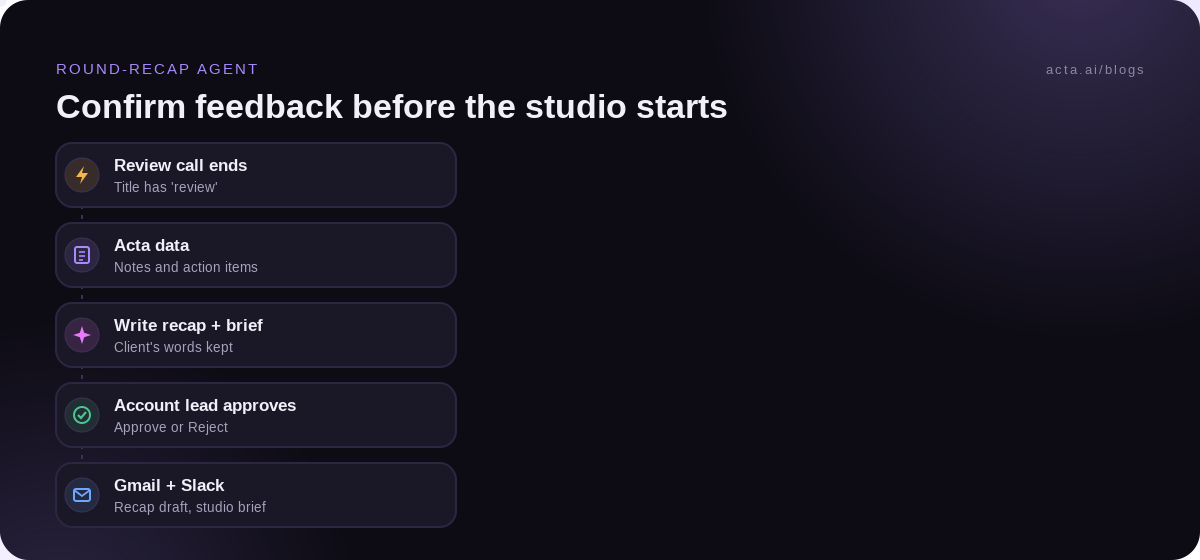
The single habit that would have saved Fernhill's R4 is a written recap to the client within hours: "Here's what we heard. Reply if we've got anything wrong." With Agent Builder (beta) you can make that recap draft itself after every feedback call. Set-up, for an account director with an afternoon free:
- Connect apps: in the Connectors tab, connect Gmail, Slack and Google Sheets with "Connect here" (see connecting apps).
- Start: "When a meeting ends", filter title contains "review".
- Acta data: the meeting's notes and action items.
- AI: "Write two things. A: a client recap listing each piece of feedback in the client's words, grouped by deliverable, with what we'll change and when, ending 'Reply if anything is wrong'. B: a studio brief for the designer, same items, plus anything we were told not to change."
- Human approval: the account lead approves or rejects in the Approvals tab or from the email buttons. Unanswered after 24 hours, nothing is sent.
- Gmail: draft the client recap to the brand manager, ready to send after a final read.
- Slack: post the studio brief to the account's studio channel.
- Google Sheets: add one row per feedback point to the studio's traffic sheet, if Bea still schedules from a sheet.
Before you turn it on, use Test and Run test on two old feedback calls: emails and Slack posts are only shown, and approvals pass by themselves. If the AI step shortens a quote, tighten the instruction and test again. Then Turn on. The approval step stays; client-facing words should always pass a human.
Bring 12 accounts on board in two weeks
Who records, who reads
- Account leads and executives: record every client feedback round and status call, and share them with the workspace.
- Studio manager: records the internal WIP meeting, so studio commitments land in the same tracker.
- Creatives: open shared calls when they need the client's tone, not just the words.
- New business pitches: keep them private until won.
Set up the team from Settings > Workspace: invite people, choose Admin for the studio manager and Member for the rest. Each person invited holds a seat; during the 15-day trial, invites are free for up to 10 people, so start with the three busiest accounts' teams. The workspace guide covers roles.
The fortnight
- Days 1-2: workspace, recorders installed, the feedback-round template written and tested on a past call.
- Days 3-5: three accounts record every client call. The account exec sends a recap after each one, by hand for now.
- Week 2, Monday: Bea runs WIP from Action items grouped by Person instead of the old sheet.
- Week 2, midweek: build and test the round-recap agent; turn on Auto follow-up for overdue items only.
- Week 2, Friday: agree the round-counting rule and add the remaining nine accounts.
Mistakes we'd avoid
- Paraphrasing feedback in Slack "to save time". Link to the moment instead.
- Letting conditional approvals close items. A condition is an item with an owner.
- Assuming the studio manager sees everything. Only shared meetings reach her views.
Frequently asked questions
What is the difference between client feedback and client approval?
Feedback asks for a change; approval says a piece of work can move to the next stage. Track them separately. An approval should record who approved, what exactly, and any conditions such as legal or retailer sign-off. If there is a condition, the work is not approved yet: give the condition its own owner and due date.
How many revision rounds should an agency include?
There is no standard number; it depends on the work and the fee. What matters is that the number is written into the scope and counted in your tracker per deliverable. Say "this is round 3 of 2" on the call when it happens, and offer a priced extra round rather than absorbing it.
Can designers see feedback calls they weren't on?
Yes, if the person who recorded the call shares it with the workspace. Shared meetings appear in the designer's Shared with me tab, where they can read the notes, play the moment the client gave feedback, and ask OneChat about it. Meetings are private by default, so make sharing feedback calls a rule.
Can Acta send the client a summary of their feedback automatically?
Acta can draft it. The Follow-up email button on a meeting writes a recap draft, and an agent can draft one after every review call. Keep a Human approval step before anything reaches a client: the account lead reads it, approves, and only then does it go out.
Does a feedback tracker replace our project management tool?
No. Your project tool plans the work; the tracker captures what clients asked for and who owes what. Many agencies use Acta's Action items view as the source and push confirmed tasks into their project tool, or add rows to a traffic sheet with an agent. Keep one place as the record for client words.
Pick the tracker your studio will keep up
The best tracker is the one filled without extra typing. Before the next round of client reviews:
- Quote, don't summarise: every feedback point in the client's words, linked to the moment.
- Separate approvals: record conditions as items with owners.
- Count rounds: per deliverable, against the scope.
- Share feedback calls: so the studio manager's view covers all accounts.
- Recap within two hours: drafted by an agent, approved by a person.
Run your next three feedback rounds through Acta on the 15-day free trial. There is more for agency teams on the marketing agencies page, and our post on why action items don't get done covers the follow-through side.