Guides & How-tos 8 min read
How to Build an Any-to-Any Multimodal Assistant With Open Models (2026)
A practical guide to any-to-any models: choosing omni and unified open models, working Qwen3-Omni code, GPU sizing, serving and evaluation per modality.
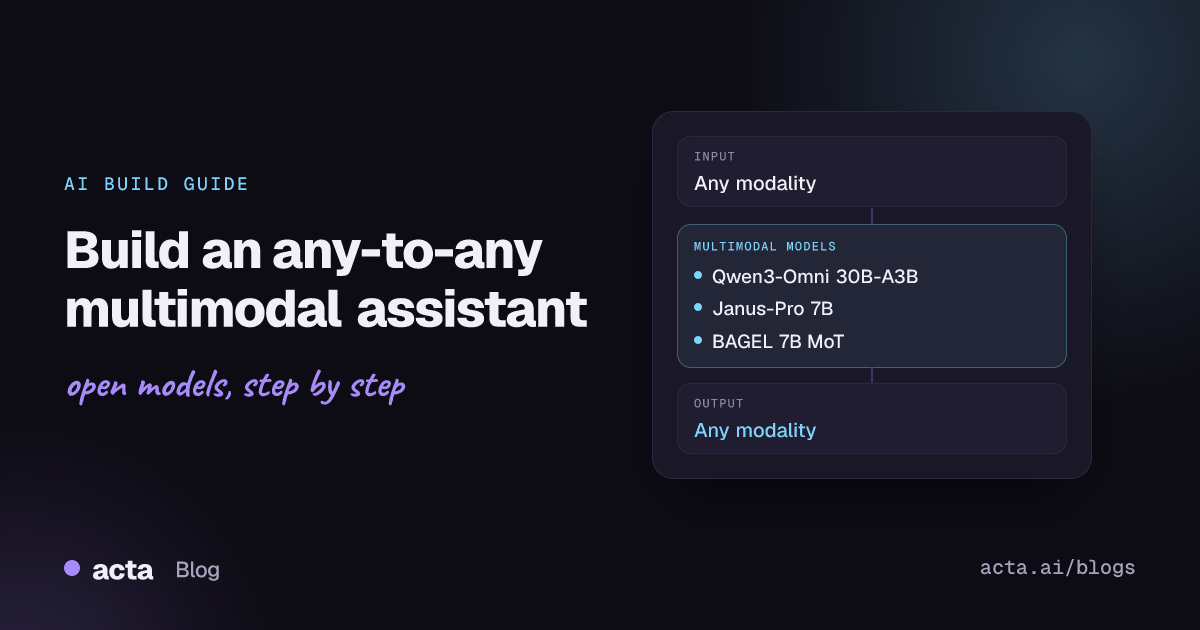
Quick answer: Any-to-any models accept several input modalities (text, images, audio, video) and can produce more than one output modality, such as text plus speech or text plus images. The shortest path to a multimodal assistant is Qwen3-Omni with Hugging Face transformers for understanding and spoken replies, adding Janus-Pro or BAGEL when you also need image generation.
Most AI apps chain separate models: speech recognition, then a language model, then text-to-speech, plus a vision model on the side. Any-to-any models fold several of those steps into one network, which can cut latency and keep context (tone of voice, what is on screen) that gets lost between separate components.
Developers use them for voice assistants that can also see, for real-time help with whatever the camera or screen shows, for accessibility tools and for creative apps that both read and generate images.
What is any-to-any?
Any-to-any is a Hugging Face task category for models that take any mix of modalities and return one or more. The source text of the Hugging Face any-to-any task page lists uses such as embodied agents that take in scenes, text and audio and respond with text, actions or speech, and accessibility tools that narrate video. Hugging Face added the any-to-any pipeline tag to the model hub, as a staff note on a 4M model discussion explains, so you can filter models by it.
In practice, two designs dominate:
- Omni models with a Thinker-Talker split. A multimodal language model (the Thinker) reads text, images, audio and video and writes text; a speech decoder (the Talker) turns that output into streaming audio. Qwen2.5-Omni and Qwen3-Omni follow this design.
- Unified understanding and generation models. One transformer both reads images and generates them, usually with separate visual encoders or experts for each direction. Janus-Pro and BAGEL are examples.
What can you build with it?
- Voice assistant with vision: users talk to the app, show it a photo or a screen, and get a spoken answer.
- Video and audio Q&A: ask questions about a clip where both the speech and the visuals matter.
- Accessibility narration: describe scenes, documents or videos aloud for visually impaired users.
- Multilingual spoken support: answer customer questions by voice in several languages from a single model.
- Visual creative tools: chat about an image, then generate or edit a new one in the same conversation.
- Audio captioning and analysis: describe sounds, music or environments, for example in monitoring or media tagging.
Which models should you use?
- Qwen3-Omni-30B-A3B-Instruct: takes text, images, audio and video and returns text and speech. It is a mixture-of-experts model (30B total, 3B active) under Apache 2.0. The Qwen3-Omni technical report lists 119 text languages, 19 for speech input and 10 for speech output. A Thinking variant (text output only) and an audio Captioner variant are also available.
- Qwen2.5-Omni-7B (see its Hugging Face discussions and GitHub repository): the earlier 7B dense omni model with streaming text and speech output, supported in transformers as
Qwen2_5OmniForConditionalGenerationper the transformers documentation. Smaller and easier to host than Qwen3-Omni. - MiniCPM-o 2.6: an 8B end-to-end model from OpenBMB built from SigLIP-400M, Whisper-medium, ChatTTS and Qwen2.5-7B, with real-time English and Chinese speech conversation and live-streaming input. It uses custom code (
trust_remote_code) and the card pins an older transformers version; check the weight licence terms on the card. - Janus-Pro-7B: DeepSeek's unified model for image understanding and text-to-image generation, with a 1B sibling. Code is MIT and weights use the DeepSeek Model License, which the Janus repository says permits commercial use. See the Janus-Pro paper.
- BAGEL-7B-MoT: ByteDance Seed's Apache 2.0 unified model with 7B active and 14B total parameters, covering image understanding, text-to-image generation and image editing.
There is no single arena for any-to-any models, so compare them per capability: speech quality and latency, audio understanding, image understanding and image generation. The model cards and technical reports above list the benchmarks each team used.
How do you build it, step by step?
- Decide which outputs you need. Text plus speech points to an omni model (Qwen3-Omni, Qwen2.5-Omni, MiniCPM-o). Text plus images points to Janus-Pro or BAGEL. Some products need both, served as two models behind one router.
- Capture and normalize inputs. Resample audio, limit image resolution, and cut video into short clips, since memory grows quickly with video length.
- Build the conversation format. Omni models use chat messages whose content mixes
image,audio,videoandtextparts. Keep a history buffer and drop old media first when you reach the context limit. - Run the model and route outputs. Send text to the UI, stream audio to the speaker, and send generation requests to the image model.
- Add safety and grounding. Filter generated images and speech, and log inputs and outputs (with consent) for review.
- Measure per modality. Track speech latency, answer accuracy and image quality separately on a fixed test set.
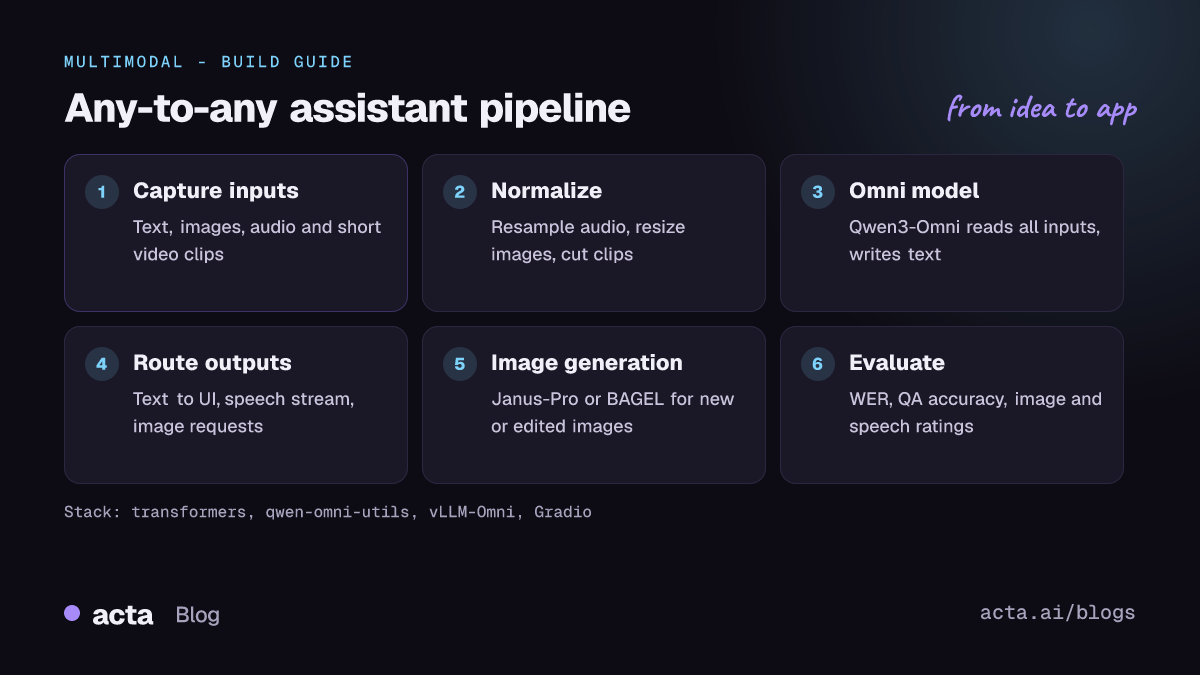
The example below follows the transformers usage in the QwenLM/Qwen3-Omni README. It sends an image and an audio clip with a text question, prints the text answer and writes the spoken answer to a 24 kHz WAV file. Install qwen-omni-utils and soundfile first.
# Follows the QwenLM/Qwen3-Omni README (transformers >= 5.2.0 recommended)
import soundfile as sf
from transformers import Qwen3OmniMoeForConditionalGeneration, Qwen3OmniMoeProcessor
from qwen_omni_utils import process_mm_info

MODEL_PATH = "Qwen/Qwen3-Omni-30B-A3B-Instruct"
model = Qwen3OmniMoeForConditionalGeneration.from_pretrained(
    MODEL_PATH, dtype="auto", device_map="auto", attn_implementation="flash_attention_2")
processor = Qwen3OmniMoeProcessor.from_pretrained(MODEL_PATH)

conversation = [{"role": "user", "content": [
    {"type": "image", "image": "https://qianwen-res.oss-cn-beijing.aliyuncs.com/Qwen3-Omni/demo/cars.jpg"},
    {"type": "audio", "audio": "https://qianwen-res.oss-cn-beijing.aliyuncs.com/Qwen3-Omni/demo/cough.wav"},
    {"type": "text", "text": "What can you see and hear? Answer in one short sentence."},
]}]

text = processor.apply_chat_template(conversation, add_generation_prompt=True, tokenize=False)
audios, images, videos = process_mm_info(conversation, use_audio_in_video=True)
inputs = processor(text=text, audio=audios, images=images, videos=videos,
                   return_tensors="pt", padding=True, use_audio_in_video=True)
inputs = inputs.to(model.device).to(model.dtype)

text_ids, audio = model.generate(**inputs, speaker="Ethan",
                                 thinker_return_dict_in_generate=True, use_audio_in_video=True)
print(processor.batch_decode(text_ids.sequences[:, inputs["input_ids"].shape[1]:],
                             skip_special_tokens=True, clean_up_tokenization_spaces=False))
if audio is not None:
    sf.write("output.wav", audio.reshape(-1).detach().cpu().numpy(), samplerate=24000)
The README lists three voices for the Instruct model (Ethan, Chelsie and Aiden). If you only need text, call model.disable_talker(), which the README says saves about 10 GB of GPU memory.
For image generation, Janus-Pro and BAGEL ship their own inference code: the Janus repository has understanding and generation scripts, and the BAGEL repository includes an inference.ipynb notebook and a Gradio app.py.
How do you serve and deploy it?
- GPU memory: the Qwen3-Omni README gives theoretical minimums in BF16 with FlashAttention 2 of about 79 GB for a 15-second video with the Instruct model, rising with clip length. Plan for 80 GB-class GPUs or multiple GPUs, or use the smaller Qwen2.5-Omni-7B.
- vLLM: vLLM serves multimodal models over an OpenAI-compatible API. For Qwen3-Omni, the README recommends vLLM-Omni and notes that
vllm servecurrently supports only the Thinker (text output), so speech output needs the transformers or vLLM-Omni path. - BAGEL hardware: its README asks for 32 GB or more of VRAM for the default app, with NF4 quantization for 12 to 32 GB cards.
- Streaming: for voice assistants, stream partial audio to the client over WebSockets and start playback before the full answer is ready; perceived latency matters more than total generation time.
- Front end: Gradio supports microphone, webcam and audio output components, which makes it a quick way to demo on Hugging Face Spaces. For production, put the model behind a FastAPI service and keep media in object storage.
How do you evaluate it?
- Speech input: word error rate (WER) on your own recordings, by language and accent.
- Audio understanding: MMAU and MMSU, which the Qwen2.5-Omni README cites, plus a held-out set of your own audio questions.
- Image and video understanding: standard VQA and video QA benchmarks, plus accuracy on your own screenshots or clips.
- Image generation: prompt-following benchmarks such as GenEval and DPG-Bench (used in the Janus-Pro paper), and human preference ratings for your style.
- Speech output: human ratings for naturalness and correctness, and time to first audio chunk.
- End to end: task success rate on scripted conversations that mix modalities, because component scores do not capture hand-off errors.
Pitfalls and tips
- Hardware cost: omni models with video are memory hungry. Restrict clip length and resolution, or use a cascade (separate speech recognition, a vision-language model and TTS) when budgets are tight.
- Version pinning: the Qwen3-Omni README warns that older transformers versions give lower accuracy, while MiniCPM-o pins an old version. Keep each model in its own environment or container.
- Licences: Qwen3-Omni and BAGEL are Apache 2.0; Janus-Pro weights use the DeepSeek Model License; MiniCPM-o has its own weight terms. Read each before commercial use.
- Hallucination across modalities: a model may describe sounds or objects that are not there. Ask for confidence or evidence, and test with silent audio and blank images.
- Voice and image misuse: generated speech and images can be used for impersonation. Add consent checks, watermarking or disclosure where required.
- Privacy: microphones and cameras capture bystanders. Process locally where possible and keep retention short.
Where to get help
- Qwen3-Omni on GitHub and Qwen2.5-Omni on GitHub for setup, vLLM-Omni and hardware questions.
- The Hugging Face InferenceSupport discussion for Qwen3-Omni for hosted inference status.
- The Janus and BAGEL repositories for image generation issues.
Frequently asked questions
Is any-to-any better than chaining separate models?
Not always. A single omni model reduces latency and keeps tone and visual context, but a cascade of specialist models is easier to debug, cheaper to scale and lets you swap one component at a time. Many teams start with a cascade and move to an omni model for voice-first products.
Can one open model produce text, speech and images?
Among the models here, the omni models produce text and speech, while Janus-Pro and BAGEL produce text and images. If you need all three, route requests to two models.
What hardware do I need?
Qwen3-Omni with video needs an 80 GB-class GPU or more. Qwen2.5-Omni-7B, MiniCPM-o 2.6 and the 7B image models are much easier to host, and BAGEL can run in quantized form on 12 to 32 GB cards per its README.
Related guides: text-to-speech apps, audio understanding, video understanding and AI image editors.