Guides & How-tos 8 min read
How to Build Text-to-Speech and Text-to-Audio Apps With Open Models (2026)
A developer guide to open TTS and text-to-audio: how the models work, which ones to pick and their licences, working code, streaming, evaluation and voice-cloning rules.
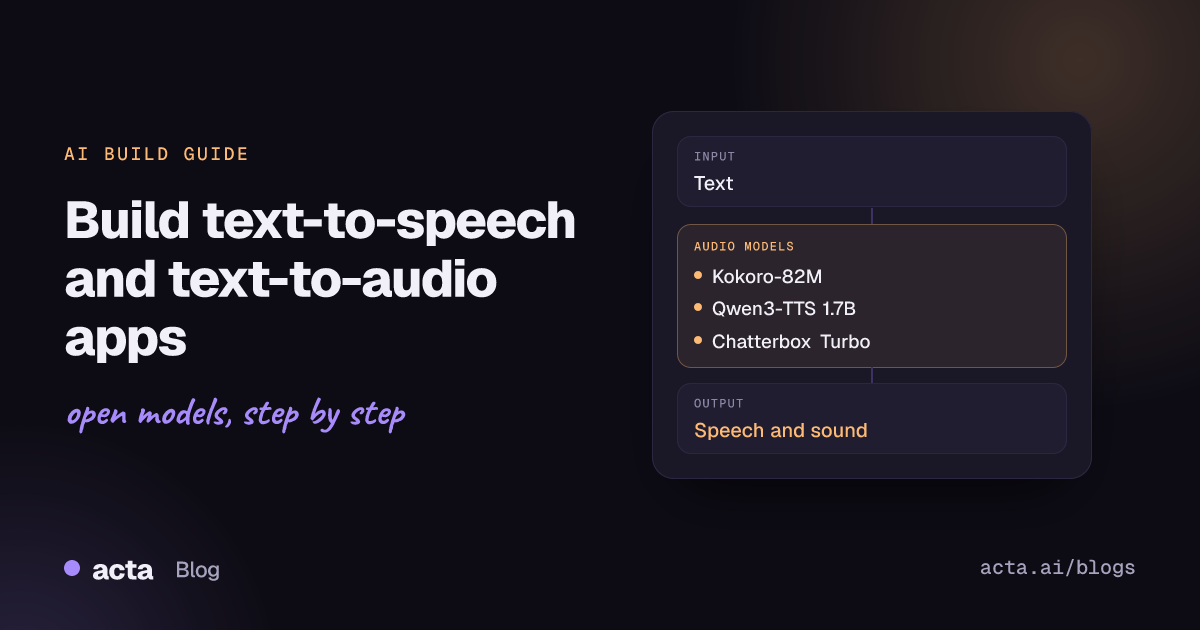
Quick answer: Text-to-speech (TTS) turns written text into spoken audio; text-to-audio also covers music and sound effects from a prompt. The shortest path: start with Kokoro-82M for fast, permissive TTS, use Qwen3-TTS or Chatterbox when you need voice cloning or several languages, and use MusicGen or Stable Audio Open through transformers or diffusers for music and sound effects.
Open speech models are now good enough to ship in products. Developers use them to read articles aloud, give voice agents a voice, narrate e-learning and product videos, add accessibility features and generate sound effects for games. Most of these models run on a single GPU, and the smallest ones run on CPU.
This guide explains the two tasks, compares current open models and their licences, shows working code from the model cards, and covers serving, evaluation and the legal points around voice cloning.
What are text-to-speech and text-to-audio?
The Hugging Face text-to-speech task page describes TTS as generating natural-sounding speech from text, in one or more languages and voices. Input is text (sometimes plus a voice ID, a style instruction or a short reference recording); output is a waveform, usually at 22-48 kHz.
Text-to-audio is the broader task: the prompt describes a sound, a piece of music or speech, and the model generates it. In the transformers library the pipeline is called text-to-audio, and text-to-speech is an alias. Browse the text-to-audio model list to see both kinds.
Modern TTS systems generally follow one of two designs:
- Compact acoustic models plus a vocoder, such as Kokoro (based on StyleTTS 2 and ISTFTNet). They are small, fast and predictable, but usually limited to built-in voices.
- Language-model TTS: an LLM-style transformer predicts discrete audio tokens from a neural codec, and a decoder turns tokens into a waveform. Qwen3-TTS, Chatterbox and Dia work this way. This design supports zero-shot voice cloning from a few seconds of reference audio, emotion and style control, and non-verbal sounds, at the cost of more compute.
Music and sound models use similar ideas: MusicGen is an autoregressive transformer over EnCodec tokens, while Stable Audio Open is a latent diffusion model.
What can you build with it?
- Voice agents and IVR: low-latency streaming speech for phone bots and assistants, paired with speech recognition and an LLM.
- Read-aloud and accessibility: article narration, screen-reader voices, audio versions of documentation and reports.
- Content production: narration for e-learning, explainer videos and podcasts, including multi-speaker dialogue.
- Localisation: the same script voiced in several languages, optionally keeping a consistent voice.
- Sound design: sound effects, ambience and short music beds for games, apps and video, generated from a text prompt.
- Audio summaries: turn a written summary of a meeting or report into a short audio briefing.
Which models should you use?
- hexgrad/Kokoro-82M: 82M parameters, Apache 2.0 weights, several languages and dozens of preset voices. Very fast and cheap; no voice cloning. A strong default for read-aloud features.
- Qwen/Qwen3-TTS-12Hz-1.7B-CustomVoice and Qwen3-TTS-12Hz-0.6B-Base: Apache 2.0 family covering 10 languages, with preset voices plus style instructions (CustomVoice), description-based voice design, and 3-second voice cloning (Base). Supports streaming; details are in the Qwen3-TTS technical report.
- ResembleAI/chatterbox: MIT-licensed 500M models, including Chatterbox-Multilingual V3 for 23+ languages and an English model with an exaggeration (intensity) control. Outputs carry an imperceptible watermark.
- ResembleAI/chatterbox-turbo: 350M English model aimed at low-latency voice agents, with tags such as [laugh] and [cough]. A 110M Nano variant runs on CPU.
- nari-labs/Dia-1.6B-0626: 1.6B, Apache 2.0, English only. Generates multi-speaker dialogue from a script with [S1]/[S2] tags plus non-verbal sounds; the card notes about 10GB of VRAM for the full model.
- facebook/musicgen-small (text-to-audio): 300M music generation model, mono 32 kHz. Code is MIT but the weights are CC-BY-NC 4.0, so it is for research and non-commercial use.
- stabilityai/stable-audio-open-1.0 (text-to-audio): latent diffusion model for stereo 44.1 kHz audio up to 47 seconds, strongest on sound effects and field recordings. Released under the Stability AI Community License; check its terms for commercial use.
To compare voices by ear, use TTS Arena V2, where people vote between two anonymous samples and models are ranked by Elo. Hugging Face also published an Open TTS Leaderboard aimed at multilingual synthesis and voice cloning.
How do you build it, step by step?
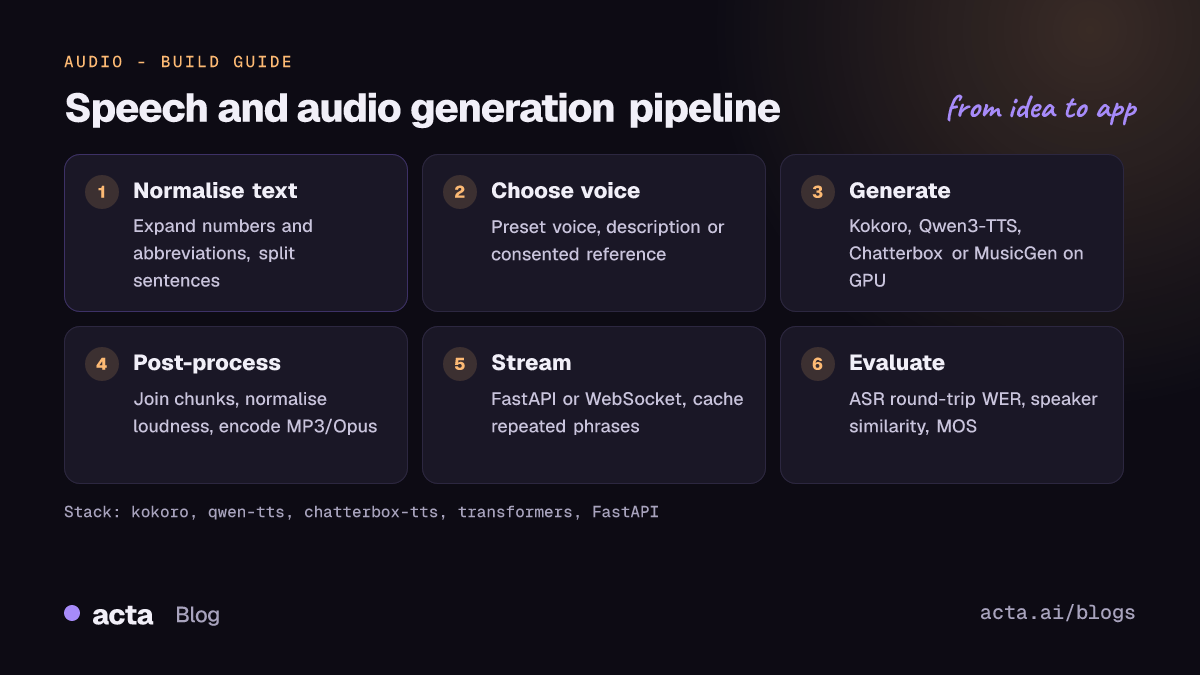
- Normalise and split the text. Expand numbers, dates, currencies and abbreviations, and split long input into sentences or short paragraphs. Most models produce better prosody on chunks of one to three sentences.
- Choose the voice. Pick a preset voice, write a voice description, or provide a short, clean reference clip and its transcript for cloning. Get written consent from the speaker.
- Generate audio. Run each chunk through the model, ideally in a batch on GPU, and keep the seed or reference fixed so the voice stays consistent across chunks.
- Post-process. Join chunks with short silences, normalise loudness, resample to your target rate and encode (WAV for editing, MP3 or Opus for delivery).
- Deliver. Return a file, or stream chunks over HTTP or WebSocket so playback starts before the full text is synthesised.
- Evaluate. Transcribe the output with an ASR model to catch skipped or invented words, and run listening tests on a fixed script.
Kokoro is the quickest way to get speech out. This follows the usage example in the hexgrad/kokoro README (kokoro 0.9.4 or later):
# pip install -q "kokoro>=0.9.4" soundfile ; apt-get install -y espeak-ng
from kokoro import KPipeline
import soundfile as sf

pipeline = KPipeline(lang_code="a")  # 'a' = American English
text = "Your order has shipped and will arrive on Thursday."
generator = pipeline(text, voice="af_heart")

for i, (graphemes, phonemes, audio) in enumerate(generator):
    sf.write(f"{i}.wav", audio, 24000)  # Kokoro outputs 24 kHz audio
For voice cloning, the Qwen3-TTS repository provides the qwen-tts package. This follows its voice-clone example for the Base model:
# pip install -U qwen-tts
import torch
import soundfile as sf
from qwen_tts import Qwen3TTSModel

model = Qwen3TTSModel.from_pretrained(
    "Qwen/Qwen3-TTS-12Hz-0.6B-Base",
    device_map="cuda:0",
    dtype=torch.bfloat16,
)
wavs, sr = model.generate_voice_clone(
    text="Thanks for calling. How can I help you today?",
    language="English",
    ref_audio="reference.wav",          # a short clip of the consenting speaker
    ref_text="Transcript of the reference clip.",
)
sf.write("voice_clone.wav", wavs[0], sr)
For music, the MusicGen model card uses the transformers text-to-audio pipeline:
from transformers import pipeline
import scipy

synthesiser = pipeline("text-to-audio", "facebook/musicgen-small")
music = synthesiser("lo-fi music with a soothing melody",
                    forward_params={"do_sample": True})

scipy.io.wavfile.write("musicgen_out.wav",
                       rate=music["sampling_rate"], data=music["audio"])
Chatterbox installs with pip install chatterbox-tts; the resemble-ai/chatterbox README shows ChatterboxTurboTTS.from_pretrained(device="cuda") followed by model.generate(text, audio_prompt_path=...). Stable Audio Open runs through the diffusers StableAudioPipeline.
How do you serve and deploy it?
- CPU and edge. Kokoro-82M and Chatterbox Nano are small enough for CPU servers. They are a good fit for batch narration jobs and cost-sensitive read-aloud features.
- Single GPU. The 0.5B-2B models (Qwen3-TTS, Chatterbox, Dia) want a GPU for real-time output. Use bf16 or fp16, keep the model loaded in a long-running process, and batch requests where latency allows.
- Streaming. For voice agents, time to first audio matters more than total time. Stream sentence by sentence, or use models with native streaming such as Qwen3-TTS. The Qwen3-TTS README notes vLLM support through vLLM-Omni for offline inference.
- API wrapper. A FastAPI endpoint that accepts text and a voice ID and returns audio bytes covers most products. Add a cache keyed on text plus voice, because the same phrases (greetings, menu prompts) repeat.
- Demos. A Gradio app on a Hugging Face Space is the fastest way to let colleagues try voices before you commit.
How do you evaluate it?
- Intelligibility (WER/CER): transcribe the generated audio with a strong ASR model and compute word or character error rate against the input text. This catches skipped words, repetitions and hallucinated content.
- Speaker similarity: for cloning, compare speaker embeddings of the reference and output with cosine similarity.
- Naturalness: mean opinion score (MOS) or A/B preference tests with real listeners on a fixed script that includes numbers, names and questions.
- Signal metrics: the task page lists mel cepstral distortion for comparing against reference recordings.
- Latency: time to first audio and real-time factor on your target hardware.
Public comparisons come from arena-style voting such as TTS Arena V2 and from leaderboards that score multilingual and cloning quality. For music and sound effects, listening tests on your own prompts are still the most reliable check.
Pitfalls and tips
- Licences vary a lot. Kokoro, Qwen3-TTS and Dia are Apache 2.0 and Chatterbox is MIT, but MusicGen weights are non-commercial and Stable Audio Open uses its own community licence. Check every model card, and check the licence of any voice or dataset you fine-tune on.
- Consent and impersonation. Only clone voices with explicit permission. Several model cards, including Dia's, forbid imitating real people without consent. Consider watermarking (Chatterbox does this by default) and disclose synthetic audio to listeners.
- Long text drifts. Generating minutes of audio in one call can lead to repeated or skipped phrases. Chunk the text and check WER per chunk.
- Voice consistency. Models without a fixed speaker can change voice between runs. Fix the seed or always pass the same reference clip.
- Text normalisation matters. "Dr.", "5/6" and "$1.2M" are ambiguous. Normalise them yourself rather than hoping the model guesses right.
- Reference audio quality. Cloning copies noise, reverb and mic colour. Use a clean 5-15 second clip with an accurate transcript.
Where to get help
- Hugging Face forum threads, for example on accent and stability issues with voice cloning and multilingual voice cloning.
- The GitHub repos for Chatterbox, Qwen3-TTS and Kokoro, where issues cover installation, languages and streaming.
- The transformers text-to-speech guide, which also shows how to fine-tune a TTS model on your own data.
- TTS Arena V2 discussions for questions about rankings and model additions.
Frequently asked questions
What is the best open-source TTS model for commercial use?
Among permissively licensed options, Kokoro-82M (Apache 2.0) is the simplest choice for preset voices, while Qwen3-TTS (Apache 2.0) and Chatterbox (MIT) add voice cloning and more languages. Always confirm the licence on the current model card before launch.
Can I run text-to-speech on CPU?
Yes. Kokoro-82M and Chatterbox Nano are designed to be light enough for CPU. Larger LLM-based models such as Dia or Qwen3-TTS 1.7B need a GPU for real-time output.
How much reference audio do I need for voice cloning?
Zero-shot models need only seconds: Qwen3-TTS advertises 3-second cloning, and Chatterbox examples use a clip of about 10 seconds. Quality depends more on how clean the clip is than on its length.
What is the difference between text-to-speech and text-to-audio?
Text-to-speech produces spoken words from text. Text-to-audio is the wider category that also includes music and sound effects generated from a description, such as MusicGen and Stable Audio Open.
Speech generation is usually half of a voice product. The other half is recognising speech: see our guide to speech recognition with voice activity detection and to audio understanding. Acta applies speech models to meetings, turning recordings into transcripts and summaries; see the Acta features.