Guides & How-tos 8 min read
How to Build an Audio Understanding App With Open Models (2026 Guide)
A practical guide to audio-text-to-text: pick an open audio language model, ask questions about recordings, serve it with vLLM and evaluate the answers.
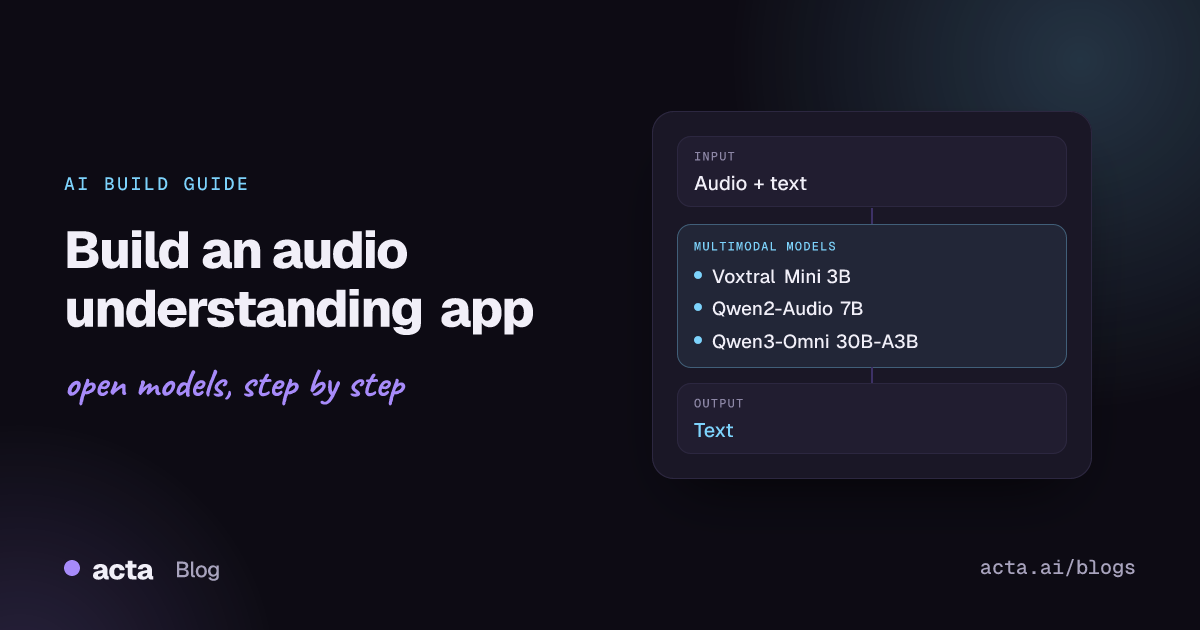
Quick answer: Audio-text-to-text models take an audio clip plus a text instruction and return text: an answer, a summary, a label or structured notes. The shortest path to a working app is an open audio language model such as Voxtral Mini or Qwen2-Audio, loaded with Hugging Face transformers, wrapped in a small FastAPI or Gradio service, and later served with vLLM.
Plain speech recognition gives you a transcript. Audio-text-to-text gives you an answer about the audio. You can ask "What did the customer complain about?", "Is the speaker frustrated?" or "What is that sound?" and get a direct text response, without building a separate transcription and language model pipeline.
This guide covers what the task is, which open models to try, how to wire one into an application, how to deploy and evaluate it, and the mistakes that cost teams the most time.
What is audio-text-to-text?
The Hugging Face audio-text-to-text task page defines it as models that take an audio clip and a text prompt and generate natural language text. Unlike classic automatic speech recognition, these models can reason about the content, follow instructions and answer in context. A maintainer in a huggingface.js discussion about the task compared them to vision-language models, but for sound.
Most models in this category share one architecture:
- Audio encoder: usually a Whisper-style encoder that turns a log-mel spectrogram into a sequence of audio embeddings.
- Adapter: a projection layer that downsamples those embeddings and maps them into the language model's embedding space.
- Language model decoder: a standard LLM that reads the audio embeddings and your text prompt as one sequence and generates the reply.
The Voxtral technical report describes exactly this encoder, adapter and decoder layout. Inputs are typically 16 kHz mono audio plus a chat-formatted prompt; output is ordinary text, so everything downstream (JSON parsing, storage, search) works like any LLM application.
What can you build with it?
- Call and meeting analysis: ask for a summary, action items, objections or next steps directly from a recording.
- Audio question answering: let users ask questions about a podcast episode, lecture or voice memo.
- Speech understanding beyond words: detect intent, sentiment or emotion from tone, not just from the transcript.
- Sound event description: describe or classify non-speech audio such as alarms, machinery noise or breaking glass for monitoring tools.
- Audio captioning for search: generate text descriptions of audio libraries so they can be indexed and searched.
- Voice-driven agents: some models, such as Voxtral, support function calling from spoken input, so a voice command can trigger an API call.
Which models should you use?
Browse the full list with the audio-text-to-text model filter on the Hub. These are good starting points, from small to large:
- Voxtral Mini 3B (mistralai/Voxtral-Mini-3B-2507): built on Ministral 3B, handles transcription, translation, audio Q&A and summarization with a 32K-token context. Apache 2.0. The best first choice for a single GPU.
- Voxtral Small 24B (mistralai/Voxtral-Small-24B-2507): the larger sibling on a Mistral Small 3.1 backbone, for higher quality answers and stronger text reasoning. Apache 2.0, but plan for a data-center GPU.
- Qwen2-Audio 7B Instruct (Qwen/Qwen2-Audio-7B-Instruct): supports voice chat and audio analysis modes, with native transformers support. Apache 2.0. Its README notes it works best on clips under 30 seconds.
- Qwen3-Omni 30B-A3B Instruct (Qwen/Qwen3-Omni-30B-A3B-Instruct): a mixture-of-experts omni model (30B total, 3B active) that takes text, images, audio and video. Apache 2.0. Use it when you need strong audio reasoning and can afford the memory.
- Qwen2.5-Omni 3B (Qwen/Qwen2.5-Omni-3B): a smaller omni model for audio, image and video input. Check the model card licence before commercial use.
- Kimi-Audio 7B Instruct (moonshotai/Kimi-Audio-7B-Instruct): covers ASR, audio question answering, captioning, emotion recognition and sound classification. MIT licence. It uses its own KimiAudio library rather than plain transformers.
- Audio Flamingo 3 (nvidia/audio-flamingo-3-hf): strong on speech, sound and music reasoning with inputs up to 10 minutes. Non-commercial licence, so treat it as a research baseline.
- Gemma 3n E4B (google/gemma-3n-E4B-it): a small multimodal model designed for on-device use that accepts text, image and audio input. Gated under Google's Gemma terms.
There is no single arena for audio language models yet. Compare them on the AudioBench leaderboard from AudioLLMs and the MMAU benchmark, then test the top two or three on your own recordings.
How do you build it, step by step?
- Define the questions. Write 20 to 50 real prompts and recordings from your use case, with expected answers. This becomes your test set.
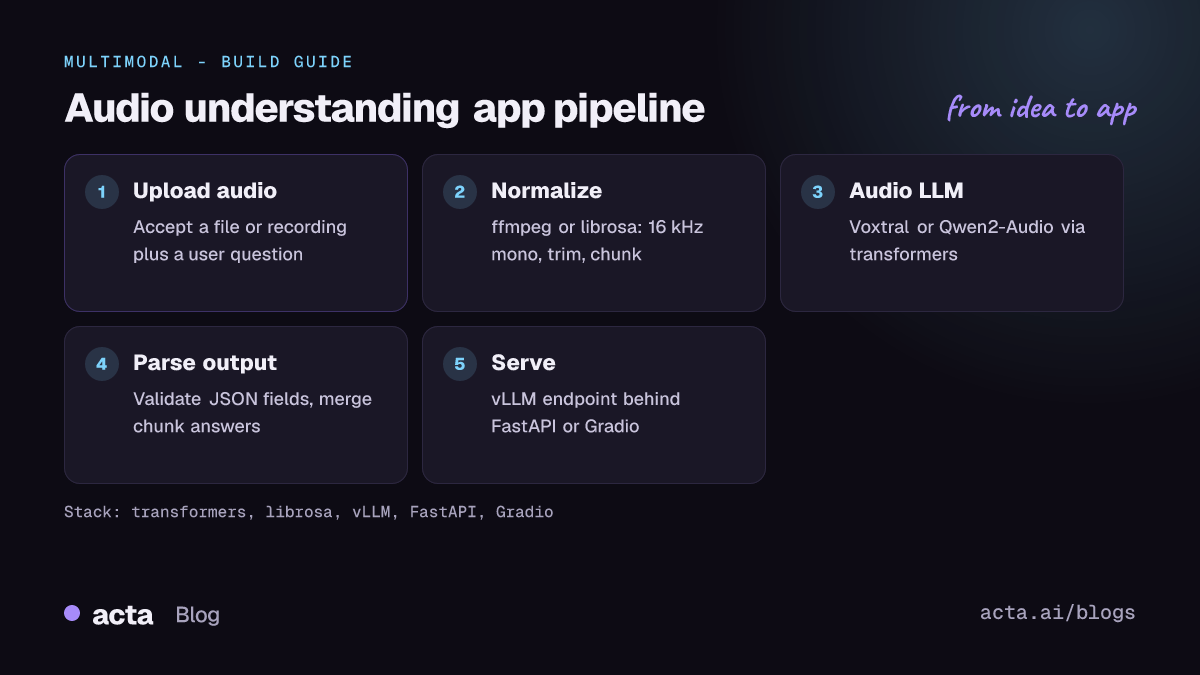
- Normalize the audio. Convert uploads to 16 kHz mono with ffmpeg or librosa, trim silence, and split long recordings into chunks that fit the model's context.
- Load the model. Start with Voxtral Mini or Qwen2-Audio in transformers on a single GPU and confirm it answers your prompts.
- Design the prompt and output format. Ask for JSON when you need structured fields (sentiment, topics, action items) and validate it before saving.
- Wrap it in an API. Expose an endpoint that accepts a file and a question, and add a Gradio UI for internal testing.
- Move to a serving engine. When traffic grows, serve the same model through vLLM behind an OpenAI-compatible endpoint and keep your API layer unchanged.
The snippet below follows the audio instruct example in the transformers Voxtral documentation. It needs a recent transformers release with Voxtral support and mistral-common[audio].
from transformers import AutoProcessor, VoxtralForConditionalGeneration

repo_id = "mistralai/Voxtral-Mini-3B-2507"
processor = AutoProcessor.from_pretrained(repo_id)
model = VoxtralForConditionalGeneration.from_pretrained(repo_id, device_map="auto")

conversation = [
    {
        "role": "user",
        "content": [
            {"type": "audio", "path": "support_call.wav"},
            {"type": "text", "text": "List the customer's problems and the agreed next steps."},
        ],
    }
]

inputs = processor.apply_chat_template(conversation)
inputs = inputs.to(model.device)

outputs = model.generate(**inputs, max_new_tokens=500)
answer = processor.batch_decode(
    outputs[:, inputs.input_ids.shape[1]:], skip_special_tokens=True
)[0]
print(answer)
The next snippet follows the "Audio Analysis Inference" section of the Qwen2-Audio GitHub README, shortened to one local file. Note that Qwen2-Audio expects you to load the waveform yourself at the processor's sampling rate.
import librosa
from transformers import Qwen2AudioForConditionalGeneration, AutoProcessor

processor = AutoProcessor.from_pretrained("Qwen/Qwen2-Audio-7B-Instruct")
model = Qwen2AudioForConditionalGeneration.from_pretrained(
    "Qwen/Qwen2-Audio-7B-Instruct", device_map="auto")

conversation = [
    {"role": "user", "content": [
        {"type": "audio", "audio_url": "clip.wav"},
        {"type": "text", "text": "What's that sound?"},
    ]},
]
text = processor.apply_chat_template(conversation, add_generation_prompt=True, tokenize=False)
audios = [librosa.load("clip.wav", sr=processor.feature_extractor.sampling_rate)[0]]

inputs = processor(text=text, audios=audios, return_tensors="pt", padding=True)
inputs.input_ids = inputs.input_ids.to("cuda")

generate_ids = model.generate(**inputs, max_length=256)
generate_ids = generate_ids[:, inputs.input_ids.size(1):]
print(processor.batch_decode(generate_ids, skip_special_tokens=True)[0])
How do you serve and deploy it?
- Local GPU: a 3B model such as Voxtral Mini runs on a single consumer or workstation GPU in bf16. 7B models fit on 24 GB cards; 24B and 30B models need data-center GPUs or multiple cards.
- vLLM: the Qwen3-Omni README documents serving with vLLM, noting that serve mode currently supports only the "thinker" (text output) part of the model, which is exactly what an audio-to-text app needs. The Qwen2.5-Omni README has the same note and a single-GPU
vllm servecommand. - Quantization: official quantized builds exist for some models, such as Qwen2.5-Omni-7B-AWQ, which cut memory at a small quality cost.
- Hugging Face Spaces and Inference Endpoints: good for demos and low-volume internal tools. Many audio models are not yet on serverless Inference Providers, so plan for a dedicated endpoint.
- Front end: a FastAPI endpoint that accepts multipart uploads, plus a Gradio interface with an audio input and a textbox, is enough for a first internal release.
For long recordings, run chunks in parallel and merge the partial answers with a second text-only LLM call. This keeps latency predictable and avoids hitting context limits.
How do you evaluate it?
- Transcription quality: word error rate (WER) when the model also transcribes.
- Audio question answering: accuracy on multiple-choice sets such as MMAU, or exact match on short answers.
- Open-ended answers and summaries: LLM-as-judge scoring against reference answers, which is how AudioBench scores many of its tasks, plus ROUGE for summaries if you have references.
- Classification-style outputs: precision, recall and F1 for emotion, intent or sound labels.
Public benchmarks include the AIR-Bench paper (foundation and chat tasks across speech, sound and music) and MMAU. Treat them as a shortlist filter. Your own labelled recordings, with your accents, microphones and background noise, decide the final pick.
Pitfalls and tips
- Licences differ a lot. Voxtral, Qwen2-Audio and Qwen3-Omni are Apache 2.0; Kimi-Audio is MIT; Audio Flamingo 3 is non-commercial; Gemma is gated under its own terms. Check before you ship.
- Clip length limits. Some models are tuned on short clips (Qwen2-Audio recommends under 30 seconds), and Audio Flamingo 3 truncates beyond 10 minutes. Chunk long audio on silence boundaries.
- Hallucination. Models can invent details when audio is noisy or silent. Ask the model to answer "not mentioned" when unsure and spot-check outputs against a transcript.
- Library versions. New audio architectures need recent transformers releases; older versions fail with errors like
KeyError: 'qwen2-audio'. Pin versions in your requirements file. - Privacy. Recordings often contain personal data. Running open models on your own infrastructure keeps audio in your control; still get consent and define retention rules.
Where can you get help?
- The task clarification discussion in the huggingface.js repo explains how the Hub scopes this task.
- Model-specific issues and examples live in the Qwen2-Audio and Audio Flamingo repositories.
- The Inference Support discussion for Voxtral is where users request hosted inference for audio models.
Frequently asked questions
Is audio-text-to-text the same as speech recognition?
No. Speech recognition returns a transcript. Audio-text-to-text follows an instruction about the audio and can summarize, answer questions or describe non-speech sounds. Many of these models can also transcribe when asked. For a dedicated transcription pipeline, see our speech recognition guide.
Should I use an audio language model or ASR plus a text LLM?
ASR plus a text LLM is easier to debug and lets you store the transcript. An audio language model can hear tone, emotion and non-speech sounds that a transcript loses. Many production systems use both.
Which model should I try first?
Voxtral Mini 3B: it is Apache 2.0, small enough for one GPU and documented in transformers. Move to Voxtral Small or Qwen3-Omni if accuracy is not good enough.
How long can the audio be?
It depends on the model's context. Voxtral's 32K-token context covers roughly 30 to 40 minutes of audio; other models are tuned on much shorter clips. Chunking is the safe default.
Acta applies this kind of audio and language modelling to meeting recordings to produce transcripts, summaries and action items; see Acta's features. For text-only follow-up steps, read our summarization guide.