Guides & How-tos 7 min read
How to Build a Video Understanding App With Open Models (2026 Guide)
A practical guide to video-text-to-text: choosing open video-language models, sampling frames, working code, serving with vLLM and evaluating on Video-MME.
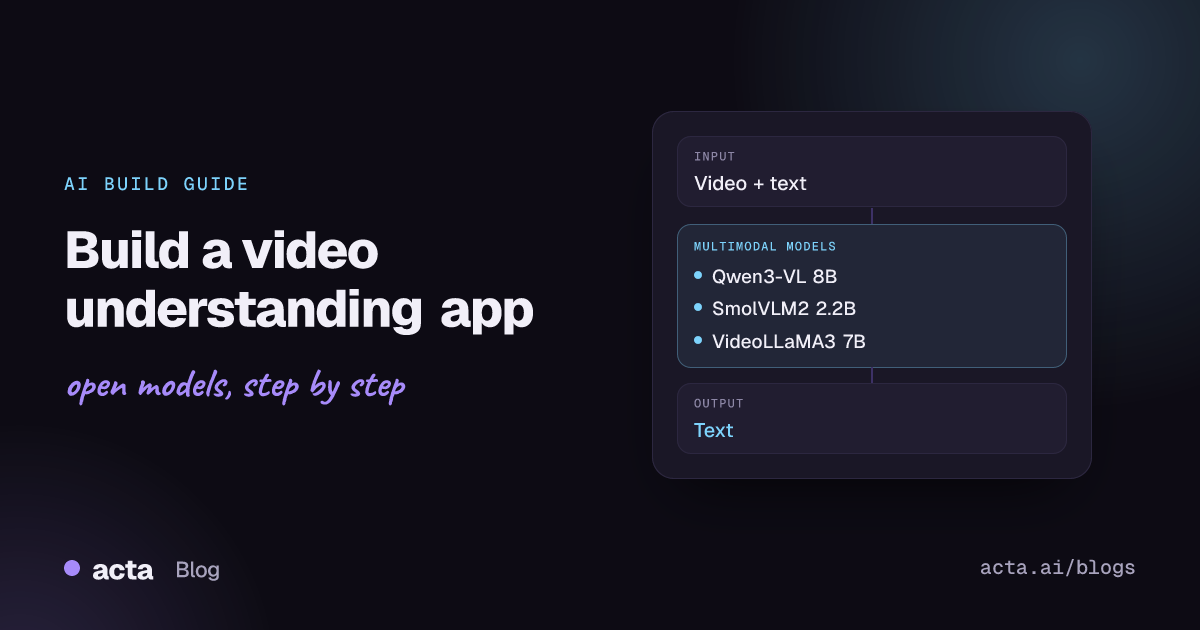
Quick answer: Video-text-to-text models take a video plus a text prompt and return text: captions, answers, summaries or timestamps. The shortest path is an open video-language model such as Qwen3-VL (or SmolVLM2 for small devices) loaded with Hugging Face transformers, frames sampled at 1 to 2 fps, and vLLM for serving once the prompts work.
Video is the hardest everyday input for AI: a one-minute clip at 30 fps is 1,800 images plus their order in time. Video-language models make it practical to ask questions about that content in plain language instead of training a custom detector for every event.
Teams use these models for searchable video libraries, automatic chaptering and captions, quality checks on recorded procedures, sports and retail analytics, and accessibility descriptions for viewers who cannot see the screen.
What is video-text-to-text?
The Hugging Face video-text-to-text task page describes these as video-language models: the input is one or more videos (often also images) plus a text prompt, and the output is text. The page groups them into base models for fine-tuning, instruction models trained on video-instruction pairs, and chat models trained on video dialogue.
Under the hood, most models sample a fixed number of frames or a fixed frame rate from the video, encode each frame with a vision encoder, compress the visual tokens and feed them to a language model together with the prompt. Some models add timestamp information so they can answer "when" questions. The main engineering trade-off is frames versus context: more frames catch short events but cost memory and latency.
What can you build with it?
- Video Q&A and search: index a library of training videos, product demos or recorded webinars and let users ask "where does the speaker show the export settings?"
- Chapters and summaries: generate chapter titles with timestamps and a short summary for each long recording.
- Procedure verification: check whether a recorded assembly, lab or safety procedure followed the required steps in order.
- Content moderation and tagging: describe scenes and flag categories for review, with a human in the loop.
- Accessibility: produce audio-description scripts for visually impaired viewers.
- On-device assistants: run a small model on a laptop or phone to describe short clips without uploading them.
Which models should you use?
- Qwen3-VL-8B-Instruct: the default starting point. The Qwen3-VL family handles images and video, is Apache 2.0, and spans 2B, 4B, 8B and 32B dense models plus 30B-A3B and 235B-A22B mixture-of-experts variants. Frame sampling is configurable by fps or frame count.
- Qwen2.5-VL-7B-Instruct: the previous generation, Apache 2.0, with wide tooling support (transformers, vLLM, SGLang, lmms-eval). A safe choice if your stack is already built around it.
- SmolVLM2-2.2B-Instruct: a compact Apache 2.0 model from Hugging Face. The model card lists about 5.2 GB of GPU RAM for video inference, and the SmolVLM2 release post also covers 500M and 256M versions and MLX support for Apple devices.
- VideoLLaMA3-2B and its 7B sibling (see the VideoLLaMA3 collection): video-focused models from DAMO Academy built on Qwen2.5, with frame-rate and max-frame controls. The repository code is Apache 2.0, but the README calls the demo a research preview for non-commercial use and points to the underlying model licences, so read the terms before shipping.
- LLaVA-Video-7B-Qwen2: an Apache 2.0 video model from LMMs-Lab, built on a Qwen2 language model. Useful as a research baseline and for fine-tuning experiments.
The same Qwen team has since released the Qwen3.5 and Qwen3.6 open-weight families described in the Qwen3.5 repository; check their model cards for video support before switching. To compare models, use the Video-MME benchmark results and run your own clips through lmms-eval.
How do you build it, step by step?
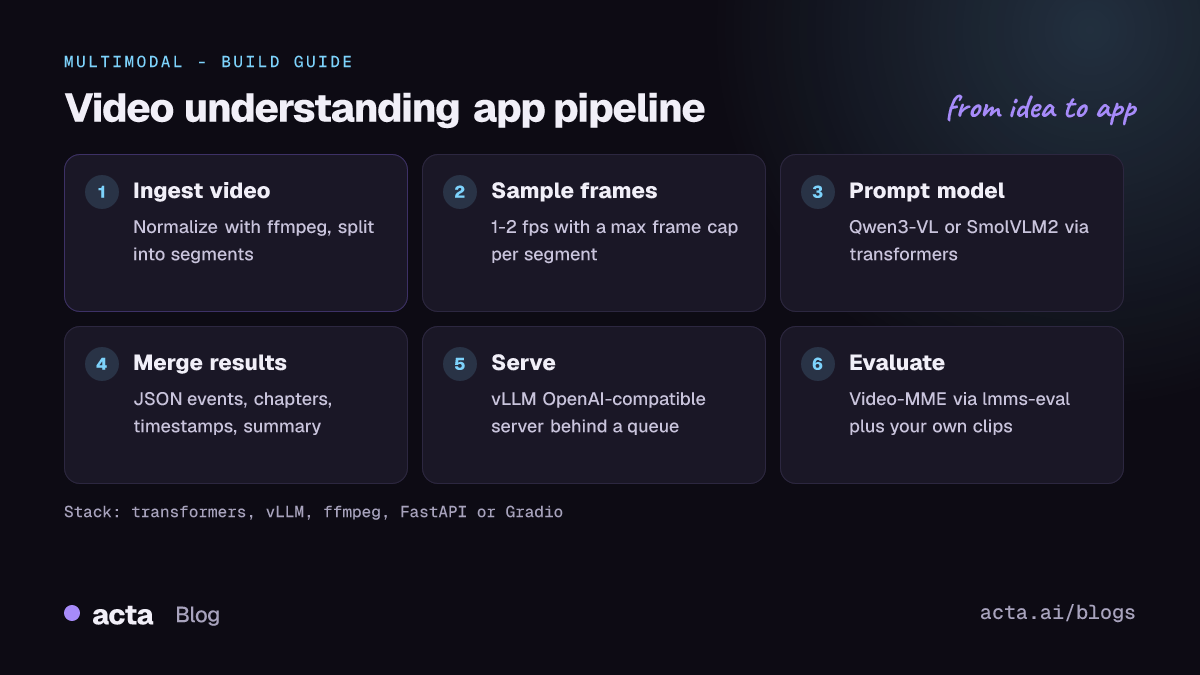
- Define the questions. Write 20 to 50 real prompts with expected answers: captions, yes/no checks, step lists or timestamps. This decides the model size and frame budget.
- Ingest and split video. Normalize codecs with ffmpeg, then cut long videos into segments (for example 1 to 5 minutes) so each fits the model's frame budget.
- Choose a frame sampling policy. Start at 1 to 2 fps with a maximum frame count; raise fps only for fast actions. Qwen3-VL defaults to 2 fps.
- Prompt the model. Ask for structured output (JSON with fields such as
summary,events,timestamp) so your app can parse it. - Merge segment results. For long videos, combine per-segment outputs with a text model into chapters or a full summary, and store segment text for search.
- Serve and evaluate. Move the working prompt to a vLLM server, then track accuracy on your test set and latency per minute of video.
The first example follows the video input section of the QwenLM/Qwen3-VL README, using the 8B Instruct model and a custom frame rate:
# Follows the QwenLM/Qwen3-VL README (transformers >= 4.57.0)
from transformers import AutoModelForImageTextToText, AutoProcessor

model_id = "Qwen/Qwen3-VL-8B-Instruct"
model = AutoModelForImageTextToText.from_pretrained(model_id, dtype="auto", device_map="auto")
processor = AutoProcessor.from_pretrained(model_id)

messages = [{"role": "user", "content": [
    {"type": "video", "video": "https://qianwen-res.oss-cn-beijing.aliyuncs.com/Qwen2-VL/space_woaudio.mp4"},
    {"type": "text", "text": "Describe this video."},
]}]

# Default sampling is 2 fps; pass fps=... or num_frames=... to change it
inputs = processor.apply_chat_template(
    messages, tokenize=True, add_generation_prompt=True,
    return_dict=True, return_tensors="pt", fps=4,
).to(model.device)

generated_ids = model.generate(**inputs, max_new_tokens=128)
trimmed = [out[len(inp):] for inp, out in zip(inputs.input_ids, generated_ids)]
print(processor.batch_decode(trimmed, skip_special_tokens=True)[0])
The second follows the transformers example in the VideoLLaMA3 repository. It uses custom model code (trust_remote_code=True), so pin the versions the README lists and review the code before running it in production:
# Follows the DAMO-NLP-SG/VideoLLaMA3 README (transformers 4.46.3 pinned there)
import torch
from transformers import AutoModelForCausalLM, AutoProcessor

model_path = "DAMO-NLP-SG/VideoLLaMA3-7B"
model = AutoModelForCausalLM.from_pretrained(
    model_path, trust_remote_code=True, device_map={"": "cuda:0"},
    torch_dtype=torch.bfloat16, attn_implementation="flash_attention_2",
)
processor = AutoProcessor.from_pretrained(model_path, trust_remote_code=True)

conversation = [
    {"role": "system", "content": "You are a helpful assistant."},
    {"role": "user", "content": [
        {"type": "video", "video": {"video_path": "./clip.mp4", "fps": 1, "max_frames": 180}},
        {"type": "text", "text": "List the steps the person performs, with timestamps."},
    ]},
]
inputs = processor(conversation=conversation, add_system_prompt=True,
                   add_generation_prompt=True, return_tensors="pt")
inputs = {k: v.to("cuda:0") if isinstance(v, torch.Tensor) else v for k, v in inputs.items()}
if "pixel_values" in inputs:
    inputs["pixel_values"] = inputs["pixel_values"].to(torch.bfloat16)
output_ids = model.generate(**inputs, max_new_tokens=1024)
print(processor.batch_decode(output_ids, skip_special_tokens=True)[0].strip())
How do you serve and deploy it?
- vLLM: vLLM supports multimodal models such as Qwen-VL and serves an OpenAI-compatible API. The Qwen3-VL README asks for vLLM 0.11.0 or later and shows the
--media-io-kwargsflag for controlling video frames, for examplevllm serve Qwen/Qwen3-VL-8B-Instruct --media-io-kwargs '{"video": {"num_frames": -1}}'. - GPU sizing: memory grows with frame count and resolution, not only with model size. Benchmark your longest segment at your chosen fps before picking hardware, and use FP8 or quantized checkpoints where available.
- Batch versus live: most video apps are asynchronous. Put uploads on a queue, process segments in parallel workers and notify the user when results are ready.
- Edge and Apple devices: SmolVLM2 has MLX support, which suits on-device prototypes.
- Front end: a Gradio app on Hugging Face Spaces is enough for a demo; for production, a FastAPI service that returns JSON plus a video player that jumps to returned timestamps works well.
How do you evaluate it?
- Multiple-choice accuracy: Video-MME has 900 videos across 6 domains, from 11 seconds to 1 hour long, with 2,700 question-answer pairs, scored with and without subtitles.
- Harness: lmms-eval is a fork of lm-eval-harness for multimodal models with over 100 tasks, including VideoMME, EgoSchema and Video-MMMU, so you can compare checkpoints under identical settings.
- Captions and summaries: use reference-based metrics only as a rough signal; a small human rating set (correctness, completeness, hallucinated events) is more reliable.
- Temporal accuracy: for timestamp tasks, measure the error in seconds between predicted and true event times.
- Cost: track seconds of compute per minute of video and frames per request.
Pitfalls and tips
- Missed short events: at 1 fps, a two-second action may fall between frames. Raise fps for the segments that matter, or pre-filter with scene-change detection.
- Hallucinated details: models fill gaps with plausible events. Ask for timestamps with every claim and spot-check them.
- Audio is usually ignored: most video-language models see frames only. If speech matters, add a speech recognition step and pass the transcript as text, or use an any-to-any model that accepts audio.
- Licences: Qwen3-VL, Qwen2.5-VL, SmolVLM2 and LLaVA-Video list Apache 2.0, but VideoLLaMA3 adds non-commercial wording for its demo. Confirm terms on each card.
- Privacy: video often shows faces, screens and documents. Self-hosting keeps footage in your infrastructure; still restrict who can query the index.
Where to get help
- Qwen3-VL on GitHub for issues on video input, frame sampling and serving.
- lmms-eval on GitHub for evaluation setup and task definitions.
- The SmolVLM2 model discussions on Hugging Face for small-model and on-device questions.
- The VideoLLaMA3 repository for that model family's code and issues.
Frequently asked questions
How many frames should I send per video?
Start with 1 to 2 fps and a hard cap on total frames, then check accuracy on your own questions. Increase frames only for fast actions; long videos are better split into segments.
Can these models handle hour-long videos?
Some benchmarks include videos up to an hour, but memory and latency grow with frames. In practice, split long recordings into segments, run the model per segment and merge the results with a text model.
Do video-language models understand the audio track?
Most do not. Combine them with speech recognition, or use an any-to-any model that takes audio and video together.
Which model should I try first?
Qwen3-VL-8B-Instruct for quality on a single GPU, and SmolVLM2-2.2B-Instruct when you need a small footprint.
Related guides: vision-language apps, audio understanding and any-to-any multimodal assistants. If your videos are meeting recordings, speech is usually the main signal; see our speech recognition guide, the same kind of model Acta uses for meeting transcripts.