Use Cases 5 min read
Blameless Incident Post-Mortems, Written From the Review Meeting
Acta writes a blameless incident post-mortem from the review meeting: severity and impact, timeline, agreed root cause, what went well and wrong, and owned fixes.
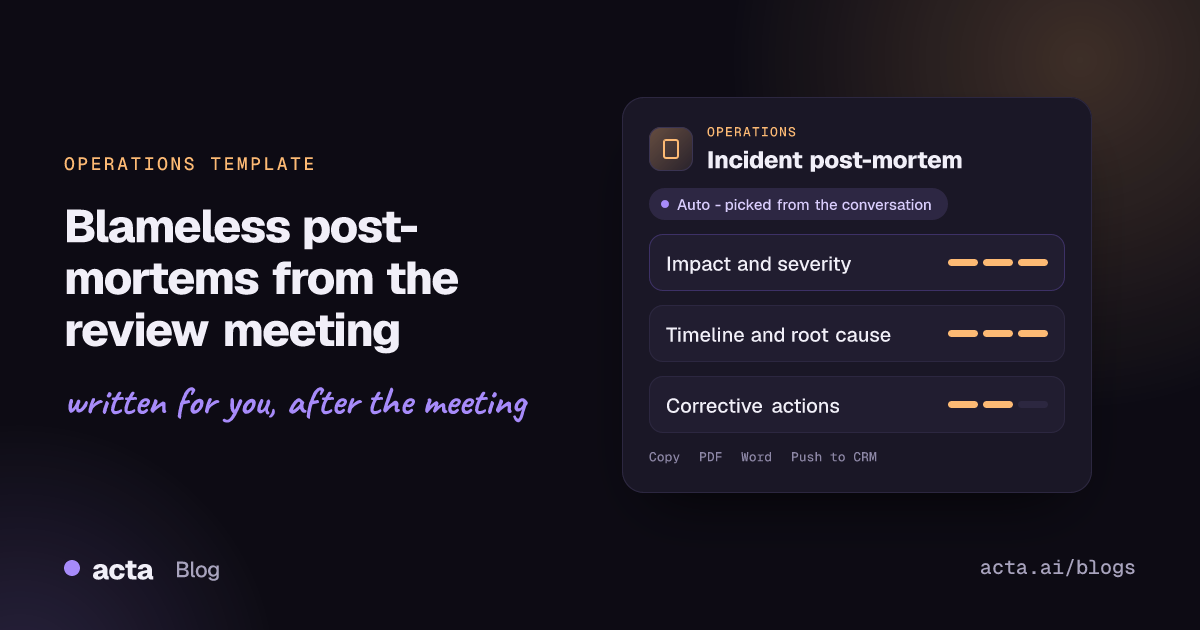
Quick answer: An incident post-mortem is the written record of what happened during an outage or failure, why it happened and what the team will change so it does not happen again. Acta writes a blameless post-mortem from your recorded incident review: severity and impact, the timeline, the root cause the team agreed on, contributing factors, what went well and wrong, and corrective actions with owners, dates and priority.
The incident review is usually a good meeting. The on-call engineer walks through the alerts, someone pulls up the deploy log, and the group works out together why a small config change took checkout down. Everyone leaves knowing what to fix.
Then the write-up stalls. The incident commander is back on feature work, the document sits half-filled for a week, and by the time it is published the corrective actions have lost their owners. Worse, a rushed write-up can slip into naming who pushed the change instead of explaining why the system let it through.
What is a blameless post-mortem?
A post-mortem (also called a post-incident review or incident retrospective) is a document written after a significant incident. It records the impact, the sequence of events, the causes and the actions that will reduce the chance or impact of a repeat. Most teams write one for any incident above a set severity, for data loss, or whenever on-call had to intervene by hand.
The blameless part matters as much as the format. A blameless post-mortem assumes that everyone involved acted reasonably with the information they had, and looks for the conditions in the system, tooling and process that allowed the failure. Google's SRE book chapter on postmortem culture: learning from failure explains why: if people expect blame, they stop reporting problems, and incidents get hidden instead of fixed.
A typical post-mortem contains:
- A summary, severity level and customer or system impact.
- A timeline from first trigger to full recovery.
- The root cause, plus contributing factors.
- What went well, what went wrong and where the team got lucky.
- Corrective and preventive actions, each with an owner and a date.
What does Acta's Incident post-mortem report include?
The report mirrors that structure, using what was said in the review:
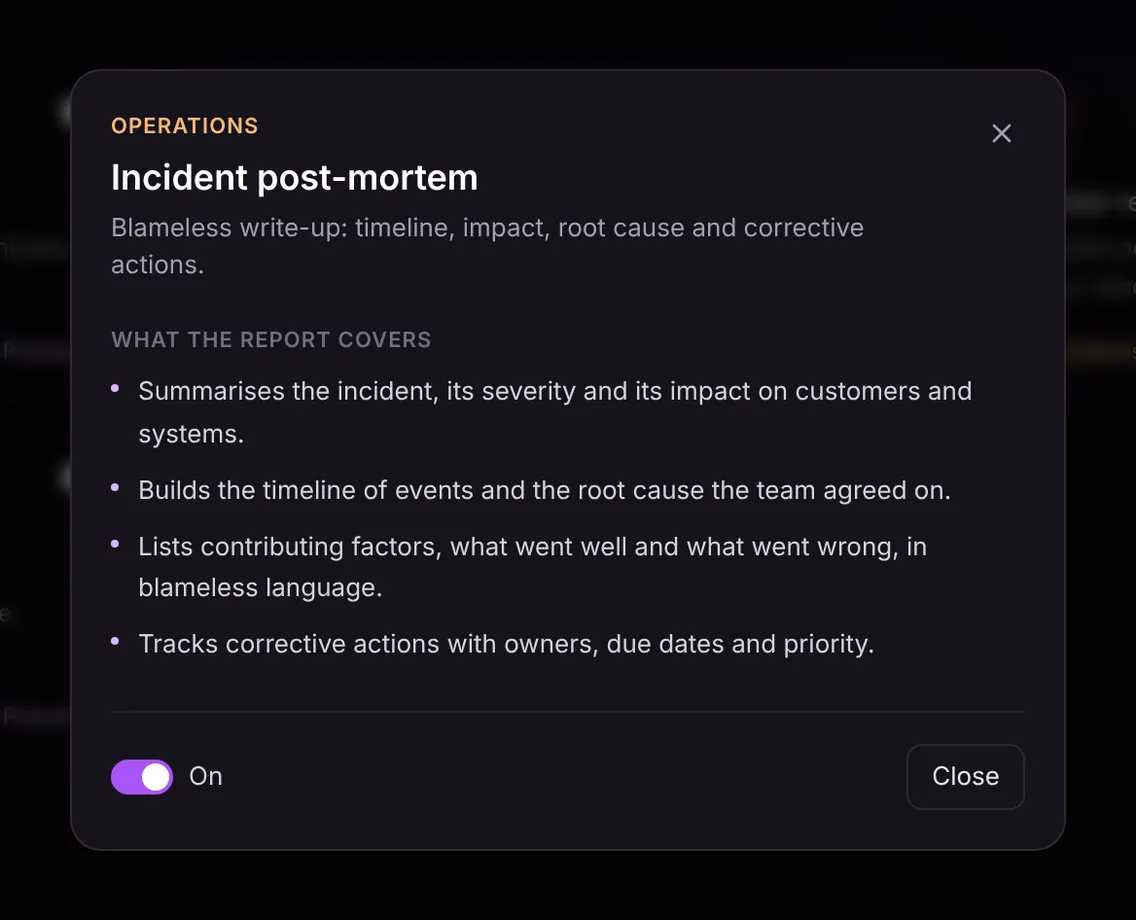
- Incident summary, severity and impact. What failed, how severe it was rated and who or what was affected, such as customers in one region or an internal pipeline.
- Timeline and agreed root cause. The sequence of events as the team reconstructed it, with times where they were mentioned, and the root cause the group settled on rather than every theory raised along the way.
- Contributing factors, what went well and what went wrong. Written in blameless language, so "the deploy was pushed without a canary in the EU region" rather than a name and a fault.
- Corrective actions with owners, due dates and priority. Each fix agreed in the meeting, who owns it, when it is due and how urgent it is.
Here is the template in Acta's Templates page, with the preview of what the report covers:
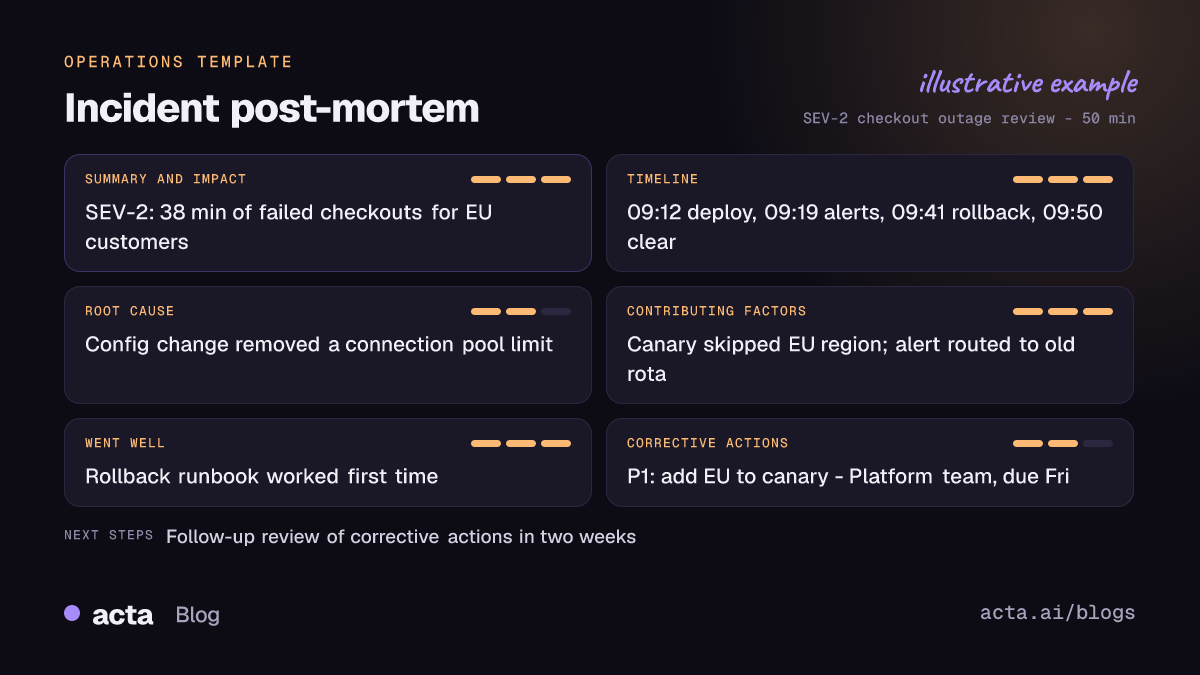
And an illustrative example of a finished report:
Who is it for, and why does it help?
The template is for site reliability engineers, incident commanders, platform and infrastructure leads, engineering managers and operations teams who run incident reviews. It is equally useful outside software, for example after a warehouse system failure or a payments operations incident. The operations and product and engineering pages cover the wider ways those teams use Acta.
Where it helps most:
- Publishing while it is fresh. The draft exists as soon as the review ends, so the incident commander edits rather than writes, and the post-mortem goes out the same day.
- Keeping the tone blameless. Heated reviews happen. The report describes actions and conditions, not culprits, which makes it easier to share widely.
- Not losing the fixes. Corrective actions are where post-mortems usually fail. Here each one has an owner, a date and a priority, and the meeting's action items also appear in Acta's normal summary.
- Spotting repeat patterns. With every review recorded, you can ask OneChat whether the same alert-routing gap has come up before, and get answers with sources.
How does Acta pick this template automatically?
Acta reads each conversation and picks a fitting template even when you have not turned it on. For an incident review, the signals are clear: a severity level, a description of customer or system impact, a walk through what happened and when, discussion of why it happened, and fixes being assigned. The report is labelled "Auto", and Acta tells you why it picked it, for example that the meeting reconstructed an outage timeline, agreed a root cause and assigned corrective actions.
If you want a post-mortem every time, click "Turn on for future meetings". With the template on, each meeting is first checked for fit. A sprint planning session or a vendor call will not produce a forced post-mortem; it is listed under "Not relevant" with the reason.

How do you use the Incident post-mortem template?
- Record the incident review. Use the meeting bot on Zoom, Google Meet or Microsoft Teams, record bot-free with the desktop app, Chrome extension or mobile apps, or upload a recording of the review.
- Turn on Incident post-mortem. Open Templates, find it in the Operations group, preview it and switch it on. Or let Acta pick it when a review happens.
- Open the Templates tab of the meeting. The post-mortem appears next to the summary and transcript.
- Publish and track. Copy it into your incident tracker or wiki, or download it as PDF, Word or Markdown. To turn the fixes into tickets, see how to move meeting action items into Jira.

Tips for a more complete post-mortem
- Read the timeline aloud. Saying "09:19, first alert fires" gives the report exact times instead of approximations.
- State the agreed root cause explicitly. "So we agree the root cause is the removed pool limit" separates the conclusion from the theories.
- Ask what went well. Teams skip it; it records the practices worth keeping.
- Give every fix an owner, date and priority. "P1, Platform team, by Friday" fills all three fields.
Related Operations templates: the decision log and RACI keeps a record of who decided what, and the KPI review report covers the metrics meeting where incident trends often surface.
Frequently asked questions
What is the difference between a post-mortem and a root cause analysis?
Root cause analysis is one part of a post-mortem. The post-mortem also records impact, the timeline, contributing factors, what went well and the corrective actions.
Will the report name the person who caused the incident?
The report is written in blameless language. It describes what happened and which conditions allowed it, not who to blame.
What if the team did not agree on a root cause?
The report only contains what was said. If no root cause was agreed, it will not invent one; that gap is a useful prompt for a follow-up session.
Can corrective actions go into Jira?
Acta integrates with Jira. The post-mortem itself can be copied or downloaded, and the Ticket suggestions template can turn engineering follow-ups into Jira tickets.
Record your next incident review and start a free 15-day trial of Acta.


