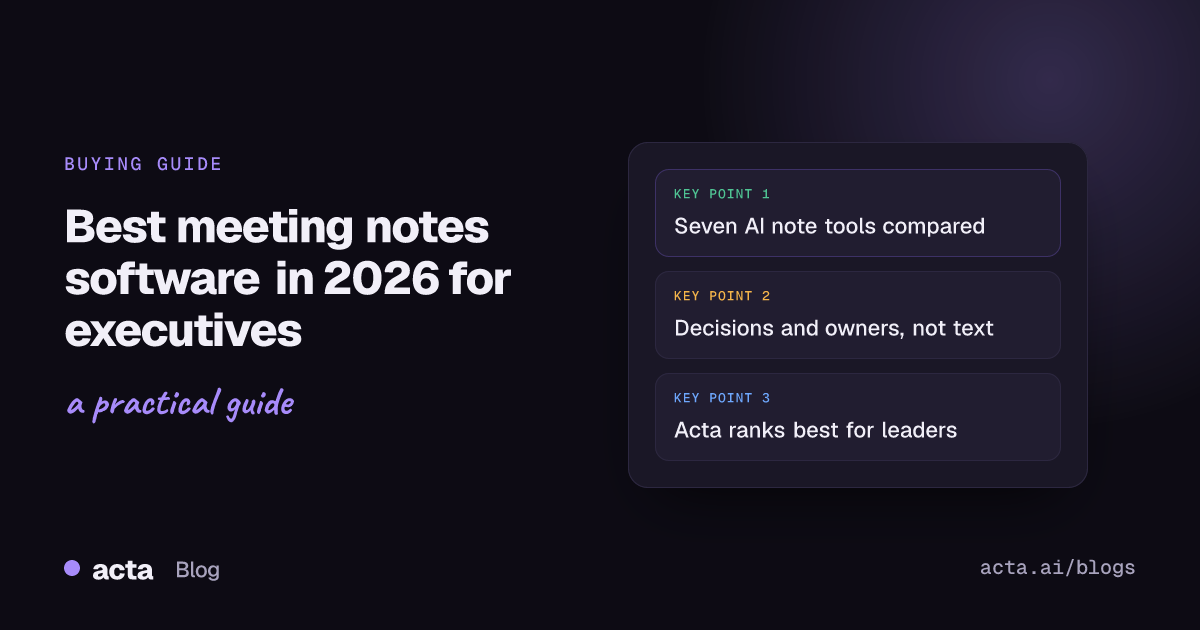
The best AI meeting assistants for executives in 2026 are Microsoft 365 Copilot if your company already lives in Teams, Acta if you want decisions, owners and briefs across every platform with or without a bot, and Granola if you take your own notes and never want a bot in the room. Otter, Fireflies, Fathom, Fellow and Sembly are solid AI note takers for executives with narrower strengths, covered below.
This guide is for CEOs, CTOs, VPs and their chiefs of staff: which tool fits which setup, what to ask in a security review, and how to handle board calls. If you only need the odd all-hands transcript, a free plan will do.
Key takeaways
- Start with where your meetings happen: a Teams-only company should test Copilot first; a mix of Zoom, Meet, Teams and in-person calls needs a cross-platform tool.
- Six of the eight tools here can record without a bot, so "no bot in the board call" is no longer a reason to go without notes.
- Paid plans start between $6 and $21 per user per month on annual billing as of November 2026; SSO, SCIM and audit logs usually sit on the enterprise tier.
- Judge each tool on real leadership meetings: every decision, the right owner, the right date.
- Set rules for board, HR and legal calls before rollout.
Table of contents
- Eight AI meeting assistants for executives, compared
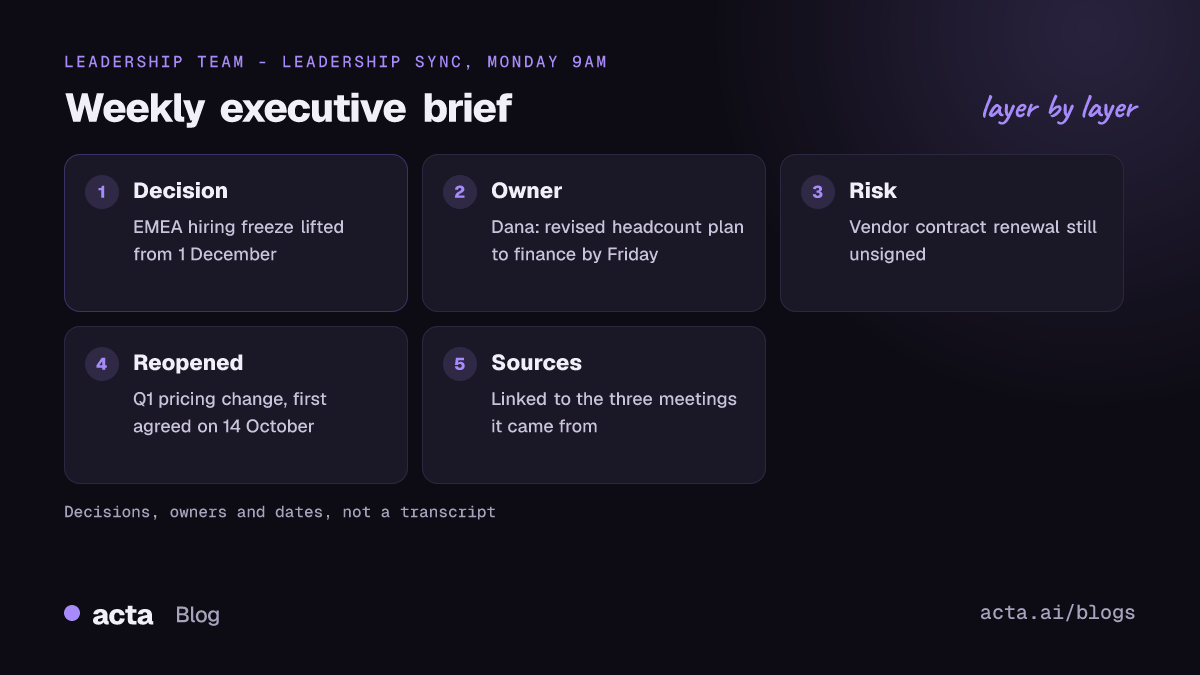
- Executives need decisions and owners, not transcripts
- Five tests separate an executive tool from a team notetaker
- Each pick fits a different leadership setup
- Security reviews and admin controls decide enterprise rollouts
- Board and leadership meetings need tighter recording rules
- Automations turn meeting notes into an executive brief
- Frequently asked questions
- Choose the right AI note taker for your leadership team
Eight AI meeting assistants for executives, compared
| Tool | Best for | Records without a bot? | Platforms | Starting price |
|---|---|---|---|---|
| Microsoft 365 Copilot | Teams-only companies | Yes, built into Teams | Microsoft Teams | $21/user/mo add-on (annual) |
| Acta | Decisions, owners and briefs across platforms | Yes (desktop app, Chrome extension) or bot | Zoom, Meet, Teams, in person; Windows, Mac, Chrome, mobile | $6/seat/mo (annual); 15-day trial |
| Granola | Leaders who type their own notes | Yes, bot-free only | Any call app; Mac, Windows, iPhone | Free; Business $14/user/mo |
| Otter | Simple transcripts and shared notes | Yes (desktop app) or bot | Zoom, Meet, Teams; Mac, Windows | Free; Pro $8.33/user/mo (annual) |
| Fireflies | A searchable archive of every call | Yes (desktop app) or bot | Zoom, Meet, Teams; Mac, Windows | Free; Pro $10/seat/mo (annual) |
| Fathom | Customer and sales calls | Yes on Mac, otherwise bot | Zoom, Meet, Teams, Slack huddles | Free; Premium $16/mo (annual) |
| Fellow | Agenda-led one-on-ones and staff meetings | Yes (desktop app) or bot | Zoom, Meet, Teams, any call via desktop | Free; Team $7/user/mo (annual) |
| Sembly | Questions across many meetings | No for online calls; agent joins | Zoom, Meet, Teams; mobile for in person | Basic $10/mo (annual) |
Updated November 2026. Prices and plans change often; confirm on each vendor's pricing page.
Treat the price column as a floor. Once SSO and admin controls come up, most executive teams land on a business or enterprise tier.
Executives need decisions and owners, not transcripts
Harvard Business Review's Stop the Meeting Madness reported that executives spend nearly 23 hours a week in meetings. Nobody in that position reads transcripts. After an architecture review, a CTO wants the decision, the owner of the next step and the due date.
Leadership meetings are messier than standups. One strategy session can cover pricing, a hiring freeze and a customer escalation, with decisions scattered across 50 minutes. A summary by topic buries them; a list of decisions and action items with owners is something you can forward.
Then there's drift: a decision made in October quietly reopened in November. That's why I test questions across meetings right after summary quality.
Five tests separate an executive tool from a team notetaker
Most AI note takers for executives look identical on a pricing page. These five tests, run on your own meetings, are what separate them:
- Summary quality on a hard meeting. Pick a sync with crosstalk and a decision reversed halfway through. Does the summary show the final call?
- Decisions and owners. Count the decisions you remember against the ones listed, and check every owner and due date.
- Capture options. Executives move between Zoom with customers, Teams with the board and in-person offsites; a gap in capture is a gap in the record.
- Questions across meetings. Ask "what did we decide about the EMEA hiring plan?" and check the answer cites its meetings.
- Enterprise readiness. SSO, provisioning, retention, audit logs and whether your data trains the vendor's models.
Run them for two weeks. One meeting tells you little; ten tell you whether the executive meeting summaries can go out unedited.
Each pick fits a different leadership setup
The order reflects fit for a typical leadership team. Prices are as of November 2026, from each vendor's own pages.
1. Microsoft 365 Copilot: best for Teams-only companies
If every leadership meeting happens in Teams, Copilot is the shortest path: it answers questions during the meeting and writes the recap, with no extra participant. The catch is in Microsoft's own help article: after the meeting, Copilot only works in the Recap tab if transcription or recording was on. Price: the Microsoft 365 Copilot Business add-on is listed at $21 per user per month on annual billing, for organisations on an eligible Microsoft 365 Business plan.
Verdict: The default for Teams-only companies. It won't cover Zoom calls with customers or an in-person offsite.
2. Acta: best for decisions and owners across platforms
Acta records Zoom, Google Meet and Microsoft Teams with a meeting bot, or without one through a desktop app for Windows and Mac or a Chrome extension; mobile apps cover in-person meetings. Each meeting gets a transcript with speaker names, a summary, decisions, action items with owners and a follow-up email draft; OneChat answers questions across meetings with sources. Price: Pro is $8 per seat per month billed monthly, or $72 a year ($6 a month) billed annually, after a 15-day free trial.
Verdict: A good fit when leadership meetings span several platforms and follow-through matters most. It's a younger vendor than Microsoft or Otter, so plan a thorough security review.
3. Granola: best for leaders who type their own notes
Granola never joins the call. It captures your mic and system audio on Mac or Windows (iPhone in person) and merges the transcript with the notes you type. Audio is discarded after transcription, so there's nothing to replay. Price: Basic is free (30 days of history); Business is $14 per user per month; Enterprise ($35) adds SSO, SCIM and audit tools.
Verdict: Excellent for an exec who wants private, bot-free notes. Weaker as a shared record for a whole leadership team.
4. Otter: best for simple transcripts and shared notes
Otter is the familiar name, and it now has a desktop app for Mac and Windows that records without a bot. Price: Basic is free with 300 minutes a month and a 30-minute cap per conversation; Pro is $8.33 per user per month on annual billing ($16.99 monthly); Business is $19.99 annually; Enterprise adds SSO and SCIM.
Verdict: Fine for transcripts and shared notes. For a decision log and owner-level follow-up, you'll do more of the work yourself.
5. Fireflies: best for a searchable archive
Fireflies records through its bot or, since its desktop app, without a bot; in that mode, speakers show as Speaker 1 and Speaker 2 rather than by name. Price: free plan; Pro is $10 per seat per month annually ($18 monthly); Business is $19 ($29 monthly); Enterprise is $39, annual only, with SCIM and custom data retention.
Verdict: Strong when you want every call searchable; less focused on executive decisions.
6. Fathom: best for customer-facing calls
Fathom's free plan includes unlimited recordings, transcripts and AI summaries, which is generous. Bot-free capture works on Mac; Windows is still limited. On its pricing page, Premium is $16 per month billed annually ($20 monthly), Team is $15 per user annually with a two-user minimum, and Business is $25.
Verdict: Great for sales leaders and anyone heavy on customer calls. Narrower for internal strategy meetings and board prep.
7. Fellow: best for agenda-led meetings
Fellow started as an agenda and one-on-one tool; its desktop app now records without a bot. Price: free with 5 AI notes per user in total; Team is $7 per user per month annually; Business is $15; Enterprise is $25 with a 10-user minimum and adds SSO and redaction.
Verdict: The pick if your problem is badly run meetings rather than lost notes. Strong for staff meetings and one-on-ones.
8. Sembly: best for questions across many meetings
Sembly's agent joins online calls, so there's no bot-free option for Zoom or Teams. On its pricing page, Basic is $10 per month annually for one user, Pro is $20 per user with multi-meeting AI chat and MCP access, and MAX is $30 per user (three-user minimum) with SSO and an audit log.
Verdict: Worth a look for heavy cross-meeting questions. Rule it out if bots aren't welcome.
Avoma, in the previous version of this guide, is built for revenue intelligence; good for a CRO, less so for a whole leadership team. For side-by-side breakdowns, see the Acta comparisons.
Security reviews and admin controls decide enterprise rollouts
The security review usually sets the shortlist before anyone judges summaries; these meetings carry M&A talks and unreleased numbers. Send every vendor the same questions:
- Which plan includes SSO and SCIM provisioning, and what does it cost per user?
- Can admins set retention periods, restrict sharing and see an audit log?
- Which third-party audits and certifications do you hold today, and which are in progress?
- Do you use customer data to train AI models?
- Will you sign a BAA or a data processing agreement?
The answers vary by tier. Fireflies lists SCIM and custom retention on Enterprise, Granola puts SSO, SCIM and audit tools on Enterprise, Fellow keeps SSO and redaction for Enterprise, and Sembly puts SSO and an audit log on MAX. For Acta, the straight answer is that it doesn't use customer data to train AI models, and it is working towards SOC 1 Type II and HIPAA but doesn't hold them yet; the details are on the security page. If a certification is a hard requirement, ask for the report, not the website badge.
Board and leadership meetings need tighter recording rules
A bot joining a board call changes the room; some directors will ask for it to be removed. Bot-free capture solves that: a desktop app or browser extension records from the chair's own computer instead. Our guide to AI notetakers without a bot compares the options in more detail.
No bot doesn't mean no notice. Tell everyone the meeting is recorded, and check what your jurisdiction requires; our post on whether it's legal to record meetings with AI covers consent rules (general information, not legal advice). Acta's desktop app has a Copy notice button that puts a recording notice in the meeting chat.
Before the first board meeting, decide who may record (usually the company secretary), who can see the recording, and which items stay off the record, such as executive sessions. Our posts on recording HR, legal and board calls and writing board minutes from the recording go further.
Automations turn meeting notes into an executive brief
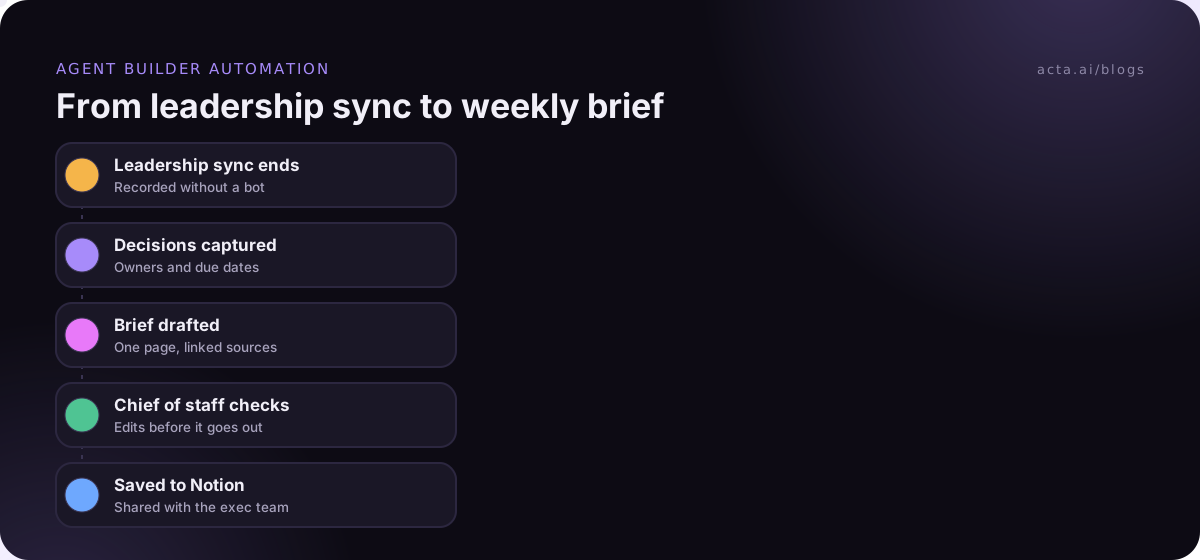
The bigger time saving isn't one meeting's summary. It's the weekly brief that pulls decisions, owners and open risks from fifteen meetings into one page the CEO reads on Friday. With Acta's Agent Builder, a chief of staff can run an automation after each leadership sync that drafts the brief, waits for review and saves it to Notion or Confluence. Keep that approval step for anything leaving the leadership team.
Prefer your usual AI assistant? Acta's MCP connector lets Claude or ChatGPT read your meetings, so "what did we commit to for Q1?" works there too; see asking Claude about your meetings. Inside Acta, OneChat answers with links to the source meetings, which matters when the answer goes into a board pack.
Frequently asked questions
What are the best AI note taking tools for executives?
For Teams-only companies, Microsoft 365 Copilot. For leaders on several platforms who want decisions and owners tracked, Acta. For private, bot-free notes you write alongside the AI, Granola. Otter, Fireflies, Fathom, Fellow and Sembly each fit narrower needs, from transcripts to customer calls to agenda-led meetings.
Can an AI note taker record a board meeting without a bot?
Yes. Acta, Granola, Otter, Fireflies, Fellow and Fathom (on Mac) can record from a desktop app, so no bot joins. Copilot works natively in Teams. You still need to tell attendees the meeting is recorded and agree who keeps the recording and who can access it.
How much do AI meeting assistants for executives cost?
As of November 2026, paid plans start at about $6 to $21 per user per month on annual billing, and several tools have free plans. Enterprise tiers with SSO, SCIM and audit logs cost more, and some are only sold on annual contracts. Confirm prices on each vendor's pricing page.
Are AI meeting notes safe for confidential leadership meetings?
They can be, if the vendor passes your security review. Ask about SSO, retention controls, audit logs, certifications held today and whether your data trains their models. Limit who can record and who can see leadership recordings, and keep some items off the record.
Choose the right AI note taker for your leadership team
Pick two tools from the table, run them side by side for two weeks, and decide on evidence. Use this checklist:
- Map your meetings: list where leadership meetings happen and drop any tool that misses one.
- Decide on bots: agree whether bots are allowed in board and HR calls; if not, require a bot-free option.
- Run the five tests: score decisions, owners and cross-meeting answers on real meetings, not demos.
- Send the security questions: get written answers before the pilot ends.
- Automate one output: set up the weekly brief and see whether anyone reads it.
If Acta makes your shortlist, install the desktop app for bot-free recording and try it on next week's leadership sync during the 15-day free trial; plans are on the pricing page, and the leadership page covers how it works for leadership meetings.