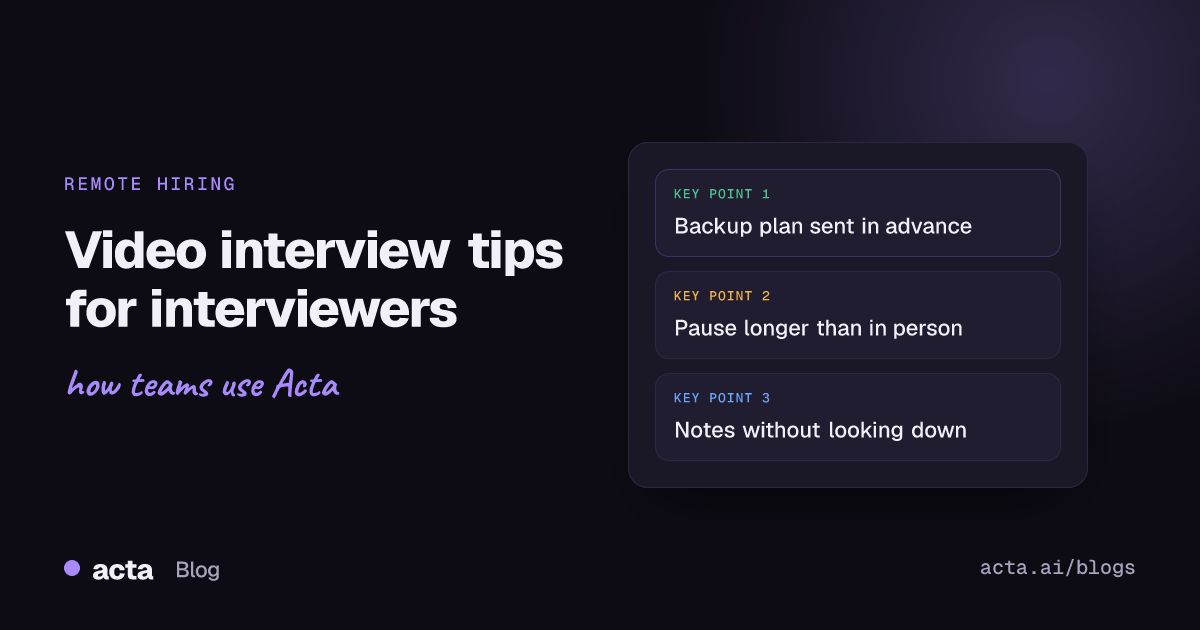
Quick answer: The most useful video interview tips for interviewers are about control: test your setup and have a phone backup, send the candidate the format and a fallback number in advance, open with two minutes of warm-up, leave longer pauses than you would in person, check identity with a few unscripted moments, and capture notes without staring down at your keyboard.
Most advice about video interviews is written for candidates. Fix your lighting, look at the camera, don't do it from bed. Fair enough. But the person running the call has more influence over how it goes than the candidate does, and a lot of interviewers who are excellent in person get noticeably worse on video. They talk over people because of lag, read rapport wrong, and make decisions off a grainy feed. Remote hiring puts more weight on the interviewer's habits, so here are the video interview tips for interviewers I'd want everyone on my panel to follow.
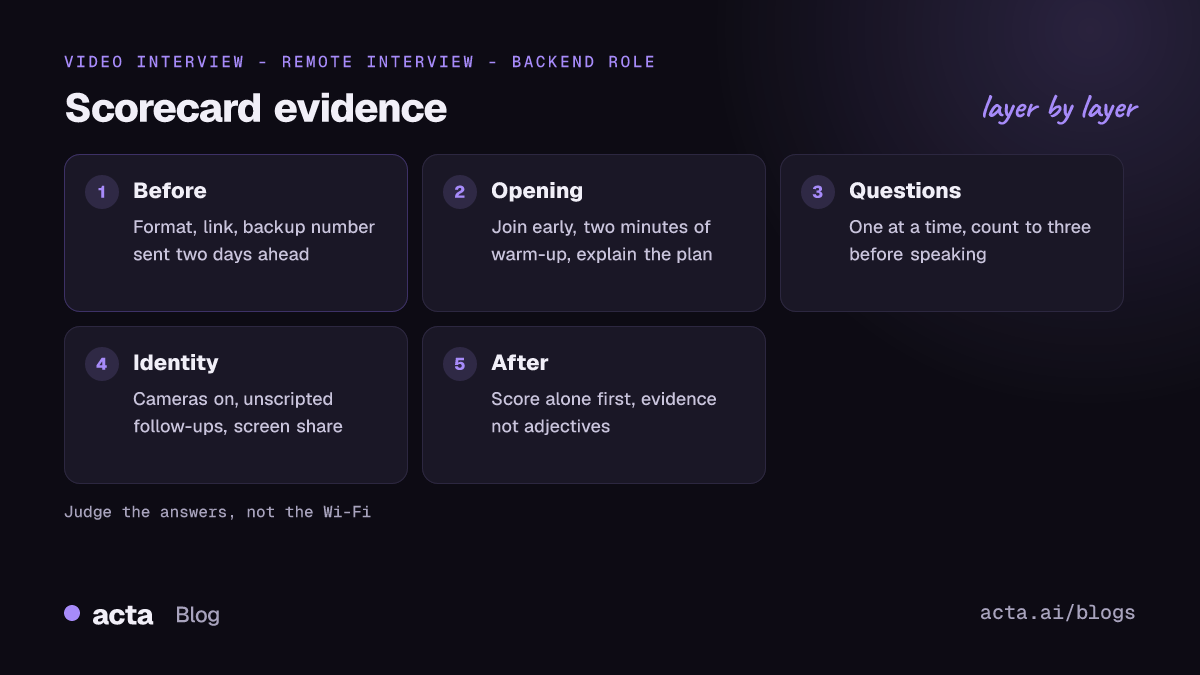
Why do video interviews need different habits from in-person ones?
Three things change on video, and each one quietly affects your judgement.
- Delay. Even half a second of lag means people start talking at the same time, then both stop. Candidates read that as being interrupted.
- Fewer signals. You see a head and shoulders. You lose posture, the handshake, how they walk in. It's tempting to fill the gap with things that don't matter, like their background or their webcam.
- Tech failures look like nerves. A frozen picture and a frozen candidate look the same for the first few seconds.
The goal is to remove as much of that noise as you can, so you're judging the answers and not the Wi-Fi.
How should interviewers prepare for a video interview?
- Send the details two days ahead. Platform, link, who'll be on the call, how long it runs, and a phone number to ring if the link fails. If you're still choosing a platform, our Zoom vs Teams vs Google Meet comparison covers the trade-offs. SHRM's advice on conducting great video interviews covers this, along with testing your own tech and asking candidates whether they need any accommodations.
- Use the same format for everyone at a stage. If one candidate gets a relaxed in-person chat and another gets a 30-minute video slot, you aren't comparing like with like.
- Check your own setup. Camera at eye level, light in front of you rather than behind, headset if your room echoes. Close the email tab. Candidates notice when your eyes keep flicking to another window.
- Know the lobby and admit settings. On Teams, external candidates often wait in the lobby. Microsoft's page on using the lobby in Teams meetings explains who gets let in automatically. Make sure someone on your side is actually there to admit them, so a candidate doesn't sit alone in a waiting screen for six minutes wondering if they have the wrong time.
- Agree roles on a panel. Who leads, who asks which questions, who watches the time. On video, two interviewers starting a question at once is far more awkward than it is around a table.
How do you build rapport with a candidate over video?
Rapport matters because nervous candidates give worse answers, and you're trying to see what they can actually do. On video, warmth takes slightly more effort.
- Join early and be on camera when they arrive. Arriving to a black square with initials is a cold start.
- Spend two minutes on something light. Where they're calling from, whether they could hear you okay. It doubles as a sound check.
- Explain the shape of the call. "We'll do about 35 minutes of questions, then you'll have time for yours." People relax when they know the plan.
- Say when you're writing. "I'm going to take notes as we go, so if I look down that's what I'm doing." Without that, looking away reads as boredom.
- Be relaxed about interruptions. A dog barking or a delivery at the door says nothing about the candidate's ability. SHRM makes the same point: stay empathetic if a child or pet wanders into frame.
Video interview tips for interviewers during the questions
Most video interview tips for interviewers come down to the same rule here: keep the substance and change the delivery. The question set should be the same one you'd use in person, ideally structured, with a scoring guide. What changes is how you run it.
Leave longer pauses
After a candidate stops, count to three before you speak. Lag plus a thinking pause can make it seem like they've finished when they're about to add the best part of their answer. This single habit removes most of the talking-over-each-other problem.
Ask one question at a time
Two-part questions are hard to follow even in person. Over a call with occasional audio dropouts, the second half often disappears. Ask the follow-up separately.
Summarise back occasionally
"So the migration took four months and you owned the rollback plan. Is that right?" It catches anything you misheard, and it shows the candidate you're listening even though you can't nod across a table.
Handle a dropped call calmly
If the connection dies, call the backup number straight away and tell the candidate it won't count against them. Then make sure it doesn't. Add the lost minutes back at the end if you can.
How do you verify a remote candidate is who they say they are?
This used to sound paranoid. It doesn't any more. In 2022 the FBI's Internet Crime Complaint Center issued a public service announcement on deepfakes and stolen identity data used to apply for remote jobs. The roles named were mostly IT, programming, database and software jobs. The warning signs it described included lip movement that didn't match the audio, and coughs or sneezes that weren't in sync with the video.
Detection tools and fakes both keep changing, so don't treat any single trick as proof. Practical steps for interviewers:
- Keep cameras on for everyone, interviewers included. It's normal, and it makes a camera-off request stand out.
- Add a few unscripted moments. Ask about something specific on their CV that a coached proxy wouldn't have rehearsed. Ask them to share their screen and walk through something they built.
- Watch for a mismatch across rounds. A different voice, accent or level of fluency between the phone screen and the video round is worth a quiet word with your recruiter.
- Don't let one video call carry the whole decision. For fully remote roles, many teams now add an ID check before the offer through HR, or a live final step.
None of this should feel like an interrogation. Most candidates are exactly who they say they are, and they'll notice if you treat them like suspects.
How should you take notes in a video interview?
Typing while someone talks is the worst habit in remote interviewing. Your eyes drop, your keyboard clicks into the mic, and you end up writing your impression of the answer rather than the answer.
Some options, roughly from simplest to most complete:
- Short keyword notes, written up straight after. Jot three or four words per answer, then block 10 minutes after the call to expand them while they're fresh. Don't book interviews back to back.
- A dedicated note-taker on the panel. One person asks, another writes. It works well, but it costs an interviewer's time.
- Record the interview with the candidate's agreement. Tell them in the invite and again at the start, and give them a real choice. Our guide to recording job interviews with consent goes through it step by step. Recording rules differ by country and state, so read up on consent and what to tell participants first. This is general information, not legal advice.
If you do record, and your company blocks meeting bots or you'd rather not have a "notetaker" tile staring at a nervous candidate, record from your own machine instead. A Chrome extension can capture Google Meet, Teams in the browser and the Zoom web client, and a desktop app covers the Zoom and Teams desktop apps. Either way, with a transcript you can score against what the candidate actually said. Our post on interview scorecard automation shows how that evidence feeds a scorecard.
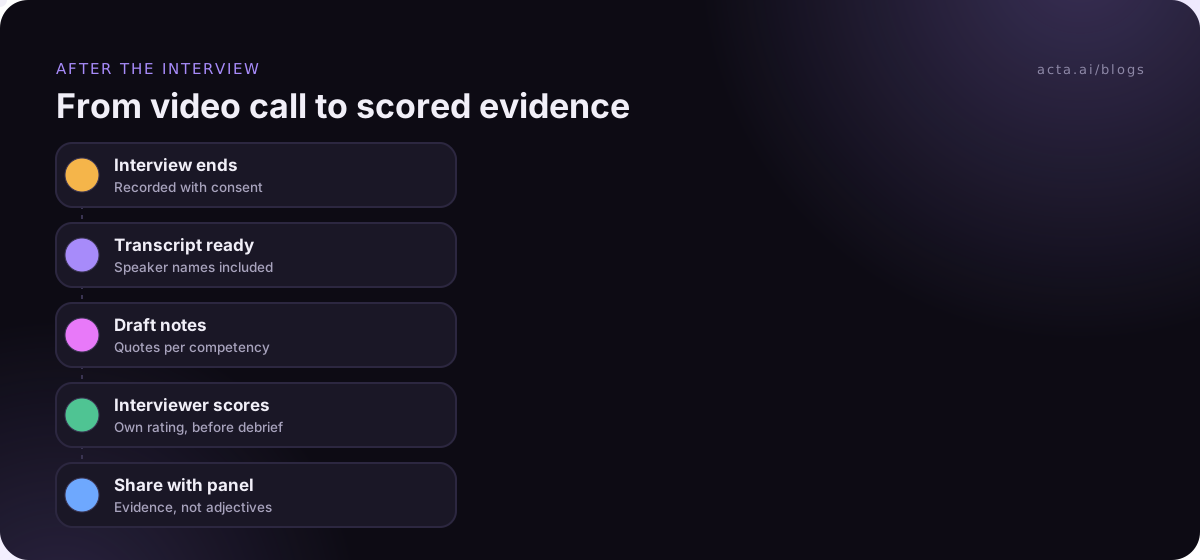
What should happen right after the call?
- Score before you talk to anyone. Rate each competency on your own first, so the loudest person in the debrief doesn't set everyone's scores.
- Write evidence, not adjectives. "Described cutting deploy time by moving tests to parallel runners" is evidence. "Seemed sharp" isn't.
- Note any tech problems separately. If the call dropped twice, record it, so nobody later remembers the candidate as "a bit scattered".
- Tell the candidate what happens next. A day and a channel. Silence after a video interview feels even colder than silence after an office visit.
Mistakes interviewers make on video calls
- Judging the candidate's room, lighting or camera quality. That's a budget question, not a skills question.
- Muting and chatting with a co-interviewer in a side channel, then reacting to the chat on camera.
- Running long and eating the candidate's question time. Their questions tell you a lot.
- Using virtual backgrounds that make your own head disappear when you move. A plain wall is fine.
- Forgetting the candidate can see you. Eye-rolls and sighs are visible at 720p.
Where Acta fits
We make Acta, which records Zoom, Google Meet and Teams interviews with a bot or from your own computer, then writes the transcript with speaker names, a summary and action items. You can shape the notes with one of its 40 report templates, and the interviewer still does the scoring. You can see how it's set up for recruiting on our hiring page.
Frequently asked questions
How long should a video interview be?
Most first-round video interviews run 30 to 45 minutes. Longer than an hour without a break is tiring on screen for both sides. If you need more time, split it into two sessions or add a five-minute pause.
Should interviewers keep their cameras on?
Yes. Asking a candidate to be on camera while you aren't feels lopsided, and it makes rapport much harder. Every panel member should be visible, even the person who's mostly taking notes.
Is it okay to record a video interview?
It can be, if you tell the candidate in advance, explain why and how long you'll keep it, and follow local recording and data rules. Some candidates will say no, and that shouldn't affect their chances.
What if the candidate's connection keeps failing?
Switch to the phone number you shared in advance and finish by voice, or reschedule. Note the problem on the scorecard so it isn't mistaken for a weak performance.
How do I spot a candidate reading AI-generated answers?
Ask follow-ups that need specifics: names of tools, what went wrong, what they'd do differently. Scripted answers usually stay general when pushed. Don't treat a pause or eye movement alone as proof; plenty of people look away to think.
If you'd like interview transcripts and draft notes after every call, start a 15-day free trial of Acta.