Guides & How-tos 8 min read
How to Build Table Question Answering Over Spreadsheets (2026 Guide)
A practical guide to table question answering: when to use TAPAS and when to use text-to-SQL, which open models to pick, and how to deploy and evaluate it.
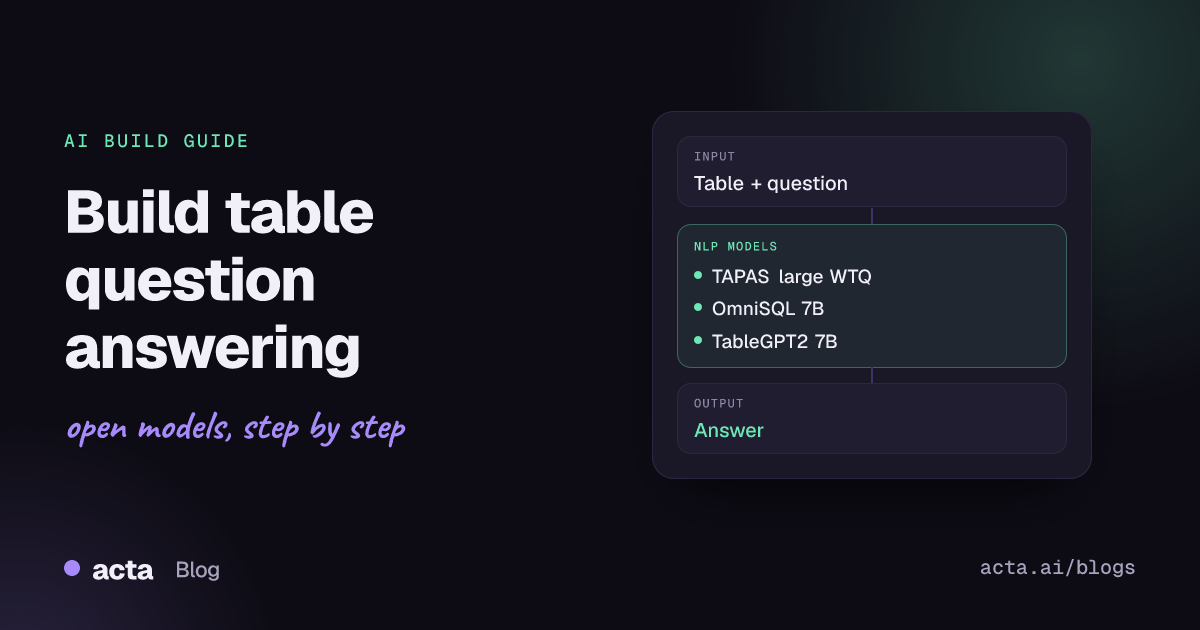
Quick answer: Table question answering takes a table plus a natural-language question and returns an answer, such as a cell, a list or an aggregate. For small tables, the fastest start is a TAPAS model through the transformers table-question-answering pipeline. For real spreadsheets and databases, load the data into SQLite and use an open text-to-SQL model such as OmniSQL served with vLLM.
People ask spreadsheets questions all day: which region missed target, how many deals closed last quarter, which supplier has the longest lead time. Table QA turns those questions into answers without making the user write formulas or SQL.
This guide explains the two main approaches, the open models worth testing, working code for both, and how to deploy and evaluate a system that people will trust with numbers.
What is table question answering?
The input is a table (rows and columns, often from CSV, Excel or a database) and a question. The output is an answer, ideally with the cells or query that produced it. The Hugging Face table question answering task page covers the classic models, which read the table directly. There are three ways to solve the task:
- Table encoders. TAPAS is a BERT-style encoder with extra row and column embeddings that selects cells and an aggregation operator (none, sum, average, count), as described in the TAPAS paper. TAPEX is a BART-based encoder-decoder pre-trained to imitate a SQL executor and generates the answer.
- Text-to-SQL. An LLM sees the schema, writes a SQL query, and the database computes the answer. This scales to tables of any size because the model never reads every row.
- LLMs over serialized tables or code. A general or table-tuned LLM reads a small table as text, or writes pandas code that runs over a DataFrame.
Table encoders are limited by their input length: a study of scientific tables notes a 512-token maximum for TAPAS and 1,024 for TAPEX (arXiv 2404.00401). That is a few dozen rows, so most production systems use text-to-SQL.
What can you build with it?
- Chat with your spreadsheet: upload a CSV or Excel file and ask questions in plain language.
- Self-serve BI: let sales or operations teams query a read-only warehouse view without filing a ticket for the data team.
- Finance and ops assistants: answer questions over budgets, invoices, inventory or shipment tables.
- Product analytics bots: answer "how many users did X last week" in Slack from an events table.
- Tables inside RAG: route questions about tables in reports to a table QA component instead of a text retriever.
Which models should you use?
- TAPAS large WTQ (google/tapas-large-finetuned-wtq): Apache-2.0 table encoder fine-tuned in sequence on SQA, WikiSQL and WikiTableQuestions; the card reports 0.5097 dev accuracy on WTQ. Good for small tables and quick demos.
- TAPEX large WTQ (microsoft/tapex-large-finetuned-wtq): BART-based model that generates answers; the TAPEX collection also has WikiSQL and TabFact variants. Check the card for licence details.
- OmniSQL 7B (seeklhy/OmniSQL-7B): Apache-2.0 text-to-SQL model trained on the synthetic SynSQL-2.5M dataset plus Spider and BIRD training data, with 14B and 32B siblings. The card notes it targets the SQLite dialect.
- Qwen2.5-Coder 7B Instruct (Qwen/Qwen2.5-Coder-7B-Instruct): the base model OmniSQL-7B was trained from, according to the OmniSQL paper. A solid general coder for SQL and pandas generation when you need dialects other than SQLite.
- TableGPT2 7B (tablegpt/TableGPT2-7B): a Qwen2.5-based model tuned for tabular data and BI tasks; the repo's LICENSE file is Apache 2.0. Training emphasizes Chinese, so test carefully on other languages (TableGPT2 paper).
- Qwen3 8B (Qwen/Qwen3-8B): Apache-2.0 general LLM, useful when the app must explain results, ask clarifying questions or write pandas code as well as SQL.
For text-to-SQL, compare models on the BIRD-bench leaderboard, which reports execution accuracy on large, messy databases, and then on your own question set.
How do you build it, step by step?
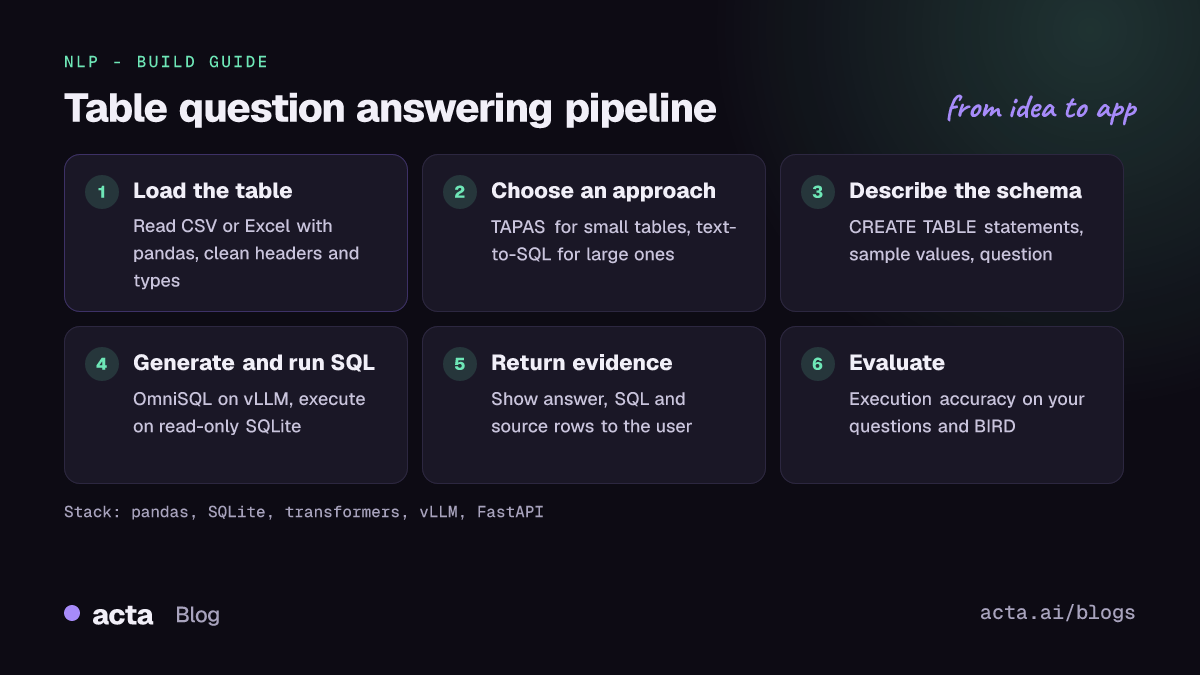
- Load and clean the table. Read CSV or Excel with pandas, normalise header names, parse dates and numbers, and drop empty rows.
- Choose the approach. Under about 50 rows, TAPAS or an LLM reading the table works. Beyond that, write the data to SQLite (or use your warehouse) and generate SQL.
- Describe the schema. Give the model
CREATE TABLEstatements, column descriptions and a few sample values so it knows that "EMEA" is a region code. - Generate SQL and execute it safely. Run queries on a read-only connection with a row limit and a timeout.
- Return evidence. Show the answer, the SQL and the rows it came from so users can check the result.
- Log and evaluate. Store questions, SQL, errors and user feedback, and grow a test set from real traffic.
For small tables, this follows the example on the task page and the transformers TAPAS docs:
# pip install transformers torch pandas   (pattern from the Hugging Face table QA task page)
import pandas as pd
from transformers import pipeline

data = {"Actors": ["Brad Pitt", "Leonardo Di Caprio", "George Clooney"],
        "Number of movies": ["87", "53", "69"]}
table = pd.DataFrame.from_dict(data).astype(str)  # TAPAS expects string cells

tqa = pipeline("table-question-answering", model="google/tapas-large-finetuned-wtq")
result = tqa(table=table, query="How many movies does Leonardo Di Caprio have?")
print(result["answer"], result["cells"], result["coordinates"])
For larger data, this text-to-SQL example follows the vLLM quickstart in the RUCKBReasoning/OmniSQL repository. The prompt is shortened here; use the full template from the README for best results:
# pip install vllm   (follows the vLLM quickstart in the RUCKBReasoning/OmniSQL README)
from vllm import LLM, SamplingParams
from transformers import AutoTokenizer

# Abbreviated: copy the full input_prompt_template from the OmniSQL README.
input_prompt_template = """Database Engine: SQLite
Database Schema:
{db_details}
Question:
{question}
Return the SQL query in a ```sql``` code block."""

prompt = input_prompt_template.format(
    db_details="CREATE TABLE sales (region TEXT, month TEXT, revenue REAL);",
    question="Which region had the highest total revenue?")

model_path = "seeklhy/OmniSQL-7B"
tokenizer = AutoTokenizer.from_pretrained(model_path)
sampling_params = SamplingParams(temperature=0, max_tokens=2048, n=1)
llm = LLM(model=model_path, dtype="float16", tensor_parallel_size=1,
          max_model_len=8192, gpu_memory_utilization=0.92, trust_remote_code=True)

chat_prompt = tokenizer.apply_chat_template(
    [{"role": "user", "content": prompt}], add_generation_prompt=True, tokenize=False)
outputs = llm.generate([chat_prompt], sampling_params)
print(outputs[0].outputs[0].text)
Then execute the extracted SQL against a read-only copy of the data:
# Standard library only: load a CSV into SQLite, then run generated SQL read-only.
import sqlite3
import pandas as pd

df = pd.read_csv("sales.csv")
with sqlite3.connect("sales.db") as con:
    df.to_sql("sales", con, if_exists="replace", index=False)

def run_readonly(sql: str, limit: int = 200):
    if not sql.lstrip().lower().startswith(("select", "with")):
        raise ValueError("only SELECT queries are allowed")
    con = sqlite3.connect("file:sales.db?mode=ro", uri=True)  # read-only connection
    try:
        return con.execute(sql).fetchmany(limit)
    finally:
        con.close()
How do you serve and deploy it?
- Table encoders: TAPAS and TAPEX run on CPU for small tables; wrap the pipeline in FastAPI and cap the number of rows per request.
- Text-to-SQL models: a 7B model fits on a single 24 GB GPU in float16. vLLM gives you batching and an OpenAI-compatible HTTP server; the OmniSQL card recommends greedy decoding.
- CPU or laptop: community GGUF builds such as OmniSQL-7B-GGUF run with llama.cpp at lower precision; test accuracy after quantization.
- Front end: a Gradio app with a file upload, a question box, the answer, the SQL and a result table is enough for an internal pilot.
- Security: use a database user with SELECT rights only, separate data per tenant, and never run generated SQL against production write paths.
How do you evaluate it?
Table encoders are scored with denotation accuracy: does the predicted answer match the gold answer on datasets such as WikiTableQuestions, WikiSQL and SQA? Text-to-SQL is scored with execution accuracy (EX): run the predicted and gold queries and compare the result sets. BIRD also reports efficiency-based scores, and Spider is another common benchmark.
Public scores only tell you so much. Build 100-200 real questions with expected answers from your own tables, include ambiguous and impossible questions, and re-run the set after every prompt, schema or model change. Track the rate of SQL errors, empty results and wrong answers separately, because each has a different fix.
Pitfalls and tips
- Row limits. TAPAS accuracy drops on larger tables; one forum thread on the TAPAS row limit reports problems beyond roughly 64 rows. Switch to SQL rather than truncating.
- Cell types. The TAPAS tokenizer expects strings, so cast the DataFrame with
.astype(str), as discussed in this thread on running TAPAS over a CSV. - Dialect mismatch. OmniSQL was trained on SQLite. If your warehouse is Postgres or BigQuery, use a general coder model or translate the SQL and test.
- Confident wrong numbers. A query can run and still answer the wrong question. Show the SQL and the source rows, and ask the user to confirm ambiguous terms.
- Licences. The TAPAS and OmniSQL checkpoints named here are Apache-2.0; check every other card, especially fine-tunes.
- Privacy. Spreadsheets often hold salaries or customer data. Self-hosting an open model keeps the data in your environment; still log access and mask sensitive columns.
Where to get help
- The Hugging Face forum threads linked above, plus the TAPAS and TAPEX model discussions on the Hub.
- google-research/tapas and microsoft/Table-Pretraining for the original TAPAS and TAPEX code. Both repositories are archived and read-only, so use them as reference.
- The OmniSQL GitHub issues for prompt and evaluation questions, and the BIRD-bench site for benchmark details.
Frequently asked questions
Should I use TAPAS or text-to-SQL?
Use TAPAS for small, single tables and quick prototypes. Use text-to-SQL when tables have more than a few dozen rows, when you have several related tables, or when you need exact aggregates.
Can I query Excel files directly?
Load each sheet with pandas, write it to SQLite or DuckDB, and query that. Clean merged cells and multi-row headers first; they are the most common cause of wrong answers.
How do I stop the model from running harmful SQL?
Connect with a read-only user or a read-only SQLite URI, allow only SELECT statements, set a timeout and a row limit, and run queries against a copy or a view.
Do I need a GPU?
Not for TAPAS on small tables. For 7B text-to-SQL models, a single GPU gives interactive latency; quantized GGUF builds can run on CPU at lower speed.
Related guides in this series: extractive question answering, text generation with open LLMs and document question answering. For lessons on building question answering over many sources, see how we cracked the multi-meeting RAG challenge.