Guides & How-tos 9 min read
How to Build Document Question Answering and Visual Retrieval (2026 Guide)
A practical guide to building document Q&A and visual document retrieval with ColPali-style retrievers, Qwen3-VL readers, working code, deployment tips and metrics.
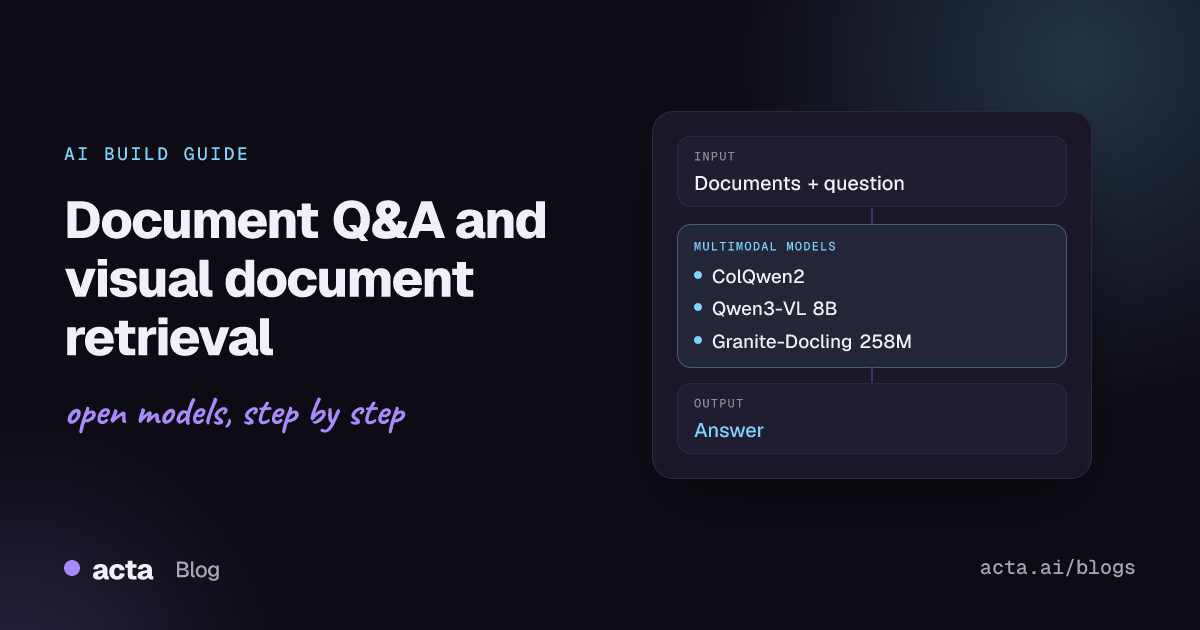
Quick answer: Document question answering returns an answer to a question about a document image, and visual document retrieval finds the right pages in a large collection. The shortest path in 2026: embed page images with a ColPali-family retriever such as ColQwen2 (colpali-engine or Sentence Transformers), then pass the top pages to an open vision-language model such as Qwen3-VL with transformers or vLLM.
Most business knowledge still lives in PDFs, scans, slide decks and forms. Text-only pipelines lose the layout, tables, charts and stamps that carry much of the meaning. Document AI models read the page as an image, so they keep that structure.
Developers use these two tasks together to build invoice and receipt extraction, contract and policy assistants, search over scanned archives, and retrieval-augmented generation (RAG) over reports where the answer sits in a chart or table rather than in clean text.
What are document question answering and visual document retrieval?
Document question answering (also called document visual question answering) takes a document image plus a question and returns an answer. The Transformers document question answering guide describes the classic approach: models such as LayoutLM, LayoutLMv2 and LayoutLMv3 combine the text from OCR, the word positions (bounding boxes) and the image, and treat the problem as extractive question answering. The standard metric is ANLS (average normalized Levenshtein similarity), which tolerates small OCR errors.
The newer approach skips OCR. A general vision-language model (VLM) reads the page pixels directly and generates the answer as free text, which also handles charts, handwriting and multi-column layouts.
Visual document retrieval is the search step. The Hugging Face visual document retrieval task page defines it as searching image-based documents such as PDFs: the model takes a text query and a set of page images and returns the most relevant pages with relevance scores. The leading open approach comes from the ColPali paper (arXiv 2407.01449): a VLM produces multi-vector embeddings for each page image, and queries are matched with ColBERT-style late interaction (MaxSim) instead of a single vector per page.
Put together, retrieval narrows thousands of pages to a handful, and question answering reads those pages to produce a grounded answer.
What can you build with it?
- Invoice and receipt Q&A: ask "What is the invoice number?" or "What is the total due?" and write the answer into your accounting system.
- Visual RAG over reports: index annual reports, research papers or slide decks as page images and answer questions whose evidence is in a chart or table.
- Contract and policy assistants: retrieve the clause pages that match a question, then have a VLM quote and summarize them with page references.
- Scanned archive search: make decades of scanned forms, manuals or medical records searchable without building an OCR and layout pipeline first.
- Document conversion for downstream LLMs: convert PDFs to Markdown or HTML with tables intact so a text model or a classic search index can use them.
- Form triage: route incoming documents by asking a few fixed questions per page (document type, customer ID, date).
Which models should you use?
Split the choice into a retriever (page embeddings) and a reader (answer generation). These open models are widely used and have public model cards:
- ColQwen2 (vidore/colqwen2): the default visual retriever. It extends Qwen2-VL-2B-Instruct to output ColBERT-style multi-vector embeddings of text and images. The current checkpoint, vidore/colqwen2-v1.0, was trained with a larger batch size than v0.1 (the linked card). Backbone under Apache 2.0, adapters under MIT. The model card notes it mainly targets PDF-type documents and high-resource languages.
- ColSmol 256M (vidore/colSmol-256M): a much smaller ColBERT-style retriever built on SmolVLM, trained on English data. A good fit for CPU-heavy or high-volume indexing where you accept some quality loss. Backbone Apache 2.0, adapters MIT.
- ColPali v1.2 (vidore/colpali-v1.2): the original PaliGemma-based retriever from the paper. Still a solid baseline, but it falls under the Gemma licence terms, so check them before shipping.
- Qwen3-VL-8B-Instruct: a strong open reader for answering questions over retrieved pages, including tables and charts. The Qwen3-VL family is Apache 2.0 and comes in 2B, 4B, 8B and 32B dense sizes plus 30B-A3B and 235B-A22B mixture-of-experts variants, with Instruct and Thinking versions.
- Qwen3-VL-2B-Instruct (see its Hugging Face discussions): the small member of the same family, useful when you need the reader on a single small GPU or at the edge.
- Granite-Docling-258M: a compact IBM vision-language model for document conversion, Apache 2.0. It emits DocTags markup that converts to Markdown or HTML, and runs through the Docling library. Use it when you want structured text out of PDFs rather than direct answers.
- LayoutLM document QA (impira/layoutlm-document-qa): a LayoutLM model fine-tuned on SQuAD2.0 and DocVQA, MIT licensed. It is extractive, needs Tesseract OCR, and is a quick baseline for single-page forms and invoices.
To compare retrievers, use the ViDoRe leaderboard Space on Hugging Face, which ranks visual retrievers on the ViDoRe benchmark. The colpali repository also lists newer supported checkpoints, including ColQwen2.5 and Qwen3-VL-based retrievers, if you want to test beyond the models above.
How do you build it, step by step?
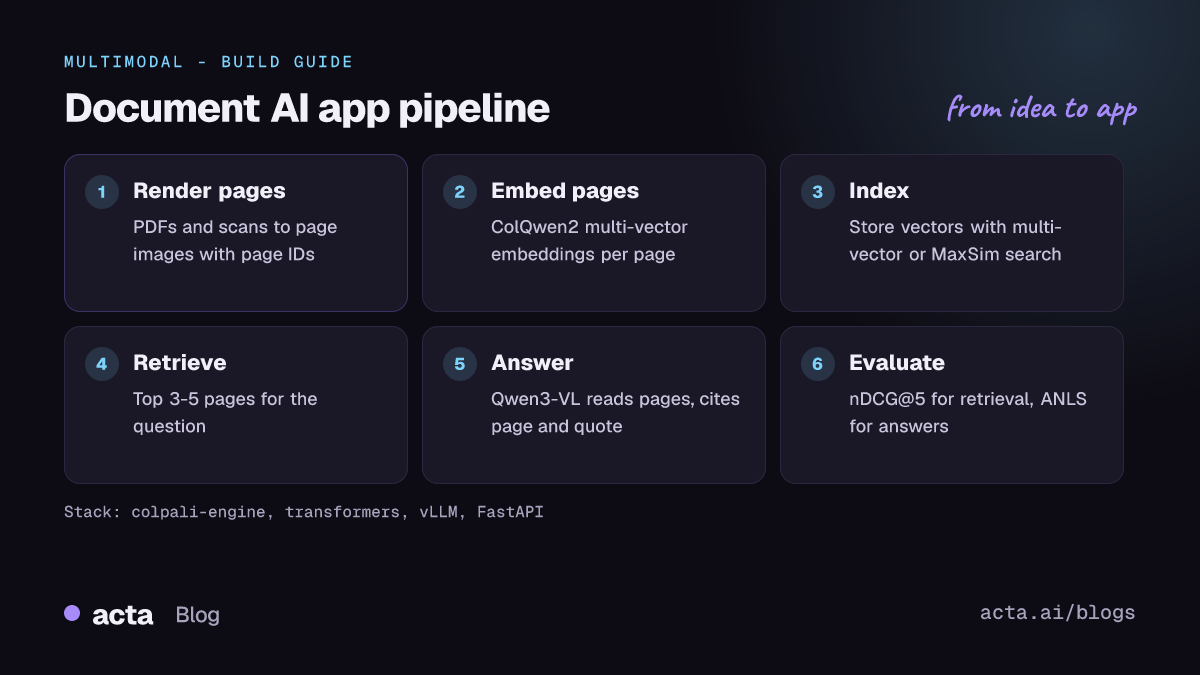
- Collect and render pages. Convert each PDF page to an image at a resolution where small table text is still readable. Keep a mapping from page image to document ID and page number.
- Embed every page with a visual retriever. Run ColQwen2 (or ColSmol for speed) over the page images once and store the multi-vector embeddings.
- Store embeddings in an index that supports multi-vector search. The ColQwen2 model card warns that many vector databases lack native multi-vector support, so either pick one that has it or keep a first-pass single-vector index plus MaxSim re-scoring.
- Retrieve the top pages for each question. Embed the query with the same model, score it against page embeddings with MaxSim and keep the top 3 to 5 pages.
- Generate the answer with a VLM. Send the retrieved page images and the question to Qwen3-VL, and ask it to cite page numbers and quote the evidence.
- Evaluate and iterate. Measure retrieval with nDCG@5 and answer quality with ANLS or exact match on a labelled set from your own documents.
For a quick single-page baseline, the LayoutLM pipeline is a few lines. This follows the impira/layoutlm-document-qa model card:
# Follows the impira/layoutlm-document-qa model card
# pip install transformers torch pillow pytesseract  (plus the tesseract binary)
from transformers import pipeline

nlp = pipeline(
    "document-question-answering",
    model="impira/layoutlm-document-qa",
)
result = nlp(
    "https://templates.invoicehome.com/invoice-template-us-neat-750px.png",
    "What is the invoice number?",
)
print(result)  # answer string, score and token positions
For retrieval, this follows the quick start in the illuin-tech/colpali README. Note that the README now marks colpali-engine as deprecated for new projects and recommends Sentence Transformers' MultiVectorEncoder; a community discussion on the ColSmol card shows that loading path. The scoring logic is the same.
# Follows the illuin-tech/colpali README (colpali-engine)
import torch
from PIL import Image
from colpali_engine.models import ColQwen2, ColQwen2Processor

model_name = "vidore/colqwen2-v1.0"
model = ColQwen2.from_pretrained(
    model_name, torch_dtype=torch.bfloat16, device_map="cuda:0"
).eval()
processor = ColQwen2Processor.from_pretrained(model_name)

pages = [Image.open("report_p1.png"), Image.open("report_p2.png")]
queries = ["What was total revenue in 2025?"]

batch_images = processor.process_images(pages).to(model.device)
batch_queries = processor.process_queries(queries).to(model.device)
with torch.no_grad():
    page_embeddings = model(**batch_images)
    query_embeddings = model(**batch_queries)

scores = processor.score_multi_vector(query_embeddings, page_embeddings)
print(scores)  # one row per query, one column per page
Finally, the reader step. This follows the transformers quick start in the QwenLM/Qwen3-VL repository, swapped to the 8B Instruct checkpoint and pointed at a retrieved page:
# Follows the QwenLM/Qwen3-VL README (transformers >= 4.57.0)
from transformers import AutoModelForImageTextToText, AutoProcessor

model_id = "Qwen/Qwen3-VL-8B-Instruct"
model = AutoModelForImageTextToText.from_pretrained(model_id, dtype="auto", device_map="auto")
processor = AutoProcessor.from_pretrained(model_id)

messages = [{"role": "user", "content": [
    {"type": "image", "image": "report_p2.png"},  # top page from the retriever
    {"type": "text", "text": "What was total revenue in 2025? Quote the table row."},
]}]
inputs = processor.apply_chat_template(
    messages, tokenize=True, add_generation_prompt=True,
    return_dict=True, return_tensors="pt",
).to(model.device)

generated_ids = model.generate(**inputs, max_new_tokens=256)
trimmed = [out[len(inp):] for inp, out in zip(inputs.input_ids, generated_ids)]
print(processor.batch_decode(trimmed, skip_special_tokens=True)[0])
How do you serve and deploy it?
Treat indexing and question answering as two services. Indexing is a batch job: run the retriever over new documents on a GPU worker, write embeddings to your store and keep the page images in object storage. Query time needs only the query encoder, the index and the reader.
- Reader serving: vLLM supports multimodal models such as Qwen-VL and exposes an OpenAI-compatible HTTP server, so your application can send page images and questions over a standard chat API. The Qwen3-VL README lists vLLM 0.11.0 or later for these models.
- Hardware: ColQwen2 and the 2B to 8B Qwen3-VL models fit on a single data-centre GPU in bf16. Use FP8 or other quantized checkpoints when memory is tight, and the MoE variants only when you need more quality and have multiple GPUs.
- Conversion path: if you prefer text RAG, run Docling with its VLM pipeline (
docling --pipeline vlm --vlm-model granite_docling) to turn PDFs into Markdown, then index the text with a normal embedding model. - Front end: a small FastAPI service with an upload endpoint and a question endpoint, or a Gradio demo on Hugging Face Spaces, is enough for internal pilots. Return the page thumbnails next to each answer so users can check the evidence.
How do you evaluate it?
Evaluate retrieval and answering separately, because a wrong answer is often a retrieval miss.
- Retrieval: nDCG@5, nDCG@10, Recall@5 and MAP. The vidore-benchmark package evaluates full retrieval pipelines on ViDoRe v3 (domains such as HR, finance, industrial, pharmaceuticals and physics) and records indexing and search time; ViDoRe v1 and v2 are now maintained in MTEB.
- Answering: ANLS and exact match are the standard DocVQA metrics. For free-text VLM answers, add a check that the quoted evidence actually appears on the cited page.
- Your own data: public benchmarks are mostly English PDFs. Label 100 to 300 real questions from your documents, with the correct page and answer, and track both metrics on every model or prompt change.
- Cost and latency: measure pages indexed per second and end-to-end answer latency, since multi-vector indexes and multi-page VLM prompts both grow quickly.
Pitfalls and tips
- Licences differ by component. Qwen3-VL and Granite-Docling are Apache 2.0, ColQwen2 combines an Apache 2.0 backbone with MIT adapters, while ColPali inherits Gemma terms. Check each card before commercial use.
- Multi-vector storage grows fast. Each page produces many vectors. Plan for pooling, quantization or a two-stage search if you index millions of pages.
- Image resolution matters. Too low and small print disappears; too high and VLM token counts and latency explode. Test a few settings on your hardest pages.
- Hallucination: VLMs can produce plausible numbers that are not on the page. Ask for quotes and page numbers, and reject answers whose quote you cannot find.
- Language coverage: the ColQwen2 card notes a focus on high-resource languages, and ColSmol was trained on English only. Test non-English documents explicitly.
- Privacy: invoices, contracts and medical records are sensitive. Running open models on your own infrastructure keeps documents out of third-party APIs, but you still need access control on the index and page store.
Where to get help
- The colpali GitHub repository for training code, supported checkpoints and issues about ColPali and ColQwen models.
- The ViDoRe leaderboard discussions for questions about benchmark results and submissions.
- The Qwen3-VL repository and the model discussions on Hugging Face for reader setup, prompts and serving issues.
- The Docling repository for PDF conversion questions.
Frequently asked questions
Do I still need OCR for document question answering?
Not with VLM-based pipelines. ColPali-style retrievers and readers like Qwen3-VL work from page images. OCR-based models such as LayoutLM still need Tesseract or another OCR engine, and OCR text remains useful if you also want keyword search.
What is the difference between ColPali and a normal embedding model?
A normal embedding model stores one vector per chunk of text. ColPali-family models store many vectors per page image and score queries with late interaction (MaxSim), which keeps fine-grained matches to table cells, headings and figure labels.
Can I run this on a CPU?
Small retrievers like ColSmol 256M can index on CPU slowly, but the reader VLM is practical only on a GPU. A common split is GPU batch indexing overnight and a single GPU for the reader at query time.
How many pages should I send to the VLM?
Start with the top 3 to 5 retrieved pages. More pages raise latency and token cost and can distract the model; measure answer accuracy as you change the number.
Related guides in this series: vision-language apps and VQA, semantic search with embeddings and rerankers for RAG. For a production view of retrieval across many sources, see how Acta approached multi-meeting RAG.