Guides & How-tos 7 min read
How to Build a Vision-Language App With Open Models (2026 Guide)
A practical guide to image-text-to-text and VQA: choose an open vision-language model, run it with transformers, serve it with vLLM and evaluate it properly.
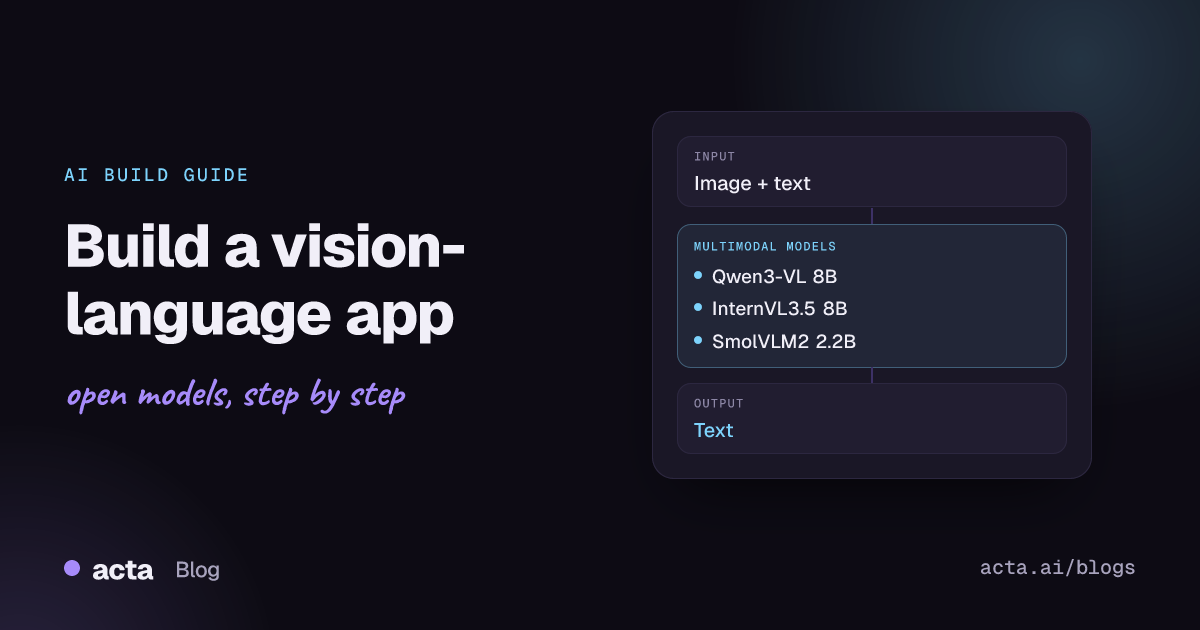
Quick answer: Image-text-to-text models, also called vision-language models (VLMs), read an image plus a text prompt and return text, which covers visual question answering, captioning, OCR-style extraction and screenshot understanding. The shortest path is an open VLM such as Qwen3-VL or SmolVLM2, loaded with the transformers image-text-to-text pipeline, then served with vLLM behind a small API.
Visual question answering (VQA) used to mean a narrow model trained to give one-word answers about a photo. Today the same job is done by general VLMs that can describe a scene, read a receipt, compare two screenshots or explain a chart in full sentences.
This guide covers how these models work, which open models to start with, working code, deployment options, evaluation and the problems you are likely to hit in production.
What is image-text-to-text and visual question answering?
The Hugging Face image-text-to-text task page describes models that take an image and a text prompt and generate text. VQA is a specific use of that capability: given an image and a natural language question, return an accurate natural language answer, as defined in the original VQA paper. Most VQA work on the Hub is now done with general VLMs rather than dedicated VQA models.
A typical VLM has three parts:
- Vision encoder: a ViT-style encoder (often SigLIP-based) that splits the image into patches and turns them into embeddings.
- Projector: a small network that maps image embeddings into the language model's token space, sometimes compressing them to save context.
- Language model: an LLM that reads image tokens and text tokens together and generates the answer.
Models come as base checkpoints, instruction-tuned checkpoints and chat checkpoints. For applications, use instruction-tuned ("Instruct" or "-it") versions; they follow prompts and chat templates out of the box. The transformers image-text-to-text guide explains the input format in detail.
What can you build with it?
- Document and receipt extraction: pull totals, dates and line items from photos and scans into JSON.
- Product and catalogue tagging: generate titles, attributes and alt text for e-commerce images.
- Visual support assistants: let users upload a screenshot of an error or a photo of a device and ask what is wrong.
- Chart and dashboard Q&A: answer questions about a chart image in reports or slides.
- Accessibility: describe images for screen reader users, with follow-up questions.
- UI agents: parse screenshots and locate buttons or fields; some VLMs can output coordinates as text.
Which models should you use?
All of these are instruction-tuned and run with recent transformers releases:
- Qwen3-VL 8B Instruct (Qwen/Qwen3-VL-8B-Instruct): a strong general default for OCR, documents, charts and multi-image prompts, with very long context. Apache 2.0.
- Qwen3-VL 4B Instruct (Qwen/Qwen3-VL-4B-Instruct): the same family at half the size, used in the transformers task guide. Good for a single mid-range GPU.
- Qwen3-VL 30B-A3B Instruct (Qwen/Qwen3-VL-30B-A3B-Instruct): a mixture-of-experts variant with only a few billion active parameters per token, for higher accuracy at moderate serving cost.
- Qwen2.5-VL 7B Instruct (Qwen/Qwen2.5-VL-7B-Instruct): the previous generation, widely supported by fine-tuning tools and with an official AWQ quantized build.
- InternVL3.5 8B (OpenGVLab/InternVL3_5-8B): a strong open alternative with a 0.3B vision encoder and an 8.2B language model. Apache 2.0; needs
trust_remote_code=True. - SmolVLM2 2.2B Instruct (HuggingFaceTB/SmolVLM2-2.2B-Instruct): a small model for edge devices, laptops and cheap batch jobs, which also handles video. Apache 2.0.
Compare models on the Open VLM Leaderboard from OpenCompass, which publishes results from the VLMEvalKit toolkit across many benchmarks. Then test the top candidates on your own images, because document-heavy and photo-heavy workloads rank models differently.
How do you build it, step by step?
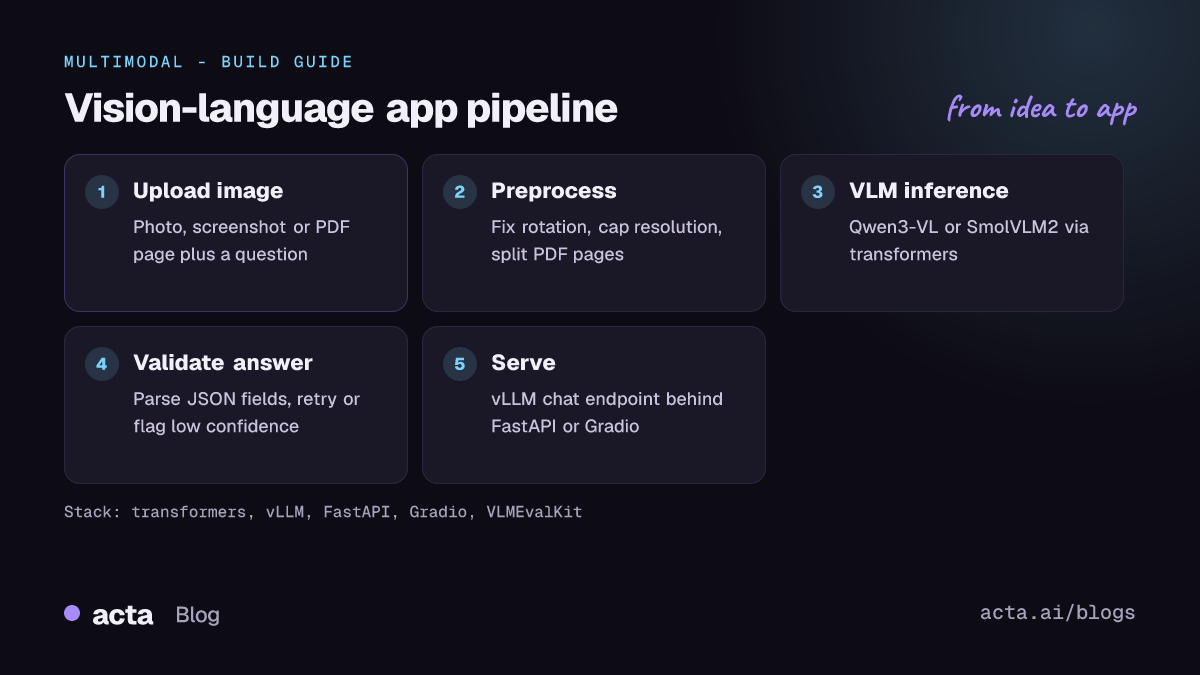
- Collect a test set. Gather 50 to 200 real images with the questions users will ask and the expected answers.
- Preprocess images. Fix EXIF rotation, cap the longest side, and convert PDFs to page images. Resolution drives both accuracy (small text) and token cost.
- Prototype with transformers. Run two or three candidate models with the pipeline or
AutoModelForImageTextToTexton your test set. - Constrain the output. Ask for JSON with fixed keys for extraction tasks, validate it, and retry on parse failures.
- Serve the winner. Move to vLLM or SGLang with an OpenAI-compatible chat endpoint, and put a FastAPI layer in front for auth, logging and rate limits.
- Monitor and improve. Log low-confidence or corrected answers, add them to the test set, and fine-tune if prompting stops improving results.
The first example uses the transformers image-text-to-text pipeline as shown in the transformers task guide source, swapping in SmolVLM2:
from transformers import pipeline

pipe = pipeline("image-text-to-text", model="HuggingFaceTB/SmolVLM2-2.2B-Instruct")

messages = [
    {
        "role": "user",
        "content": [
            {"type": "image", "url": "https://example.com/receipt.jpg"},
            {"type": "text", "text": "What is the total amount on this receipt?"},
        ],
    }
]

outputs = pipe(text=messages, max_new_tokens=40, return_full_text=False)
print(outputs[0]["generated_text"])
The second follows the loading pattern in the same guide and the Qwen3-VL README, which requires transformers 4.57.0 or later:
import torch
from transformers import AutoModelForImageTextToText, AutoProcessor

model_id = "Qwen/Qwen3-VL-4B-Instruct"
model = AutoModelForImageTextToText.from_pretrained(
    model_id, dtype=torch.bfloat16, device_map="auto")
processor = AutoProcessor.from_pretrained(model_id)

messages = [{"role": "user", "content": [
    {"type": "image", "image": "https://example.com/chart.png"},
    {"type": "text", "text": "Which month had the highest revenue? Answer in JSON."},
]}]

inputs = processor.apply_chat_template(
    messages, add_generation_prompt=True, tokenize=True,
    return_dict=True, return_tensors="pt").to(model.device)

with torch.no_grad():
    generated_ids = model.generate(**inputs, max_new_tokens=200)
new_tokens = generated_ids[:, inputs["input_ids"].shape[1]:]
print(processor.batch_decode(new_tokens, skip_special_tokens=True)[0])
How do you serve and deploy it?
- vLLM: the standard choice for throughput. The vLLM recipe for InternVL3.5 8B uses
vllm serve OpenGVLab/InternVL3_5-8B --trust-remote-codeon one GPU with at least 20 GB of memory, and the Qwen3-VL README documents vLLM serving, including FP8 checkpoints for large GPUs. - Quantization: AWQ and FP8 checkpoints (for example Qwen2.5-VL-7B-Instruct-AWQ) reduce memory with a small accuracy cost. Test OCR-heavy tasks after quantizing; small text suffers first.
- CPU and edge: community GGUF builds of some VLMs (for example ggml-org publishes Gemma 3 GGUF files) run through llama.cpp on laptops, at much lower speed than a GPU.
- Managed hosting: Hugging Face Inference Providers expose an OpenAI-compatible chat API for many image-text-to-text models, and Inference Endpoints give you a dedicated GPU.
- Front end: a Gradio app with an image input and a chat box is enough for internal testing; the Qwen3-VL demo Space shows the pattern.
Watch image token counts. A high-resolution page can turn into thousands of tokens, so set maximum image size per request and batch small images together.
How do you evaluate it?
- VQA accuracy: exact match or VQA accuracy on short answers.
- Multiple-choice benchmarks: accuracy on sets such as MMMU, MMBench or MathVista.
- OCR and documents: character error rate, exact match on fields, or ANLS on document VQA sets.
- Extraction: field-level precision, recall and F1 against labelled JSON.
- Open-ended answers: human review or an LLM judge with a rubric.
The VLMEvalKit repository runs most public benchmarks with one command and is described in the VLMEvalKit paper. It uses an LLM to extract the chosen option when exact matching fails, which reduces the effect of answer style. Pair those scores with your own test set.
Pitfalls and tips
- Hallucinated details: VLMs will confidently read numbers that are not there. Ask for "not visible" when unsure and cross-check critical fields with rules or a second pass.
- Resolution trade-offs: downscaling saves cost but destroys small text. Crop regions of interest instead of shrinking whole pages.
- Library versions: new architectures need recent transformers; older versions fail with errors such as
KeyError: 'qwen2_5_vl'. Pin versions. - Custom code: models that need
trust_remote_code=Trueexecute Python from the repo. Pin a revision and review it. - Licences: the models above are Apache 2.0, but many popular VLMs use custom or research licences. Check each model card.
- Privacy: screenshots and documents often contain personal data. Self-hosting keeps images on your infrastructure.
Where can you get help?
- Model discussions on the Hub, such as the SmolVLM2 community tab, are where users share fixes and prompts.
- The Qwen3-VL GitHub repo issues cover deployment and fine-tuning questions.
- The OpenCompass Spaces host the leaderboard and related evaluation tools.
Frequently asked questions
What is the difference between image-to-text and image-text-to-text?
Image-to-text models usually do one fixed job, such as captioning. Image-text-to-text models take an open-ended prompt with the image, so the same model can caption, answer questions or extract fields.
Do I still need a dedicated VQA model?
Rarely. Small VLMs like SmolVLM2 now cover most VQA use cases and are easier to adapt with prompts. Dedicated models still make sense for very high-volume, fixed-format tasks.
Which model should I start with?
Qwen3-VL 4B or 8B Instruct on a single GPU. Drop to SmolVLM2 if you need to run on small hardware, and move up to the 30B-A3B variant if accuracy is short.
Can these models read multi-page PDFs?
Yes, by converting pages to images and passing several images per prompt, within the context limit. For large document collections, see our document question answering and retrieval guide.
Related guides in this series: video understanding with video-text-to-text and AI image editing with image-text-to-image.