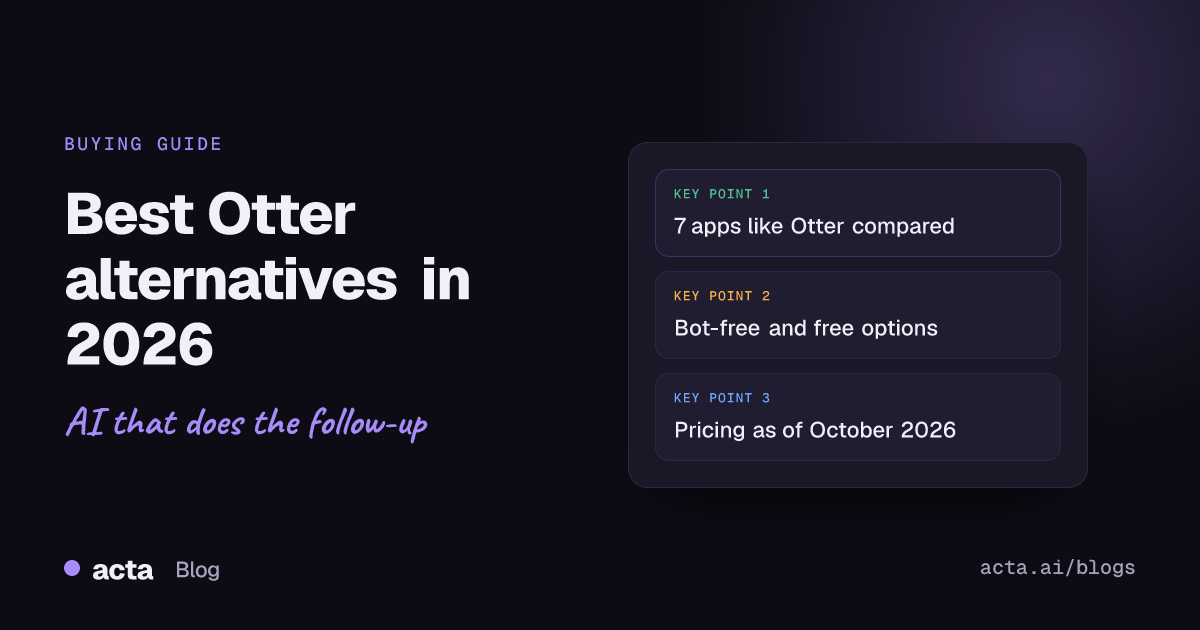
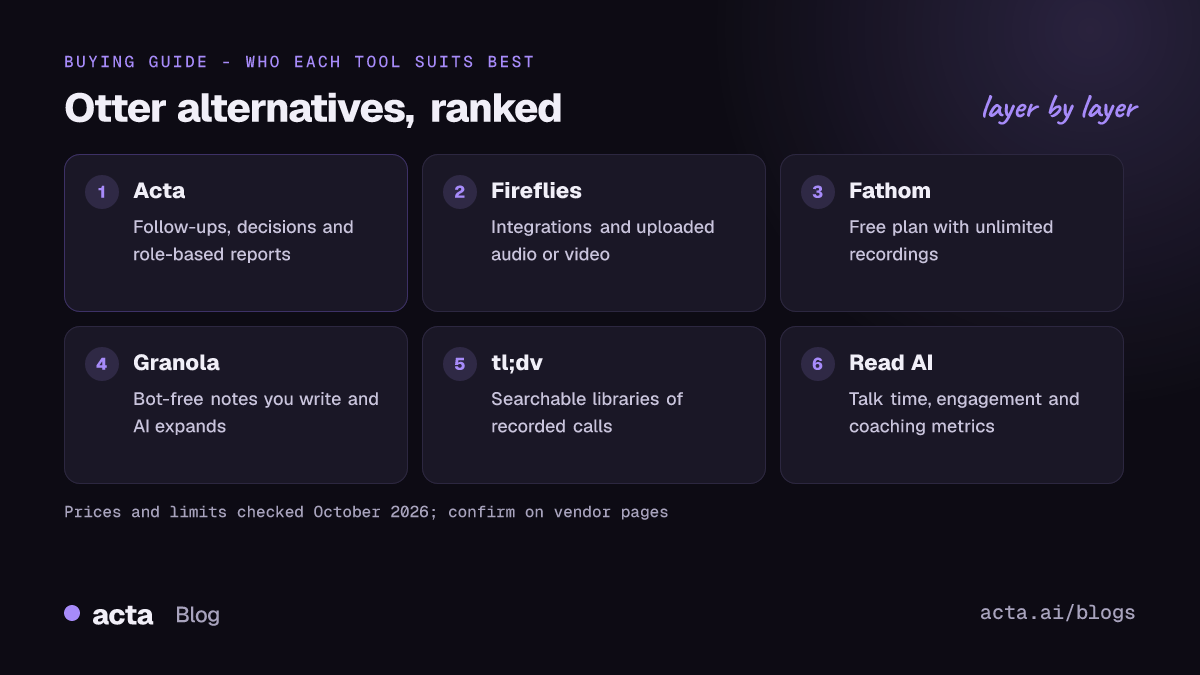
Quick answer: The best Otter alternatives in 2026 are Acta for teams that need follow-ups, decisions and structured reports across meetings, Fireflies for integrations and uploaded files, Fathom for a generous free plan, Granola for bot-free notes you write yourself, tl;dv for recording libraries, and Read AI for meeting metrics. If you only need short summaries, Zoom or Google Meet AI may be enough.
Otter is one of the best-known AI note takers, and for many people it was the first one they tried. People who search for an Otter.ai alternative usually are not unhappy with the transcript itself. They hit a specific limit: the 30-minute cap on the free plan, a bot that shows up in every meeting, or notes that stop at a summary when the team needs follow-through.
This guide covers those limits, seven apps like Otter that get past them, who should stay on Otter, and how to choose. Prices were checked against vendor pages and search results as of October 2026. Prices change often, so confirm on the vendor's own page before you buy.
Why do people look for Otter alternatives?
Otter records meetings, transcribes them with speaker labels and writes summaries. Its free Basic plan and low-cost paid tiers make it easy to start. The reasons people move on are narrower:
- The free plan cuts long meetings short. Otter's help article on Basic plan limits lists 300 transcription minutes a month, a 30-minute cap per conversation, three file imports per account (not per month) and access to your 25 most recent conversations. Deleted conversations still count toward the monthly minutes.
- Teams pay per seat. As of October 2026, Pro is $16.99 per user per month billed monthly, and Business is $30 per user per month billed monthly or $19.99 billed annually. Annual Pro prices vary between sources, partly because of promotions, so check Otter's pricing page.
- The notetaker is a visible bot. Otter's Notetaker overview says it joins Zoom, Google Meet and Microsoft Teams as a guest participant and is visible in the meeting. Meeting and organisation settings must allow guests. Some clients and IT teams do not want a third-party bot in the room.
- Auto-join can surprise people. Once a calendar is connected, Otter can join every event with a video link. That is convenient for the owner and sometimes awkward for everyone else. In August 2025 a proposed class action filed in federal court in California alleged that Otter's notetaker recorded conversations without the consent of all participants, as NPR reported. These are allegations, and we found no ruling, but the case made many teams review how their note taker asks for consent.
- Notes, not follow-through. Otter is strongest as a transcript and summary tool. Teams that want decisions tracked across meetings, promises checked against due dates or reports in a fixed format often outgrow it.
None of these is a deal-breaker for everyone. For a side-by-side view, see our Acta vs Otter comparison.
What are the best Otter alternatives in 2026?
Each tool gets the same headings so you can compare like with like. Acta is our product, so we have tried to be as plain about its limits as about anyone else's. If you are also weighing Fathom, our guide to Fathom alternatives covers that side in more depth.
1. Acta
Best for: teams that want meetings turned into follow-ups, decisions and structured reports, not just a transcript.
What stands out:
- Several ways to capture: a meeting bot that joins Zoom, Google Meet and Microsoft Teams from your calendar; a bot-free AI notetaker in the form of a Windows and Mac desktop app and a Chrome extension for browser meetings; mobile apps for in-person meetings; and uploaded recordings.
- Action items with owners and due dates, a decisions log with status and history, a Follow-ups view and follow-up email drafts.
- 40 report templates in 11 role groups, including MEDDPICC, BANT, 1:1s, board minutes, PRDs and Jira ticket suggestions. Acta can pick the template from the conversation.
- OneChat answers questions across all your meetings and shows the sources. A connector lets Claude and ChatGPT read your meetings too.
- Reports push to Salesforce, HubSpot or Zoho on a paid plan and export to PDF, Word or Markdown. People only see meetings they have access to, and Acta does not use customer data to train AI models.
Limits: Acta does more than a transcription app, so there is more to learn if you only want a transcript. There is no permanent free plan, only a free trial. The desktop app records your computer's sound and microphone but not your screen, so there is no video replay of shared slides from that mode.
Pricing: a free 15-day trial; plans are on the Acta pricing page.
2. Fireflies
Best for: teams that want a widely used notetaker with many integrations and support for uploaded audio and video.
What stands out: Fireflies has a permanent free plan and accepts uploaded MP3, M4A, WAV, MP4 and WEBM files, so recordings made elsewhere get a transcript, summary and action items. Its AskFred assistant answers questions about meetings and uploads.
Limits: many AI features use credits. Fireflies' billing guide explains that extra credits are sold as an add-on. Fireflies' own pages disagree on free-plan storage, so check the current limit before relying on it.
Pricing as of October 2026: Pro is $10 per seat per month billed annually ($18 monthly), Business is $19 annually ($29 monthly), and Enterprise is $39 per seat on annual billing only.
3. Fathom
Best for: individuals who want a free Otter alternative with unlimited recordings.
What stands out: the free plan records unlimited Zoom, Google Meet and Teams calls, and advanced AI summaries cover your first five calls each month. Summaries are clean and quick to share.
Limits: Fathom's help centre says it only records live Zoom, Meet and Teams calls and does not support uploaded recordings, and it records a call only when you are on it. Team and Business plans need at least two paid seats, and full CRM field sync sits on Business.
Pricing as of October 2026: Team is $19 per user per month ($15 billed annually); Business is $34 ($25 billed annually).
4. Granola
Best for: people who take their own notes and want AI to fill in the gaps, with nothing joining the call.
What stands out: Granola captures your computer's audio directly, so no bot appears in the meeting. You type rough notes and it expands them from the transcript.
Limits: on the free Basic plan, notes older than 30 days are locked until you upgrade, and integrations sit on paid plans. It is built around one person's notes, so team-wide decision tracking is not its focus.
Pricing as of October 2026: Basic is free; Business is $14 per user per month.
5. tl;dv
Best for: teams that want a searchable library of recorded calls.
What stands out: the free plan includes unlimited recording and transcription, and paid plans add unlimited AI notes, downloads and questions across meetings.
Limits: AI notes on the free plan are limited, and free recordings have a retention limit. Third-party listings show very different Business prices, so check tl;dv's own page.
Pricing as of October 2026: Pro is $18 per seat per month billed annually.
6. Read AI
Best for: people who want meeting summaries plus talk time, engagement and coaching metrics.
What stands out: Read AI adds speaker and engagement metrics on top of meeting notes, which suits people who want feedback on how their meetings run.
Limits: the free plan covers five meetings a month. Video playback and some admin features sit on higher plans.
Pricing as of October 2026: Read AI's plans page lists Pro at $19.75 per user per month, or $15 with annual payment.
7. Built-in meeting AI (Zoom, Google Meet, Teams)
Best for: teams that meet on one platform and only need a summary after each call.
What stands out: Zoom includes AI Companion meeting summaries at no extra cost with paid Zoom accounts. Google Meet's "Take notes for me" works when the organiser has an eligible Workspace edition or Google AI plan.
Limits: each tool only works on its own platform, and notes stay where they were made. Nothing tracks decisions or promises across Zoom, Meet and Teams together.
Pricing: included with the platform licence you already pay for, where your plan qualifies.
Which apps like Otter work without a bot?
If the bot is the reason you are leaving, three options above avoid it. Acta's desktop app and Chrome extension record without anyone joining the call, and Granola captures audio on your own computer. Built-in tools such as Zoom AI Companion also run inside the meeting platform rather than as a separate participant.
Bot-free does not mean consent-free. If you record a call, tell people and get consent where the law requires it. Our guide on whether it is legal to record meetings with AI explains what to say. For a wider list, see our roundup of bot-free AI notetakers.
Is there a good free Otter alternative?
Yes, depending on what "free" needs to cover:
- Fathom is the most generous for recording volume: unlimited recordings, with advanced summaries on five calls a month.
- Fireflies and tl;dv both have permanent free plans with unlimited transcription, with limits on AI features or storage.
- Granola's Basic plan is free for unlimited meetings but locks older notes.
- Zoom AI Companion costs nothing extra if you already pay for Zoom.
A free plan is a good way to test whether a tool fits. For a team, though, the paid tier is what you will live with, so compare those limits too. Acta offers a 15-day trial rather than a free plan.
Who should stay on Otter?
Switching has a cost, and Otter is still the right choice for some people:
- Students and individuals who mostly need searchable transcripts of lectures, interviews or short calls, and who fit within Otter's minutes.
- Teams already standardised on Otter with years of transcripts in it and no pressing gap.
- People who like to follow a live transcript during a meeting. Otter's Chrome extension shows a transcript panel in Google Meet, and Otter Live Notes for Zoom needs the Business plan.
- Buyers on a tight budget who only need transcription, where Otter's paid tiers are competitively priced.
If none of the reasons in the first section applies to you, stay put.
How do you choose the right Otter.ai alternative?
Start with the problem that made you search, then test two tools on real meetings for a week. These questions narrow it down quickly:
- Where do your meetings happen? If you mix Zoom, Teams, Meet and in-person meetings, pick a tool that covers all of them, including uploads for recordings made elsewhere.
- Can a bot join? If clients or IT object to bots, you need a bot-free option such as a desktop app or browser extension.
- What happens after the meeting? If you need owners, due dates, decisions and follow-up emails, a transcript tool will leave you doing that by hand.
- Where should the notes go? Check the CRM, ticketing and document tools you use. Acta, for example, pushes reports to Salesforce, HubSpot or Zoho and works with Jira.
- Who can see what? Check how access works, whether customer data is used to train AI, and how participants are told about recording.
- What will a full team cost? Multiply the per-seat price by your real headcount and billing period, not the headline number.
How do the Otter alternatives compare at a glance?
- Follow-through across meetings: Acta tracks action items, decisions and promises over time. Most others focus on one meeting at a time.
- Uploads: Acta and Fireflies accept uploaded recordings; Fathom does not.
- Bot-free capture: Acta (desktop and Chrome) and Granola.
- Free plan: Fathom, Fireflies, tl;dv, Granola and Read AI. Acta has a 15-day trial.
- Meeting analytics: Read AI is the strongest here.
Frequently asked questions
What are the best Otter alternatives for teams?
For teams that need follow-ups, decisions and reports across many meetings, Acta is built for that. For teams that mainly want integrations and uploads, Fireflies is a strong choice.
Is there a free Otter alternative with no 30-minute limit?
Yes. Fathom's free plan records unlimited calls, and Fireflies and tl;dv offer free plans with unlimited transcription, each with limits on AI features or storage.
Which apps like Otter don't use a meeting bot?
Acta's desktop app and Chrome extension and Granola record without a bot joining the call. You still need to tell participants and get consent where the law requires it.
Can I move my Otter transcripts to another tool?
Otter's help centre says you can export conversations as TXT, DOCX or PDF, though Basic allows TXT only. You can also upload past recordings to tools that accept uploads, such as Acta or Fireflies.
How much does Otter cost as of October 2026?
Basic is free with 300 minutes a month. Pro is $16.99 per user per month billed monthly, and Business is $30 billed monthly or $19.99 billed annually.
Want to see how Acta handles your own meetings? Start a free 15-day Acta trial.