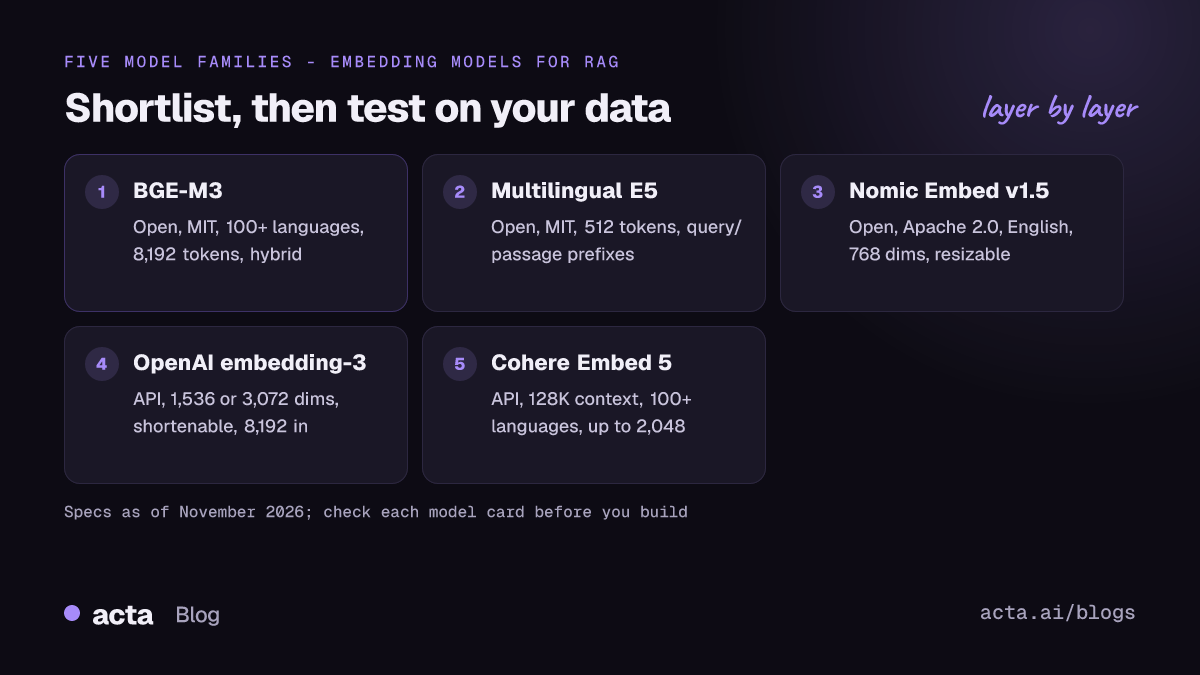
The best embedding models for RAG in November 2026 are BGE-M3 if you need open weights and many languages, multilingual E5 for a small, MIT-licensed baseline, Nomic Embed v1.5 for English with long chunks, and OpenAI text-embedding-3 or Cohere Embed if you'd rather call an API than run a GPU. No public leaderboard picks for you. Shortlist two or three, then test them on 50-100 real questions from your own documents.
This guide is for engineers choosing the retrieval layer of a RAG system and for the leads who sign off on it. It compares the five model families on the specs that actually change your build: vector size, input length, languages, licence, and the prefixes each one expects. Then it shows how to run a fair test. It doesn't rank models by leaderboard score, because those scores move every month and rarely match your data.
Key takeaways
- Check four specs before quality: maximum input length (512 tokens for E5 vs 8,192 for BGE-M3, Nomic v1.5 and OpenAI), vector size, licence, and whether the model needs query and document prefixes.
- Pick BGE-M3 for self-hosted multilingual RAG, Nomic Embed v1.5 for English self-hosted RAG with long chunks, and an API model when you have no GPU budget and can send documents to a third party.
- Vector size drives storage: 1 million chunks at 3,072 float32 dimensions is about 12.3 GB of raw vectors; at 768 it's about 3.1 GB.
- Use MTEB to build a shortlist, never to make the final call. Public datasets can leak into training data.
- Decide with recall@10 on 50-100 labelled questions from your own corpus, and re-embed everything when you switch models.
Table of contents
- The embedding model decides what your RAG system can find
- Embedding models for RAG compared side by side
- BGE-M3, E5 and Nomic Embed are the open models to test first
- OpenAI and Cohere trade control for convenience
- Embedding dimensions set your storage and search cost
- The MTEB leaderboard is a shortlist, not a verdict
- How to evaluate embedding models on your own data
- Five mistakes that make a good model look bad
- Frequently asked questions
- Choose an embedding model for your RAG stack
The embedding model decides what your RAG system can find
An embedding model turns a piece of text into a fixed-length list of numbers, a vector, so that texts with similar meaning end up close together. In RAG you embed every chunk of your documents once, store the vectors in an index, then embed each user question and fetch the nearest chunks. The language model only ever sees what that search returns. If the right paragraph isn't in the top results, no amount of prompt work will fix the answer.
Five properties matter more than the headline score:
- Maximum input length: anything past the limit is cut off, usually silently. It sets the ceiling on your chunk size.
- Vector size (dimensions): it drives index size, memory and search speed.
- Languages: an English-trained model will still return vectors for German text. They just won't be very good.
- Licence and hosting: open weights you run yourself, or an API that receives every document you index.
- Prefixes: several open models expect a marker such as "query: " or "search_document: " in front of the text. Leave it out and retrieval gets worse with no error to tell you.
If you're still at the architecture stage, start with our guide to building RAG over transcripts and documents, then come back here to pick the model.
Embedding models for RAG compared side by side
Here are the specs as of November 2026, taken from each project's model card, repository or API docs. Check the linked pages before you commit, because API models in particular get new versions.
| Model | Max input | Dimensions | Languages | Licence / access | Prefixes |
|---|---|---|---|---|---|
| BGE-M3 (BAAI) | 8,192 tokens | 1,024 dense, plus sparse and multi-vector | 100+ | Open weights, MIT | None needed |
| multilingual-e5-large (intfloat) | 512 tokens | 1,024 (small: 384, base: 768) | Multilingual | Open weights, MIT | "query: " and "passage: " |
| Nomic Embed Text v1.5 | 8,192 tokens | 768, can be cut to as few as 64 | English | Open weights, Apache 2.0 | "search_query: " and "search_document: " |
| OpenAI text-embedding-3-small / -large | 8,192 tokens | 1,536 / 3,072, can be shortened | Multilingual | API only | None |
| Cohere Embed 5 (Pro, Fast) | 128K tokens | 256 to 2,048 (2,048 default) | 100+ | API and cloud platforms | Set input type per call |
Two notes. BGE-M3 is the only model here that returns three kinds of output from one pass, which matters for hybrid search. And Cohere's 128K window doesn't mean you should embed whole documents: one vector for 50 pages blurs every detail into an average. You still chunk.
BGE-M3, E5 and Nomic Embed are the open models to test first
Open weights keep documents on your servers, with no per-token bill and no risk of the model being retired under your index. You pay in GPU time and in owning the serving code.
BGE-M3: the multilingual default
BAAI's BGE-M3 handles three retrieval modes in one model: dense vectors, sparse lexical weights similar to BM25, and ColBERT-style multi-vector scores. The FlagEmbedding repository describes support for more than 100 working languages and inputs up to 8,192 tokens, with 1,024-dimension dense vectors. The project is MIT-licensed.
The sparse output is the underrated part. Product codes, error IDs, surnames and contract clause numbers are where pure dense search misses, and BGE-M3 gives you keyword-style weights in the same forward pass. Its FlagEmbedding package (pip install -U FlagEmbedding) returns dense, sparse and multi-vector outputs from one encode call.
Pick BGE-M3 if your documents span several languages, you want hybrid search without a separate BM25 stack, or your chunks run long. Skip it if you're on a tight CPU-only box and English is all you have; a smaller English model will be cheaper to run.
Multilingual E5: small, permissive, and short
Microsoft's E5 family ships in small (384 dimensions), base (768) and large (1,024) sizes, plus an instruction-tuned large variant. The multilingual-e5-large model card sets two rules you must follow: long texts are truncated to 512 tokens, and every input starts with "query: " or "passage: ", even non-English text.
The 512-token limit is the real constraint. It's fine for chunks of a few paragraphs, but if your splitter produces 1,000-token chunks, half of each one never reaches the model.
Pick E5 if you want a permissive, well-understood baseline, short chunks suit your content, or you need the small model for CPU or edge deployments. It's the model I'd use as the control in any comparison.
Nomic Embed Text v1.5: English, long chunks, resizable vectors
Nomic Embed Text v1.5 outputs 768 dimensions, accepts 8,192 tokens and is Apache 2.0. It was trained with Matryoshka representation learning, so you can keep only the first 512, 256, 128 or 64 dimensions and lose relatively little quality. It expects task prefixes: "search_query: " on questions and "search_document: " on chunks.
Nomic has since released a v2 mixture-of-experts model aimed at multilingual text; check its card separately if you need languages beyond English.
Pick Nomic v1.5 if your corpus is English, you want long chunks on modest hardware, or you expect to shrink vectors later to cut storage.
OpenAI and Cohere trade control for convenience
An API model removes the serving work. In return, every document and question goes to the provider, you pay per token, and if the model version is retired you rebuild the whole index, because vectors from different models can't be compared.
OpenAI text-embedding-3-small and -large
OpenAI's embeddings guide lists 1,536 default dimensions for text-embedding-3-small and 3,072 for text-embedding-3-large, with a maximum input of 8,192 tokens for both, as of November 2026. A dimensions parameter shortens the output; the guide gives the example of using text-embedding-3-large at 1,024 dimensions for a vector store capped at that size. OpenAI's own table reports MTEB averages of 62.3% for small and 64.6% for large.
Pick OpenAI if you already send data to OpenAI, your corpus is mostly English or major European languages, and you want the least code. Start with small; move to large only if your own test shows a gain worth the larger vectors.
Cohere Embed 5 and Embed v4
Cohere's Embed models page describes Embed 5 in Pro and Fast variants with a 128K-token context, support for more than 100 languages, and Matryoshka output from 256 up to 2,048 dimensions, as of November 2026. Pro and Fast share an embedding space, so you can index with one and query with the other. The previous Embed v4 offers 256 to 1,536 dimensions, also with a 128K window, and accepts images and mixed text-and-image inputs such as PDF pages. Cohere models are also offered through cloud platforms such as Azure AI Foundry and Oracle Cloud, which can help if your data has to stay inside an existing cloud contract.
Pick Cohere if you need strong multilingual retrieval from an API, you index scanned or visual documents, or you buy AI through a cloud marketplace rather than directly. Check plan and pricing details on Cohere's site, since they change.
Embedding dimensions set your storage and search cost
Vector size looks like a detail until you size the index. Each dimension stored as float32 takes 4 bytes. Simple arithmetic for one million chunks, before any index overhead:
- 3,072 dimensions: 1,000,000 x 3,072 x 4 bytes = about 12.3 GB.
- 1,536 dimensions: about 6.1 GB.
- 1,024 dimensions: about 4.1 GB.
- 768 dimensions: about 3.1 GB.
- 256 dimensions: about 1 GB.
Graph indexes such as HNSW add overhead on top, and most vector databases keep the hot index in RAM, so a 4x smaller vector can mean one instance instead of a cluster.
Matryoshka training is what makes shrinking safe. Nomic v1.5, OpenAI's text-embedding-3 models and Cohere's recent models all front-load the most useful information, so truncating keeps most of the quality. Truncating a model that wasn't trained this way just throws information away. If you shorten vectors yourself rather than through the API parameter, re-normalise them afterwards so cosine similarity still behaves.
The MTEB leaderboard is a shortlist, not a verdict
The Massive Text Embedding Benchmark (MTEB) is the standard public comparison: dozens of tasks across retrieval, classification, clustering and more, with a leaderboard on Hugging Face. It's the right place to find candidates. It's the wrong place to make the final choice, for three reasons.
First, the overall average mixes tasks you don't care about. Filter to the retrieval tasks, and to your languages, before you read any ranking. Second, the datasets are public, so they can end up in a model's training data, which inflates scores without better results on new text. The MTEB maintainers now run RTEB, a retrieval benchmark that mixes public datasets with private ones they hold back and evaluate themselves; a large gap between a model's public and private scores is a warning sign. Third, benchmark corpora are clean: Wikipedia, scientific abstracts, web questions. Your corpus is ticket threads, meeting transcripts and PDFs with headers in the middle of sentences.
You can run MTEB tasks locally with the mteb package. The documented CLI looks like this:
pip install mteb
mteb run -m sentence-transformers/all-MiniLM-L6-v2 -t "Banking77Classification.v2" --output-folder results
Swap in your candidate's model ID and a retrieval task close to your domain. Treat it as a check that your setup reproduces published numbers, nothing more.
How to evaluate embedding models on your own data
A small labelled set of your own questions beats any leaderboard, and you'll reuse it for every new model.

- Collect 50-100 real questions. Pull them from search logs, tickets or chat. Mix short keyword queries, long questions, and each language you support.
- Label the right chunks. For each question, mark the one to three chunks that contain the answer. Use the same chunking you'll run in production, otherwise you're testing a different system.
- Embed the corpus once per model. Apply each model's prefixes and its own token limit. Keep a separate index per model.
- Score retrieval, not answers. For each question, check whether a labelled chunk appears in the top 10. Recall@10 is the share of questions where it does. Add MRR if you care about rank: average 1 divided by the position of the first correct chunk.
- Break results down. Look at recall by language, by query type and by document type. A model that wins overall and loses badly on your German contracts isn't the winner.
- Check cost and latency last. Time a realistic batch, and size the index at full and reduced dimensions.
Once retrieval is solid, measure the full pipeline too. Our guide to evaluating a RAG system covers answer accuracy and hallucination checks, and adding a reranker is often a cheaper gain than switching embedding models.
Five mistakes that make a good model look bad
Most "this model is terrible" reports trace back to setup. Check these first.
- Dropping the prefixes: E5 without "query: " and "passage: ", or Nomic without "search_query: " and "search_document: ", returns vectors with no error and worse retrieval.
- Chunks longer than the limit: a 1,000-token chunk sent to a 512-token model loses its second half. Match chunk size to the model, and split on natural boundaries; for conversations, see chunking transcripts by speaker turn.
- Mixing models in one index: vectors from two models, or two versions of one model, aren't comparable. Re-embed everything when you switch.
- Skipping lexical search: part numbers, names and acronyms are where dense vectors struggle. Add BM25 or BGE-M3's sparse output and fuse the scores.
- Testing with synthetic questions only: questions written by an LLM from the chunk itself share its wording, so every model looks good. Use real queries.
Access control is a filtering problem, not an embedding one; see our post on securing RAG. If you're weighing whether to retrieve at all, read long context vs RAG.
If the corpus you want to search is your team's meetings, you may not need to build this layer. Acta's OneChat answers questions across your meetings and shows the source for each answer, and Acta doesn't use customer data to train AI models. The desktop app captures Zoom, Teams and other calls without a bot joining.
Frequently asked questions
What is the best embedding model for RAG?
There isn't one best embedding model for RAG. As of November 2026, BGE-M3 is the strongest open default for multilingual or hybrid search, Nomic Embed v1.5 suits English with long chunks, and OpenAI text-embedding-3 or Cohere Embed suit teams that prefer an API. Test two or three on 50-100 of your own questions before choosing.
Which is the best open source embedding model for RAG?
For most teams the open source embedding models to start with are BGE-M3 (MIT, 100+ languages, 8,192 tokens, dense plus sparse output), multilingual E5 (MIT, 512 tokens, three sizes) and Nomic Embed Text v1.5 (Apache 2.0, English, 8,192 tokens). Choose by language coverage and chunk length first, then by your own retrieval test.
Which multilingual embedding model should I use?
For self-hosting, BGE-M3 is the usual multilingual embedding model choice: it supports more than 100 languages and long inputs. Multilingual E5 is a smaller, permissive alternative if your chunks stay under 512 tokens. From an API, Cohere Embed 5 lists support for more than 100 languages. Always test with real queries in each language you serve.
Can I trust the MTEB leaderboard?
Use the MTEB leaderboard to build a shortlist, not to choose. Its datasets are public and can leak into training data, the overall average blends tasks unrelated to retrieval, and benchmark text is cleaner than real documents. Filter to retrieval tasks and your languages, check RTEB's private-dataset scores, then run your own test.
Do more embedding dimensions mean better retrieval?
Not necessarily. Larger vectors can hold more detail, but they cost more storage and slow search, and models trained with Matryoshka learning keep most of their quality when shortened. Measure recall@10 at full size, half and a quarter of the embedding dimensions on your own questions, then keep the smallest size that holds up.
Do I need to re-embed my documents if I change models?
Yes. Vectors from different embedding models, or different versions of one model, live in different spaces and can't be compared, so mixing them breaks search. When you switch, re-embed the full corpus into a new index, run your evaluation set against it, and cut over only when it matches or beats the old one.
Choose an embedding model for your RAG stack
Work through these in order and you'll have a defensible choice within a week.
- Set the hosting rule: decide whether documents may go to a third-party API. If not, your shortlist is BGE-M3, E5 and Nomic.
- Match languages and length: multilingual corpus points to BGE-M3, E5 or Cohere; chunks over 512 tokens rule out E5.
- Shortlist from MTEB retrieval tasks: two or three candidates, filtered to your languages.
- Test on your own questions: 50-100 labelled queries, recall@10 and MRR, broken down by language and query type.
- Size the index: rerun the winner at reduced dimensions and keep the smallest size that holds recall.
And if the documents you most want to search are your own meetings, try Acta's desktop app with a 15-day free trial and ask OneChat instead of building the pipeline.