Guides & How-tos 7 min read
How to Build an Image-to-Video Generator With Open Models (2026 Guide)
A practical guide to image-text-to-video: choose an open video model, animate stills with diffusers or Wan2.2, size your GPUs, queue jobs and evaluate with VBench.
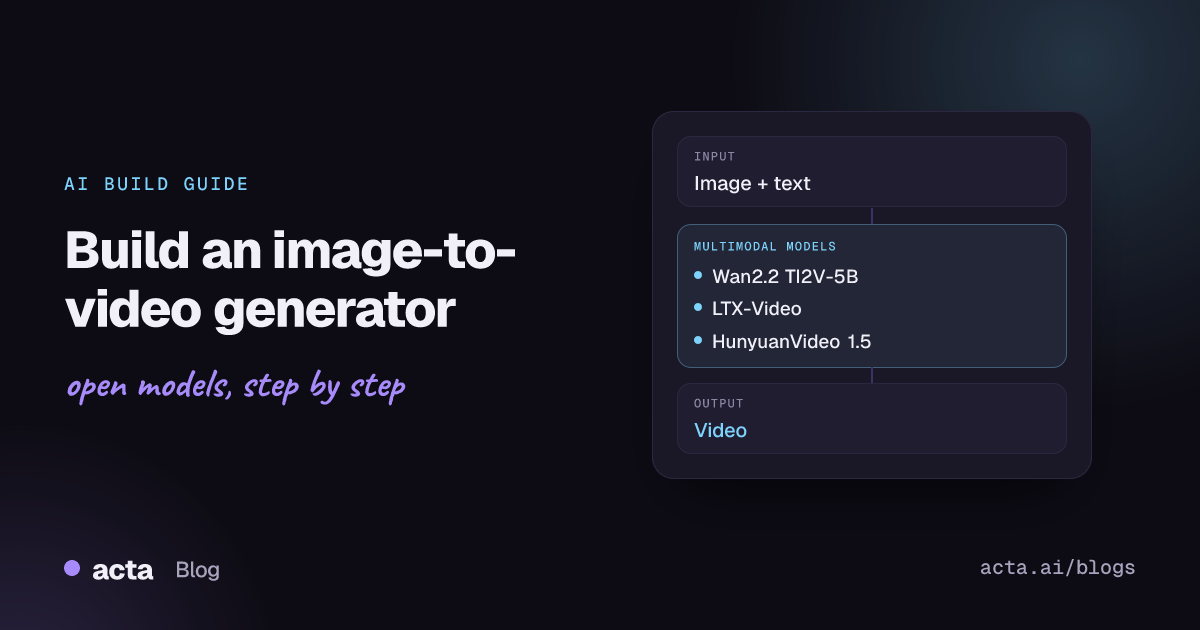
Quick answer: Image-text-to-video models take a still image plus a text prompt and generate a short video that starts from that image and follows the described motion. The shortest path to an image-to-video generator is an open model such as Wan2.2 TI2V-5B or LTX-Video, run with the Hugging Face diffusers library or the model's own scripts on a GPU, behind a queued API.
Image-to-video is the most controllable form of AI video generation. The input image fixes the subject, composition and style, and the prompt only has to describe what moves. That makes it practical for product animations, social clips, storyboards and turning generated or edited images into motion.
This guide covers how these models work, which open models to choose, working code, hardware and serving, evaluation and the problems that come with long generation times.
What is image-text-to-video?
The Hugging Face task definition, published in the huggingface.js tasks package, describes image-text-to-video models as taking a reference image and text instructions and generating a video based on them. Use cases listed there include image animation, dynamic content for social media and marketing, guided video generation, story visualization and motion control.
Current open models are latent video diffusion transformers:
- Video VAE: compresses frames in space and time into a small latent tensor, which is what makes video generation affordable at all.
- Conditioning: the input image is encoded and injected as the first frame (or as extra context), and a text encoder turns the prompt into embeddings.
- Diffusion transformer: denoises the whole latent video over a number of steps, attending across space and time, then the VAE decodes it back to frames.
The Wan paper and the LTX-Video paper describe these designs in detail. Diffusers also has a general guide to text and image to video generation.
What can you build with it?
- Product animation: turn catalogue photos into short rotating or lifestyle clips for listings and ads.
- Social content tools: let users animate a photo or illustration with a one-line motion prompt.
- Storyboard previews: animate concept art or storyboard frames so directors can review timing and camera moves.
- Marketing variants: generate several motion versions of one approved key visual.
- Game and app assets: create animated backgrounds, loops and cut-scene drafts from still art.
- Edit-then-animate pipelines: combine an image editor with image-to-video so users fix the still first, then add motion.
Which models should you use?
- Wan2.2 TI2V-5B (Wan-AI/Wan2.2-TI2V-5B): a 5B model that does both text-to-video and image-to-video at 720p and 24 fps, and runs on a single 24 GB GPU such as an RTX 4090. Apache 2.0. The best starting point for most teams.
- Wan2.2 I2V-A14B (Wan-AI/Wan2.2-I2V-A14B): the larger mixture-of-experts image-to-video model for 480p and 720p, with higher quality. Apache 2.0. Its single-GPU command needs at least 80 GB of VRAM. A diffusers-format version is available.
- LTX-Video (Lightricks/LTX-Video): designed for speed, with 2B and 13B checkpoints, distilled and FP8 variants, and native diffusers support. The README notes that checkpoints from v0.9.5 use an OpenRail-M licence that permits commercial use.
- LTX-2.5 (Lightricks/LTX-2.5): Lightricks' newer 22B model that generates video with audio, with distilled and two-stage text/image-to-video pipelines. The full download is about 66 GiB; accept the model terms on Hugging Face and read the licence before commercial use.
- HunyuanVideo 1.5 (tencent/HunyuanVideo-1.5): Tencent's model with 480p and 720p image-to-video checkpoints, distilled variants and super-resolution stages. Minimum 14 GB GPU memory with offloading. Check its licence file for regional and commercial terms.
Compare models on the VBench leaderboard and the newer VBench-I2V Video Arena, which focuses on image-to-video. Then generate a batch from your own images, because motion quality varies a lot by content type.
How do you build it, step by step?
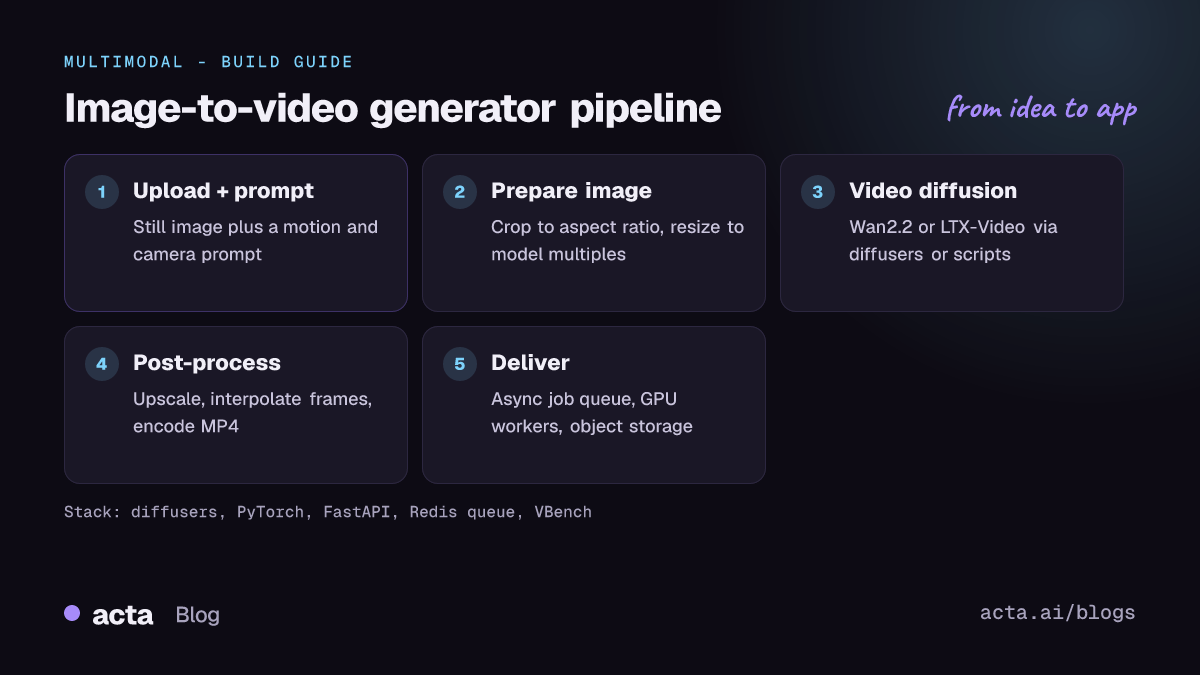
- Pick the output spec. Decide resolution, length and frame rate first (for example 720p, 5 seconds, 24 fps). These drive cost more than anything else.
- Prepare the image. Crop to the target aspect ratio and resize to dimensions the model supports (multiples of its VAE and patch size). Bad crops produce warped motion.
- Write motion prompts. Describe movement and camera, not the scene the image already shows: "slow dolly in, steam rises from the cup". Add a negative prompt for jitter and distortion.
- Generate and review. Run a fixed seed set, review clips, and tune steps, guidance and frame count.
- Post-process. Upscale, interpolate frames for smoother playback, encode to MP4 or WebM and add provenance metadata.
- Serve asynchronously. Accept jobs through an API, run them on GPU workers from a queue, and notify the client when the video is ready.
This diffusers example follows the code on the Hugging Face image-text-to-video task page, using LTXImageToVideoPipeline (see the diffusers LTX-Video docs for options):
import torch
from diffusers import LTXImageToVideoPipeline
from diffusers.utils import export_to_video, load_image

pipe = LTXImageToVideoPipeline.from_pretrained(
    "Lightricks/LTX-Video", torch_dtype=torch.bfloat16)
pipe.to("cuda")

image = load_image("product.png")
prompt = "The camera slowly orbits the sneaker on a white pedestal, soft studio light"
negative_prompt = "worst quality, inconsistent motion, blurry, jittery, distorted"

video = pipe(
    image=image,
    prompt=prompt,
    negative_prompt=negative_prompt,
    width=704,
    height=480,
    num_frames=161,
    num_inference_steps=50,
).frames[0]
export_to_video(video, "output.mp4", fps=24)
For Wan2.2 TI2V-5B, the Wan2.2 README documents a single-GPU image-to-video command that fits in 24 GB by offloading the model and running the T5 text encoder on CPU:
python generate.py --task ti2v-5B --size 1280*704 \
  --ckpt_dir ./Wan2.2-TI2V-5B --offload_model True \
  --convert_model_dtype --t5_cpu \
  --image examples/i2v_input.JPG \
  --prompt "A white cat on a surfboard, waves rolling in, camera slowly pans right"
How do you serve and deploy it?
- Hardware: Wan2.2 TI2V-5B runs on a 24 GB card; Wan2.2 I2V-A14B needs 80 GB for its single-GPU command or multiple GPUs; HunyuanVideo 1.5 runs from 14 GB with offloading, at lower speed.
- Speed-ups: use distilled checkpoints (LTX-Video distilled, HunyuanVideo step-distilled I2V), FP8 weights on Ada or newer GPUs, and fewer frames for previews. The LTX-Video README points to an 8-bit diffusers build, q8-ltx-video, for smaller GPUs.
- Two-stage generation: generate at low resolution, then upscale with a latent or super-resolution stage, as LTX-2.5 and HunyuanVideo 1.5 do. This cuts cost per clip.
- Job queue: clips take from seconds to many minutes. Use FastAPI to accept jobs, a queue such as Redis or Celery to dispatch them to GPU workers, and object storage for the results.
- Hosting: Hugging Face Spaces suit demos; dedicated Inference Endpoints or your own GPU cluster suit production. LTX models also have ComfyUI integrations if your creative team prefers node graphs.
How do you evaluate it?
- FVD (Frechet Video Distance): distribution-level realism compared with real videos, listed as a metric on the Hugging Face task page.
- CLIPSIM: average CLIP similarity between frames and the prompt, also listed on the task page.
- Image consistency: how well the video preserves the input image's subject and background, a core dimension in VBench-I2V.
- Motion and temporal quality: motion smoothness, dynamic degree, flicker and subject consistency, all part of VBench.
- Human preference: blind pairwise comparisons on your own images, which is what the arena measures.
The VBench repository includes the VBench-I2V evaluation code and image suite, described in the VBench++ paper. Run it on candidates, then confirm with a small human review.
Pitfalls and tips
- Cost per clip: GPU time grows quickly with resolution and length. Cap both per user tier and show estimated wait times.
- Identity and text drift: faces, logos and printed text can melt over longer clips. Keep clips short, use higher resolution for detailed subjects, and prefer slow camera moves.
- Prompt mismatch: prompts that contradict the image (new objects, different lighting) cause artefacts. Describe only motion and camera.
- Licences: Wan2.2 is Apache 2.0; LTX and HunyuanVideo use their own licence files. Read them before you charge for output.
- Misuse: animating photos of real people raises consent and deepfake risks. Add upload policies, face checks where needed, output labelling and moderation.
- Version churn: new checkpoints arrive often and may need new pipeline classes. Pin model revisions and library versions per release.
Where can you get help?
- diffusers GitHub Discussions, where users share video pipeline setups, including single-GPU runs of large video models.
- Model repositories: Wan2.2, LTX-Video, LTX-2 and HunyuanVideo 1.5 issues for model-specific problems.
- The VBench leaderboard and arena Spaces for current comparisons.
Frequently asked questions
How long can generated videos be?
Most open models generate a few seconds per run, for example 161 frames at 24 fps with LTX-Video is under 7 seconds. Longer videos are made by chaining clips from the last frame or using keyframe interpolation, with some consistency loss.
Can I run image-to-video on a consumer GPU?
Yes. Wan2.2 TI2V-5B is documented on a 24 GB RTX 4090, and HunyuanVideo 1.5 lists 14 GB with offloading. Expect minutes per clip rather than seconds.
What is the difference between text-to-video and image-to-video?
Text-to-video invents the whole scene from the prompt. Image-to-video keeps your image as the starting frame, so you control the look and only describe motion, which gives far more predictable results.
Which model should I start with?
Wan2.2 TI2V-5B for a permissive licence on a single 24 GB GPU, or LTX-Video if generation speed matters most. Move to Wan2.2 I2V-A14B or LTX-2.5 when you need higher quality.
Related guides: prepare the source still with our AI image editor guide, and analyse finished clips with video-text-to-text models.