Privacy & Security 8 min read
AI-Generated Output Is Untrusted Input: Encode, Validate, Sandbox
A model's output is shaped by whoever controls its input. How to render AI text safely, validate structured output, keep generated SQL in check and sandbox generated code.
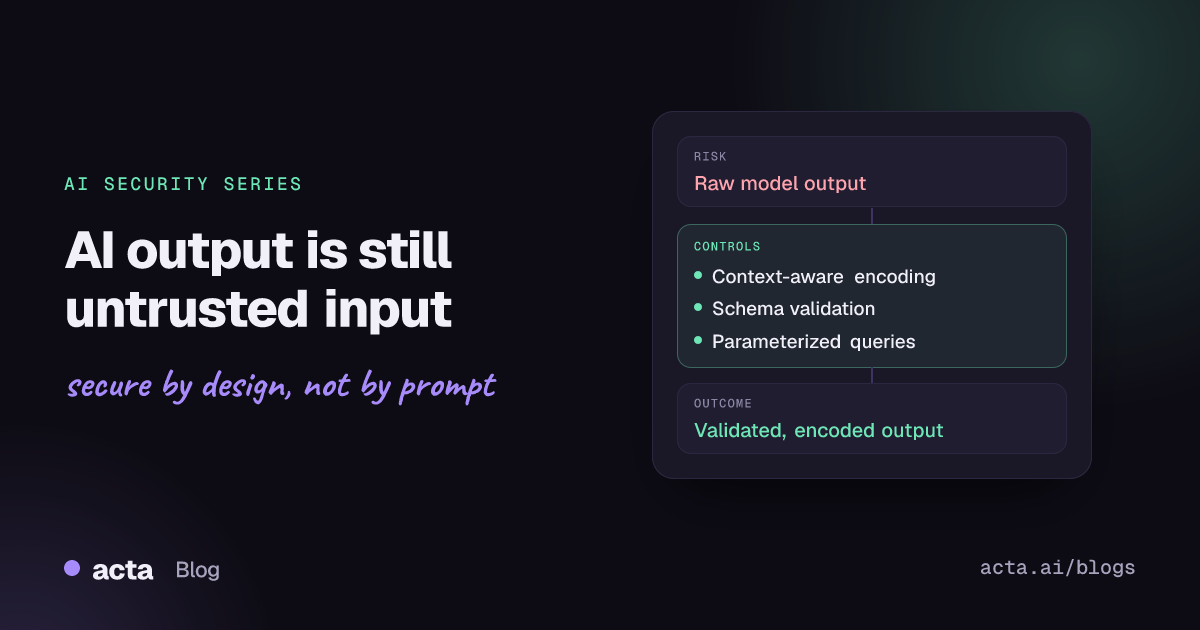
Quick answer: Text produced by a model can be steered by anyone who influences its input, including the authors of documents it reads. Treat it like any other untrusted user input. Encode it for the place it is displayed, validate structured output against a strict schema, never concatenate it into SQL or shell commands, and run any generated code in a sandbox with no access it does not need.
Teams that would never insert a form field into a page without escaping often do exactly that with model output. The reasoning is understandable: the model is "our" component, the prompt says to return plain text, and the output usually looks fine. But a model's output is shaped by its inputs, and those inputs include user messages, uploaded files, retrieved documents and tool results. If an attacker can influence any of them, they can influence what your application renders, queries or executes.
Example (invented companies): Brightline Insurance adds two AI features. First, its claims portal shows adjusters an AI summary of documents a claimant uploads, and the front end inserts the summary into the page as HTML so headings and bullet points render nicely. Second, an internal "ask the data" tool lets analysts type questions in plain English; the model writes SQL, and the back end runs it with the reporting service account. A claimant uploads a letter containing hidden text that asks the summarizer to include an image tag whose address carries the claim notes in its query string. When an adjuster opens the claim, the browser fetches the "image" and sends the notes to an outside server. Separately, an analyst's vaguely worded request produces a query that updates rows instead of reading them, because the reporting account was allowed to write.
Why is model output untrusted input?
Because it is derived from untrusted input. The OWASP GenAI Security Project's LLM10:2026 Improper Output Handling entry puts it plainly: since prompt input can control generated content, passing that content downstream without validation effectively gives users indirect access to more functionality. The consequences it lists are the familiar web ones: cross-site scripting, CSRF, server-side request forgery, privilege escalation and remote code execution, along with SQL injection, path traversal and data exfiltration through auto-rendered images and link previews.
This is not hypothetical. Security researcher Johann Rehberger documented data exfiltration through rendered Markdown images in GitHub Copilot Chat, triggered by instructions hidden in a source file; the issue was fixed by no longer rendering Markdown images.
How are teams handling model output today?
- Prompt instructions: "Return plain text only", "Only generate SELECT statements".
- Content moderation: filters for toxic or off-topic output, which look at meaning, not at markup or syntax.
- Framework defaults: some teams rely on a templating engine's auto-escaping, then bypass it to render Markdown or HTML.
- Perimeter controls: a web application firewall, database activity monitoring, and code review of the application itself.
- Human review of generated code before merge, at least in principle.
What do current approaches miss?
Prompts are not validators. An instruction to output only SELECT statements is a preference the model usually follows. It is not a guarantee, and injected text in the input can override it. Our article on why a system prompt is not a security boundary explains why.
The risk depends on the sink, not the content. The same string is harmless in a text node, dangerous in innerHTML, and dangerous in a different way in a SQL statement, a file path, a shell command, an email template or a terminal. Moderation filters do not know where the output is going.
Rendering Markdown means rendering HTML. Markdown converters typically emit HTML, and many allow raw HTML through. Auto-loading images and link previews turns any URL the model writes into a request the user's browser makes.
Database credentials are broader than the feature. In the Brightline example, the reporting account could write because nobody expected a read-only feature to send write queries. Generated SQL also ignores tenant and row-level rules unless the database enforces them.
Generated code runs where the app runs. Passing output to eval, a shell or an interpreter inside the application process gives that code the application's network, file system and secrets.
How do you handle model output safely?
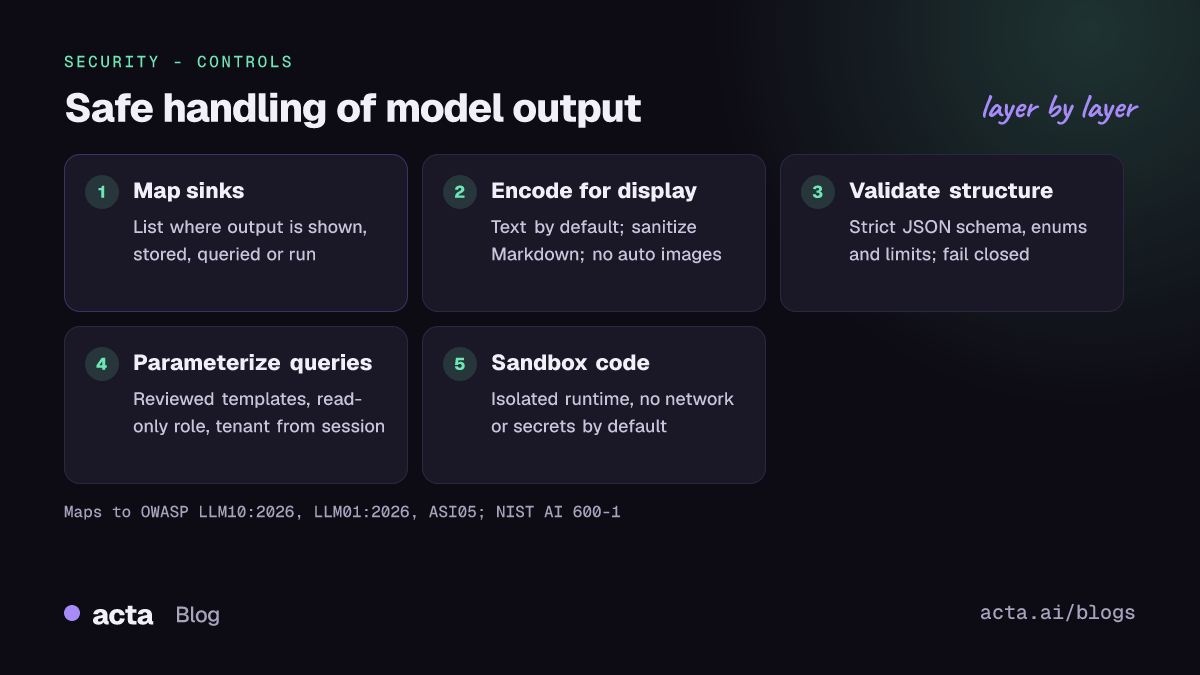
Start by listing every sink: every place model output is displayed, stored, parsed, queried or executed. Then apply the control that fits each one.
Display: encode by context and limit rendering
Render model text as text by default. If you need formatting, convert Markdown with raw HTML disabled, pass the result through an allowlist HTML sanitizer, and do not auto-load images or previews from arbitrary origins; allowlist trusted origins or proxy them server-side. Follow the OWASP XSS Prevention Cheat Sheet on context-aware encoding, and add a strict Content Security Policy as a second layer, not the only one.
Structured output: validate against a strict schema
When the model returns data for your code to act on, ask for JSON and validate it against a schema that rejects unknown fields, constrains types and lengths, and limits values to known enums or patterns. Reject and retry on failure rather than repairing silently. Validation tells you the shape is right; it does not make the values trusted, so authorize what the values ask for separately.
Databases: parameterize and constrain
The safest pattern is not to run generated SQL at all. Let the model choose from a set of reviewed, parameterized queries and fill in the parameters, which your code validates and binds, as the OWASP Query Parameterization Cheat Sheet describes:
ALLOWED = {
    "claims_by_status": "SELECT id, status, amount FROM claims "
                        "WHERE tenant_id = %s AND status = %s LIMIT 500",
}
STATUSES = {"open", "pending", "closed"}

def run_model_query(plan, user, cursor):
    # plan is validated JSON from the model, e.g.
    # {"query": "claims_by_status", "status": "open"}
    if plan.get("query") not in ALLOWED or plan.get("status") not in STATUSES:
        raise ValueError("query plan rejected")
    cursor.execute(ALLOWED[plan["query"]], (user.tenant_id, plan["status"]))
    return cursor.fetchall()
Note that the tenant comes from the authenticated session, never from the model. If you genuinely need free-form generated SQL for analysts, run it under a read-only role with row-level security, statement timeouts and row limits, against a replica or a restricted view, and parse the statement to allow only single read queries.
Code, commands and files: sandbox and minimize
Never pass model output to eval or a shell in the application process. Run generated code in an isolated sandbox with no network by default, no secrets, a temporary file system and resource limits. Build file paths and commands from validated parameters, not raw strings. Strip control characters before writing to terminals and logs.
Outbound actions: authorize separately
If output becomes an email, a webhook call or a URL fetch, check destinations against an allowlist and treat the action as a tool call that needs authorization. See AI agents and MCP security for that layer.
Recommendations
- Map every output sink (feature engineering): browser, database, shell, file system, email, logs, other services and other agents.
- Render as text by default (front end): Markdown only with raw HTML disabled and an allowlist sanitizer; no auto-loading of external images or previews.
- Deploy a strict Content Security Policy (platform): nonce- or hash-based, as defense in depth.
- Use structured output with schema validation (back end): reject unknown fields, enforce types and enums, and fail closed.
- Replace generated SQL with parameterized templates (data engineering); where free-form queries are unavoidable, use a read-only role, row-level security, timeouts and limits.
- Sandbox any code execution (platform): isolated runtime, no network or secrets by default, resource limits, and review before generated code reaches production.
- Allowlist outbound destinations (AppSec) for URLs, email recipients and webhooks that originate from model output.
- Test with hostile inputs (security testing): documents that try to produce script tags, image beacons, destructive SQL and path traversal; check that each sink blocks them. See continuous AI security testing.
- Log rejected outputs (platform): schema failures and blocked queries are useful signals of attempted manipulation.
How does this map to OWASP, NIST and the EU AI Act?
- OWASP Top 10 for LLM Applications 2026 (official publication): LLM10:2026 Improper Output Handling is the core item (it was LLM05 in the 2025 list). LLM01:2026 Prompt Injection is the usual way attackers shape output, and LLM03:2026 Excessive Agency applies when output drives actions. The LLM10 entry's mitigations include zero-trust treatment of output, following OWASP ASVS, context-aware encoding, parameterized queries, strict CSP and disabling auto-rendered images.
- OWASP Top 10 for Agentic Applications (2026 edition): ASI05 Unexpected Code Execution covers agents that generate and run code.
- Classic OWASP guidance still applies: the Input Validation Cheat Sheet and the OWASP AI Security Verification Standard (AISVS), which provides verification requirements for AI applications.
- NIST AI 600-1, the Generative AI Profile: Information Security is the relevant risk category, alongside Data Privacy where output can leak personal data. Use it to assign owners and measures under the AI RMF functions.
- EU AI Act: for high-risk systems, Article 15 of Regulation (EU) 2024/1689 requires appropriate accuracy, robustness and cybersecurity, including resilience against attempts to alter outputs or exploit vulnerabilities.
Where can you discuss and learn more?
- The LLM Top 10 GitHub discussions are open for questions and proposals, including a thread on how teams prioritize Top 10 risks.
- The OWASP GenAI Security Project's contributor page explains how to join its Slack channels and working groups.
Frequently asked questions
If we use structured outputs or JSON mode, is the output safe?
It is better shaped, not trusted. A valid JSON object can still carry a script tag in a string field or ask for a record the user should not see. Validate the schema, then encode values for their sink and authorize what they request.
Can we let the model write SQL if the account is read-only?
Read-only access removes destructive writes, but generated queries can still read other tenants' data, run expensive scans or touch sensitive tables. Add row-level security, restricted views, timeouts and limits, or use parameterized templates instead.
Is sanitizing the model's input enough?
No. Input filtering reduces some attacks, but cannot reliably catch every instruction hidden in documents. Control the output at each sink regardless of what went in.
Does this apply to internal tools?
Yes. Internal tools often have more privileged accounts and process external documents such as emails and uploads. The Brightline example is an internal adjuster screen.
Related in this series: AI data leakage and securing RAG. For more on how Acta approaches these questions, see our security page.
Found this useful? Like it, share it or follow the blog.