Privacy & Security 8 min read
AI App Security: What Existing Controls Catch and What They Miss
Familiar security controls cover the edges of an AI app but not what happens inside it. Map models, data sources, users, tools, owners and flows to find the gaps.
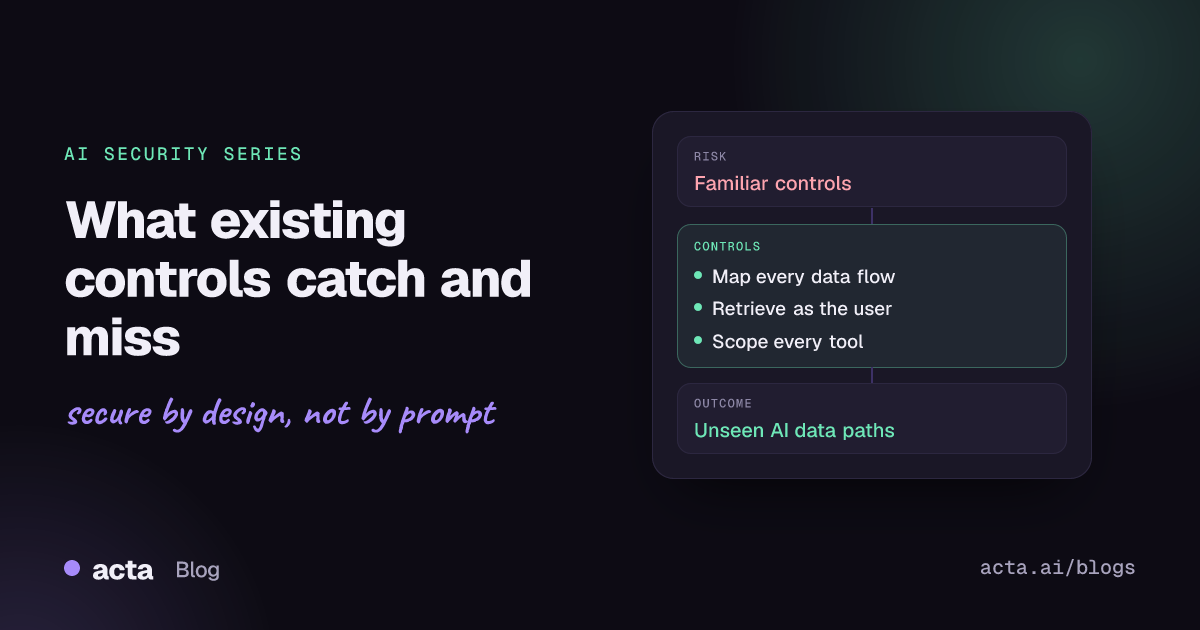
Quick answer: Vendor reviews, single sign-on, API gateways, data loss prevention and logging still matter for AI apps, but they were built to watch people and services, not a model that decides what to retrieve and which tool to call. Most gaps sit inside the AI system itself. Start by mapping every model, data source, user group, tool, owner and data flow, then put controls where those paths cross.
Here is a typical case (an invented example). Corvane Logistics, a 2,000-person freight company, buys an internal help chatbot from a reputable vendor. Procurement runs the security questionnaire, legal signs a data processing agreement, and the platform team puts the chatbot API behind the corporate gateway with single sign-on. The pilot goes well, so IT connects the bot to the company document store through a service account that can read every HR and finance folder, because that was the quickest way to make it useful.
Three weeks later a warehouse supervisor asks the bot, "Are there any changes planned for the Rotterdam depot?" The bot answers with a tidy summary of a draft restructuring memo that only the executive team was meant to see. Every control on the checklist passed. The user was authenticated, the vendor was approved, the API was protected, and the log recorded the request. None of those controls asked whether this user should see that document.
How are teams handling AI app security today?
Most organizations start with the controls they already trust, which is sensible. In practice the first wave of AI security work tends to look like this:
- Vendor and model reviews: security questionnaires, data processing terms, and questions about whether prompts are retained or used for training.
- Identity and access management: single sign-on in front of the chat interface and API keys stored in a secrets manager.
- Network and API protection: gateways, rate limits and web application firewalls in front of model endpoints.
- Data loss prevention: scanning prompts and responses for card numbers, national IDs or source code.
- Logging: request and response logs shipped to the SIEM.
- AI guardrails: a carefully written system prompt, content moderation, and sometimes a prompt-injection classifier.
These are reasonable foundations. The joint Guidelines for Secure AI System Development from the UK NCSC, CISA and partner agencies frame AI security across secure design, development, deployment and operation, which is the same lifecycle thinking most security programs already use.
What do existing controls actually catch?
Familiar controls do real work. Single sign-on stops anonymous use. Vendor reviews surface poor retention terms or weak hosting. Gateways limit abuse and runaway costs. DLP catches some obvious secrets pasted into prompts. Central logs give investigators somewhere to start. If you removed these controls, the Corvane chatbot would be worse off.
The trouble is what these controls assume: that a known caller sends a well-formed request to a service whose behavior is fixed by code. An AI app breaks that assumption in four places.
What do current approaches miss?
The model acts with someone else's permissions
At Corvane, the user was authenticated, but retrieval ran as a broad service account. The access decision that mattered (can this supervisor read this memo?) never happened. This is classic broken access control, the top item in the OWASP Top 10:2025 web application list, but it is easy to miss because the request passes through a model rather than a URL. Vendor reviews rarely catch it either, because the over-broad connector was configured by the customer, not the vendor.
Untrusted text can act as instructions
Any document, email or web page the model reads can contain instructions. A gateway or WAF sees well-formed JSON, and a DLP rule sees ordinary words. The 2026 OWASP entry on prompt injection notes that the model shares one context window across instructions and data, with no built-in trust boundary between them.
Tools turn answers into actions
Once the assistant can send email, update tickets or call internal APIs, a bad answer becomes a bad action. The Excessive Agency entry traces this to excessive functionality, excessive permissions and excessive autonomy, none of which a vendor questionnaire measures.
Decisions are hard to reproduce
A request log records the question and the answer. It usually does not record which documents were retrieved, which prompt and model version were in use, or which tool calls ran. When the Corvane memo leaked, the team could see that something was said, but not why.
How do you map the full AI system?
The fix starts with a map, not a product. For each AI system, write down six things and keep them in version control next to the code:
- Models: provider, model and version, hosting region, and retention and training terms.
- Data sources: every index, connector, database and file store the system can read, with the identity it reads as.
- Users: who can use it, and whether retrieval runs as the user or as a shared account.
- Tools: every action the model can trigger, split into read and write, with the credential each uses.
- Owners: a named business owner and a technical owner for the system, and an owner for each data source.
- Data flows: where prompts, retrieved context, outputs and logs travel, including third-party providers.
A lightweight inventory entry can be as simple as this:
system: internal-help-bot
owner: it-service-desk (business), platform-team (technical)
model: vendor-hosted chat model, version pinned, no training on inputs
users: all employees via SSO
data_sources:
  - name: hr-policies
    reads_as: end_user          # permissions checked per user
  - name: finance-share
    reads_as: svc-helpbot       # FLAG: shared account, broader than users
tools:
  - create_ticket: write, requires user confirmation
logs: prompts and retrieved doc IDs, 30 days, access limited to platform-team
Writing this down for Corvane would have flagged the problem before launch: a data source read through a shared account with more access than any single user. The fix was to switch the connector to delegated access, so the document store applied each user's own permissions during retrieval.
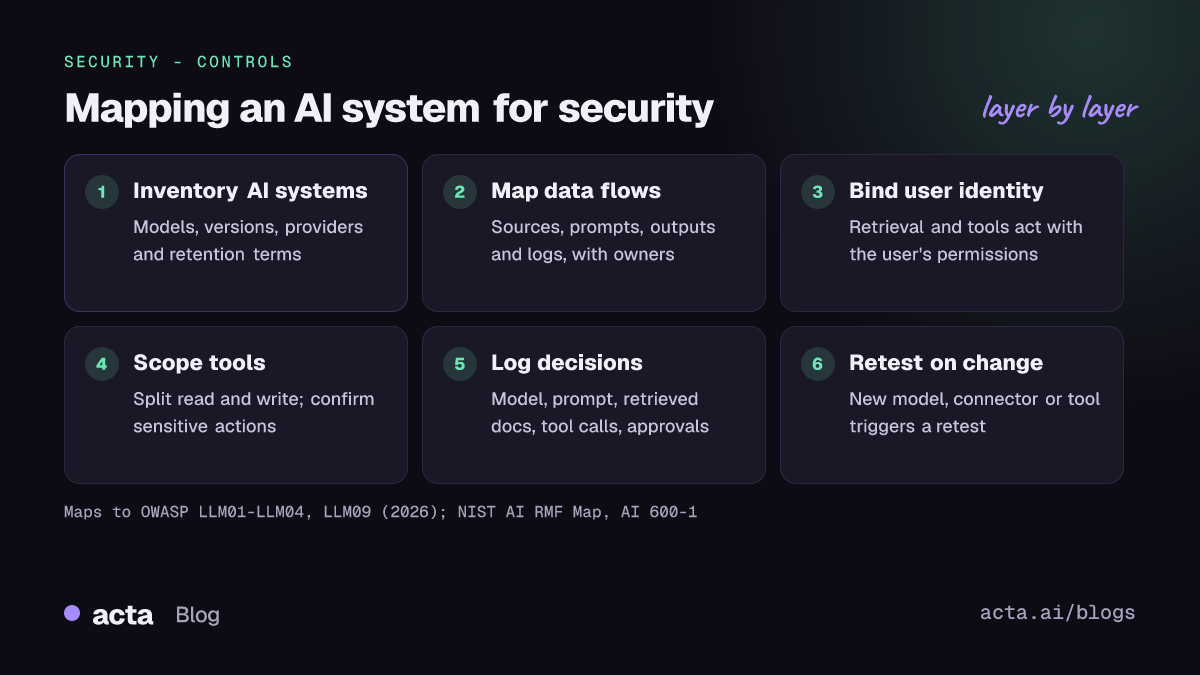
Once the map exists, put controls where the paths cross: at retrieval (whose permissions apply), at tool calls (what the model may do, and with whose approval), at output (what gets rendered or sent), and in logging (what you need to reconstruct a decision later).
Recommendations
- Build an AI system inventory using the six fields above. Owner: AppSec or AI governance lead, with each product team filling in its own entries.
- Make retrieval run as the user. Replace shared service accounts on connectors with delegated or per-user access wherever the source supports it. Owner: platform team.
- Treat all retrieved and uploaded content as untrusted. Assume it may contain instructions, and design so that following them cannot cross a permission boundary. See our article on why a system prompt is not a security boundary.
- Split read and write tools and require confirmation for actions that send, pay, delete or change permissions. Owner: product engineering.
- Add AI questions to vendor reviews: how connectors authenticate, whether retrieval honors source permissions, and what is logged and for how long. Owner: third-party risk.
- Log enough to reproduce a decision: model and prompt version, retrieved document IDs, tool calls and approvals, with sensitive fields redacted. Owner: platform team with security operations.
- Test realistic abuse cases before launch and after every change to models, prompts, connectors or tools. Owner: AppSec.
- Review the map quarterly and whenever a new data source or tool is connected. Owner: system business owner.
How does this map to OWASP, NIST and the EU AI Act?
The OWASP Top 10 for LLM Applications 2026, published in August 2026, is the current edition. The gaps above line up with several of its items: LLM01:2026 Prompt Injection, LLM02:2026 Sensitive Information Disclosure, LLM03:2026 Excessive Agency, LLM04:2026 Supply Chain and LLM09:2026 Vector and Embedding Weaknesses. The edition renumbered most entries compared with 2025, so cite the year with the ID. For agents that plan and act across many steps, OWASP also maintains a separate Top 10 for Agentic Applications.
On the NIST side, the AI Risk Management Framework organizes work into Govern, Map, Measure and Manage. The inventory exercise above is essentially the Map function. Its companion, the Generative AI Profile (NIST AI 600-1), lists generative AI risks such as information security, data privacy and value chain and component integration, and suggests actions under each function. For attack terminology, MITRE ATLAS catalogs adversary tactics against AI systems in a format modeled on ATT&CK.
If the system could fall into a high-risk category under the EU AI Act (Regulation (EU) 2024/1689), Article 15 requires appropriate accuracy, robustness and cybersecurity. EUR-Lex lists the regulation as amended, so check the current consolidated text for application dates. Our article on turning AI policies into compliance evidence covers that mapping.
Where can you discuss and learn more?
- The OWASP GenAI Security Project works in the open on OWASP Slack, with per-risk channels listed on the Top 10 for LLM and GenAI initiative page.
- The Top 10 repository has public GitHub discussions, including a thread on how teams prioritize the LLM Top 10 risks with quantitative methods.
Acta builds AI features on meeting data and takes these questions seriously; our security page describes our approach.
Frequently asked questions
Is a vendor security review enough for an AI chatbot?
No. A vendor review tells you how the provider runs its service. It does not tell you how your team connected it to your data. Most serious gaps, such as over-broad connectors and missing per-user permissions, are created during integration.
Can data loss prevention stop an AI assistant from leaking documents?
Only partly. DLP catches recognizable patterns such as card numbers. A paraphrased summary of a confidential memo contains no pattern to match. The reliable control is to stop the assistant from retrieving the memo for that user in the first place.
Who should own AI system security?
Shared ownership works best when it is written down. A business owner decides what the system is for and accepts residual risk, a technical owner runs it, and each data source keeps its existing owner, who decides who may read it through the AI system.
Where should a small team start?
Write the six-field inventory for your one or two AI systems, then fix any data source that reads through a shared account. Those two steps close the most common gap at low cost.
Continue the series with securing RAG against poisoned documents and broken access controls and AI agents and MCP security.
Found this useful? Like it, share it or follow the blog.